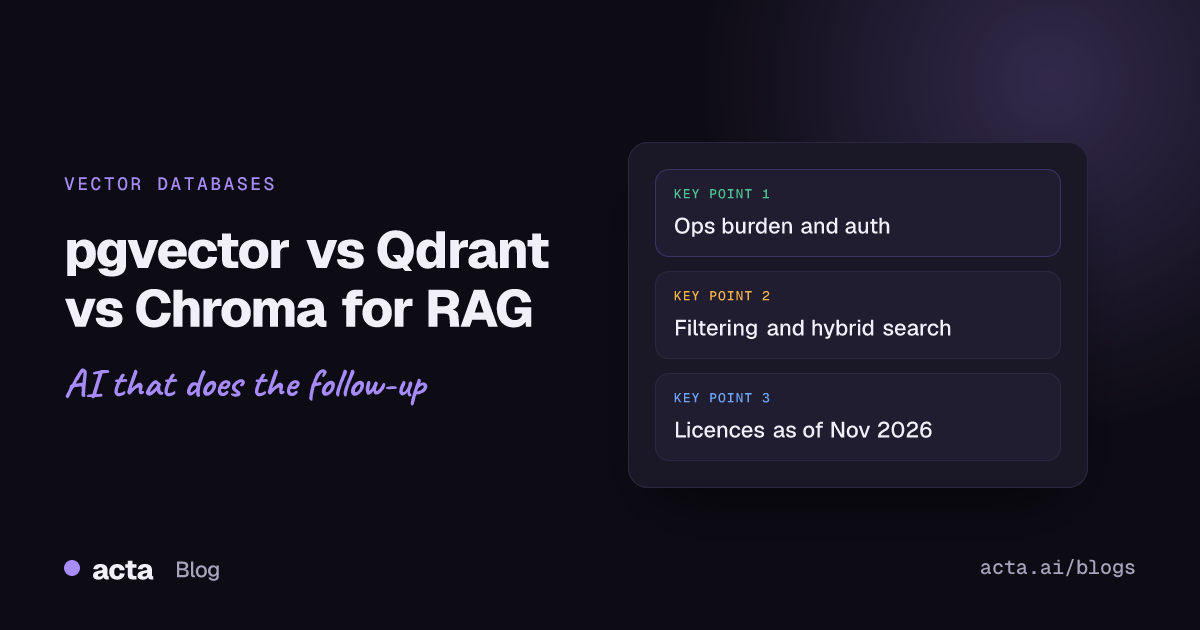
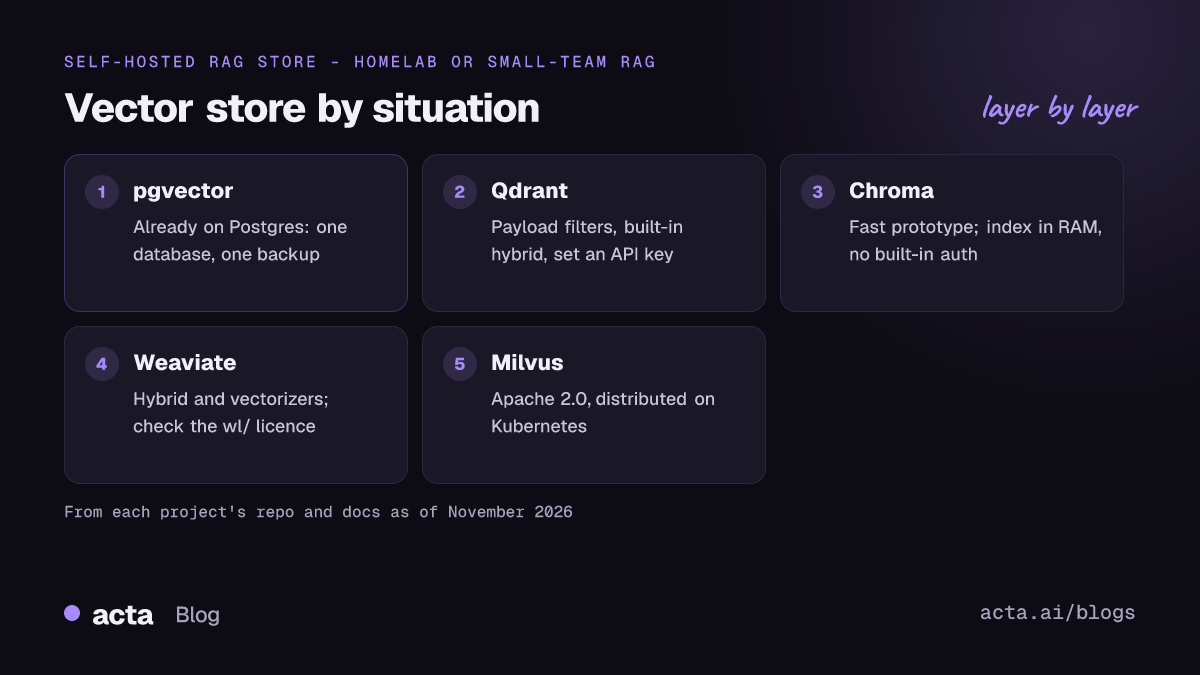
pgvector vs Qdrant vs Chroma, as of November 2026: use pgvector if your app already runs on Postgres and you want one database to back up, use Qdrant if filtering and hybrid search decide whether your RAG answers are right, and use Chroma for prototypes and single-user tools. Chroma's hybrid Search API is Chroma Cloud only for now, and its server has no built-in authentication, which matters as soon as a second person connects.
This guide is for someone choosing a vector store for a homelab, an internal knowledge bot or a small team's RAG service, typically thousands to a few million chunks on one machine. Every feature claim comes from the project's own repository or documentation. If you need billions of vectors across a cluster, skip to the Weaviate and Milvus section, and if a long context window could replace retrieval entirely, read when retrieval still beats long context first.
Key takeaways
- pgvector (v0.8.7 in the install instructions, Postgres 13+) adds vectors to the database you already back up. Turn on iterative index scans for filtered queries, or HNSW can return too few rows.
- Qdrant gives you payload filtering, dense plus sparse plus BM25 hybrid queries with RRF or DBSF fusion, quantization and sharding in one Apache 2.0 server. Set an API key on day one: the default Docker command starts with no authentication.
- Chroma is four API calls to a working prototype. Single-node Chroma keeps its HNSW index in RAM (about 0.245 million 1024-dimension embeddings per GB, per its own tests), and hybrid search is Cloud only.
- Weaviate's binaries now mix BSD-3 code with enterprise features behind a licence key; Milvus is Apache 2.0 and built to run as a distributed cluster on Kubernetes.
- Pick on ops burden and filtering first; raw speed rarely decides a small deployment.
Table of contents
- pgvector vs Qdrant vs Chroma at a glance
- pgvector wins when your data already lives in Postgres
- Qdrant is the strongest single-box choice for filtered search
- Chroma is the fastest start, so plan for its limits
- Filtering and hybrid search matter more than raw speed
- Ops burden decides it for a homelab or a five-person team
- Reach for Weaviate or Milvus when you outgrow one box
- Frequently asked questions
- Choose your vector database this week
pgvector vs Qdrant vs Chroma at a glance
The three tools solve the same problem from different starting points. pgvector is an extension: vectors become another column type in Postgres, queried with SQL. Qdrant is a dedicated vector search server written in Rust, with a REST and gRPC API. Chroma is an embedding database you can run inside a Python process, as a local server, or as a managed cloud service. Here is how they compare on the questions that decide a small deployment, as of November 2026.
| Question | pgvector | Qdrant | Chroma |
|---|---|---|---|
| Licence | PostgreSQL-style permissive | Apache 2.0 | Apache 2.0 |
| Runs as | Postgres extension | Standalone server (Docker), plus in-process Edge | In-process library or single-node server |
| Metadata filtering | Any SQL WHERE clause; iterative scans since 0.8.0 | JSON payload filters with must, should, must_not and payload indexes | where and where_document filters |
| Hybrid search, self-hosted | Combine with Postgres full-text search yourself | Built in: dense, sparse and BM25 with RRF or DBSF | Search API with RRF is Chroma Cloud only |
| Auth | Postgres roles and permissions | API keys, read-only keys, JWT | No built-in auth since v1.0.0 |
| Scale-out | Bigger box, read replicas, or Citus for sharding | Sharding and replication | Single-node server; Chroma Cloud is managed |
| Pick it if | You already run Postgres | Filtering and hybrid quality matter | You are prototyping alone |
Still choosing the model that answers from these chunks? Our comparison of local model runners covers that half of the stack.
pgvector wins when your data already lives in Postgres
pgvector's README describes it as open-source vector similarity search for Postgres. It supports exact and approximate nearest neighbour search, with L2, inner product, cosine and L1 distance, plus half-precision, binary and sparse vector types. The current install instructions clone v0.8.7 and support Postgres 13 and newer. It is also packaged for Docker, Homebrew, APT and PGXN, and many hosted Postgres providers include it.
The real argument for pgvector is that a chunk's text, its source document, its owner and its embedding sit in one row. Deleting a document deletes its vectors in the same transaction. Permissions, backups, point-in-time recovery and monitoring are whatever you already do for Postgres; the README notes pgvector uses the write-ahead log, so replication and point-in-time recovery just work.
Getting started takes four statements, taken from the README:
docker pull pgvector/pgvector:pg19-trixie
CREATE EXTENSION vector;
CREATE TABLE chunks (id bigserial PRIMARY KEY, team_id int, body text, embedding vector(1024));
CREATE INDEX ON chunks USING hnsw (embedding vector_cosine_ops);
Replace 19 in the image tag with your Postgres major version. Two limits to know before you pick an embedding model: an indexed vector column supports up to 2,000 dimensions, and the halfvec type raises that to 4,000. If your model outputs 3,072 dimensions, store or index it as halfvec.
The weak spot is filtering on an approximate index, covered in its own section below. pgvector also leaves scale-out to Postgres: its README says to scale vertically first, then add replicas, or use Citus or another sharding approach. That is fine for millions of chunks on one decent machine and a real project beyond that.
Qdrant is the strongest single-box choice for filtered search
Qdrant calls itself a vector similarity search engine and vector database, and its README says it is tailored for extended filtering support. Each point is a vector plus a JSON payload, and you filter on that payload with keyword matching, full-text, numeric ranges and geo conditions, combined through must, should and must_not clauses. Payload indexes let its query planner keep filtered queries returning full result sets.
It also ships dense, sparse and multivector search, quantization and on-disk storage, multitenancy, a web UI, metrics, a write-ahead log, and sharding with replication, all under Apache 2.0.
The quick start is one command from the README:
docker run -p 6333:6333 qdrant/qdrant
Read the line that follows it in the README: this starts an insecure deployment without authentication, open to all network interfaces. On a homelab box that also runs other services, fix that before you load a single document. Qdrant's security documentation covers API key authentication (set through the config file or the QDRANT__SERVICE__API_KEY environment variable), a separate read-only key for services that only search, and JWT-based granular access. Send keys over TLS only.
Hybrid search is where Qdrant pulls ahead of the other two for self-hosters. One query can combine a dense embedding branch, a sparse or BM25 branch and a filter, then merge the branches with Reciprocal Rank Fusion or Distribution-Based Score Fusion. Qdrant's hybrid search article walks through when each fusion method helps.
Chroma is the fastest start, so plan for its limits
Chroma's pitch is speed to a working prototype. The Chroma repository shows the whole core API as four functions: create a client, create a collection, add documents, query. pip install chromadb gives you an in-memory client, a persistent client writes to a local folder, and chroma run --path /db_path starts a server that any process can reach with HttpClient on port 8000. The Docker equivalent from the deploy docs is docker run -v ./chroma-data:/data -p 8000:8000 chromadb/chroma.
Three documented limits matter.
- Memory: Chroma's single-node performance guide says the HNSW index must sit in system RAM, and once a collection outgrows memory, latency spikes and the system quickly becomes unusable. Its rule of thumb for 1024-dimension embeddings is N = R x 0.245, where N is millions of embeddings and R is GB of RAM, plus a gigabyte for everything else. Chroma does not recommend deploying on less than 2 GB.
- No built-in auth: the v1.0.0 migration notes (March 2025) state that Chroma no longer provides built-in authentication implementations. Keep the server on localhost or a private network, or put an authenticating reverse proxy in front of it.
- Hybrid search is Cloud only: the Search API docs say it is available in Chroma Cloud only, with single-node support planned. That API is where hybrid ranking with RRF and sparse vector indexes live.
Self-hosted Chroma still filters well enough for many prototypes. The where argument filters on metadata, and where_document supports $contains, $not_contains and regex operators. The docs note this full-text matching is case-sensitive, and it is a filter, not BM25 ranking, so it will not lift a keyword match up the results the way true hybrid search does.
Worked example: a 16 GB mini PC running a local model and Chroma side by side. By Chroma's own formula, 16 GB would hold roughly 3.9 million 1024-dimension embeddings if Chroma had the machine to itself; its test table lists about 3.6 million for a 16 GB instance. Once the model takes 8 to 10 GB, your real ceiling is a fraction of that.
Filtering and hybrid search matter more than raw speed
Most RAG answers that go wrong in a small deployment fail at retrieval, and usually for one of two reasons: the filter dropped the right chunk, or the query contained a name or code that embeddings blur. That is where pgvector vs Qdrant vs Chroma differ most, much more than in milliseconds per query.
Filtered queries in pgvector need iterative scans
With an approximate index, pgvector applies the WHERE clause after scanning the index. The README gives the example: if a condition matches 10% of rows, with HNSW and the default hnsw.ef_search of 40, only 4 rows match on average. Ask for the top 10 chunks from one team's documents and you may get 4. Since 0.8.0 you can turn on iterative index scans, which keep scanning until enough rows match or a limit is reached:
SET hnsw.iterative_scan = strict_order;
SET hnsw.iterative_scan = relaxed_order; -- better recall, slightly out of order
For a handful of filter values, the README suggests partial indexes; for many tenants, list partitioning or separate tables, because tenants sharing one approximate index affect each other's recall and speed.
Hybrid search with pgvector is a recipe, not a feature
pgvector hybrid search means running a Postgres full-text query and a vector query, then fusing the two ranked lists with Reciprocal Rank Fusion or a cross-encoder. The README links working Python examples of both. Qdrant does the same fusion server-side in one query. Self-hosted Chroma cannot do it at all today, so you would run keyword search elsewhere and merge results in your app.
Why care? Take a support bot over meeting notes and tickets. A user asks about ticket PLAT-4412 or a customer called Halvorsen. Embeddings blur those strings; BM25 matches them exactly. Hybrid retrieval plus a reranker is the usual fix. Our guide to building RAG over transcripts and documents shows where each stage sits, and chunking transcripts by speaker turn covers the step before indexing.
Permissions are a filtering problem too: if people may see different documents, the filter is a security control. Postgres row-level security or a Qdrant tenant filter enforces it in the store; with Chroma it lives in app code. See permission-aware RAG.

Ops burden decides it for a homelab or a five-person team
In a self-hosted vector database, the work that eats your weekends is not the query API. It is backups, upgrades, auth, disk and memory.
- pgvector: nothing new if Postgres is already there. Your existing pg_dump or WAL archiving covers the vectors, roles cover access, and your monitoring already watches the box. The new chores are index builds and the filtered-query settings above.
- Qdrant: one more container with its own storage volume, API keys, upgrade notes and metrics endpoint.
- Chroma: the least to set up and the least to secure with, because security is your job. Fine on a laptop or behind a private network; risky on anything exposed.
Memory planning is the same arithmetic for all three, and worth doing before you buy hardware. At 4 bytes per float32 dimension, one million 1024-dimension chunks is 1,000,000 x 1,024 x 4 bytes, about 4.1 GB before any index overhead, metadata or text. Half precision halves that, which is why pgvector's halfvec and Qdrant's quantization exist. That is arithmetic, not a benchmark; measure your own footprint.
Licences are simple for the main three: pgvector uses a permissive PostgreSQL-style licence, Qdrant and Chroma are Apache 2.0. Their managed clouds are separate commercial services; check each vendor's pricing page, since plans change.
Teams often self-host because the material is sensitive: contracts, HR notes, call transcripts. Keeping vectors inside the Postgres you already lock down is the easiest story for a security reviewer. The guide to ways to run private AI agents covers the wider choice.
Reach for Weaviate or Milvus when you outgrow one box
The Weaviate vs Milvus question comes up when one machine stops being enough, or you want the database to do more of the pipeline.
Weaviate
Weaviate stores objects and vectors together and can vectorize data at import through integrated model providers, or take your own embeddings. Its README lists BM25 hybrid search, built-in generative search and reranking, multi-tenancy, replication and RBAC. Check the licence carefully: as of November 2026, the repository's LICENSE says code outside the wl directory is BSD-3, while code inside it is only available under a separate enterprise licence, and the published Docker image combines both, and enterprise features need a licence key.
Milvus
Milvus is written in Go and C++, released under Apache 2.0 under the LF AI and Data Foundation, and built around a distributed, Kubernetes-native architecture that separates compute and storage. It supports HNSW, IVF, DiskANN and other index types, GPU indexing, native BM25 full-text search, and authentication, TLS and RBAC. It also comes small: Standalone mode runs on one machine, and Milvus Lite runs from pip install pymilvus[milvus-lite] with data in a local file. Milvus is the one to pick when the plan really is tens of millions of vectors and a platform team to run them.
Where Acta fits
If the corpus you want to search is mostly your team's meetings, you may not need to build this at all. Acta turns Zoom, Google Meet and Teams calls into transcripts, summaries and action items, captured bot-free with its desktop app if you prefer, and its OneChat answers questions across all your meetings with links to where each answer was found. Acta does not use customer data to train AI models. Build your own stack when you need the same search over documents, tickets and code too.
Frequently asked questions
What is the best vector database for RAG on a small team?
As of November 2026, pgvector is the best vector database for RAG if your team already runs Postgres, because vectors share backups, roles and transactions with your data. Pick Qdrant for strong metadata filtering or built-in hybrid search, and Chroma for single-user prototypes.
Qdrant vs pgvector: which should I choose?
Choose pgvector when your app data is in Postgres and you want one system to operate; enable iterative index scans for filtered queries. Choose Qdrant when filtered and hybrid retrieval quality decide your results, or you want quantization and sharding built in.
Can I use Chroma in production?
Chroma in production works for modest, single-node workloads if you plan around three documented limits: the HNSW index must fit in RAM, there is no built-in authentication since v1.0.0, and the hybrid Search API is Chroma Cloud only. Keep it on a private network and size RAM with Chroma's formula.
Does pgvector support hybrid search?
Yes, by combining it with Postgres full-text search. You run a full-text query and a vector query, then merge the ranked lists with Reciprocal Rank Fusion or rerank with a cross-encoder; the pgvector README links Python examples of both.
Is a self-hosted vector database worth it over a managed service?
A self-hosted vector database is worth it when the data is sensitive, the corpus fits on one machine, and someone on the team owns backups and upgrades. If nobody wants to be paged, use the same project's managed service.
Choose your vector database this week
Settle it with a small test on your own documents.
| Your situation | Start with |
|---|---|
| App already on Postgres, under a few million chunks | pgvector with HNSW and iterative scans |
| Multi-tenant data, heavy filters, names and IDs in queries | Qdrant with an API key and hybrid queries |
| Solo prototype, notebook or desktop tool | Chroma persistent client |
| Want vectorization and hybrid search inside the database | Weaviate, after reading its licence |
| Tens of millions of vectors and a Kubernetes team | Milvus |
- Write 30 real questions: include filtered ones (one team, one date range) and ones with exact names or ticket IDs.
- Load the same chunks into two stores: usually pgvector and Qdrant; keep the embedding model fixed.
- Check recall with filters on: count how often the right chunk lands in the top 5, as in our guide to evaluating a RAG system.
- Lock it down before sharing: API keys or Postgres roles, TLS, and no port open to the internet.
- Write the backup and upgrade runbook: if nobody will own it, choose the option that reuses what you already run.
And if the first thing you planned to index was your team's calls, try the Acta Chrome extension or desktop app on a week of meetings before you stand up a database.