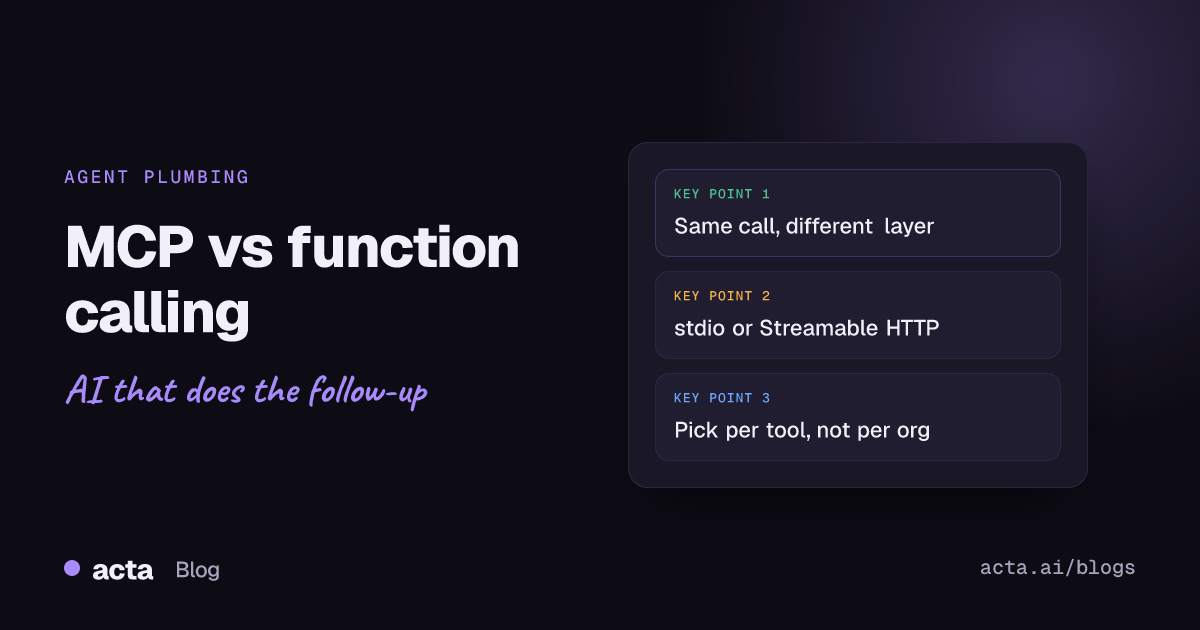
MCP vs function calling is not a choice between two rival features. Function calling is how a model asks your code to run a tool: it returns a structured call, you execute it and send back the result. MCP (Model Context Protocol) is a standard way to package tools so any compatible client can discover and call them over stdio or HTTP. If one app owns its tools, function calling is enough. Reach for MCP once several clients need the same tools.
This guide is for engineers and technical leads deciding whether to wrap an internal API in an MCP server or keep a handful of functions inside one app. Everything about the protocol comes from the official MCP specification (the 2026-07-28 revision is current as of November 2026) and from OpenAI's and Anthropic's own docs. It won't help much if you are choosing an agent framework; that's a different layer again.
Key takeaways
- Every MCP tool call still ends in function calling: the model emits a structured call either way. MCP only changes where the tool definitions live and who runs them.
- Keep plain function calling when one application, one team and fewer moving parts are involved. You avoid a server process, a transport and an auth flow.
- Build an MCP server when the same tools must work in two or more clients (say Claude Code, Cursor and your own agent) or when another team maintains them.
- Pick the transport first: stdio for a local process launched by the client, Streamable HTTP for anything remote. Remote means OAuth-based authorization; stdio takes credentials from the environment.
- The 2026-07-28 spec made MCP stateless: no session header, no initialize handshake. Older tutorials that start with a handshake are out of date.
Table of contents
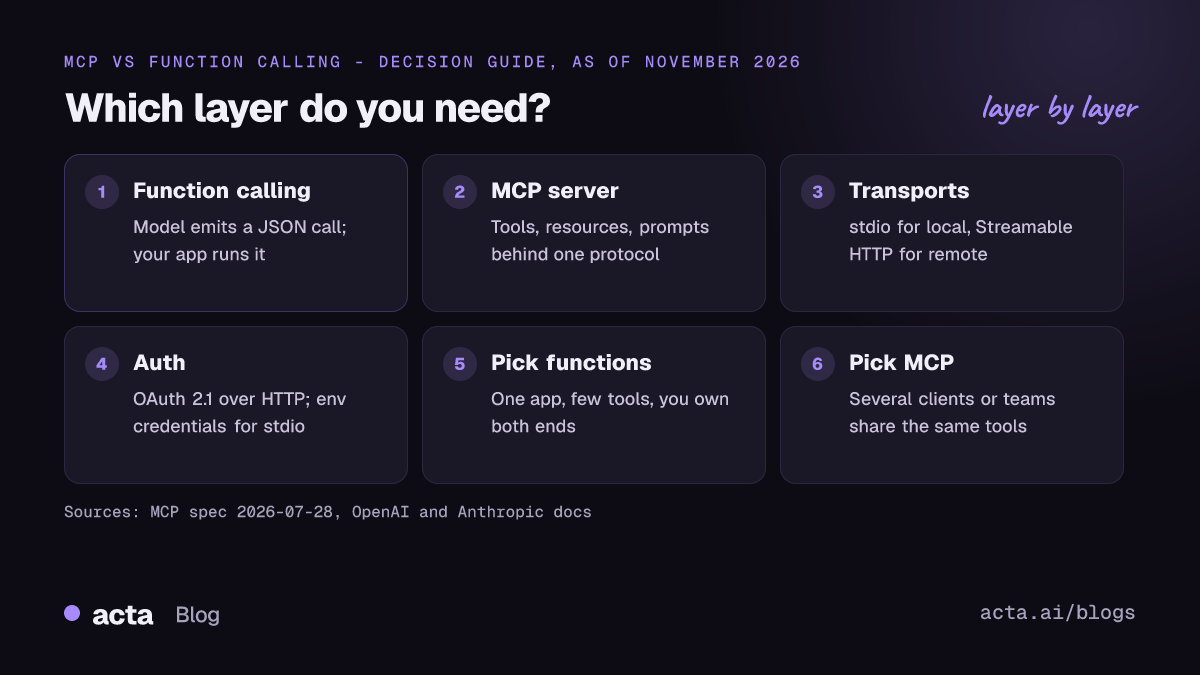
- Function calling and MCP sit at different layers
- Function calling is a loop your own code runs
- MCP adds discovery and a shared server
- MCP transports decide where the server runs
- Auth is where MCP costs the most
- MCP vs function calling: the decision table
- Model APIs now call remote MCP servers for you
- A worked example with meeting data
- Frequently asked questions
- Choose your integration path
Function calling and MCP sit at different layers
Function calling (OpenAI's name; Anthropic calls it tool use) is a model capability. You describe a tool with a name, a description and a JSON Schema for its parameters. When the model decides the tool would help, it stops and returns the tool name plus arguments as structured data instead of prose. Nothing runs until your code runs it.
MCP is a protocol between an AI application (the host, with its client) and a server that exposes capabilities. The specification defines three server features: tools the model can call, resources the application can read, and prompts the user can pick. The host asks the server what tools exist, hands those definitions to the model, and when the model emits a call, the client forwards it to the server, which executes it.
So the honest framing of MCP vs tool calling is this: the model side looks identical. In both cases the model produces a call against a schema. What changes is the plumbing around it. With plain function calling, the schemas and the code that runs them live inside your app. With MCP, they live in a separate server that any MCP-capable client can connect to, whether that's Claude, ChatGPT, Cursor, or an agent you wrote.
Function calling is a loop your own code runs
OpenAI's function calling guide (as of November 2026) describes the same five-step loop for both the Responses API and Chat Completions:
- Send the request with your tool definitions. Each function has a type, a name, a description, a parameters object written as JSON Schema, and an optional strict flag that makes the model stick to the schema.
- The model returns a function call with arguments.
- Your code executes the function: query the database, hit the API, whatever it is.
- You send the output back to the model.
- The model writes its final answer, or asks for another call.
Anthropic's tool use docs describe the same pattern and split tools into two kinds. Client tools run in your application: Claude responds with a tool_use block containing the tool name and a JSON object of arguments, and you return a tool_result. Server tools, such as web search, web fetch and code execution, run on Anthropic's infrastructure; you enable them in the request and never see the execution step.
This loop has real advantages. There is no extra process to deploy, no network hop between the model call and your code, and no new auth system: the function runs with whatever permissions your app already has. For a support bot with three lookups, that is all you need.
The cost shows up later. Every app that wants the same tools re-implements them, re-writes the schemas, and drifts. A ticket lookup defined in your support bot, your internal Slack agent and an engineer's Cursor setup becomes three slightly different tools with three sets of bugs.

MCP adds discovery and a shared server
An MCP server answers a few standard requests. tools/list returns each tool's name, description and input schema; tools/call runs one. resources/list and prompts/list do the same for data and prompt templates. Because the shape is standard, a client that has never seen your server can still list its tools and offer them to the model.
Three things come with that standard shape:
- Discovery: clients learn tools at connect time instead of having them compiled in. Under the 2026-07-28 revision, clients that want to hear about changes opt in to a long-lived subscriptions/listen stream and choose which lists to follow (tools, prompts, resources).
- One implementation: the team that owns the ticketing system writes the server once. Claude Code, Cursor and your own agent all call the same code.
- A boundary: the server is a separate process or service. It can run with its own credentials and its own logs, which is useful when the tool touches data the calling app should not hold directly.
What MCP does not add: better tool selection. The model still picks tools from names and descriptions, exactly as with plain functions. A vague description is just as vague over MCP. And every tool a server lists lands in the model's context, so a server exposing 60 tools costs you context whether or not the model uses them.

MCP transports decide where the server runs
The spec defines two standard transports, and the choice shapes almost everything else.
stdio is for local servers. The client launches the server as a subprocess; the server reads JSON-RPC messages on stdin and writes responses on stdout. It's what you use for a filesystem tool, a local database or a CLI wrapper on a developer's laptop. No ports, no TLS, nothing to host. The flip side: it only exists while the client runs it, on that machine.
Streamable HTTP is for remote servers. It replaced the older HTTP+SSE transport from the 2024-11-05 revision. In the 2026-07-28 revision, the client sends every JSON-RPC request or notification as its own HTTP POST, and the protocol is stateless: protocol-level sessions and the Mcp-Session-Id header were removed, and so was the initialize handshake (see the 2026-07-28 changelog). Each request now carries its protocol version and client capabilities in a _meta field. If a server needs state across calls, it mints an explicit handle and the client passes it back as an ordinary tool argument.
That change matters if you are deciding today. Stateless servers sit behind a normal load balancer like any other HTTP API, which removes one of the main operational complaints about earlier MCP. It also means tutorials written in 2025 that start with an initialize call or pin sessions to one instance describe a protocol version you probably shouldn't target for new work. Check which revision your client SDK supports before you build.
Auth is where MCP costs the most
With function calling, auth is invisible: your function uses your app's credentials. MCP forces you to decide who the caller is.
The authorization section of the spec is explicit about the split. HTTP-based transports should follow the MCP authorization spec, which is built on OAuth 2.1; the MCP server acts as an OAuth resource server and must validate access tokens. stdio servers should not use that flow and should instead take credentials from the environment, typically an API key passed as an environment variable when the client launches them.
In practice that means a remote MCP server needs an authorization server, token validation, scopes, and a decision about whether tools act as the signed-in user or as a service account. That's real work, and it is the main reason not to build an MCP server for a tool only one app will ever call. It pays back when many clients connect: users sign in once per client, and you revoke access in one place.
Approval is the other half. Hosts typically ask the user before running a tool that changes something, and OpenAI's remote MCP tool asks for approval by default before sending data to a server. The security side of agents that can act (prompt injection through tool output, over-broad scopes, untrusted servers) is a topic of its own; we cover it in AI agents and MCP security and in why a system prompt is not a security boundary.
MCP vs function calling: the decision table
Here's how the two compare on the questions that decide real projects. Facts reflect the MCP spec and vendor docs as of November 2026.
| Question | Plain function calling | MCP server |
|---|---|---|
| Who runs the tool? | Your app, in process | A separate server (local or remote) |
| Where are schemas defined? | In each app's request | Once, returned by tools/list |
| Works in Claude, ChatGPT, Cursor without code? | No | Yes, if the client supports MCP |
| Auth model | Your app's existing credentials | OAuth 2.1 over HTTP; env credentials for stdio |
| Extra moving parts | None | Server process, transport, auth |
| Best fit | One app, tools you own end to end | Shared tools, several clients or teams |
Pick plain function calling if
- One application calls the tools and you control both the app and the tool code.
- The tools are thin wrappers over functions already in that codebase.
- You need tight control of latency or every call path, for example a structured-extraction step in a batch pipeline.
- You're prototyping and don't yet know which tools survive.
Pick MCP if
- The same tools should work in off-the-shelf clients your colleagues already use, such as Claude Code, ChatGPT or Cursor.
- A different team owns the system behind the tool and should own its interface too.
- You want per-user sign-in and central revocation instead of shared API keys in every app.
- You're a vendor and want customers to plug your product into their assistant of choice.
When not to use MCP
Skip it when the "server" would have exactly one client forever, when the tool needs data the calling app already has in memory, or when nobody is ready to run an OAuth setup for a remote server. Wrapping three internal functions in a remote MCP server just to call them from the same app adds a network hop, an auth flow and a deploy for no gain.
Model APIs now call remote MCP servers for you
A newer middle ground blurs the line: the model APIs themselves can act as the MCP client, so your app sends one request and the provider talks to the server.
OpenAI's Responses API has a remote MCP tool (as of November 2026). You add a tool of type mcp with a server_url; servers using Streamable HTTP or HTTP/SSE are supported, and an authorization parameter carries an OAuth access token where the server needs one. By default the API asks for approval before data goes to the server, returning an mcp_approval_request item you answer with an mcp_approval_response. You can set require_approval to "never" for trusted servers, or list only the tools that may skip approval, and allowed_tools limits which tools the model sees at all. OpenAI's docs warn to connect only to servers you trust, because a malicious server can pull out sensitive data that enters the model's context.
Anthropic's MCP connector does the same for the Messages API through an mcp_servers parameter, where you can list several servers. Its documented limits (as of November 2026): only the tool part of the MCP spec is supported, and servers must be reachable over HTTP, so a local stdio server can't be used directly.
For coding tools, adding a remote server is one command. From the Claude Code docs:
claude mcp add --transport http my-tickets https://tickets.example.com/mcp
claude mcp add --transport http my-tickets https://tickets.example.com/mcp --header "Authorization: Bearer YOUR_TOKEN"
Add --scope project and the definition goes into .mcp.json at the project root, which is how a team shares the same server list through the repo. The docs also mark the older SSE transport as deprecated in favour of HTTP. (The server URL above is a placeholder.)
So "I don't want to write an MCP client" is no longer a reason to avoid MCP. You still need someone to run the server.
A worked example with meeting data
Take a concrete case. A team wants its assistant to answer "what did we promise Globex last month?" Built with plain function calling, you'd write a get_action_items function, call the meeting tool's API inside it, and wire it into one app. That's fine for one internal bot. But the account managers live in ChatGPT, the engineers in Cursor, and the ops lead in Claude.
That's the case MCP was made for, and it's how Acta handles it: Acta's MCP connector lets Claude, ChatGPT, Cursor or another MCP-capable assistant read your meetings, action items and Decision log, with optional writes such as marking an item done, each shown in Acta with an Undo. You copy the Connector URL from Settings, AI assistants; the setup is in the AI assistants help guide and the background is in Acta's MCP server post. The meetings themselves come from a bot, the desktop app without a bot, or uploads; if you're capturing calls, read what to tell participants first.
Frequently asked questions
Is MCP just function calling with extra steps?
Partly. On the model side, an MCP tool call is a function call: the model emits a tool name and JSON arguments either way. The extra steps are a standard server, discovery through tools/list, a transport and an auth model. Those steps buy portability across clients. If you don't need portability, they're overhead, and plain function calling is the better design.
Do I need MCP for a single app?
Usually not. If one application calls the tools and you own the code behind them, define functions in your API requests and run them in process. You get fewer moving parts and simpler debugging. Consider MCP later, when a second client such as Claude Code or Cursor needs the same tools, or another team takes ownership of them.
What is the difference between MCP vs tool calling in Claude?
In Anthropic's docs, tool use is the model capability: Claude returns a tool_use block and your app returns a tool_result. MCP is how tools reach Claude from a separate server, either through a client like Claude Code or through the Messages API's MCP connector, which as of November 2026 supports MCP tools from servers reachable over HTTP.
Which MCP transport should I use?
Use stdio when the server runs on the same machine as the client and belongs to one user, such as a local filesystem or database tool; it takes credentials from the environment. Use Streamable HTTP for anything shared or hosted. As of the 2026-07-28 spec revision it is stateless, with each request sent as its own HTTP POST.
Can I convert existing functions into an MCP server later?
Yes, and that's the sensible order. A function definition already has a name, description and JSON Schema, which map closely onto an MCP tool's name, description and input schema. Start in process, keep tool code separate from app code, and move it behind an MCP server once a second client needs it.
Choose your integration path
Most teams end up with both: function calling inside their own products, MCP for tools that people use from off-the-shelf assistants. Settle it per tool, not per company.
- Count the clients: one app means functions; two or more, or clients you don't control, means MCP.
- Name the owner: if another team maintains the system behind the tool, let them own an MCP server for it.
- Pick the transport: stdio for one person's machine, Streamable HTTP for shared tools, and target the 2026-07-28 revision for new servers.
- Plan auth before code: decide whether tools act as the user or a service account, and which calls need approval.
- Write descriptions carefully: the model picks tools by name and description in both designs, so test them against real requests.
If meeting decisions and action items are among the data you want assistants to reach, start by capturing them with the Acta desktop app and see the AI assistants page for the MCP side.