Quick answer: The meeting minutes best practices that make people actually read them: put decisions and action items at the top, record outcomes rather than who said what, give every action an owner and a date, keep the whole thing to one screen where you can, and send it within a few hours while people still remember the meeting.
Most minutes fail quietly. Someone spends an hour writing them up, sends them out, and nobody opens the attachment. Three weeks later the team argues about what was agreed, and the minutes that would have settled it are sitting unread in everyone's inbox.
The fix usually isn't a better template. It's writing for how people actually read work documents: fast, on a phone between calls, looking for their own name. This guide covers the meeting minutes best practices that decide whether people read them. If you want a blank format to start from, our meeting minutes template and example has one; this post is about what to put in it and how.
Why does nobody read meeting minutes?
Because most minutes are written as a record of the conversation, and most readers want a record of the result. Those are different documents.
A typical bad set of minutes walks through the agenda in order, paragraph by paragraph: "Marco raised concerns about the vendor timeline. Priya noted that the previous vendor had similar issues. After discussion, the group felt..." By the time you reach what was decided, you've read 300 words of background you didn't need.
People also don't read long documents line by line at all. Nielsen Norman Group's well-known research on how users read on the web found that most people scan a new page rather than reading it word by word. Their study was about web pages, but anyone who has watched a colleague skim an email knows it applies to work documents too. If the decision is buried in paragraph six, a scanner never finds it.
What are the meeting minutes best practices that matter most?
If you only change five things, change these.
1. Lead with decisions and action items
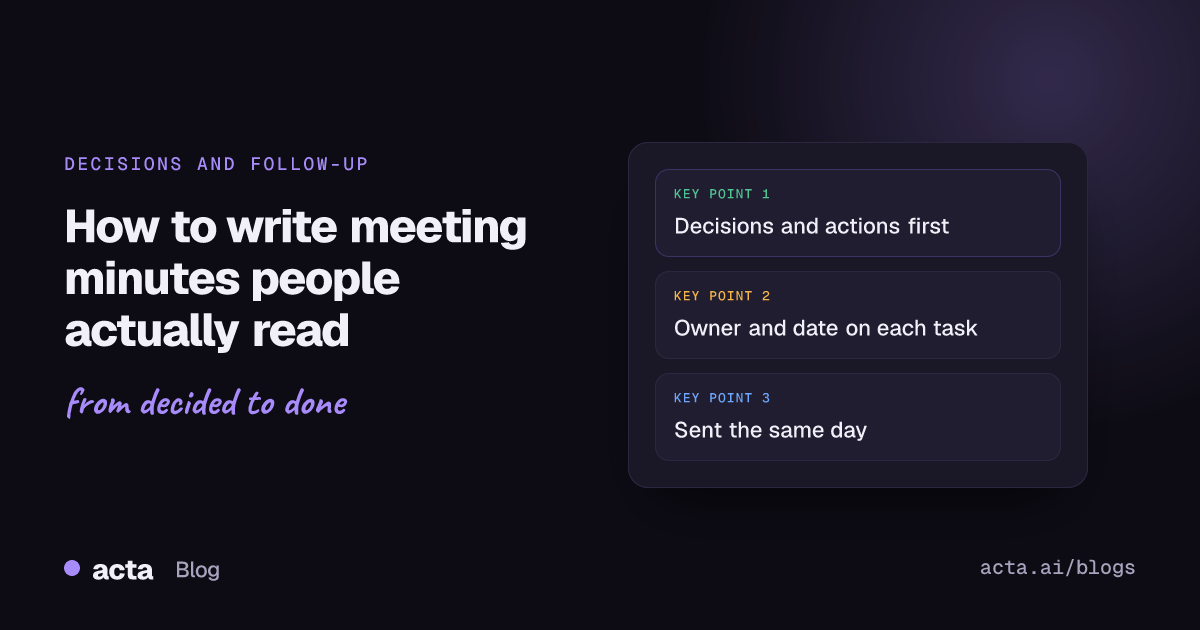
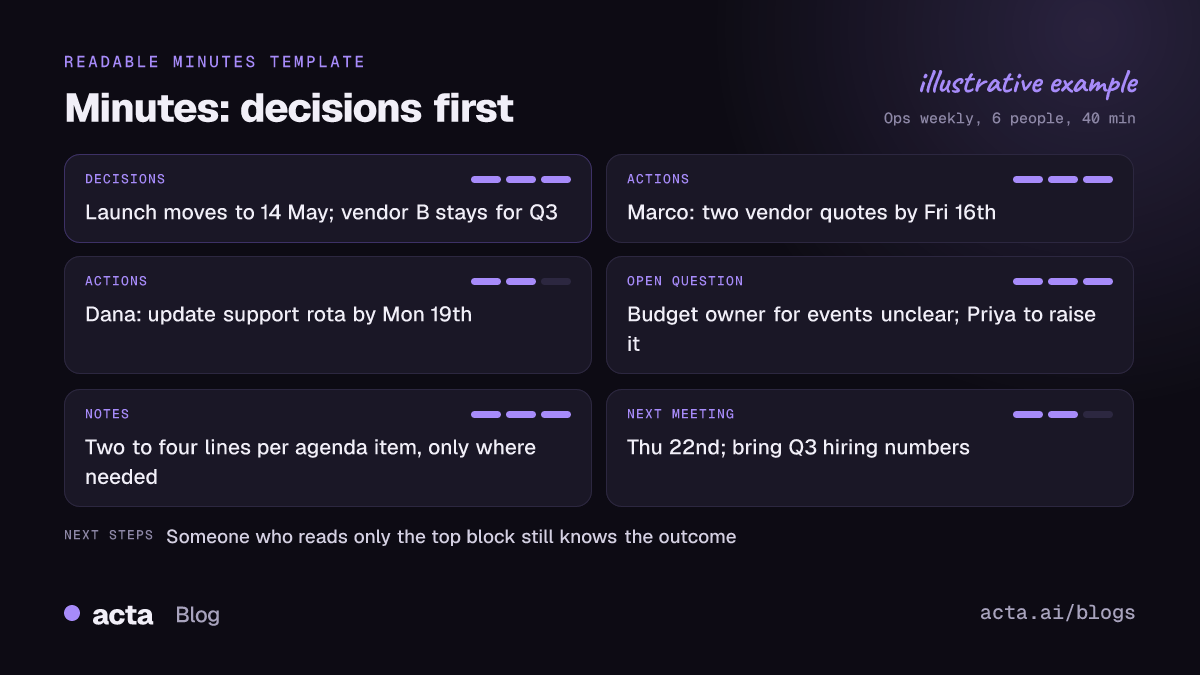
Put a short block at the very top: what was decided, and who's doing what by when. Everything else goes below. Someone who reads only the first ten lines should still know the outcome of the meeting. This one change does more than any formatting trick.
2. Record what was done, not what was said
Robert's Rules of Order has long held that minutes should mainly record what was done at a meeting, not what members said. Formal bodies follow it closely (the City of Madison has a short guide on taking committee minutes under Robert's Rules), but it's good advice for an ordinary team meeting too. You rarely need "Marco said X, Priya replied Y." You need "Agreed to switch vendors; Marco to get two quotes by Friday."
3. Give every action an owner and a date
"Follow up with legal" is not an action item. "Dana to send the contract to legal by Wednesday 14th" is. Name one person, not a team. If nobody in the meeting would take it, write that down as an open question instead of pretending it has an owner. Our post on why action items don't get done explains why ownerless tasks almost never happen.
4. Keep it to one screen where you can
For a normal 30 to 60 minute team meeting, the decision and action block plus a few lines per agenda item is plenty. If your minutes regularly run to three pages, you're transcribing. Long discussions can link out to a recording or a separate doc for anyone who wants the detail.
5. Send them fast
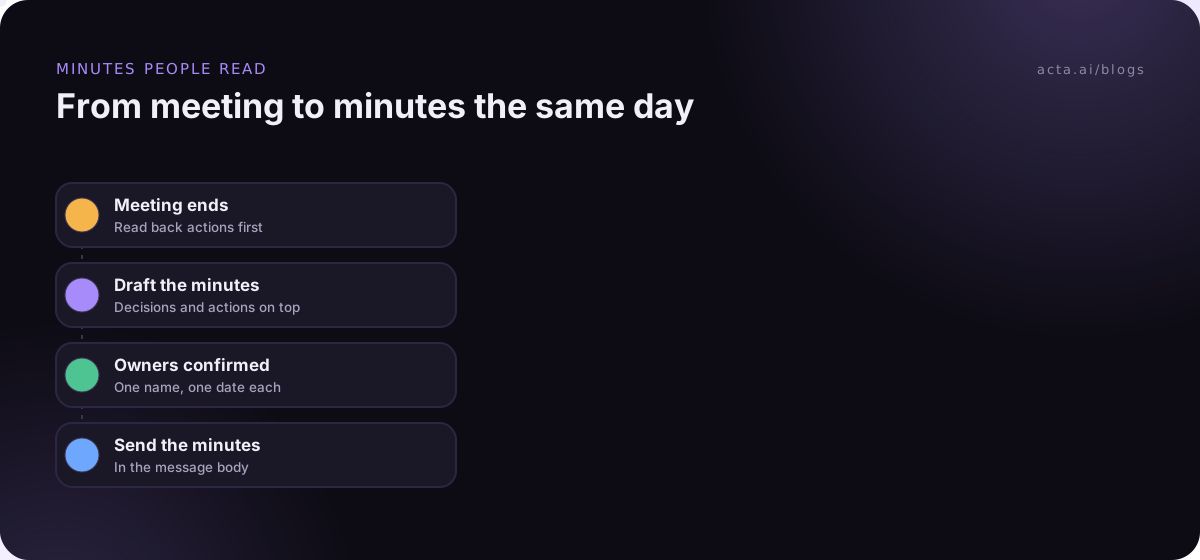
Minutes sent the same day get read and corrected. Minutes sent four days later get filed. My rule is to send within a couple of hours, even if the formatting is rough. A slightly messy note that people read beats a polished one nobody does.
What is the best meeting minutes format for busy readers?
Here's the meeting minutes format I'd use for most internal meetings. It works in an email body, a Slack or Teams post, or a shared doc.
- Header line: meeting name, date, who attended (and who was missing if it matters).
- Decisions: one line each, written as a statement. "Launch moves to 14 May."
- Action items: owner, task starting with a verb, due date. Sort by owner so people can find their name.
- Open questions: anything raised but not settled, with who will bring it back.
- Notes by agenda item: two to four lines of context per item, only where the reasoning will matter later.
- Next meeting: date and anything people need to prepare.
Put the decisions and actions in the body of the message, not only in an attachment. Every extra click loses readers.
Formal bodies such as boards, councils and university committees often have their own required format and approval process, and you should follow those; our guides to nonprofit board minutes and startup board meeting minutes cover two common cases. Michigan State University's academic governance office, for example, publishes its own guidance on writing minutes. If you're writing minutes for a board, our guide to board meeting minutes with resolutions and votes is the better starting point.
How should you word decisions and action items?
Wording is where most minutes lose people. A few rules that help:
- Start action items with the owner's name, then a verb. "Priya: draft the onboarding email." The reader scanning for their name finds it instantly.
- Write decisions as facts, not as discussion. "Agreed to pause the pilot until June" rather than "The group discussed whether pausing might make sense."
- Use real dates. "By Friday 16th" is clearer than "end of week," which means different things to different people.
- Say when something wasn't decided. "No decision on budget; Marco to bring options next week." An honest gap is more useful than vague language that sounds like agreement.
- Cut the throat-clearing. Phrases like "it was noted that" and "a discussion took place regarding" add words and no meaning.
A quick before-and-after makes the point. Before: "There was a lengthy discussion about the Q3 campaign budget, during which several team members expressed concern about the allocation to paid social, and it was eventually felt that a reallocation might be appropriate pending further analysis." After: "Q3 budget: agreed in principle to move some paid social spend to events. Dana to bring numbers on Tuesday. Not final until then." Same content, a third of the length, and the reader knows exactly what's settled and what isn't.
How do you write minutes when you're also in the discussion?
This is the hard part of how to write meeting minutes in practice. Most minute-takers aren't neutral secretaries; they're also expected to contribute. A few tactics:
- Capture outcomes, not transcripts. During the meeting, write only decisions, owners, dates and open questions. Fill in context afterwards.
- Ask the closing question out loud. In the last two minutes, read back the decisions and actions: "So we've agreed X, Priya owns Y by Friday, right?" This catches misunderstandings while everyone is still there, and it's the single most useful habit in this post.
- Rotate the job. If the same person always takes minutes, they never fully take part. Rotating also spreads the skill.
- Record and write it up later. For long or detailed meetings, recording lets you participate properly and check the details afterwards. If bots aren't welcome, a desktop app can record the call from your own computer without anyone joining the meeting. Tell people first; our post on recording consent and what to tell participants covers what to say.
For more on capturing the meeting itself, see our guide on how to take meeting notes.
What should you leave out of meeting minutes?
Leaving things out is half of what makes minutes readable. Skip:
- Who said what, word for word. Unless you're a formal body that needs it, attribution mostly creates awkwardness.
- Side conversations and jokes. Obvious, but they creep in.
- Personal opinions about the discussion. "A productive conversation" adds nothing.
- Sensitive detail that doesn't need to be written down. HR matters, individual performance and confidential deals often belong in a smaller, restricted note, if anywhere.
- Background everyone already knows. Link to it instead.
A useful test: would someone who missed the meeting be worse off without this line? If not, cut it.
How do you make sure minutes lead to action?
Minutes that get read but not acted on are only half a win. Three habits close the gap:
- Open the next meeting with the last actions. Spend two minutes going through the action list from last time. People quickly learn the list gets checked.
- Move actions into the tool where work happens. If your team runs on Jira, Asana or a CRM, an action item that only lives in the minutes is easy to forget.
- Keep a running decision log. Minutes are per meeting; a decision log spans all of them, so you can see what was agreed in March without searching ten documents. Our guide to tracking decisions made in meetings shows a simple setup.
Where Acta fits
Acta records Zoom, Google Meet and Microsoft Teams calls and writes the summary, decisions and action items with owners, which is a decent first draft for minutes. It has 40 report templates if your team needs a specific layout, and you still read it over and correct it before sending, the same as you would your own notes.
Frequently asked questions
How long should meeting minutes be?
For a typical internal meeting, aim for one screen: a block of decisions and actions plus a few lines per agenda item. Formal boards and committees may need more detail because of their own rules.
Should meeting minutes include names?
Include names on action items, always, and list who attended. For the discussion itself, you usually don't need to attribute comments to individuals unless your organization's rules require it.
How soon should minutes be sent after a meeting?
The same day if you can, ideally within a few hours. The longer you wait, the less people remember and the less likely they are to correct mistakes.
What's the difference between minutes and meeting notes?
Notes are often personal and informal. Minutes are the shared, agreed record of what the meeting decided and who owes what, and in formal settings they're approved at the next meeting.
Is it fine to use AI to draft minutes?
Yes, as a first draft, as long as someone who was in the meeting checks it before it goes out. AI summaries can miss nuance or get a detail wrong, so the human review step matters. Our post on reducing errors in AI meeting summaries has tips.
To see how a decisions-first draft looks for your own meetings, browse Acta's features.