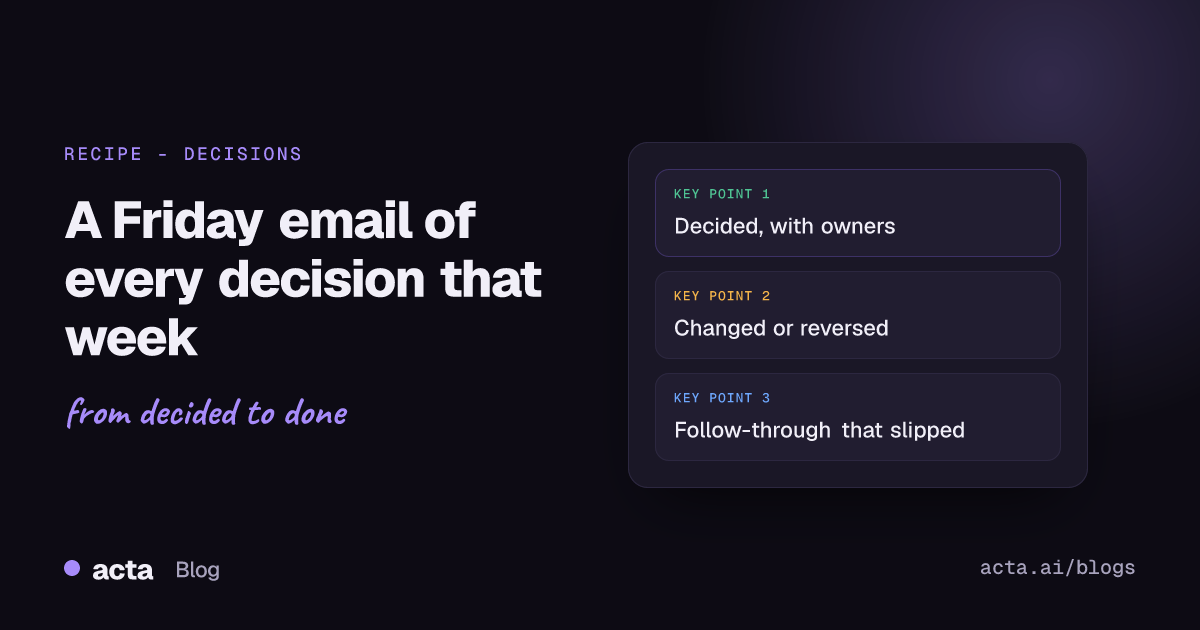
Quick answer: A weekly decision digest is a short email (or Slack post) that goes out every Friday afternoon listing the decisions your team made that week, the ones that changed or got reversed, and any decisions whose follow-up work has slipped. You can build it in Acta with a schedule trigger, the decisions data, one AI step that formats it and a Gmail or Slack step.
Here's the thing about decisions made in meetings: everyone in the room thinks they were clear. Then two weeks later, half the team is still building the old plan, because they weren't in the Wednesday pricing review and nobody wrote it down anywhere they'd look.
A Friday digest fixes a surprising amount of that. Here's what goes in it, why it changes how people behave, and how to set it up so it runs every week without anyone remembering to send it.
Why do decisions made in meetings get lost?
A few reasons, and none of them are about lazy people.
- Decisions are buried in summaries. The meeting notes have 14 bullets. The one that matters ("we're dropping the annual plan discount") is bullet nine.
- The people affected weren't there. Engineering decides to push the launch. Marketing finds out from a customer.
- Decisions quietly change. Tuesday's "yes" becomes Thursday's "actually, let's wait" in a hallway or a different meeting. The first version is the one people remember.
- Nobody's sure who decided. Bain's RAPID work, first laid out in the HBR article "Who Has the D?", is built on exactly this problem: unclear decision roles stall organisations. If you can't name who decided, people treat it as a suggestion.
A decision log helps, if people read it. Most don't. A weekly email that lands in their inbox is the log coming to them.
What should a weekly decision digest include?
Keep it to one screen. I'd use four sections, in this order:
- Decided this week. Each decision in one line, who decided it, the owner, and which meeting.
- Changed or reversed. The old version, the new version, and where it changed. This is the section people actually read, so put it near the top if your team changes its mind a lot.
- Slipping. Decisions whose action items are overdue. "We decided to move billing to Stripe by November 15. The migration plan was due Monday and isn't done."
- Needs a decision. Optional. Things that came up in two or more meetings without a call. If the same question keeps coming back, it needs an owner.
Skip anything that isn't a decision. No action item lists, no meeting summaries, no "highlights." The moment the digest turns into a newsletter, people stop opening it.
How does a decision digest change team behaviour?
This is the part I didn't expect the first time I saw a team run one. The digest itself is useful, but the side effects are better:
- People say decisions more clearly in meetings. Once everyone knows Friday's email will quote them, "I think maybe we should probably..." turns into "OK, decision: we ship Tuesday, Dana owns it."
- Reversals stop being quiet. When a changed decision shows up in a section called "Changed or reversed," the person who changed it tends to explain why. That alone heads off a lot of confusion.
- Slipped work gets noticed early. The "Slipping" section is mildly embarrassing in a useful way. Nobody wants their decision there two Fridays running.
Bain later wrote that after teams adopted clearer decision roles, meetings got shorter and more focused on reviewing outcomes (see Bain's piece on decision roles). A digest won't fix decision rights on its own, but it makes the gaps visible every single week.
Where does the data for the decision digest come from?
From your meetings, recorded and processed by Acta. Every decision Acta picks up goes into the decision log with a status (active, changed, reversed or done), who decided, the owner, and the meetings where it was raised, confirmed, changed or reversed, with the transcript moments. Our guide on how to track decisions made in meetings walks through the log itself.
The follow-through check groups decisions as slipped, not started, in progress or done, based on their action items. That's where the "Slipping" section comes from.
One thing to sort out first: Acta records meetings through a bot that joins from your calendar, or bot-free with the desktop app. Either way, tell people you record and get consent where the law requires it. Our post on recording meetings with AI and consent has the details. Also, people only see meetings they have access to, so think about whose meetings feed a team-wide digest.
How to build a weekly decision digest email in Acta Agent Builder
Here's the agent. It runs every Friday at 4 pm and sends one email.
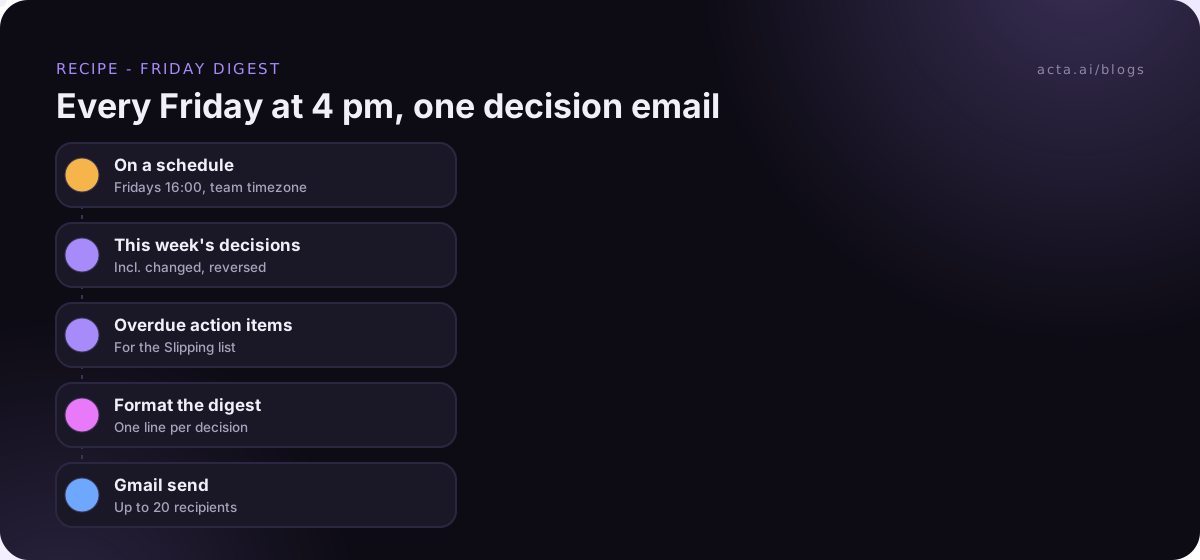
- Trigger: On a schedule. Weekly, Friday, 16:00, in your team's timezone. (If the team spans London and New York, I'd pick 4 pm London. New York reads it after lunch, which is fine.)
- Acta data: decisions. Decisions from the last seven days, including changed and reversed ones. If you only want one team's meetings, narrow it by meeting title or by person.
- Acta data: action items, overdue. These feed the "Slipping" section.
- AI step: write the digest. Give it the four sections and the format. Tell it: one line per decision, name who decided and the owner, link the meeting, no commentary. And "If a section is empty, write 'Nothing this week' rather than padding."
- Gmail: send the email. Up to 20 recipients. For a bigger audience, send to a Google Group address, or use the Slack step and post to a channel instead.
Outlook users: Agent Builder doesn't have an Outlook email action. Post the digest to Slack, or send it through a webhook or Zapier's "Send to a Zap" step and let that handle the Outlook side.
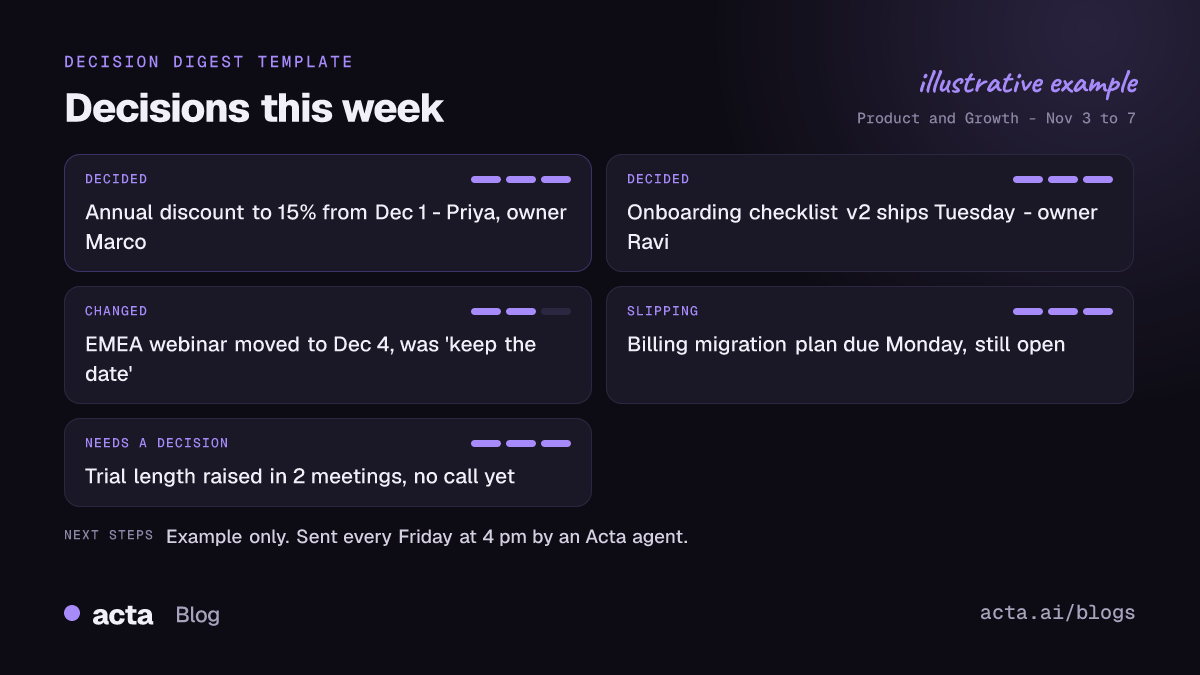
An example decision digest email
Illustrative only (made-up team and names):
Decisions this week: Product and Growth (Nov 3 to 7)
Decided
- Annual plan discount drops from 20% to 15% for new signups from Dec 1. Decided by Priya; owner Marco. (Wed pricing review)
- Onboarding checklist v2 ships to all new workspaces next Tuesday. Decided by Dana; owner Ravi. (Thu product sync)
Changed or reversed
- EMEA webinar: moved from Nov 20 to Dec 4, was "keep the date" on Monday. Changed by Priya. (Thu marketing standup)
Slipping
- Billing migration to the new provider: plan was due Mon, still open. Owner: Ravi.
That's about as long as it should get. If yours runs past a screen, your AI step is being too chatty or you've got too many meetings feeding it.
What usually goes wrong in the first month
- Too many meetings feed it. If every 1:1 and coffee chat counts, the digest fills up with tiny personal decisions. Narrow it to the meetings where team decisions actually happen.
- Vague decisions come through vague. "We'll look into pricing" isn't a decision, and the digest will show that plainly. That's a feature, but warn people the first week.
- Nobody owns the digest. Pick one person (usually whoever runs the team's main weekly meeting) who skims it before Monday and follows up on anything in Slipping.
Should reversed decisions get their own alert?
For some teams, yes. If a reversed decision affects work already in progress, Friday is too late. So I'd add a second, small agent:
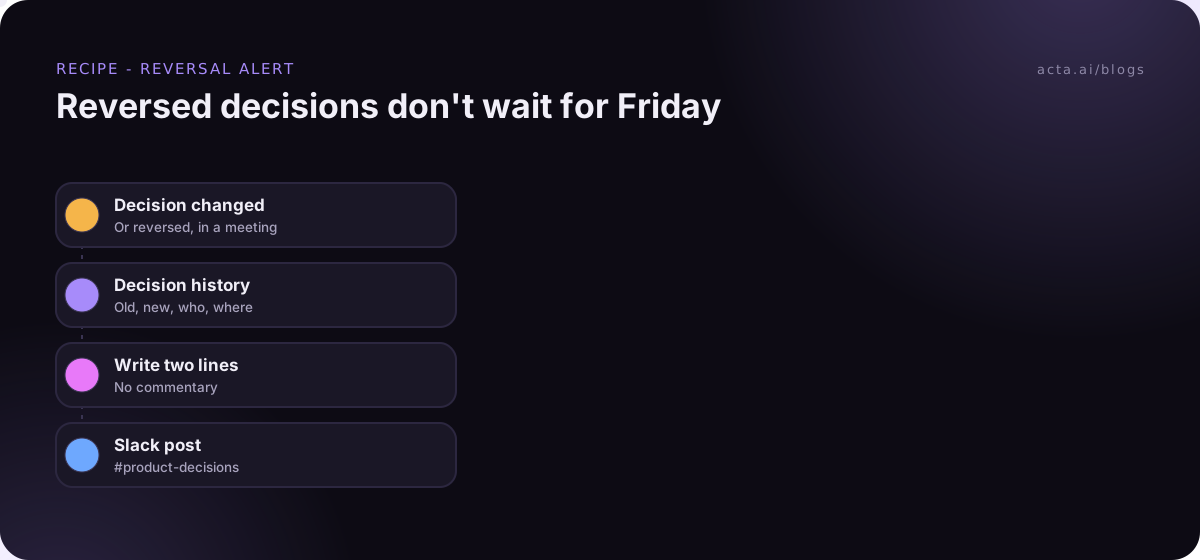
- Trigger: Decision changed or reversed.
- Acta data: the decision, with its history.
- AI step: "Old decision, new decision, who changed it, in which meeting. Two lines."
- Slack: post to #product-decisions.
Don't do this for new decisions. You'd be posting all day. Reversals are rarer and more expensive to miss.
How do you test the digest before the team sees it?
Run a test first. Test runs show what each step would send without sending anything. Then send one real test to yourself (just change the Gmail recipient to your own address) and read it like someone who wasn't in any of the meetings. Does every line make sense without context? If "the Q3 thing" shows up, tighten the AI instruction.
Use "Check setup" to catch missing connections, and History if a Friday digest ever doesn't arrive. There's more on safe testing in testing automations without sending anything.
Who doesn't need an automated decision digest?
A team of four that meets twice a week. You can just open the decision log on Friday, or ask OneChat "what did we decide this week and what changed?" and paste the answer into Slack. Two minutes.
And if your team doesn't make decisions in meetings (it happens: some teams decide everything in docs and use meetings to discuss), a meeting-based digest will look thin. Fix where decisions happen first. The decision log and RACI guide is a decent place to start, and Acta's agents page shows other recipes you can run alongside this one.
Frequently asked questions
What day and time should a weekly decision digest go out?
Friday afternoon works for most teams, after the week's meetings are done. Monday morning is the other good option if you'd rather it frame the week ahead.
Can I send the digest to Slack instead of email?
Yes. Swap the Gmail step for a Slack message to a channel. Many teams do both: email for leaders, a channel post for everyone else.
How many people can the Gmail step send to?
Up to 20 recipients per email. For more, use a group address or post to Slack.
What if a decision was recorded wrong?
Fix it in Acta's decision log and it'll be right in next week's digest. If it happens a lot, it's usually a sign decisions aren't being said clearly in the meeting.
Does it work with Outlook?
Not directly. There's no Outlook action, so use Slack, or route the email through a webhook or a Zap.
Want the first digest in your inbox this Friday? Start a free 15-day trial.