Use Cases 5 min read
Board Meeting Minutes From the Recording: Resolutions, Votes and Actions
What goes in board minutes, and how to stop writing them from scratch. Acta drafts formal minutes from the recording: agenda outcomes, resolutions and votes, actions, next date.
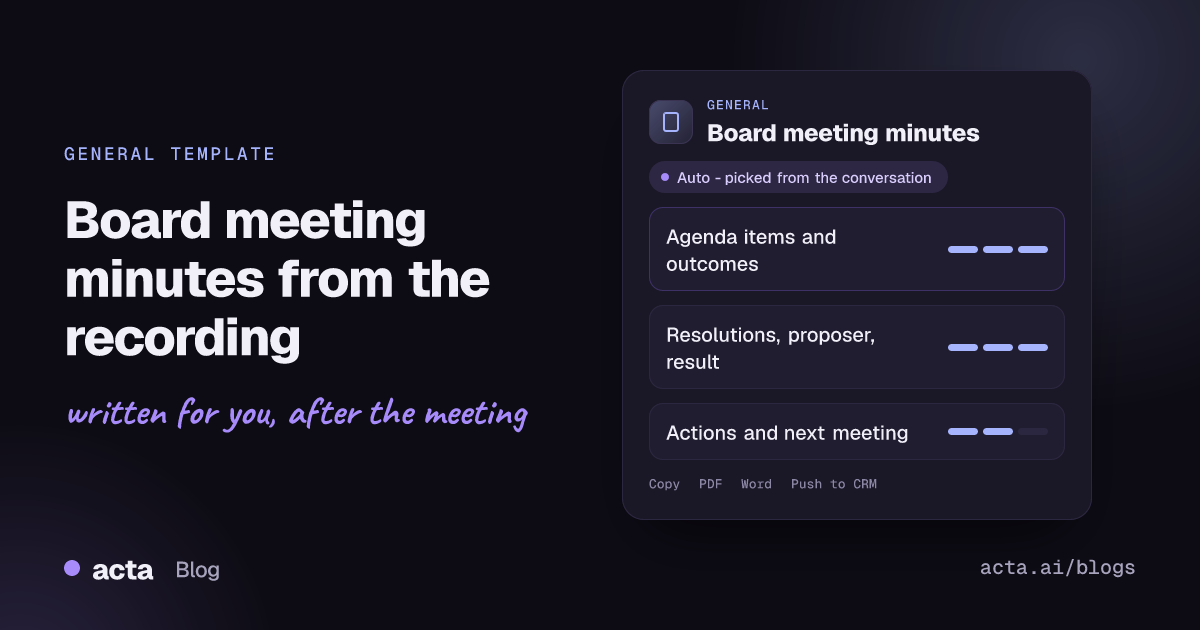
Quick answer: Board meeting minutes are the formal record of a board meeting: what each agenda item concluded, each resolution with its proposer, seconder and result, the actions agreed, and the date of the next meeting. Acta drafts them from the meeting recording in that structure, so the company secretary starts from a complete draft instead of a blank page and handwritten notes.
Board minutes are one of the few meeting documents with real weight. They are approved at the next meeting, signed, kept with the corporate records and may be read years later by auditors, investors, regulators or a court. Yet they are often written days after the meeting by a secretary or general counsel who was also taking part in the discussion.
The hard part is not the prose. It is reconstructing exactly which motion was moved, by whom, who seconded it, and how the vote went, from notes taken while the debate was still running. Acta's Board meeting minutes template takes that reconstruction off your desk.
What are board meeting minutes, and what goes in them?
Minutes are the official written record of a meeting. As the overview of meeting minutes on Wikipedia explains, they record what was done and decided rather than everything that was said. Robert's Rules of Order makes the same point: minutes are a record of actions, not a transcript of debate. Michigan State University's summary of what minutes should contain under Robert's Rules is a clear reference.
A typical set of board minutes includes:
- The organisation's name, meeting type, date, time and place, and who chaired and recorded it.
- Attendance and whether a quorum was present.
- Approval of the previous meeting's minutes, with any corrections.
- Each agenda item and its outcome, kept brief.
- Each motion or resolution, its wording, who moved it, whether it was seconded, and whether it carried or failed.
- Abstentions and declared conflicts of interest where relevant.
- Actions agreed, and the date of the next meeting and adjournment.
Details vary. Some organisations record the seconder and some do not; companies, nonprofits, school boards and public bodies may follow different rules under their bylaws and local law. Your own governing documents always take precedence.
What does Acta's Board meeting minutes report include?
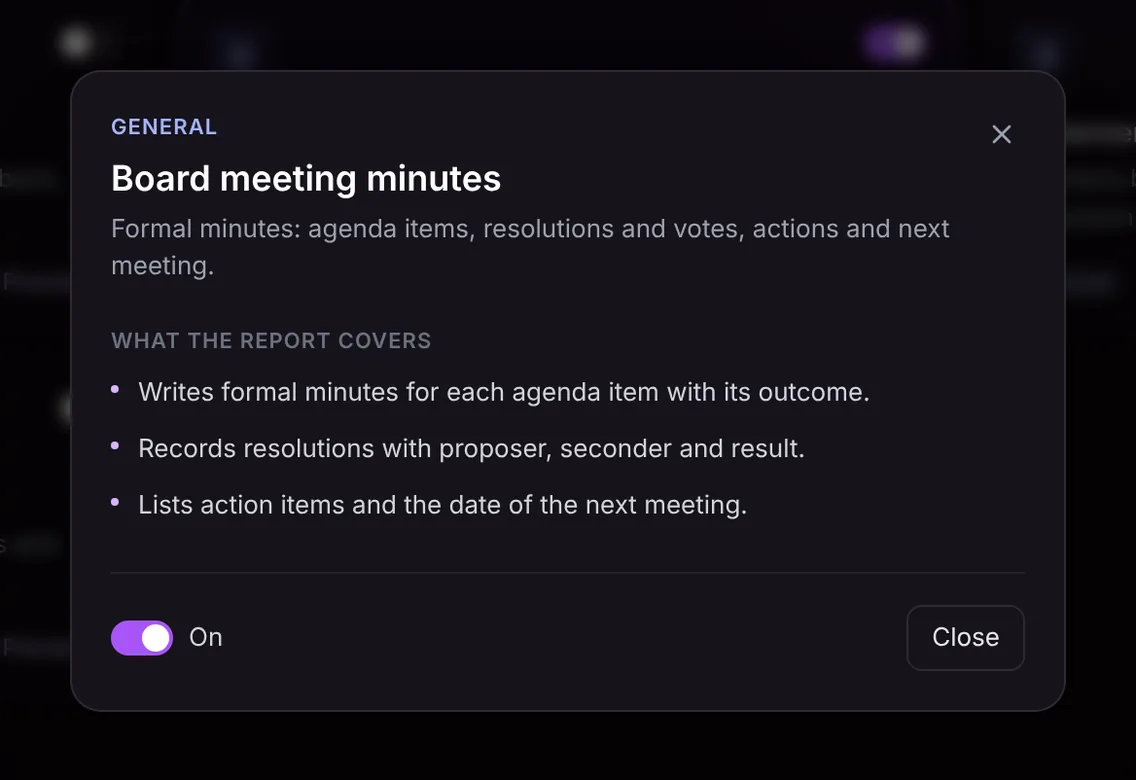
The template produces three parts, written in a formal register suitable for a minute book:
- Minutes by agenda item. Formal minutes for each item discussed, each with its outcome: approved, noted, deferred, referred to a committee and so on.
- Resolutions. Each resolution with its proposer, its seconder and the result of the vote.
- Actions and next meeting. The action items agreed and the date of the next meeting.
Here is the template in Acta's Templates page, with the preview of what the report covers:
And an illustrative example of a finished report:
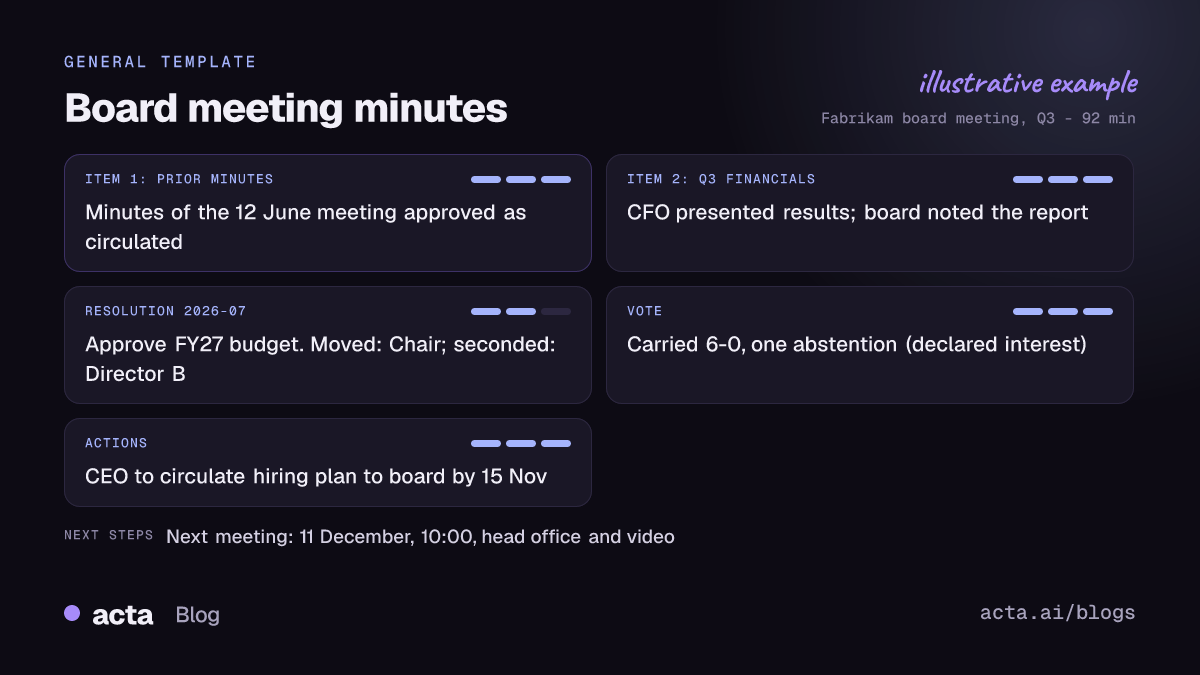
The draft only contains what was said in the meeting. If a seconder was not named aloud, or a vote count was not stated, the minutes will not make one up, so the secretary can see what needs confirming. The minutes remain a draft until the secretary has checked them and the board has approved them in the usual way.
Who is the board minutes template for?
- Company secretaries and general counsel who own the minute book and need an accurate first draft quickly.
- Founders and CEOs of startups without a dedicated secretary, who otherwise write minutes themselves after investor board meetings.
- Nonprofit and association boards where a volunteer secretary rotates and consistency suffers.
- Committee chairs for audit, remuneration or risk committees that also keep formal minutes.
Situations where it pays off: a resolution is challenged and you need to confirm who moved it; the minutes for a long meeting with eight agenda items are due before the next board pack goes out; or an investor asks for the record of when a budget was approved. Combined with Acta's searchable meeting history, you can also keep a decision log across meetings. We have written before about why your boardroom needs its own black box.
How does Acta pick this template automatically?
After every meeting, Acta reads the conversation and picks a fitting template even if you have not turned it on. For board minutes, the signals are the language of formal governance: a chair calling the meeting to order, confirming quorum, working through numbered agenda items, "I move that", "seconded", "all in favour", declarations of interest and a closing date for the next meeting.
When Acta chooses it, the report is labelled "Auto" and Acta explains its reasoning, such as that the meeting followed an agenda and voted on resolutions. Click "Turn on for future meetings" if you want minutes every time.
If you have turned it on, the template first checks that the meeting is a formal board or committee meeting. An informal leadership catch-up with no agenda or votes is listed under "Not relevant" with the reason, rather than producing minutes for a meeting that should not have them.

How do you use the Board meeting minutes template?
- Record the meeting. Acta records Zoom, Google Meet and Microsoft Teams through a meeting bot, the bot-free desktop app, the Chrome extension or the mobile apps. For an in-room board meeting, record on a phone or laptop, or upload the recording afterwards. Let directors know the meeting is being recorded.
- Turn the template on. In Templates, open the General group, preview Board meeting minutes and switch it on, or let Acta pick it.
- Open the Templates tab. The draft minutes appear in the meeting's Templates tab, next to the summary, transcript, decisions and action items.
- Review and finalise. Download as Word to edit into your house format, or as PDF or Markdown, then circulate for approval at the next meeting.

Tips for complete board minutes
- Read the resolution wording aloud. The minutes can then record it exactly.
- Name the mover and seconder. "Moved by the Chair, seconded by Director B" is clearer than a nod.
- State the result. "Carried, six in favour, one abstention" gives the minutes a precise outcome.
- Confirm the next meeting date before closing.
Related templates: credit committee minutes and decision records and faculty meeting minutes. See how leadership teams use Acta.
Frequently asked questions
What should be included in board meeting minutes?
The date, time, place and attendees, quorum, approval of prior minutes, the outcome of each agenda item, each resolution with mover, seconder and result, actions agreed and the next meeting date. Your bylaws may require more.
Should board minutes record the discussion?
Generally no. Minutes record decisions and actions, with only as much context as needed to understand them. The full transcript stays in Acta if you need it.
Are Acta's minutes ready to sign?
No. They are a draft built only from what was said. The secretary should review them, and the board approves them at the next meeting as usual.
Can Acta minute committee meetings too?
Yes. Any formal meeting with an agenda, resolutions and votes fits the template.
Draft the minutes for your next board meeting with a free 15-day Acta trial.


