Quick answer: A meeting audit trail is a dated record of who decided what, in which meeting, and how that decision changed afterwards. A good trail links each decision to its owner, status, follow-up actions and the transcript moment where it was made. It settles disputes, speeds up handovers and gives governance and regulated teams evidence they can check.
Ask most teams why a decision was made six months ago and you get a pause, then a search through email, then three different answers. The decision happened in a meeting. The minutes say "agreed to proceed". Nobody can say who agreed, what the alternatives were, or whether it was later reversed in a call that never made it into the notes.
This guide explains why teams need a trail of who decided what and when, what a good meeting audit trail contains, and how to build one from the meetings you already hold.
What is a meeting audit trail?
An audit trail, in general, is a record that lets someone reconstruct what happened, in order, and who was responsible. A meeting audit trail applies that idea to decisions made in conversation.
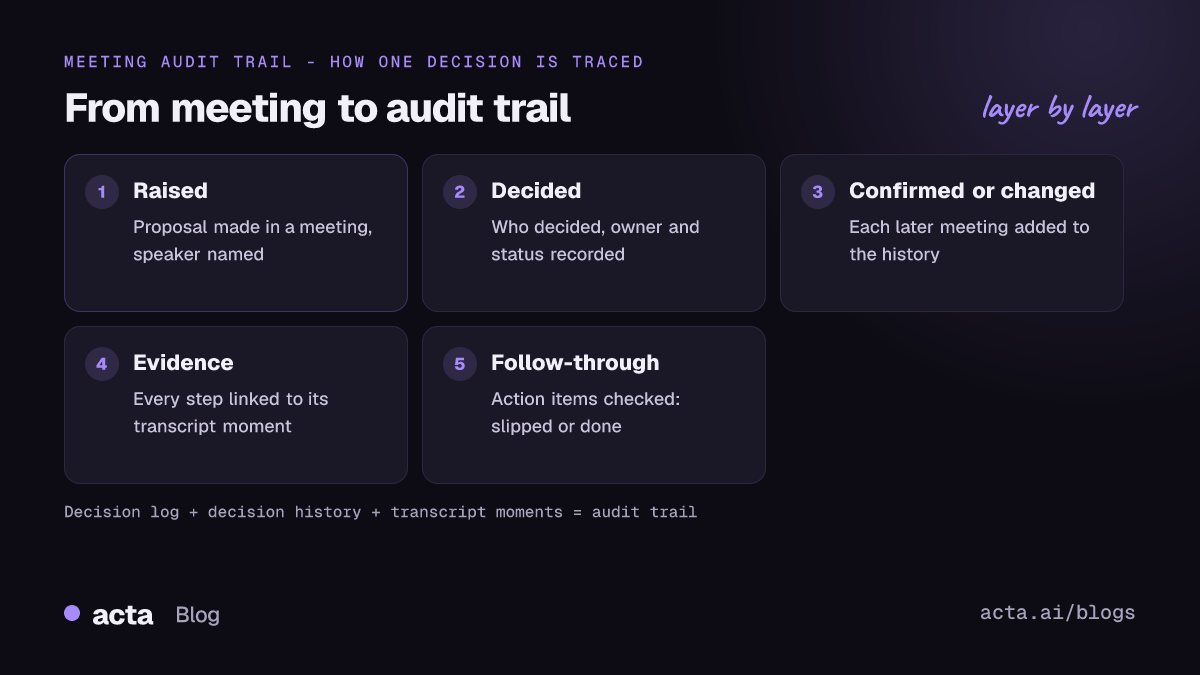
It is not the same as minutes. Minutes describe one meeting. An audit trail follows one decision across many meetings: when it was first raised, when it was agreed, who agreed it, when it was revisited, and whether the work it called for got done.
It is also different from auditing AI systems. If you want to know how to trace what an AI model decided and why, see our post on AI audit trails and traceability. This post is about people's decisions in meetings.
Why do teams need a record of who decided what?
Most organisations do not lose decisions because people are careless. They lose them because decisions are spread across many meetings and nobody owns the thread. The cost shows up in four places.
Governance and accountability
Boards, steering committees and investment committees exist to make decisions someone can answer for. In the UK, for example, section 248 of the Companies Act 2006 requires companies to record minutes of directors' meetings and keep them for at least ten years. Even where no law applies, a board that cannot show how it reached a decision is in a weak position.
Unclear decision rights also slow everything down. The Harvard Business Review article "Who Has the D?" argues that decisions stall when it is unclear who gets to decide what. A trail that names the decider for each decision makes that visible.
Handovers
When a project lead goes on leave or an account changes hands, the new owner inherits decisions without the context. A decision history lets them read why the team chose option B, who pushed for it and what was ruled out, instead of reopening the debate.
Disputes
"We never agreed to that" is one of the most expensive sentences in business. Whether it is a client, a vendor or two internal teams, a dated record of who decided what, tied to what was actually said, ends most arguments quickly and fairly.
Regulated teams
Financial services, healthcare, pharma and public bodies often need to show how decisions were reached, not just what they were. Change control in project management works the same way: a PMI article on scope management notes that authorising changes before work starts provides a good audit trail of baseline changes. An audit trail of meeting decisions supports that kind of evidence. It does not by itself make a team compliant with any rule; that depends on your own policies and regulators.
What should a good meeting audit trail contain?
Use this as a checklist. A trail that misses any of these will fail the first time someone challenges a decision.
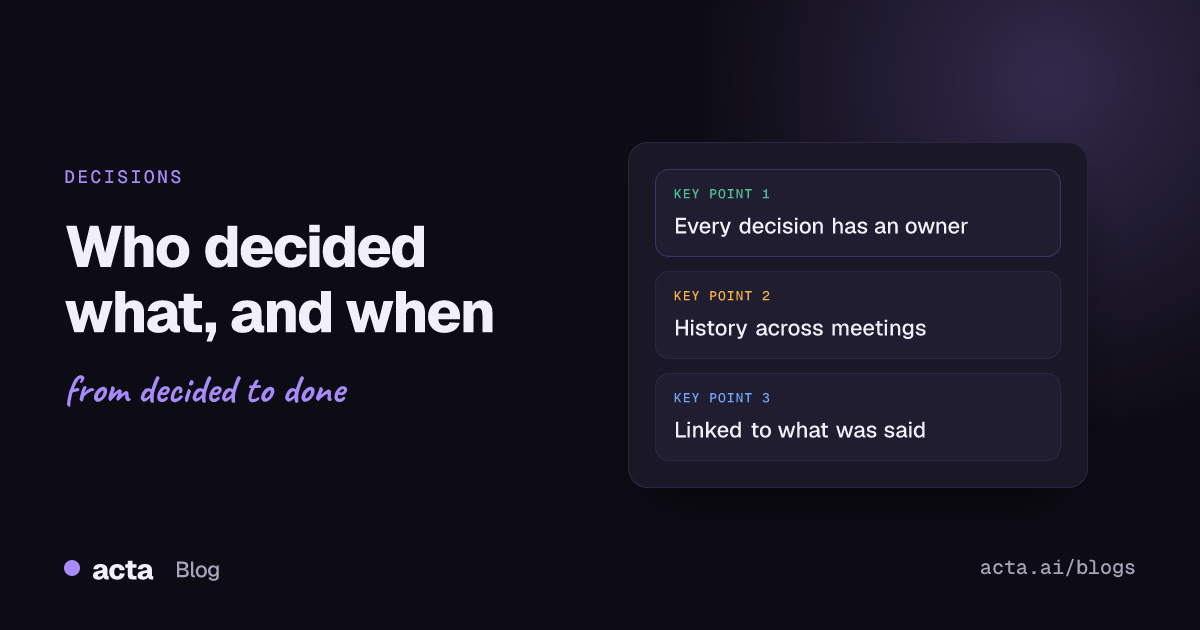
- The decision in plain words. "Move launch to 17 March", not "discussed timeline".
- Who decided. The person or group with the authority, named.
- The owner. Who is responsible for carrying it out. Often not the same person as the decider.
- When and where. The date and the meeting it was made in.
- Status. Whether it is still active, has been changed, has been reversed or is done.
- History. Every meeting where it was raised, confirmed, changed or reversed, in order.
- Evidence. A link to the transcript moment where it was said, so anyone can check the wording.
- Follow-through. The action items that came out of it and whether they were done.
Items 6 to 8 are what turn a decision log into an audit trail. A list of decisions tells you what was agreed. History, evidence and follow-through tell you whether you can rely on it.
Why don't minutes and decision logs give you a full audit trail?
Traditional approaches each cover part of the list:
- Minutes record one meeting, often from memory and often days later. They rarely say who decided, and they do not connect to later meetings.
- A spreadsheet decision log is better, but only as good as the person keeping it. Entries go stale, and a reversal in a hallway call never gets added.
- Recordings contain everything but are not searchable by decision. Nobody re-watches six hours of calls to find one sentence.
The gap is linking. A trail needs the decision, the history and the evidence joined together, kept up to date without someone doing it by hand. If you are starting from scratch, our guide on how to track decisions made in meetings covers the basics, and keeping a meeting decision log gives a short version.
How does Acta build a meeting audit trail?
Acta records your meetings through a bot that joins Zoom, Google Meet and Microsoft Teams, a bot-free desktop app and Chrome extension, mobile apps for in-person meetings, or uploaded recordings. From each meeting it builds a transcript with speakers, action items with owners and due dates, and a decisions log. See the full list on the Acta features page.
Three parts work together to form the trail.
Decision log
Every decision gets a status (active, changed, reversed or done), who decided, and an owner. You can see all current decisions for a project or team in one place, and update a decision's status when things move.
Decision history
For each decision, Acta lists the meetings where it was raised, confirmed, changed or reversed, in order. That answers the questions people actually ask: when did we decide this, who was there, and has anyone changed it since?
Transcript moments
Each step in the history links to the transcript moment where it happened. Instead of trusting a summary, anyone with access can read the exact words. People only see meetings they have access to, so the trail respects the same permissions as the meetings.
On top of these, Acta's follow-through check groups decisions as slipped, not started, in progress or done, based on their action items. A decision that was made but never acted on shows up as a gap. Overdue promises and risks raised in meetings appear alongside, each with a level, impact and mitigation.
You can ask questions across the trail too. OneChat answers questions such as "Who approved the vendor change and when?" with sources. If your team works in Claude or ChatGPT, the same decision history is available there through Acta's MCP server.
How do you set up a meeting audit trail in your team?
Tools help, but habits make the trail trustworthy. A simple rollout:
- Pick the meetings that matter. Steering committees, board meetings, design reviews, client calls and any meeting where budget or scope is decided.
- Agree on consent. Tell participants you record and why, and get consent where the law requires it. Our guide on whether it is legal to record meetings with AI explains what to say.
- Say decisions out loud. End each item with "So we've decided X, Y owns it, by Z date." Clear wording gives a clear entry.
- Review the log weekly. Confirm statuses, close what is done and check anything marked as slipped.
- Export for formal records. Acta exports reports to PDF, Word or Markdown, and has a board minutes template among its report templates. See board meeting minutes from the recording for an example.
What does a decision history look like in practice?
A fictional example: a product team decides which payment provider to use.
- Raised (2 June, product sync): the engineering lead proposes switching providers to cut fees.
- Decided (9 June, steering committee): the VP of product approves the switch. Owner: engineering lead. Status: active.
- Confirmed (16 June, finance review): finance confirms the fee savings.
- Changed (30 June, steering committee): rollout limited to one region first after a risk was raised about refunds.
- Follow-through: two of three action items done; the refund testing item is overdue and flagged as slipped.
Three months later, a new product manager can read that history in a minute and click through to each transcript moment. Nobody has to reconstruct it from memory. For how this fits with roles, see decision logs and RACI from meetings.
Frequently asked questions
What is the difference between a decision log and a meeting audit trail?
A decision log lists decisions. A meeting audit trail adds who decided, the decision history across meetings, links to what was said and whether the follow-up work was done.
How do I find out who decided what in a past meeting?
Search the decision log or ask across your meetings. In Acta, each decision shows who decided and links to the transcript moment, and OneChat can answer the question with sources.
Does a meeting audit trail make my team compliant?
No tool makes you compliant on its own. A trail gives you evidence of how decisions were made, which supports your own governance and regulatory processes.
Can I see when a decision was changed or reversed?
Yes. Acta's decision history lists every meeting where a decision was raised, confirmed, changed or reversed, with the transcript moment for each.
Do I need consent to record meetings for an audit trail?
Where the law requires it, yes. Tell participants that you record and why, and follow your organisation's own policies.
Start building a decision history from your next meeting: try Acta free for 15 days.