Marathi and Hindi share a script, not a language
Devanagari is used for several languages. The Unicode Standard's chapter on South and Central Asian scripts describes it as the script for Hindi, Marathi, Nepali, Sanskrit and others. That's why a page of Marathi and a page of Hindi look alike at a glance. Read them, though, and they're clearly different languages, with different grammar, vocabulary and verb endings.
A quick comparison makes the point. The same thought in each:
| English | Hindi | Marathi |
|---|
| I will send the report tomorrow. | मैं कल रिपोर्ट भेजूँगा। | मी उद्या अहवाल पाठवेन. |
| The next meeting is on Monday. | अगली बैठक सोमवार को है। | पुढील बैठक सोमवारी आहे. |
A speech system that expects Hindi will hear Marathi words and try to fit them into Hindi. The script will look right, but the words won't be. That's the trap: a Marathi meeting processed as Hindi can produce a Devanagari transcript that looks plausible to someone who only glances at it, and wrong to anyone who reads it.
Marathi is far too large a language to treat as an edge case. The 2011 Census recorded about 8.3 crore people with Marathi as their mother tongue, according to the Registrar General's language table C-16. A lot of Maharashtra's working meetings happen in it.
Choose Marathi explicitly; Auto won't
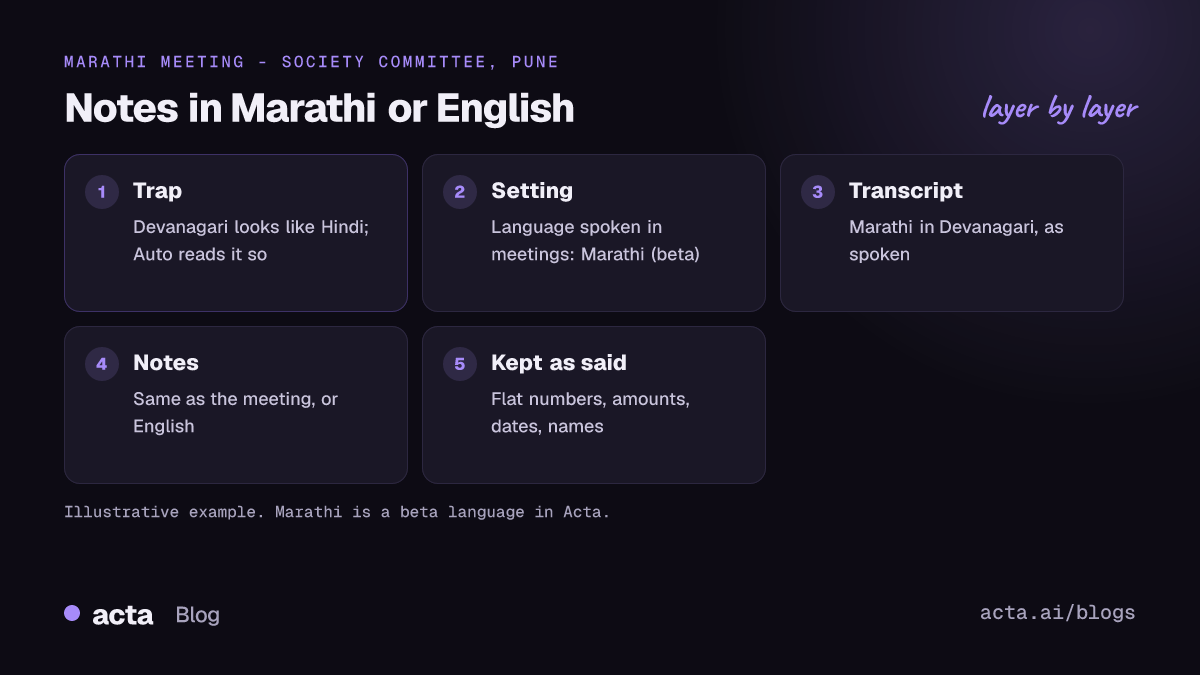
Acta detects English, Hindi, French, Spanish and German automatically; ten more languages, including Marathi, can be chosen in Settings. Those ten are beta: they work, accuracy is improving, and Auto never picks them. Since Hindi is one of the auto-detected languages, Auto is especially likely to read Marathi as Hindi. Set it once:
- Open the Acta dashboard, go to Settings, then Meetings.
- Find the Language card, just below "Add Acta Notetaker to my meeting invites".
- In "Language spoken in meetings", change English (the default) to Marathi (beta).
- In "Language for my notes", leave Same as the meeting for Marathi notes, or choose English.
- Record the meeting any way you like: the meeting bot, the desktop app, the Chrome extension, the phone app, or an uploaded file.
Afterwards, open the meeting page. A small chip next to the tabs shows the language, with a "Change language" link. The meeting-notes email shows it too. If it says Hindi, the setting wasn't saved before the meeting started; past meetings stay as they were, so fix it for the next one. The meeting languages help article walks through each screen.
If your week mixes Hindi calls and Marathi meetings, don't leave Marathi on permanently and forget. Switch it on the morning of the Marathi meeting and back afterwards. If most of your meetings are Hindi or Hinglish, the post on Hinglish transcription covers that side.
Marathi notes for the committee, English notes for outsiders
The transcript always stays in Marathi, in Devanagari, exactly as spoken. The notes language decides what the summary, decisions, action items, report templates and follow-up email draft are written in. It's Marathi or English; Acta doesn't translate notes into Hindi or any third language.
Choose Marathi notes when the readers are the people who spoke. A housing society's managing committee, a gram-level cooperative's directors, a family firm's partners: they'll check and sign off the record more easily in Marathi, and an elderly committee member won't feel shut out by English minutes.
Choose English notes when the record goes outside the room: to an auditor, a bank, a head office in Bengaluru, a partner in Gujarat, or a CRM that national managers read. Quotes in the notes stay as spoken in Marathi, so the exact words are kept even when the summary is in English. The headings ("In short", "Key quotes") and the dashboard stay in English either way.
One practical detail for Marathi minutes: names, rupee amounts, dates, flat and survey numbers, and product names are kept as said. That matters more than it sounds. "Flat B-204" and "₹2,40,000" are the details that get disputed later, and you want them exactly as the treasurer said them.
Worked example: a Pune housing society committee meeting
An illustrative example. The managing committee of a 60-flat society in Kothrud meets on a Sunday morning in the society office to discuss terrace waterproofing before the monsoon. Seven members, all speaking Marathi. The secretary, Mr. Kulkarni, records on the Acta phone app placed in the middle of the table, with notes set to Same as the meeting. A few lines from the decisions section, with English glosses:
सभासदांनी दुरुस्तीचा प्रस्ताव मंजूर केला. (The members approved the repair proposal.)
सचिव पुढील आठवड्यात कोटेशन पाठवतील. (The secretary will send the quotation next week.)
पुढील बैठक सोमवारी आहे. (The next meeting is on Monday.)
Mr. Kulkarni reads it that afternoon, corrects one surname, and posts it on the society's WhatsApp group. Members read it in the language the meeting was held in.
Now the bank. The society is applying for a repair loan and the branch wants a summary of the committee's decision. For the follow-up meeting with the contractor, Mr. Kulkarni sets notes to English:
Decisions: Terrace waterproofing approved. Contractor to start after 10 April, before the monsoon.
Action items: Mr. Kulkarni to collect three quotations by 25 March. Treasurer Mrs. Joshi to confirm the repair fund balance of ₹2,40,000.
Key quote: kept in Marathi, as spoken.
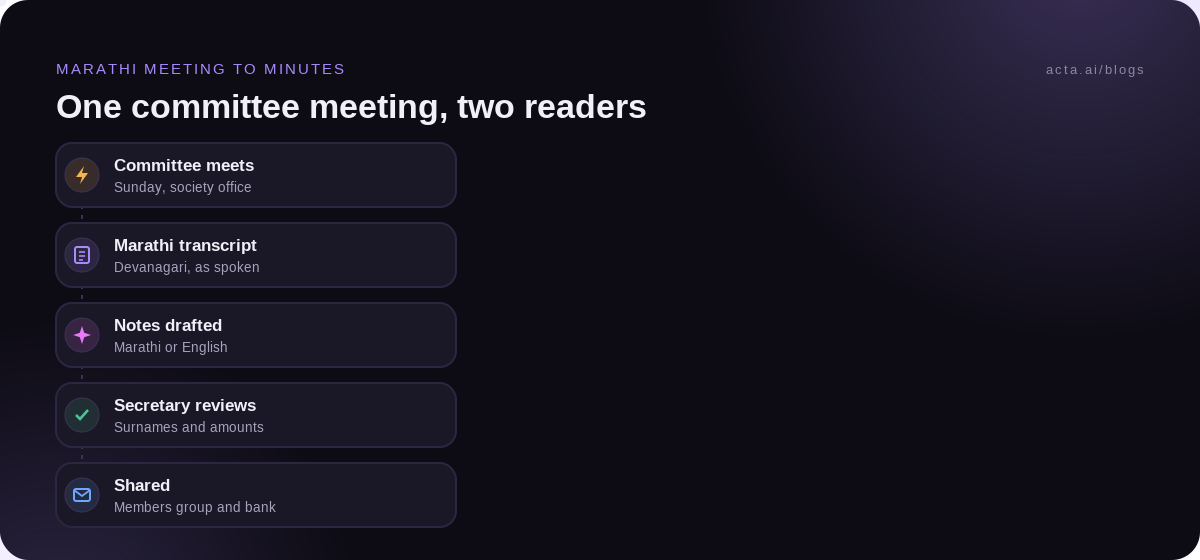
Same meeting style, two readers, two notes languages. The Marathi transcript sits underneath both if anyone wants to check a word. Tell members at the start that the meeting is being recorded and why; the guide on recording meetings and what to tell participants has wording you can borrow.
Hindi and English inside a Marathi meeting need a judgement call
In Mumbai especially, a Marathi meeting rarely stays pure. The accountant from Indore speaks Hindi, the vendor switches to English for the technical part, and the chair goes back to Marathi to close. You need to decide which language to set.
Acta takes one meeting language per meeting. Hindi mixed with English is the supported mix, which is why a Hinglish call works well on Auto or Hindi. Marathi mixed with Hindi is not a supported mix. So:
- Mostly Marathi, some English terms ("quotation", "GST", "maintenance"): set Marathi. Technical terms and product names are kept as said.
- Mostly Hindi with a Marathi-speaking chair: set Hindi, or leave Auto. The Marathi parts will be the weak spots.
- Two halves in two languages: if the first 20 minutes are a Hindi update and the rest is a Marathi discussion, record them as two meetings.
Whatever you pick, read the mixed passages first when you check the transcript. That's where beta languages still slip. For more on mixed calls, the older guide on transcribing meetings in other languages has more options.
Colleges and cooperatives get the most from Marathi meeting notes
Two kinds of organisation in Maharashtra hold a lot of Marathi meetings that need written records.
Cooperative societies and credit cooperatives
A Nagpur credit cooperative's loan committee, a sugar or dairy cooperative's board, a housing society's AGM: these produce minutes someone has to write by hand, usually the secretary, usually late at night. Marathi meeting notes give that person a draft to correct instead of a blank page. For the AGM, put the phone near the chair, not at the back of the hall. Use a minutes-style template from Acta's report templates so decisions, votes and action items land in the same place every time. This post on board minutes for member organisations has a structure that suits committees too.
Colleges and coaching institutes
A Marathi-medium college department in Kolhapur or Aurangabad holds staff meetings on exam schedules and syllabus changes. Marathi notes suit the staff; English notes suit the university's reporting format. The guide on faculty meeting minutes covers what to capture. For classes and staff meetings on a laptop, the Acta desktop app records the call's sound and your microphone without a bot joining, and works with any calling app when you press Record.
Plan around the beta limits
Marathi transcription is a beta feature in Acta. Here's what that means in practice:
- Accuracy is still improving. Expect to correct some words, especially surnames, place names and fast cross-talk at an AGM.
- Auto will not choose Marathi. It has to be selected each time your meeting language changes.
- Speaker names may be missing. If speaker labels aren't available, the Marathi transcript still comes back, without names. Add owners to action items yourself.
- The interface stays English. Menus and report headings don't change.
You can still ask questions in Marathi. Ask Acta (one meeting) and OneChat (across meetings) answer in the language you ask in, so "दुरुस्तीबद्दल काय ठरलं?" (what was decided about the repair?) gets a Marathi answer pointing back to the meeting.
Where Acta fits
Acta turns a Marathi meeting into a Devanagari transcript plus a summary, decisions, action items and a follow-up draft in Marathi or English. Because Marathi is in beta, keep a quick human read before the notes are filed. Acta doesn't use customer data to train AI models.
Frequently asked questions
Can AI write Marathi meeting notes?
Yes. Acta writes Marathi meeting notes once you select Marathi (beta) under Settings > Meetings > Language and leave the notes language on Same as the meeting. The transcript comes back in Devanagari, with summary, decisions and action items in Marathi. It's a beta language, so read names, amounts and decisions before you share.
Why did my Marathi meeting come out as Hindi?
Because the meeting language was on Auto or Hindi. Marathi and Hindi share the Devanagari script, and Auto only detects Hindi, English, French, Spanish and German, so it reads Marathi as one of those. Choose Marathi (beta) in Settings before the next meeting; past meetings keep the language they were recorded with.
Can I get English minutes from a Marathi meeting?
Yes. Set "Language for my notes" to English. The transcript stays in Marathi, and the summary, decisions, action items and follow-up email draft are written in English, with quotes left in Marathi as spoken. It's useful for banks, auditors, head offices and partners outside Maharashtra.
Does Acta handle Marathi mixed with Hindi?
Not as a mix. Acta takes one language per meeting, and Hindi-English is the supported mix. For a mostly Marathi meeting with some Hindi or English, choose Marathi and check the mixed passages. For a meeting split into a Hindi half and a Marathi half, recording two separate meetings gives cleaner results.
Can I record a society AGM in Marathi on my phone?
Yes. Set Marathi in Settings first, then record with the Acta phone app placed near the chair and the main speakers. Big halls with fans and crosstalk are hard on any transcript, so ask members to speak one at a time on key resolutions. Tell everyone at the start that the meeting is being recorded.
Set a notes language for each type of Marathi meeting
The easiest way to keep this working is to decide once, per meeting type, and write it down for whoever handles recording:
- Committee and AGM: Marathi speech, Marathi notes, read by the secretary before posting.
- Bank, auditor or head-office reporting: Marathi speech, English notes.
- Mumbai calls that are mostly Hindi: Hindi or Auto, not Marathi.
- Split-language sessions: two recordings, two language settings.
- Every meeting: a one-line recording notice at the start.
For Marathi meetings on Google Meet or Teams in your browser, add the Acta Chrome extension, set Marathi in Settings, and record the next one.