Teams outside Japan hold more Japanese meetings than you'd think
Most Japanese client work from India and Europe is still run in English. But a growing share of it isn't, and those are the meetings where good notes matter most, because only one or two people on your side follow everything.
A few typical set-ups. An IT services team in Bengaluru or Hyderabad has a bridge engineer who speaks Japanese and runs the weekly status call with a client in Tokyo. A Pune auto-components firm has a Japanese-speaking coordinator who handles an Osaka buyer's quality reviews. A Dutch logistics company owned by a Japanese group holds its monthly review with head office in Japanese. In each case, the rest of the team learns what was agreed second-hand, from the one person who understood it, often days later.
A Japanese transcript plus English notes changes that. The bridge engineer stops being the only record. Anyone on the project can read what was decided, and the original Japanese is there when a line needs checking.
Japanese is a beta language you must select yourself
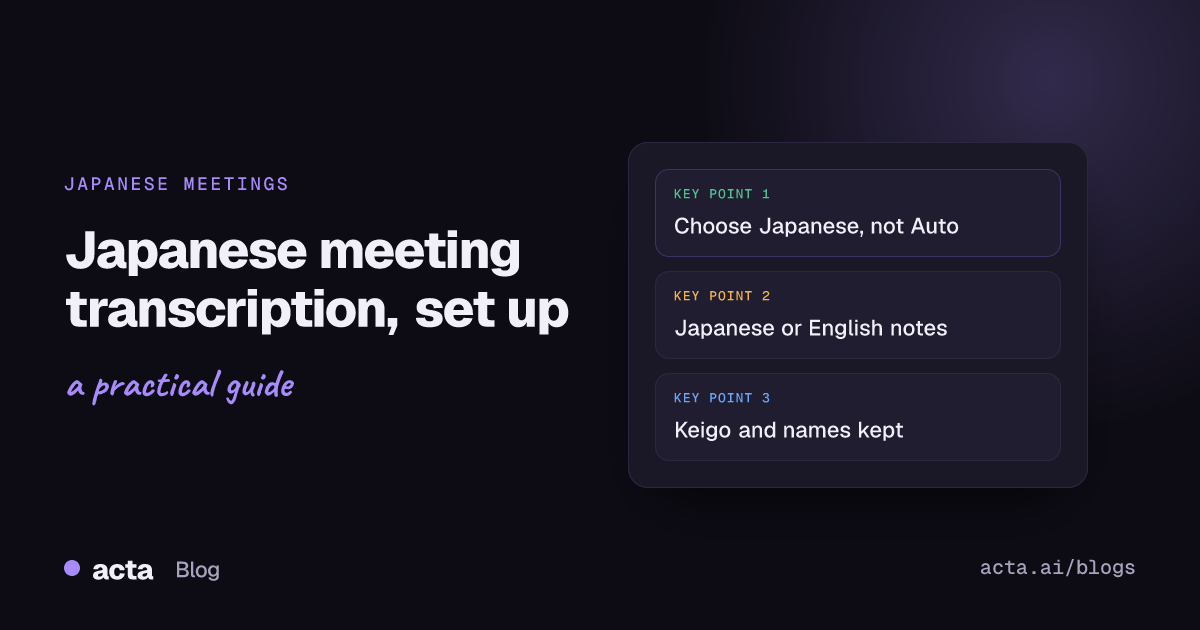
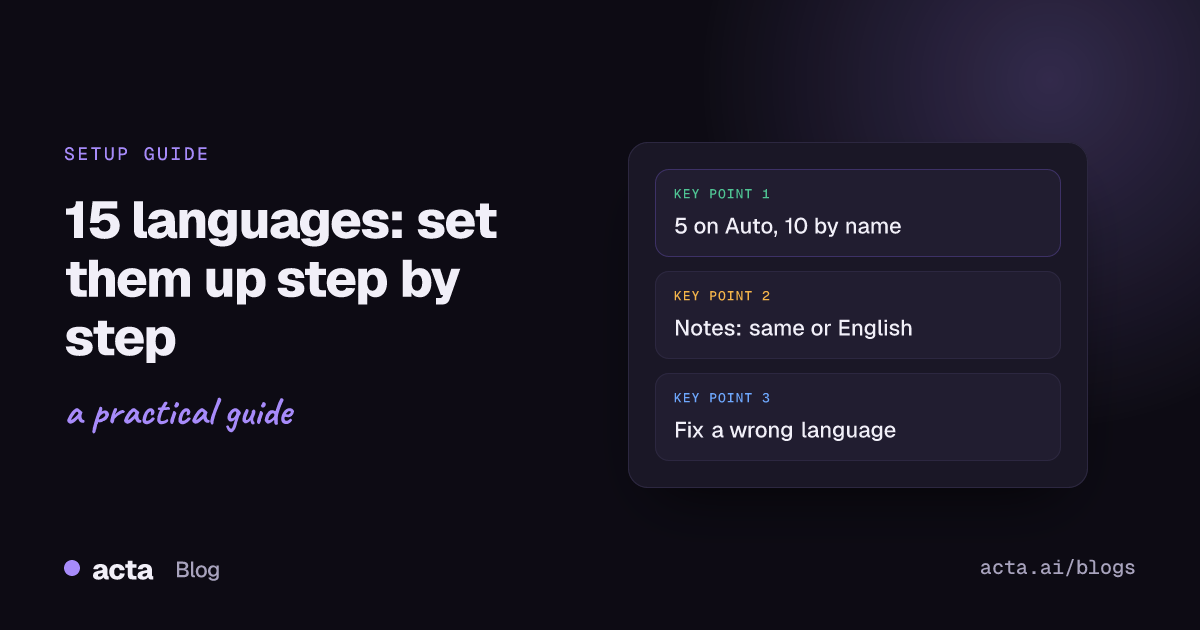
Acta handles 15 languages. Five are detected automatically when you choose Auto: English, Hindi, French, Spanish and German. Ten more, Japanese among them, are beta languages you pick in Settings: Italian, Portuguese, Dutch, Arabic, Japanese, Telugu, Tamil, Kannada, Marathi and Bengali.
So Auto is not an option for Japanese meetings. If the setting is on Auto or English, a Japanese call will come back as nonsense English, not because the recording failed but because Japanese wasn't among the choices Auto had.
How you set it depends on your mix. A bridge engineer whose calls are almost all in Japanese should set Japanese and switch to English for internal calls. A manager who has one Japanese call a month should keep English and change the setting before that call. The language chip on each meeting page shows which language was used, so you'll catch a mistake quickly.
Set up Japanese meeting transcription in five steps
- Sign in to Acta, click Settings, and go to Meetings.
- Locate the Language card; it's directly beneath "Add Acta Notetaker to my meeting invites".
- Change Language spoken in meetings from English to Japanese (beta).
- Set Language for my notes to Same as the meeting for Japanese notes, or to English for your wider team.
- Record the call, then check the chip next to the meeting tabs reads Japanese. If it doesn't, Change language opens the card so the next one is right.
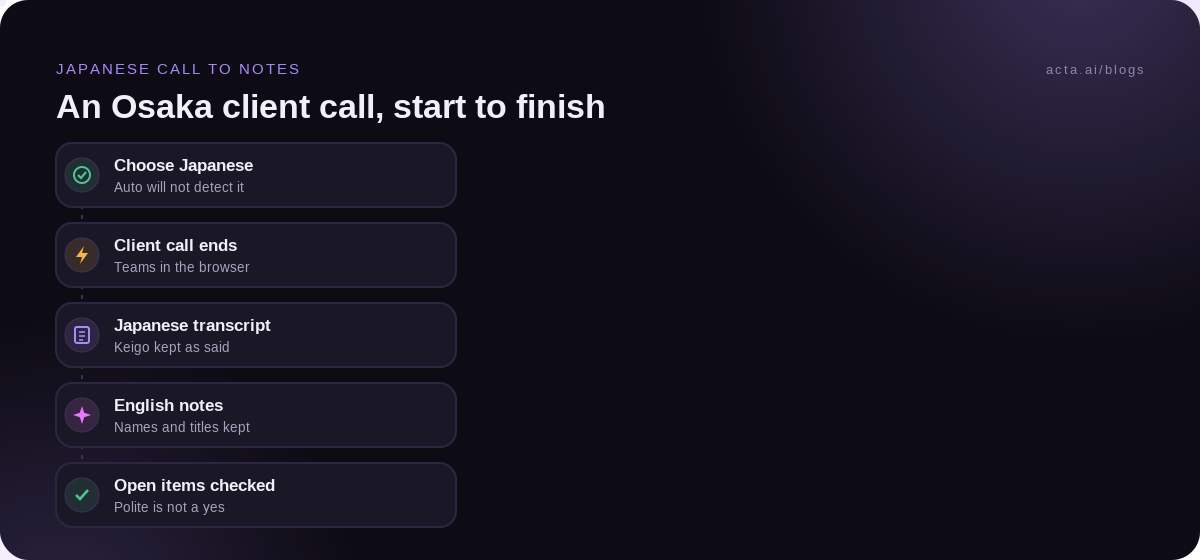
New settings apply to meetings recorded afterwards; earlier meetings stay as processed. Japanese works with every recording method: the Acta notetaker in Zoom, Google Meet or Microsoft Teams, the Chrome extension for calls in the browser, the desktop app for the Zoom or Teams apps, the mobile app for a meeting room, and uploaded files. The meeting languages help article has the full list of options.
Before recording, ask. Japanese business partners generally appreciate being told and asked, and a short request at the start of the call is normal courtesy. The guide on recording consent and what to tell participants covers the general rules. European teams should also look at the GDPR checklist for AI note takers.
The transcript is Japanese; the notes are Japanese or English
With Japanese chosen, the transcript is written in Japanese, in the usual mix of kanji and kana, with speaker names where Acta can separate the voices. If speaker labels aren't available for a recording, you still get the Japanese text, just without names.
The notes follow your second setting. "Same as the meeting" gives a Japanese summary, decisions, action items, report templates and follow-up email draft. "English" gives all of those in English, while the transcript stays in Japanese and quotes remain as spoken. Report headings such as "In short" are always in English, and so is the Acta interface.
Questions work in both directions. Ask Acta about the call in English and it answers in English; ask in Japanese and the answer is in Japanese. Across many meetings, OneChat does the same, which is useful when a project manager in Bengaluru wants to know "what did the client say about the March release across the last four calls?"
A common pattern: the bridge engineer sets English notes, reads the Japanese transcript when something looks off, and forwards the English notes to the team. The client never sees the notes unless you send them, so the English version is an internal working record.
Keigo, titles and name order are kept as said
Japanese business speech is full of keigo, the honorific and humble forms, and people are addressed by surname plus title or -san. Acta keeps names, titles and quotes as they were said rather than flattening them.
That matters in three places. First, titles carry information: 山田部長 (Yamada-buchō) tells you Yamada is a department head, which matters when you're working out who can approve a change. Second, names are given surname first in Japanese. Japan's government moved its own romanized documents to surname-first order from 1 January 2020, as the Japan Times reported, after a decision announced in September 2019. If your English notes and CRM write Japanese names, pick one order and stick with it; I'd follow Japan's own official practice. Third, keigo level tells you how formal the relationship is. A client who shifts from formal keigo to plainer speech partway through a call may be signalling something.
A few short phrases you'll see often in transcripts, with glosses:
- よろしくお願いします (yoroshiku onegaishimasu): a standard closing, roughly "we look forward to working with you".
- 承知しました (shōchi shimashita): "understood", a polite acknowledgement.
- 検討します (kentō shimasu): "we will consider it".
None of those is a commitment by itself, which brings us to the decisions list.
Polite Japanese needs careful reading in the decisions list
Any summary has to decide what counts as a decision. In Japanese meetings that's harder, because agreement and polite acknowledgement can sound alike, and real decisions are often made after the meeting, inside the client's company.
So review the decisions list with three rules. One: 承知しました means the message was received, not that the client agreed to your proposal. Two: 検討します usually means the topic goes to an internal discussion, and the answer comes later; record it as an open item with a follow-up date. Three: when a decision depends on someone not in the meeting, such as the buchō's approval, note who and by when.
Edit the notes before you share them if the summary has read too much into polite phrasing. That's not a flaw unique to software; new team members make the same mistake. The original Japanese line is in the transcript, so it's easy to check what was actually said.
For calls across time zones, where these follow-ups bounce between Tokyo mornings and Indian or European afternoons, the post on scheduling meetings across time zones has practical slot planning.
Worked example: a Pune supplier's call with an Osaka buyer
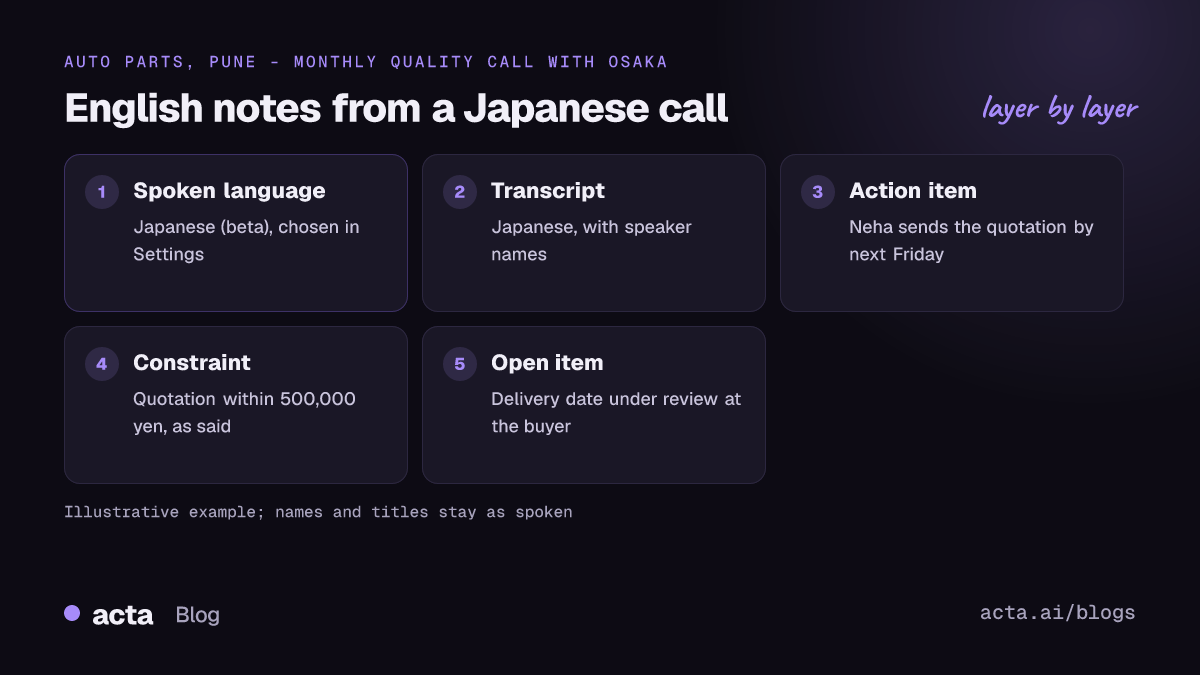
An illustrative example. A Pune firm makes machined parts for a buyer in Osaka. Its coordinator, Neha, speaks Japanese and runs a 40-minute monthly quality call on Microsoft Teams in the browser with Yamada-buchō and his colleague Tanaka-san. Neha records with the Chrome extension. Settings: spoken language Japanese (beta), notes language English, because the plant manager and quality head in Pune need to act on it.
Lines from the transcript, with English glosses:
Neha: 来週の金曜日までに見積もりを送ります。 (We will send the quotation by next Friday.)
Yamada: 見積もりは50万円以内でお願いします。 (Please keep the quotation within 500,000 yen.)
Yamada: 納期については、社内で検討します。 (We will consider the delivery date internally.)
The English notes Neha should expect, roughly:
- In short: monthly quality review; no new defects reported; quotation for the next batch requested.
- Action item: Neha sends the quotation by next Friday.
- Constraint: quotation to stay within 50万円 (500,000 yen), as Yamada-buchō said.
- Open item: delivery date under internal review at the buyer; follow up after the quotation.
- Key quote: "納期については、社内で検討します".
Now Neha's check. Is the delivery date listed as open, not agreed? Is 50万円 right, and is it a ceiling rather than a price? Is she, not Tanaka-san, the owner of the quotation? If the summary had written "delivery date agreed", she'd correct it before forwarding. Then the English notes go to the plant manager. The follow-up email draft comes in English too; if Neha wants to write to the buyer in Japanese, she can ask Ask Acta in Japanese for help with a draft or write it herself, since a meeting keeps the notes language it was processed with.
Interpreters, mixed languages and audio set the limits
Acta treats each meeting as one language. Hindi-English is the only mix handled as a mix, so a meeting that alternates between Japanese and English needs a choice.
- Interpreted meetings. When an interpreter repeats everything in English, choose English. The English side then carries the full content, and that's the language your team reads. You lose the Japanese originals, which is the trade-off.
- Japanese meeting, English slides. Choose Japanese. English product names and technical terms said aloud are kept as said.
- Half and half. If the first half is a Japanese discussion and the second an English wrap-up, record the halves separately or choose the language of the part where decisions are made.
- Audio. Conference rooms in Japan often have one speakerphone for six people. Ask for a headset for the main speaker or individual laptops, and one person speaking at a time. The guide to accuracy with accents, noise and crosstalk has more.
And the beta itself: Japanese transcription works, but accuracy is still improving. Check names, numbers and the decisions list on the first few meetings. Notes are only in Japanese or English; a team in Germany can't get German notes from a Japanese meeting. The batch pillar on multilingual meeting notes explains this transcript-versus-notes split in general, and the older post on transcribing meetings in other languages covers the wider options.
Where Acta fits for Japanese meetings
Acta records the call, writes a Japanese transcript, and produces notes, templates and a follow-up draft in Japanese or English, keeping names, titles and amounts as said. It doesn't use your meeting data to train AI models. It can't tell a polite acknowledgement from a commitment as well as an experienced bridge engineer, so keep a person reviewing the decisions.
Frequently asked questions
Can AI transcribe Japanese meetings?
Yes. Acta transcribes Japanese as a beta language. Choose Japanese under Settings, Meetings, Language, because Auto won't detect it. The transcript comes back in Japanese, and notes can be in Japanese or English. Accuracy is still improving, so check names, amounts and the decisions list in your first few meetings before relying on them.
Can I get English notes from a Japanese meeting?
Yes. Set "Language for my notes" to English. The transcript stays in Japanese, while the summary, decisions, action items, templates and follow-up email draft are written in English. Quotes keep their Japanese wording, and names, titles such as buchō, dates and amounts like 50万円 are kept as spoken rather than converted.
Does Japanese meeting transcription keep keigo and honorifics?
Yes, in the transcript and in quotes. Acta keeps what was said, including honorific and humble forms, titles and the -san suffix, and keeps names in the order spoken, which in Japanese is surname first. English notes summarise the content in English but don't rename people, so Yamada-buchō stays Yamada-buchō.
What should I choose for a meeting with an interpreter?
Usually English, if the interpreter renders everything into English, because that side carries the full content in the language your team reads. Acta processes one language per meeting, so the Japanese originals won't be transcribed in that case. If the Japanese wording matters, for example in a contract discussion, choose Japanese instead.
Is Japanese detected automatically on Auto?
No. Auto detects only English, Hindi, French, Spanish and German. Japanese, like the other nine beta languages, must be chosen in Settings. A Japanese meeting recorded on Auto will produce a wrong transcript; open it, check the language chip, and use Change language so the next meeting is set correctly.
Prepare your first Japanese meetings
The first few meetings decide whether your team trusts the notes. Run through this before you start:
- Set the language per person: the bridge engineer or coordinator sets Japanese; others keep their own defaults.
- Choose the notes language: English for the wider team, Japanese if the notes go back to Japanese colleagues.
- Agree a name convention: surname first, with titles, in notes and the CRM.
- Review open items: treat 検討します as an open item with a follow-up date, never as agreement.
- Ask before recording: a short request at the start of every call.
When you're ready, record your next Japanese call from the browser with the Acta Chrome extension, or from the Zoom or Teams app with the desktop app.