Kannada meeting transcription starts with turning off Auto
Acta detects English, Hindi, French, Spanish and German automatically; ten more languages, Kannada among them, can be chosen in Settings. Those ten are in beta. They work, and they're improving, but Auto will never choose one of them for you. Leave a Kannada meeting on Auto and the system has to fit what it hears into one of the five languages it knows how to detect. You'll get a transcript, just not one you can use.
That catches out more people than you'd expect, because Kannada is a big language. The 2011 Census counted about 4.37 crore people with Kannada as their mother tongue, according to the Registrar General's Table C-16 on language, and the Census Language Division publishes the detail behind those counts. Plenty of meetings in Karnataka happen entirely in Kannada: panchayat-level reviews, temple trust committees, agri-input dealer calls, parents' meetings. A tool that only listens for English misses all of them.
So the first rule is simple. If the meeting will be in Kannada, tell Acta it will be in Kannada. Don't hope detection gets there on its own.
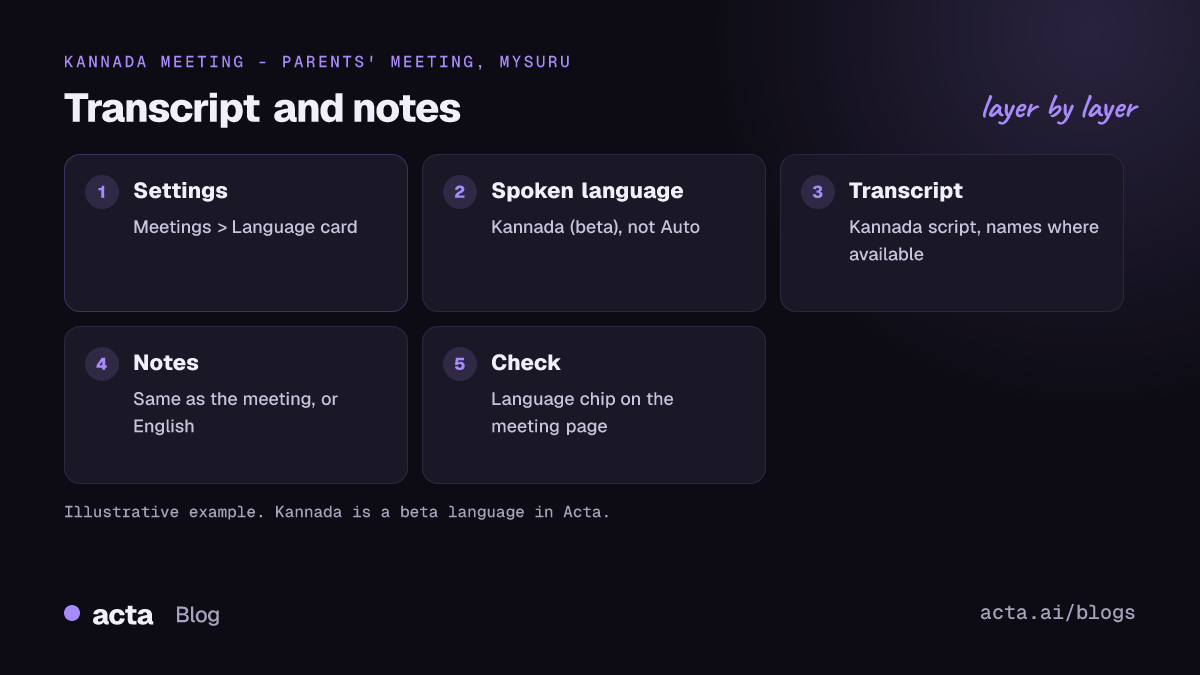
Five steps put Kannada on every new meeting
The labels below are the ones you'll see in the dashboard. The full walkthrough with screenshots is in the meeting languages help article.
- In the Acta dashboard, open Settings and choose Meetings.
- Scroll to the Language card. It sits just below "Add Acta Notetaker to my meeting invites".
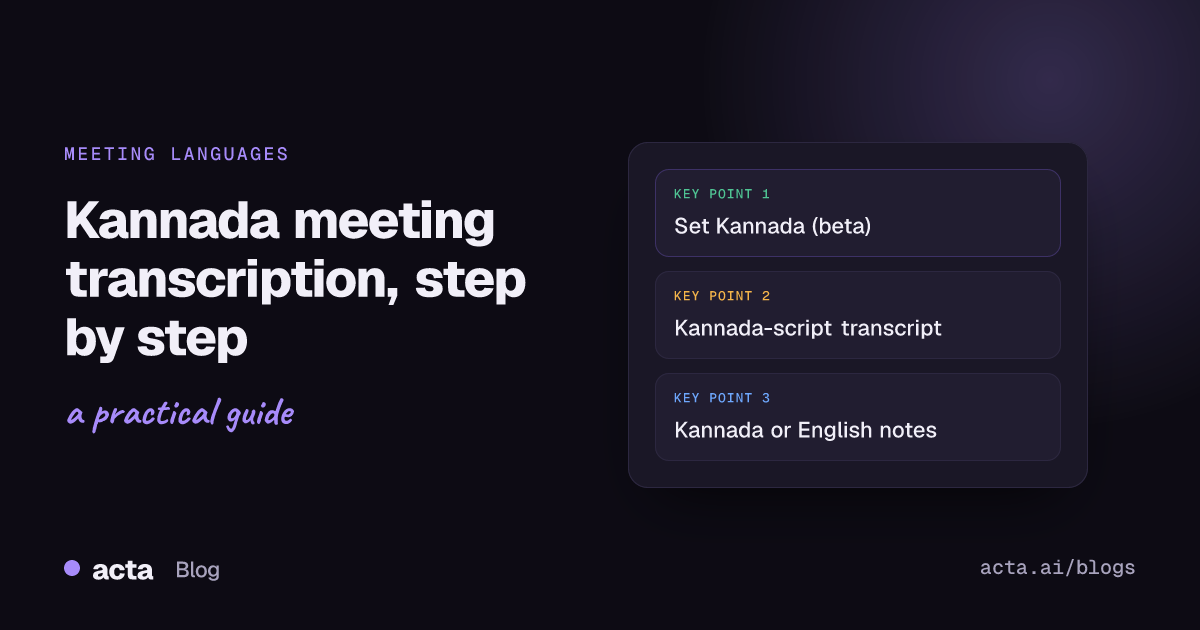
- In "Language spoken in meetings", replace the default English with Kannada (beta).
- In "Language for my notes", choose Same as the meeting for Kannada notes or English for English notes.
- Record as usual. The bot for Zoom, Google Meet and Microsoft Teams, the desktop app, the Chrome extension, the phone app and uploaded files all use this setting.
Two details matter. First, the setting applies to new meetings only; anything recorded before you changed it stays in its old language. Second, check the result: after the meeting, a small chip next to the tabs on the meeting page shows the language, with a "Change language" link back to the card, and the meeting-notes email shows it too. If the chip says English, you know straight away what went wrong.
If you have a recording on your phone from last week's meeting, set Kannada first and then upload it. The upload counts as a new meeting, so it picks up whatever the setting says at that moment.
A Kannada-script transcript needs a quick read before it's shared
The transcript comes back in Kannada script, line by line, with speaker names where they're available. If speaker labels aren't available for a meeting, you still get the Kannada text, just without names against each line. It won't silently switch to English.
Three things stay exactly as said: names ("Suresh", "Lakshmi Ma'am"), numbers and amounts ("₹45,000", "12 December"), and product or technical names ("Tally", "GST return", "Class 8 B"). That's useful in practice. The details people act on aren't converted into a different form, so a parent or a vendor can check the figure against what they remember.
Kannada script has its own Unicode block, and like other Indian scripts it relies on the font to join consonants into conjuncts; the Unicode Consortium's FAQ on Indic scripts and the W3C's introduction to Indic scripts explain how that shaping works. The practical upshot: if a colleague says the transcript is full of boxes or broken letters, the problem is almost always the font on their device, not the transcript. Opening it on an up-to-date phone or browser usually fixes it.
Then read it the way you'd read a junior colleague's minutes. Kannada is in beta and accuracy is still improving, so skim for the lines that carry decisions, check the names and numbers, and correct anything odd before forwarding. In my experience the opening and closing minutes of a meeting, where people talk over each other, need the most attention.
English notes keep a mixed Bengaluru team on one record
Bengaluru offices are a mix. A facilities team might speak Kannada with the electrical contractor, while the regional head who approves the spend grew up in Lucknow and reads Hindi and English. For meetings like that, set "Language for my notes" to English.
Here's what changes. The transcript stays in Kannada, because that's what was spoken. The summary, decisions, action items, report templates and the follow-up email draft come out in English. Quotes in the notes stay in Kannada as spoken, so if the contractor said "ನಾಳೆ deadline ಇದೆ" (there's a deadline tomorrow), that line appears as he said it. Report headings and the dashboard are in English whichever way you go.
When should you keep Kannada notes instead? When every reader is a Kannada speaker who'd rather check the notes in the language of the meeting: a school's teachers, a cooperative's committee, a family firm's partners. The guide to multilingual meeting notes goes deeper into the transcript-language versus notes-language split, if you want the reasoning behind it.
What you can't do is ask for notes in a third language. A Kannada meeting gives Kannada or English notes; Acta doesn't translate them into Hindi or Tamil. If a Tamil-speaking manager needs the notes, English is the shared ground.
Worked example: a Mysuru school's parents' meeting
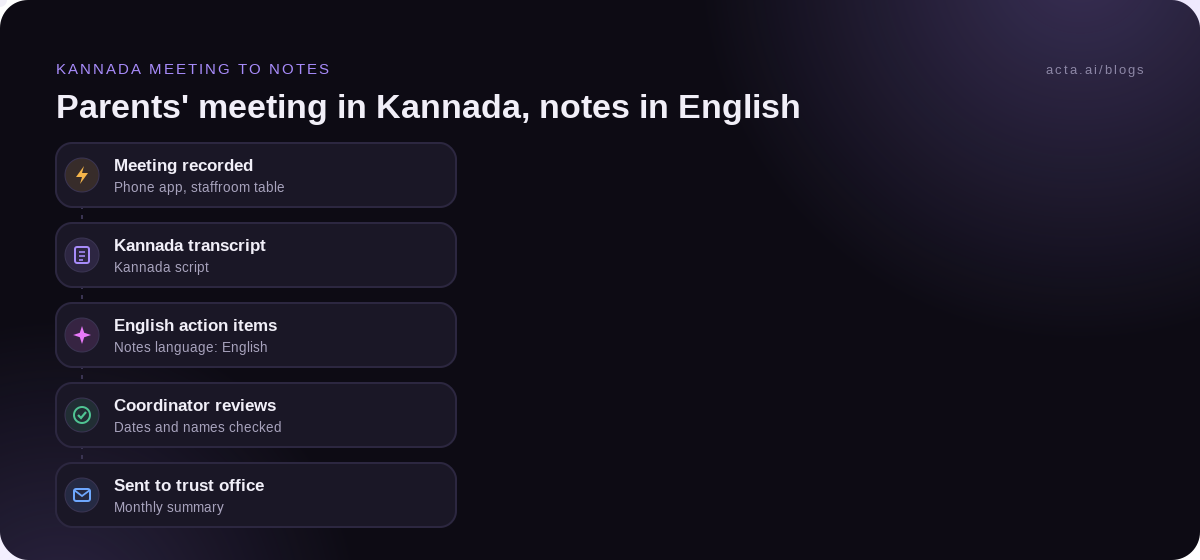
An illustrative example, not a real school. The Class 8 coordinator at a Mysuru school, Mrs. Shobha, holds a 40-minute parents' meeting in Kannada about the half-yearly exams. She records it on the Acta phone app, placed in the middle of the staffroom table, with notes set to Same as the meeting. A few lines from the notes, with English glosses:
ಪರೀಕ್ಷೆ ಡಿಸೆಂಬರ್ 12ರಂದು. (The exam is on 12 December.)
ಶಿಕ್ಷಕರು ಪೋಷಕರಿಗೆ ವರದಿ ಕಳುಹಿಸುತ್ತಾರೆ. (Teachers will send the report to parents.)
ಮುಂದಿನ ಸಭೆ ಸೋಮವಾರ. (The next meeting is on Monday.)
The principal, who reads Kannada comfortably, gets these notes. But the school's trust office in Bengaluru wants a monthly English summary of every parents' meeting. For the next meeting, Mrs. Shobha switches the notes language to English, and the action items look like this:
Action items: Class teachers to share half-yearly report cards with parents by 20 December. Mrs. Shobha to circulate the revision timetable on the parents' WhatsApp group. Next parents' meeting on Monday, 4 pm.
Open question: Two parents asked about extra Kannada reading classes; to be discussed with the principal.
For more on what to capture in these meetings, the post on parent-teacher meeting notes and support plans has a structure that works in any language, and Acta's education page covers lectures and staff meetings.
Three Kannada meetings that benefit most
Not every conversation needs a transcript. These three types gain the most from one, because the people who need the outcome often weren't in the room.
Distributor and dealer calls in north Karnataka
A seeds and fertiliser company's area manager in Hubballi calls ten dealers a week, in Kannada, about stock, credit and schemes. With Kannada transcription and English notes, the sales head in Bengaluru sees each dealer's commitments without asking for a separate report. Use a qualification or account-review template from Acta's report templates so the same fields come out every time.
Resident and community committees
An apartment association in Jayanagar meets monthly about water tankers, lift maintenance and the annual budget. Members argue in Kannada, sometimes heatedly. Kannada notes, read by the secretary before they're posted to the group, settle the "who agreed to what" question at the next meeting.
Contractor and site meetings
Site supervisors and contractors often speak Kannada; the client's project manager may not. Record the site meeting on the phone app, choose English notes, and the project manager gets a list of who fixes what by when, while the Kannada transcript stays as the record of what was promised.
In all three, tell people you're recording before you start. The guide on recording meetings with AI and what to tell participants has wording you can adapt.
Troubleshoot a bad Kannada transcript in this order
When a Kannada transcript comes back looking wrong, work through these checks before deciding the feature doesn't suit you:
- Look at the language chip. If it says English or Hindi, the meeting wasn't set to Kannada. Change the setting; it will apply from the next meeting.
- Check when you changed the setting. Past meetings keep their old language. A meeting that started before you saved the setting won't pick it up.
- Check the audio. A laptop microphone at the far end of a hall, a ceiling fan above it, or a speakerphone on a busy shop counter will hurt any language, and beta languages more. Move the phone closer or ask remote people to use earphones.
- Check for crosstalk. Parents' meetings and committee meetings are where people talk at once. Ask the chair to take one speaker at a time on the points that matter. The guide to noise, accents and crosstalk has more.
- Check the language balance. If the meeting was mostly English, Kannada was the wrong pick. Acta handles one language per meeting, so choose the language most of the meeting is in.
For Google Meet or Teams in the browser, the Chrome extension records from your own tab without a bot joining, which some school and government participants prefer. It uses the same language setting.
Where Acta fits
Acta records Kannada meetings through a bot, the desktop app, the extension, the phone app or an upload, and returns a Kannada-script transcript with notes in Kannada or English. Kannada is in beta, so keep a human check on the notes before they're filed. Acta doesn't use customer data to train AI models.
Frequently asked questions
Is there a Kannada transcription app for meetings?
Yes. Acta transcribes Kannada meetings into Kannada script once you set Kannada (beta) under Settings > Meetings > Language. It works with Zoom, Google Meet and Microsoft Teams, the Windows and Mac desktop app, the Chrome extension, the phone apps and uploaded recordings. Because Kannada is in beta, check names and numbers before sharing.
Can I get Kannada meeting minutes in English?
Yes. Set "Language for my notes" to English. The transcript stays in Kannada, and the summary, decisions, action items and follow-up email draft are written in English, with quotes kept in Kannada as spoken. It's the usual choice when the readers include colleagues who don't read Kannada.
Does Acta detect Kannada automatically?
No. Auto detects English, Hindi, French, Spanish and German only. Kannada is one of ten beta languages you select yourself. If a Kannada meeting is recorded on Auto or English, the transcript will be wrong, so set Kannada before the meeting. The setting applies to new meetings, not past ones.
Why does my Kannada transcript show boxes instead of letters?
That's nearly always a font problem on the device you're reading on, not a transcription error. Kannada script needs a font that can join letters correctly. Open the transcript on an updated phone or browser. If the letters render but the words are wrong, check the language chip and the audio instead.
Can I transcribe an old Kannada recording?
Yes. Set the meeting language to Kannada first, then upload the recording to Acta. The upload is treated as a new meeting, so it uses the setting in place at that moment. Recordings already processed under English keep their original language.
Plan your first Kannada meeting with Acta
Treat the first one as a trial run. Pick a meeting that matters but isn't high-stakes, and check the output with someone who attended.
- Choose the meeting: a weekly review or parents' meeting held mostly in Kannada.
- Set the language the day before: Kannada (beta) for speech, and Kannada or English for notes depending on who reads them.
- Sort the audio: one phone close to the speakers in a room, earphones for anyone calling in.
- Announce the recording: one sentence at the start, and a chance for anyone to object.
- Review before sending: read decisions, names and amounts, fix what's off, then share.
For Kannada calls on Zoom, Teams or WhatsApp from your own laptop, install the Acta desktop app, set Kannada in Settings, and press Record on the next call.