Guides & How-tos 7 min read
How to Build Audio Enhancement and Audio Classification Apps (2026 Guide)
A practical guide to audio-to-audio and audio classification: denoising and separation models, AST and CLAP classifiers, code, serving, PESQ and F1 evaluation.
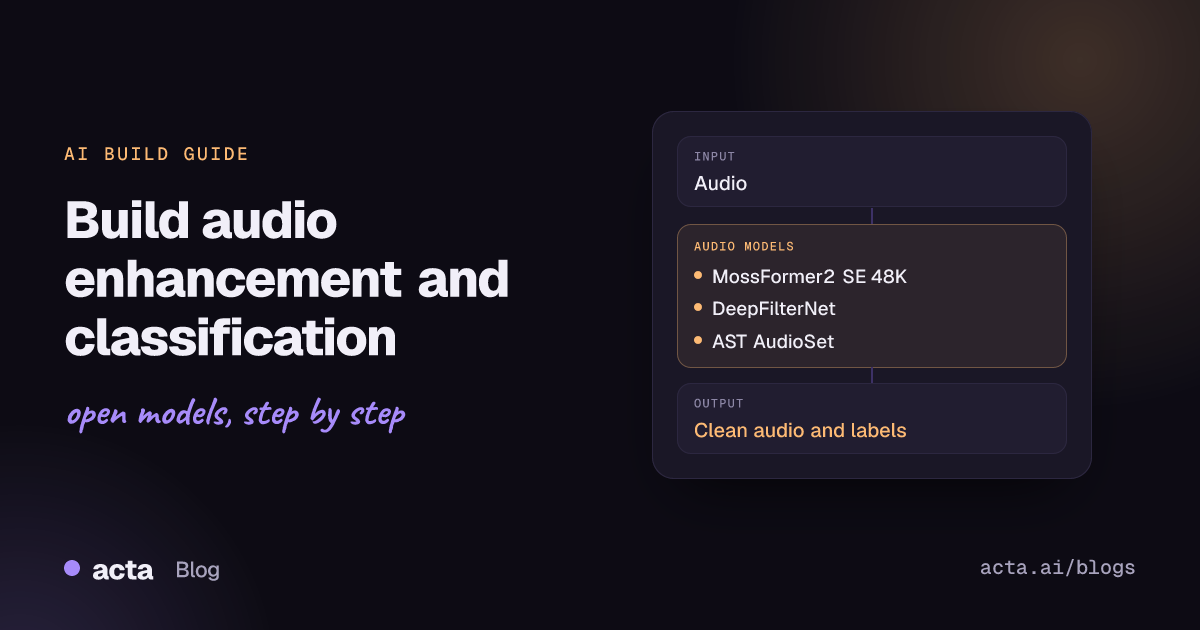
Quick answer: Audio-to-audio models take a recording and return cleaner or separated audio; audio classification models assign labels such as a sound event, spoken language or command. The shortest path: denoise with ClearerVoice (MossFormer2) or DeepFilterNet, separate speakers with a SpeechBrain SepFormer, then label clips with the transformers audio-classification pipeline using AST, or CLAP for zero-shot labels.
Noisy audio hurts everything downstream: transcripts get worse, voice agents mishear users and call recordings become tiring to review. Enhancement models clean the signal before anyone, or any model, listens to it.
Classification answers a different question: what is in this audio? It powers sound event detection, language identification, keyword spotting and content moderation. The two tasks often sit in the same pipeline, so this guide covers both.
What are audio-to-audio and audio classification?
The Hugging Face audio-to-audio task page covers models whose input and output are both audio. The main jobs are speech enhancement (remove noise and reverberation), source separation (split a mix into one track per speaker, or speech versus noise) and, more recently, speech super-resolution (restore high frequencies to low-bandwidth audio). Most models work on a time-frequency representation or directly on the waveform and predict either a mask applied to the noisy input or the clean signal itself.
The Hugging Face audio classification task page covers models that map an audio clip to one or more labels with scores. Typical label sets are sound events (the AudioSet ontology of music, speech, vehicles, animals and more), spoken languages, emotions, speakers and short voice commands. Architectures range from audio transformers on spectrogram patches, such as the Audio Spectrogram Transformer, to self-supervised speech encoders like wav2vec2 with a classification head.
A third option is zero-shot audio classification: CLAP embeds audio and text in a shared space, so you can score a clip against any list of text labels without training.
What can you build with it?
- Call and meeting cleanup. Denoise recordings before transcription and playback, and drop segments that are only music or background noise.
- Voice agent front ends. Real-time noise suppression on the microphone stream so the speech recognizer hears the user, not the café.
- Speaker separation for overlapping talk. Split two overlapping speakers into separate tracks, then transcribe each.
- Sound event detection. Flag alarms, glass breaking, crying or machinery faults in security, care or industrial monitoring.
- Language identification and routing. Detect the spoken language and send audio to the right speech model or human team.
- Media tagging. Label music, speech and effects in large audio or video libraries for search and moderation.
Which models should you use?
Enhancement and separation:
- alibabasglab/MossFormer2_SE_48K: 48 kHz speech enhancement model from ClearerVoice-Studio, an Apache-2.0 toolkit that also ships separation, super-resolution and target-speaker extraction models. A good default for full-band audio.
- alibabasglab/FRCRN_SE_16K: 16 kHz enhancement model in the same toolkit, matched to the sample rate most speech recognizers expect.
- DeepFilterNet (GitHub, demo Space): real-time enhancement for 48 kHz audio, dual-licensed MIT or Apache-2.0, with a Python package (deepfilternet) and a command-line tool. Built for streaming and embedded use; see the DeepFilterNet paper.
- speechbrain/metricgan-plus-voicebank: SpeechBrain enhancement model trained on VoiceBank; the recipe reports a PESQ of 3.15 on that test set. Easy to try if you already use SpeechBrain.
- speechbrain/sepformer-whamr: SepFormer speech separation trained on WHAMR!, which adds noise and reverberation to two-speaker mixtures; a 16 kHz variant is also available. SpeechBrain is Apache 2.0.
Classification:
- MIT/ast-finetuned-audioset-10-10-0.4593: Audio Spectrogram Transformer fine-tuned on AudioSet, the widget model on the task page and a solid general sound-event tagger. For keyword spotting there is an AST fine-tuned on Speech Commands.
- laion/clap-htsat-fused and its unfused sibling: CLAP models for zero-shot classification with free-text labels; useful when you have no labelled data or the label set changes often.
- TalTechNLP/voxlingua107-epaca-tdnn: SpeechBrain language identification model trained on VoxLingua107, which covers 107 languages.
Licences differ between toolkit code and model weights, so check each model card. To compare enhancement models, listen to the ClearVoice Space and the DeepFilterNet demo on your own noisy samples; for classification, the SUPERB benchmark covers speech tasks such as emotion, speaker and keyword recognition.
How do you build it, step by step?
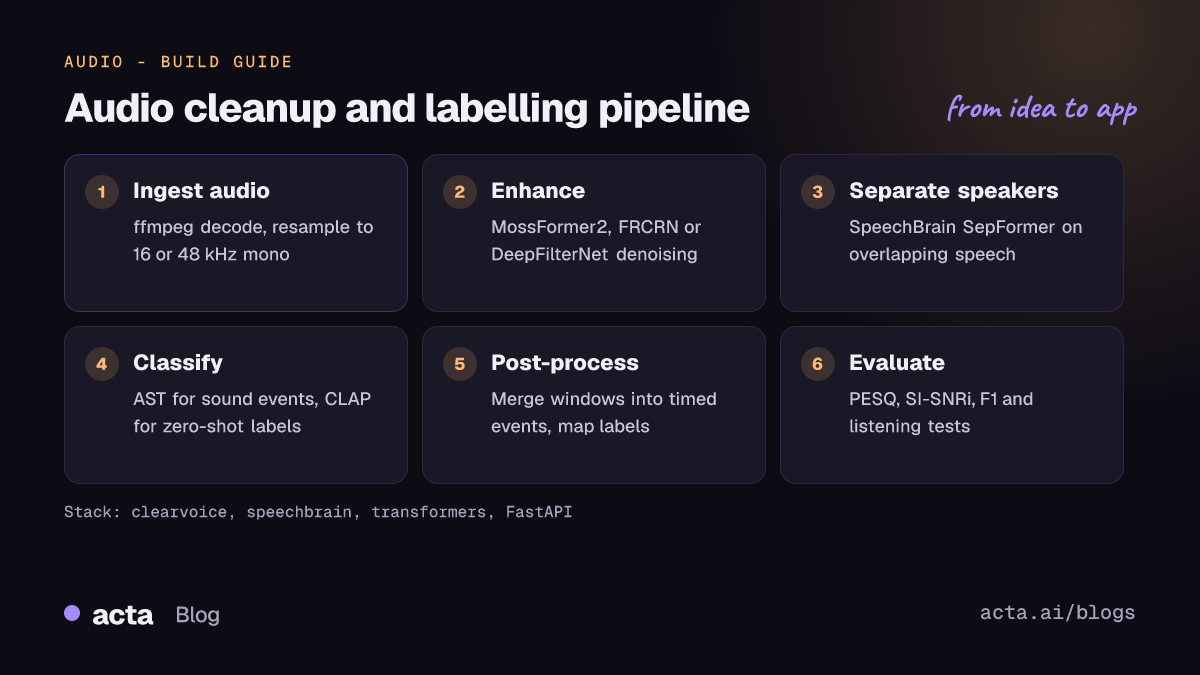
- Decode and resample. Convert input with ffmpeg to mono at the rate each model expects: 48 kHz for MossFormer2_SE_48K and DeepFilterNet, 16 kHz for FRCRN, wav2vec2 and most classifiers. Resampling mismatches are the most common cause of bad output.
- Enhance. Run a denoiser on the full file or on chunks. Keep the original audio so you can compare and fall back.
- Separate (optional). If speakers overlap, run a separation model on the overlapping regions and process each output track separately.
- Classify. Slice audio into windows (for example a few seconds each), run the classifier and keep labels above a threshold per window.
- Post-process. Merge adjacent windows with the same label into events with start and end times, and map raw AudioSet labels to the categories your product cares about.
- Evaluate. Score enhancement with PESQ, STOI or SI-SNR improvement and listening tests, and classification with precision, recall and F1 on your own labelled clips.
Speech enhancement with ClearerVoice, following the clearvoice README in ClearerVoice-Studio:
# pip install clearvoice   (follows the ClearerVoice-Studio clearvoice README)
from clearvoice import ClearVoice

myClearVoice = ClearVoice(task="speech_enhancement", model_names=["MossFormer2_SE_48K"])

# process a single wave file
output_wav = myClearVoice(input_path="samples/input.wav", online_write=False)
myClearVoice.write(output_wav, output_path="samples/output_MossFormer2_SE_48K.wav")
Sound event classification with the transformers audio-classification pipeline (see the transformers audio classification guide):
# pip install -U transformers torch
from transformers import pipeline

classifier = pipeline(
    "audio-classification",
    model="MIT/ast-finetuned-audioset-10-10-0.4593",
)
for pred in classifier("clip.wav", top_k=5):
    print(pred["label"], round(pred["score"], 3))
Zero-shot labels with CLAP, as in the Hugging Face audio course classification chapter:
from transformers import pipeline

classifier = pipeline(
    task="zero-shot-audio-classification",
    model="laion/clap-htsat-unfused",
)
labels = ["dog barking", "siren", "people talking", "music"]
print(classifier("clip.wav", candidate_labels=labels))
For a fixed label set and some labelled data, fine-tune instead: the transformers guide fine-tunes facebook/wav2vec2-base with AutoModelForAudioClassification and the Trainer, and the audio classification example scripts cover larger runs.
How do you serve and deploy it?
- Real time versus batch. Live noise suppression needs a streaming model with low algorithmic latency, such as DeepFilterNet. Offline cleanup of recordings can use heavier models like MossFormer2 on a GPU.
- Chunking. Process long files in overlapping chunks and cross-fade the joins to avoid clicks. Separation models in particular are trained on short mixtures.
- CPU and edge. Small classifiers and DeepFilterNet are practical on CPU. Export classifiers to ONNX for lower latency and re-check accuracy after conversion.
- Order of operations. Measure whether enhancement actually helps your speech recognizer. Some ASR models are trained on noisy data and can lose accuracy on aggressively denoised audio.
- API layer. A FastAPI service that accepts an upload and returns the cleaned file plus JSON labels covers most uses; a Gradio app on a Hugging Face Space is enough for demos and internal listening tests.
How do you evaluate it?
- PESQ and STOI for perceived quality and intelligibility of enhanced speech, measured against a clean reference.
- SI-SNR or SI-SDR improvement for separation and enhancement; the task page lists SI-SNRi and SDRi as audio-to-audio metrics.
- Listening tests (MOS-style ratings) on your real recordings, because metrics on synthetic noisy mixtures do not always match what users hear.
- Accuracy, precision, recall and F1 for classification, which the audio classification task page lists; mean average precision is standard for multi-label AudioSet tagging.
- Downstream impact: word error rate of your speech recognizer before and after enhancement.
Pitfalls and tips
- Sample rate mismatches. Feeding 16 kHz audio to a 48 kHz model, or the reverse, degrades output badly. Resample explicitly and log the rate at every step.
- Over-suppression. Aggressive denoising removes quiet speech and adds artefacts. Expose a strength setting or mix some original signal back in.
- Domain shift. AudioSet labels and synthetic noise corpora may not match factory floors, cars or phone lines. Collect a small labelled set from your own audio early.
- Licences. Toolkits are often permissive, but model weights and training data can carry other terms. For example, the archived facebookresearch denoiser repository is CC-BY-NC 4.0, so it is not suitable for commercial products.
- Privacy. Recordings contain voices and background conversations. Process on your own servers where possible and set retention rules.
Where to get help
- SpeechBrain GitHub Discussions for enhancement, separation and language identification questions, plus the SpeechBrain repository.
- The ClearerVoice-Studio repository and DeepFilterNet repository issues for model-specific problems.
- The Hugging Face forum for transformers pipelines and fine-tuning.
- The original AST repository for training details of the Audio Spectrogram Transformer.
Frequently asked questions
Should I denoise audio before speech recognition?
Test it. Enhancement helps humans listening and often helps on very noisy audio, but modern ASR models trained on noisy data can do worse on heavily processed speech. Compare word error rate with and without enhancement on your recordings.
What is the difference between enhancement and separation?
Enhancement returns one cleaner version of the speech. Separation returns several tracks, usually one per speaker, and is used when people talk over each other.
Can I classify sounds without labelled data?
Yes, with zero-shot models such as CLAP: you pass text labels and get a score for each. For a fixed label set and production accuracy, fine-tuning AST or wav2vec2 on a few hundred labelled clips usually does better.
Which sample rate should I use?
Use whatever the model was trained on: 16 kHz for most speech classifiers and many enhancement models, 48 kHz for full-band models such as MossFormer2_SE_48K and DeepFilterNet.
Acta records meetings in real rooms and on noisy calls, where clean audio and speech detection come before transcription and summaries; see the bot-free AI note taker. Related guides: speech recognition with voice activity detection and text-to-speech and text-to-audio.