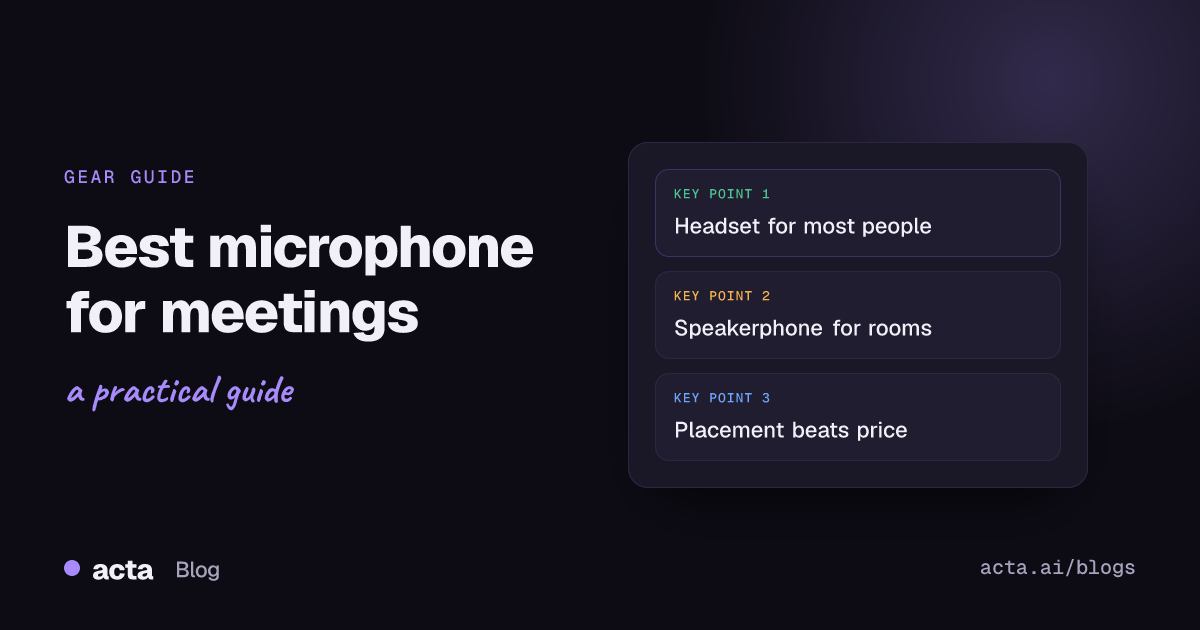
Quick answer: The best microphone for meetings is the one that sits closest to your mouth in the room you actually work in. For most people that's a headset with a boom mic. In a quiet home office, a USB dynamic mic sounds more natural. For several people around one table, use a speakerphone. Placement and settings matter more than price.
I've listened to a lot of meeting recordings, and the pattern is boringly consistent. The people who come out clearly in the transcript aren't the ones with the most expensive gear. They're the ones whose mic is a hand's width from their mouth, in a room without a dishwasher running.
So rather than a ranked list of products that'll be out of date by spring, here's how to pick the right type for your setup, and how to make whatever you buy sound good on a recording.
Why does the microphone matter so much for meeting recordings?
When you're live in a call, people's brains fill in the gaps. They see your face, they know the context, and a muffled word or two doesn't matter. A recording doesn't get that help, and a transcription engine gets none of it. It only has the audio.
Three things hurt transcripts most:
- Distance. The further the mic is from your mouth, the more room echo and background noise it picks up relative to your voice.
- Background noise. Keyboards, air conditioning, traffic, the dog. Noise suppression helps, but it can also clip the starts and ends of words.
- Several people on one weak mic. The person nearest the laptop is clear and everyone else sounds like they're in the next room. Hybrid rooms are the worst case; our hybrid meeting etiquette rules include a few audio rules for them.
Fix those three and almost any decent mic will give you clean recordings and accurate transcripts with the right speaker names. For the rest, see how to improve transcription accuracy.
What is the best microphone for meetings if you work from home?
It depends on your room. Here are the main types and who each one suits.
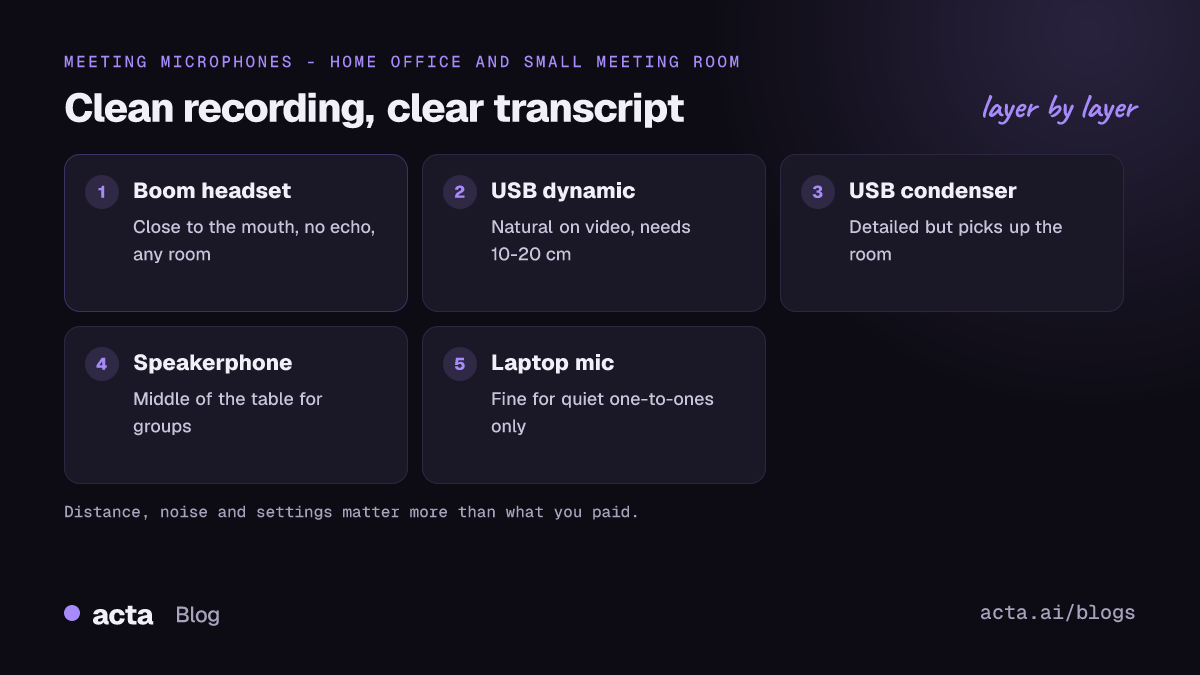
Headset with a boom mic
This is my default recommendation for anyone who takes a lot of calls. The boom puts the mic a few centimetres from your mouth and keeps it there when you turn your head. Your voice is loud and everything else is quiet by comparison, which is exactly what a transcript needs. It also stops echo, because the other people's voices go into your ears, not back out of your speakers.
The trade-off is comfort over a long day, and how you look on video. If that bothers you, a slim headset with a short boom is a fair compromise. Earbuds with mics in the stem are better than a laptop mic but noticeably worse than a boom, because the mic sits further from your mouth.
USB dynamic microphone
The kind of desk mic podcasters use. Dynamic mics are less sensitive than condensers, so they tend to pick up less of the room, which helps in an untreated home office. You do need to be close: think 10 to 20 centimetres, not arm's length. Shure's guidance on recording vocals suggests about 10 to 20 cm as a starting point and warns about the proximity effect, where the bass gets heavier as you move closer. For meetings, that means pick a distance and stick to it.
Good if you sit still at a desk and want to sound natural on video without a headset. Not good if you lean back, walk around or drift away from the mic.
USB condenser microphone
These are the big, sensitive desk mics that look great in product photos. They capture detail beautifully in a quiet, soft-furnished room. In a typical home office with bare walls and a window, they also capture the echo, the fridge and your neighbour's leaf blower. I'd only pick one if your room is genuinely quiet, and even then I'd put it close.
The dynamic-versus-condenser rule isn't absolute. Pickup pattern and distance matter as much as the type, and some condensers handle noise well. But for most people in ordinary rooms, a dynamic mic is the safer bet.
Your laptop's built-in mic
Modern laptops are better than they used to be, and for a quick one-to-one in a quiet room they're fine. They struggle when you're far from the screen, when you type during the call, and when there's any background noise. If you're recording meetings regularly, almost any headset will beat it.
What's the best microphone for meetings with several people in one room?
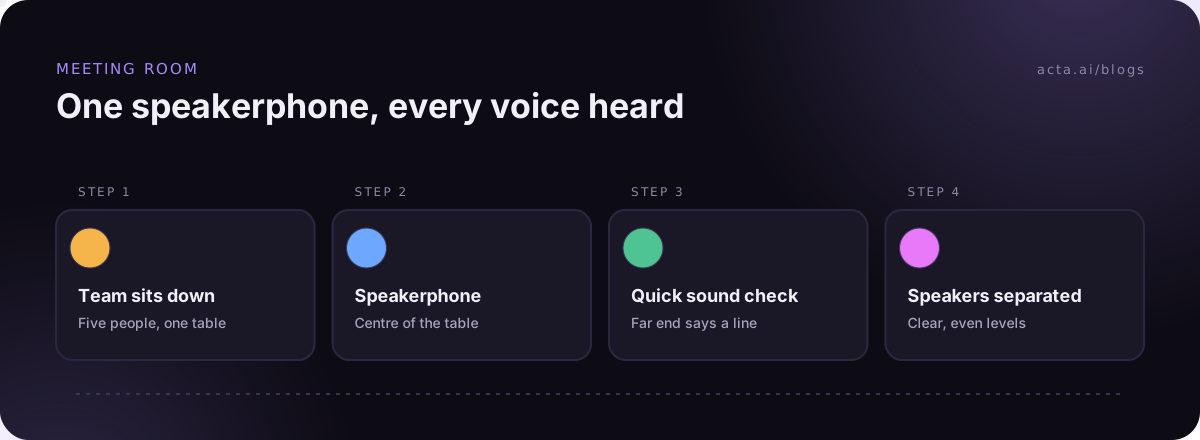
A speakerphone. These are the flat puck-shaped devices that sit in the middle of a table, with microphones facing in several directions. They're designed to hear everyone around them roughly equally, and the good ones handle echo between the speaker and the mics.
- Two to six people at a small table: one speakerphone in the centre is usually enough.
- Bigger tables: look for models that can link a second unit, or put the speaker at the far end of the table from the laptop.
- Large meeting rooms: this is where proper room systems with ceiling or table mics come in. That's a job for your IT team, not a desk purchase.
The common mistake is relying on the laptop at one end of the table. The two people beside it dominate the recording, and the person at the far end might as well not have spoken. If you record in-person meetings on a phone instead, put it flat in the middle of the table, not in front of the organizer. Our guide on how to record a meeting covers the in-person options.
Do Teams-certified headsets and speakerphones make a difference?
Microsoft runs a certification program for personal devices used with Teams, covering headsets, speakerphones, webcams and more. Its documentation on USB peripherals describes the program and notes that most certified Bluetooth headsets and speakerphones are designed to be used with a USB dongle rather than your computer's built-in Bluetooth. Brands like Jabra, Poly, EPOS, Logitech and Yealink all make certified models.
Certification is a reasonable shortcut if you're buying for a team on Teams: it tells you the device has been through Microsoft's testing for use with Teams. It doesn't mean an uncertified mic is bad. And the dongle point is worth taking seriously. Many Bluetooth headsets connected straight to a laptop can switch to a lower-quality audio mode once the mic is in use, which is part of why vendors ship dongles.
How do you set up a microphone so meeting recordings come out clear?
This is where most of the gains are. Go through it once and your recordings improve whatever mic you own.
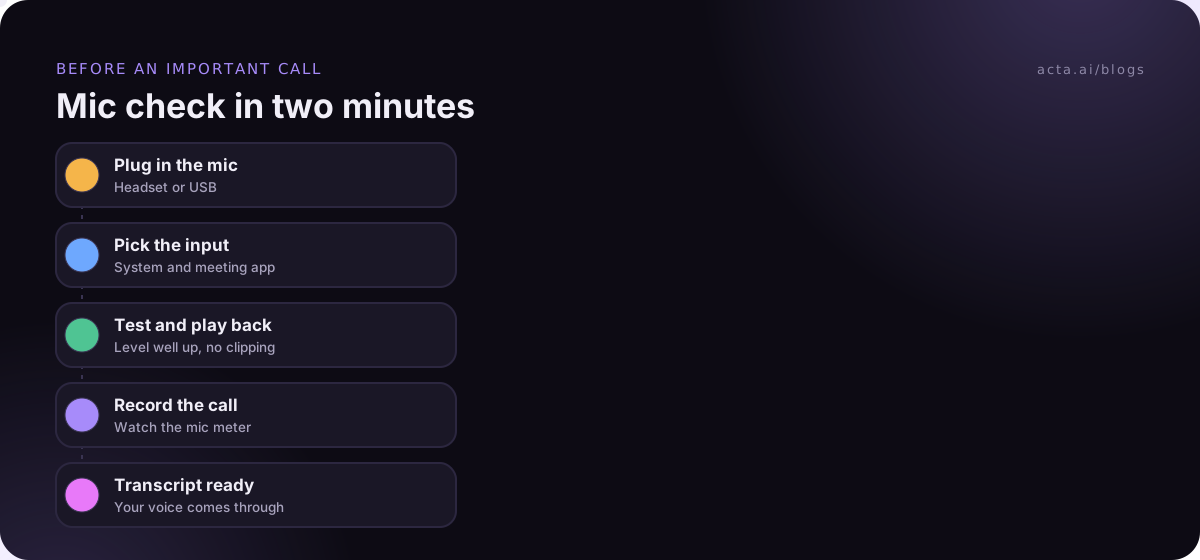
- Pick the right input in two places. Set the mic in your computer's sound settings and in your meeting app. A surprising number of "bad mic" problems are the app quietly using the laptop mic.
- Test it. On Windows, Microsoft's guide to setting up and testing microphones walks through the test under Settings > System > Sound: start the test, speak normally, then play it back. On a Mac, the input level meter in System Settings > Sound does a similar job.
- Set the level. Your normal speaking voice should land well up the meter without hitting the top. Too quiet and the transcript misses words; too loud and it distorts.
- Get close and stay put. Same distance every call. Clip the mic arm so it doesn't drift.
- Use noise suppression sensibly. Teams and Zoom both have noise suppression settings. Leave them on in noisy rooms. If your voice sounds choppy, try a lower level.
- Use headphones when using a desk mic, so the other people's voices don't play out of your speakers and back into your mic as echo.
Quick fixes that cost nothing
- Close the window on the street side.
- Put a rug or a few cushions in a room with bare floors and walls. Soft surfaces cut echo.
- Move your keyboard off the desk the mic is on, or at least type gently.
- Turn off the fan or air conditioner for important calls.
Does the microphone affect AI meeting notes?
Yes, directly. A transcription engine can only write down what it can hear, and an AI summary can only summarize the transcript. If half a sentence is lost to a chair scrape, the action item in that sentence may be lost too. Clean audio also helps the software tell speakers apart. Our post on speaker diarization explains why overlapping, distant voices are the hardest case.
When you record from your own computer, you're capturing two things: the meeting's sound (everyone else) and your microphone (you). Your mic is the one part of that you control. Make it good and your side of the transcript will be clean however the others sound. If you record without a bot, a desktop recorder like Acta's desktop app captures both the meeting's sound and your mic from your own computer.
And whichever mic you use, tell people you're recording. Our guide on recording meetings with AI and what to tell participants covers consent.
So, what is the best microphone for meetings?
- Lots of calls, noisy home or open office: a headset with a boom mic.
- Quiet home office, on video a lot: a USB dynamic mic on an arm, close to your mouth.
- Treated, very quiet room: a condenser can sound lovely, but it's the least forgiving option.
- Small meeting room or kitchen-table meetings: a speakerphone in the middle.
- Big meeting rooms: a proper room system, chosen with IT.
Spend the first half hour on setup before you spend money. A mid-priced headset used well will beat an expensive desk mic used badly.
Where Acta fits
Acta's desktop app shows Meeting sound and Your mic meters while it records, so you can see straight away if your microphone isn't being picked up, and on first setup it runs a short audio check where you play a test sound and say a few words. The desktop app guide walks through it. For meetings around a table, the mobile apps record in person.
Frequently asked questions
Is a headset or a desk microphone better for meetings?
For most people, a headset. It keeps the mic close to your mouth and prevents echo. A desk mic sounds more natural on video if you keep a steady distance in a quiet room.
Are Bluetooth headsets good for recording meetings?
They can be, especially models that come with their own USB dongle. Connected directly over a laptop's Bluetooth, the mic quality can drop.
How far should a microphone be from my mouth?
For a desk mic, about 10 to 20 cm is a good starting point. Headset booms sit closer. Whatever you choose, keep the distance consistent.
Do I need an expensive mic for accurate transcripts?
No. Placement, a quiet room and the right input settings make more difference than price.
What's the best microphone for meetings with a group in one room?
A speakerphone placed in the middle of the table, so everyone is about the same distance from it.
Once your mic is sorted, you can try Acta free for 15 days and see how your next meeting's transcript comes out.