Quick answer: Good hybrid meeting etiquette comes down to a few agreed rules: people in the room speak into the room mic and skip side conversations, remote people keep their camera on when they can and use the hand-raise, and the host runs one speaking queue for everyone, reads the chat aloud and checks in with remote people first. Write the rules down and revisit them monthly.
A hybrid meeting is really two meetings happening at once. Six people around a table can see each other, read body language and jump in mid-sentence. Three people on laptops get a wide shot of the room, muffled audio from the far end of the table, and a two-second delay that means they're always a beat too late to speak.
Most of that gap isn't about technology. It's about small habits, and those habits only change when the team agrees on them out loud. This is a set of rules you can steal, split by role.
What is hybrid meeting etiquette, and why write it down?
Hybrid meeting etiquette is the set of habits that make a meeting work equally well for people in the room and people joining remotely. The W3C, which runs a lot of its standards work in hybrid groups, says in its guide to hybrid group meetings that the goal is for co-located and remote participants to interact on an equal basis. Most teams I've worked with are a long way from that, and they don't know it, because the people who'd tell them are the ones on mute.
Writing the rules down matters because unwritten etiquette always defaults to the people in the room. They're the majority, they're louder, and they don't notice what remote people miss. A short list everyone has agreed to gives remote participants something to point at without feeling like they're complaining.
If your problem is bigger than habits (bad room hardware, meetings scheduled at 7 a.m. for one time zone), start with our piece on hybrid meetings that don't leave remote people behind. This post is about behavior.
Etiquette for people in the room
No side conversations
The single most common complaint from remote participants. A quiet comment to your neighbour is invisible on camera and inaudible on the mic, but it often contains the real opinion. If it's worth saying, say it to the whole meeting.
Speak toward the microphone, not the screen
Room microphones pick up the person nearest them best. If you're at the far end of a long table, lean in or move closer. Don't talk while walking to the whiteboard.
Say your name the first time you speak
On a wide room shot, remote people often can't tell who's talking. "It's Marco, I think we should..." takes half a second.
Put the whiteboard on screen
If you sketch on a physical whiteboard, someone shares a photo of it in the chat or the team uses a shared digital board instead. A whiteboard that only the room can see shuts the remote people out of the most important part of the meeting.
Don't pack up early
Rustling, chairs moving and "great, thanks all" over the top of someone remote still speaking is one of those small things that tells people where they rank.
Etiquette for remote participants
- Camera on when you can. Not a hard rule for every meeting, but in a hybrid discussion a face on the screen gets called on far more than a black tile with initials.
- Mute when you're not speaking, especially if you're in a café, a shared flat or anywhere with a dog. The keyboard shortcuts for Zoom, Teams and Meet make that a one-key habit.
- Use the hand-raise. Talking over a delay rarely works; the raise-hand button puts you in a visible queue.
- Use a headset if you can. Laptop speakers and microphones together cause echo for everyone else. Our guide to the best microphone for meetings covers what to buy.
- Say so when you can't hear. It's not rude. If one remote person can't hear, the others probably can't either and are too polite to say.
What should the host of a hybrid meeting do?
The host has the biggest job, and in my experience most of the fixes come from here. Hybrid meeting best practices for hosts boil down to running one meeting, not two.
- Join from your own laptop as well as the room. You'll see what remote people see: the tiny room tile, the chat, the hands.
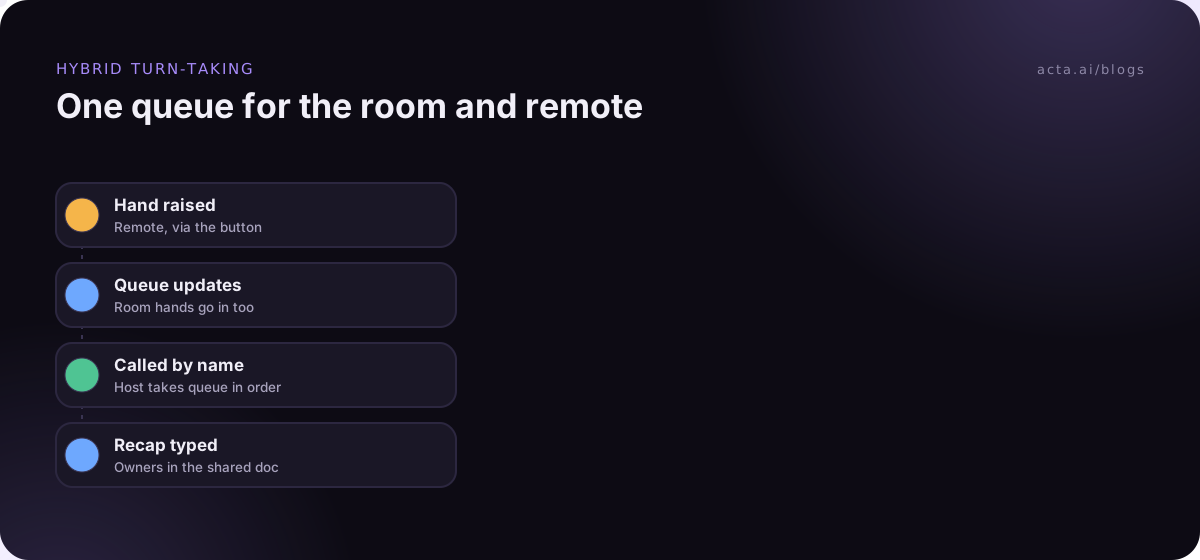
- Run one speaking queue. People in the room raise a hand physically, remote people use the button, and you take them in order.
- Go remote-first in round-robins. When you go around for views, start with the remote people. If they go last, everything they wanted to say has already been said.
- Read the chat aloud. Or name a chat buddy in the room whose job is to watch it and speak up for it.
- Check in by name. "Priya, anything from you?" works better than "anyone remote want to add something?"
- Close with a recap everyone can see. Decisions and owners typed into the chat or a shared doc, so nothing depends on who heard what.
How do you handle audio in a hybrid meeting?
Bad audio is the fastest way to lose remote people. A few rules on meeting room audio that save a lot of pain:
- Only one audio source per room. If people in the room open the call on their laptops with microphones and speakers on, you get echo and feedback. Either keep laptops off the call, or join with audio off.
- Use companion modes. Google Meet has a Companion mode for joining from a meeting room: you check in to the room from your laptop, your microphone and camera stay off to avoid echo, and the room hardware handles the sound. If your company uses Teams Rooms, ask IT what the equivalent setup is.
- Test the far seat. Before an important meeting, have someone remote listen while a person at the far end of the table speaks normally.
How should a hybrid meeting handle hands, chat and turn-taking?
Turn-taking is where remote participants lose out most, because the room's natural rhythm of glances and half-starts doesn't reach them. Tools help a bit. In Teams, the raise your hand feature numbers the people in the participant list in the order they raised their hands, which gives the host a ready-made queue. Most video tools have something similar.
The tool only works if the room uses the same queue. A simple rule I like: if you're in the room and want to speak while hands are up, you raise a hand too. It feels formal for about a week, then it's normal.
Chat is the other piece. Agree whether the chat is part of the meeting (someone reads it out) or a side channel (nobody does). Leaving that unclear is how good questions go unanswered for 40 minutes.
What's the etiquette for notes and recording in hybrid meetings?
Notes are an equality issue in hybrid meetings. If the person taking notes is in the room, remote voices tend to get summarized less. If nobody takes notes, the record is whatever the most senior person remembers.
Some options that work:
- Rotate the note-taker, and make it a remote person half the time.
- Keep notes in a shared doc everyone can see during the meeting, so people can correct them as they go. Our guide on how to take meeting notes covers what's worth capturing.
- Record the meeting, with everyone told at the start, and let a tool draft the summary.
If you record, say so at the start and explain who will see it; our guide on recording consent and what to tell participants covers what to say. For the room side, a phone app such as Acta's mobile app can capture an in-person discussion. If bots aren't welcome on the call, a desktop recorder like Acta's records from your own computer, and its Copy notice button lets you paste a recording notice into the chat.
How do you get a team to agree on hybrid meeting rules?
Don't send a memo. Rules imposed from above get followed for a week. Instead:
- Spend ten minutes at the end of a regular team meeting asking remote people what's hardest for them. Ask them first.
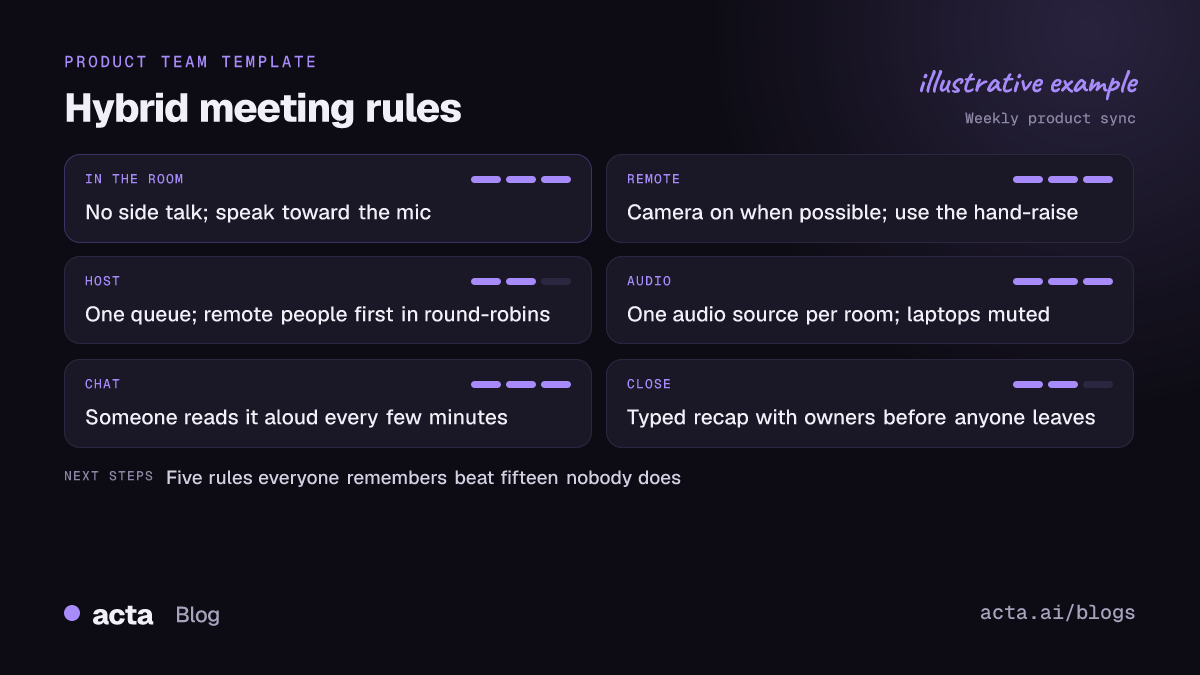
- Pick no more than five rules from this post (or from what they say). Five people can remember; fifteen they can't.
- Put them at the top of the recurring meeting invite.
- Rotate a "rules keeper" who gently calls out side conversations and skipped hands for a month.
- Check in after a month and drop whatever isn't working.
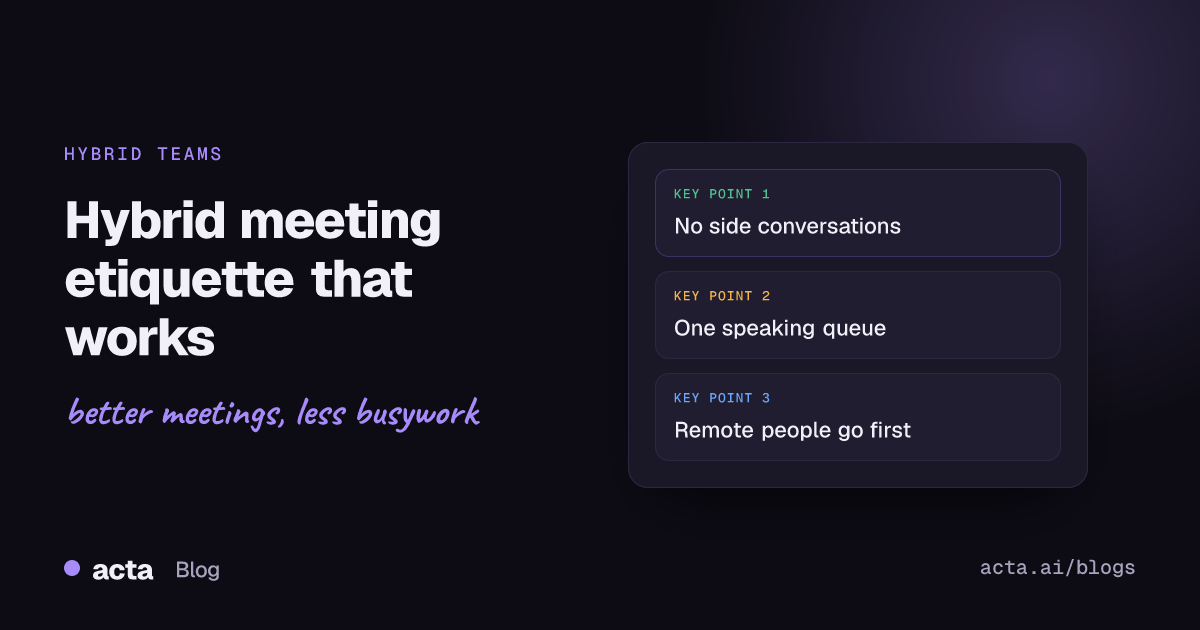
A starting five I'd suggest: no side conversations, one speaking queue, remote people first in round-robins, chat read aloud, recap typed before anyone leaves. If your team also spans time zones, our tips for global teams are worth a look.
Hybrid recaps with Acta
Acta records Zoom, Google Meet and Teams meetings with a bot, a bot-free desktop app, a Chrome extension or the mobile apps for in-person meetings, then writes up a summary with decisions and action items with owners. In a hybrid meeting, that means the recap doesn't depend on who was sitting nearest the person speaking. The extension works with Google Meet, Microsoft Teams in the browser and the Zoom web client; the Chrome extension guide walks through it.
Frequently asked questions
Should everyone in the room join the call on their own laptop?
Only with audio off. Several open microphones and speakers in one room cause echo. Google Meet's Companion mode is built for exactly this: you're in the meeting on your laptop, but the room hardware handles the sound.
Is it rude to keep your camera off in a hybrid meeting?
Not always, but in a discussion it makes it harder to be included. If you're keeping it off, say a word now and then and use the hand-raise so the host remembers you're there.
Who should facilitate a hybrid meeting?
Someone who joins from their own laptop as well as the room, so they see the remote view. Some teams have a remote co-host whose only job is chat and hands.
What are the most important hybrid meeting rules?
No side conversations in the room, one speaking queue for everyone, remote people first in round-robins, and a typed recap with owners before people leave. Most other rules follow from those.
How do you stop people in the room dominating?
Call on remote people by name, start round-robins with them, and make the room use the same hand-raise queue. Rotating the facilitator to a remote person now and then also changes the dynamic quickly.
If you'd like the recap written for you after each hybrid call, the 15-day free trial is a low-effort way to test it.