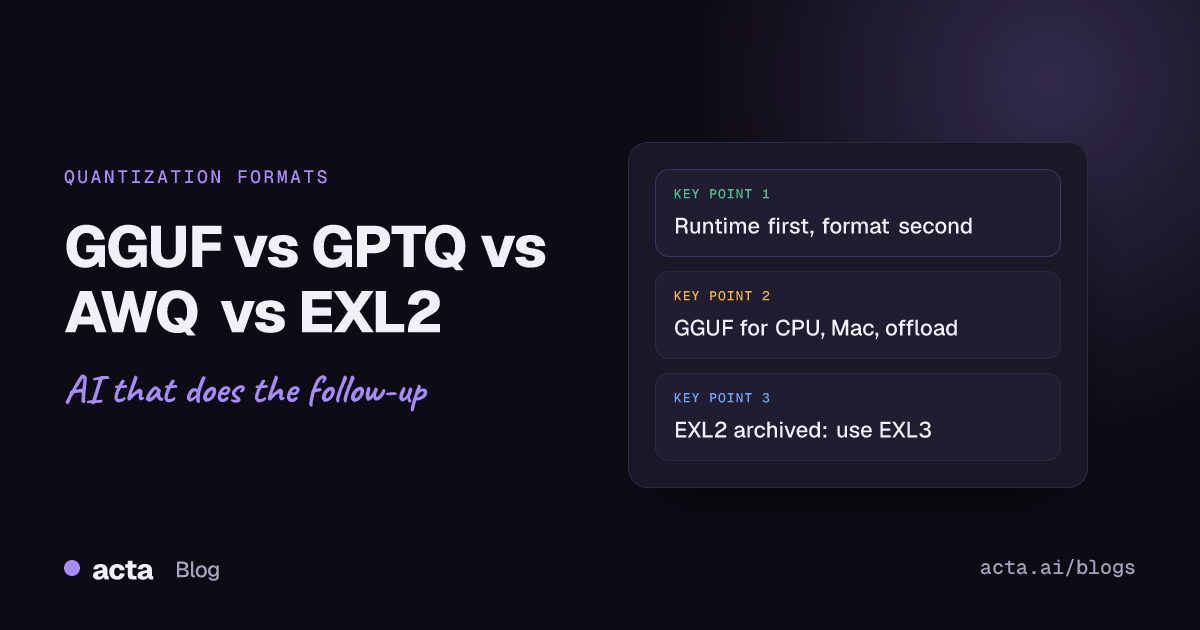
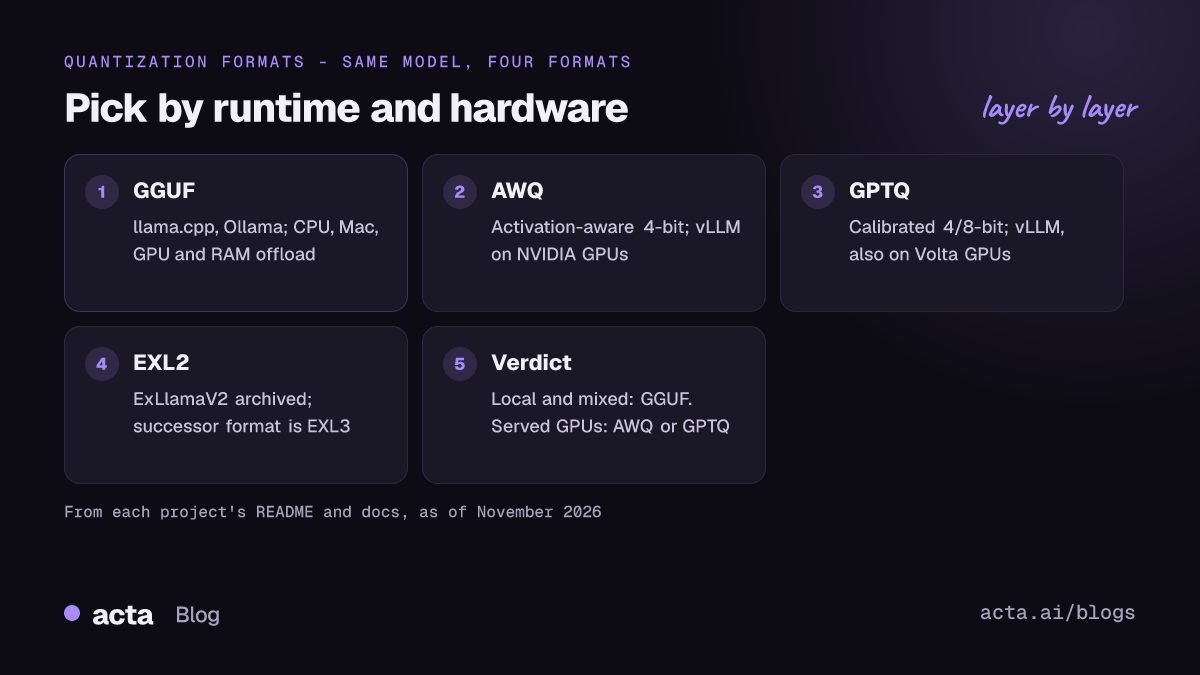
GGUF vs GPTQ vs AWQ vs EXL2 comes down to which runtime you use and which hardware it runs on. GGUF is the file llama.cpp and Ollama load on CPUs, Macs and mixed CPU/GPU setups. AWQ and GPTQ are 4-bit GPU checkpoints that vLLM serves on NVIDIA. EXL2 was the variable-bitrate format for ExLlamaV2 on NVIDIA cards, and as of November 2026 that library is archived and its successor uses EXL3.
This guide is about choosing a format for a machine and a runtime. If you've already settled on GGUF and want to know whether Q4_K_M or Q6_K is the right file, read GGUF quantization explained instead. Everything below about runtimes, hardware and project status comes from each project's own README or docs as of November 2026. Speed numbers are left out: they change with every release and GPU.
Key takeaways
- Pick the runtime first and the format second. llama.cpp needs GGUF. vLLM serves GPTQ, AWQ and compressed-tensors checkpoints. ExLlamaV3 and TabbyAPI load EXL3.
- GGUF is the most portable of the four: llama.cpp runs it on CPUs, Apple Silicon and most GPUs, and splits a model between RAM and VRAM (the -ngl flag sets how many layers go to the GPU).
- Treat EXL2 as legacy. The ExLlamaV2 repo says it's archived and development continues on ExLlamaV3, and TabbyAPI's README now lists EXL3 and FP16/BF16 as its model types.
- AutoAWQ is deprecated and AutoGPTQ is unmaintained. New AWQ and GPTQ quants come from LLM Compressor (vLLM project) or GPTQModel.
- Rough memory for the weights alone is parameters x bits per weight / 8: an 8B model at 4.0 bpw is about 4 GB, before the KV cache.
Table of contents
- GGUF is a file format while GPTQ and AWQ are algorithms
- Your runtime decides which format you can load
- GGUF fits CPUs, Macs and partial GPU offload
- AWQ vs GPTQ: two 4-bit GPU methods with different calibration ideas
- EXL2 vs EXL3: the ExLlama format moved on
- Quality trade-offs depend on bitrate and calibration, not the label
- Make your own quant with the maintained tools
- Frequently asked questions
- Pick a quantization format for your setup
GGUF is a file format while GPTQ and AWQ are algorithms
Half the confusion in GGUF vs GPTQ vs AWQ vs EXL2 threads comes from comparing different kinds of things. GGUF is a container. Hugging Face's Transformers docs describe a GGUF checkpoint as a single file that holds the weights, config and tokenizer. The numbers inside can be quantized many ways (Q4_K_M, Q8_0 and the rest), and llama.cpp's own tools do the quantizing.
GPTQ and AWQ are quantization methods. Each one decides how to round 16-bit weights down to 4 bits (sometimes 8) while losing as little as possible, and each needs a small calibration dataset to do it. The result is usually saved as safetensors shards plus a quantization config in a Hugging Face style folder. Today that folder might be in the older AutoGPTQ/AutoAWQ layout or in compressed-tensors, the format LLM Compressor writes for vLLM.
EXL2 is both. It's the file format ExLlamaV2 reads, and its README says it's based on the same optimization method as GPTQ, with 2, 3, 4, 5, 6 and 8-bit levels mixed inside one model to reach any average bitrate between 2 and 8 bits per weight. That fractional bitrate (4.65 bpw, say) was the whole appeal: you could size a model to fill a 24 GB card exactly.
Keep this in mind when someone says "AWQ is better than GGUF". They're usually comparing one specific 4-bit AWQ checkpoint in vLLM against one specific GGUF quant in llama.cpp. That tells you about those two files on that machine, not about the formats in general.
Your runtime decides which format you can load
The quickest way to settle the format question is to start from the program you'll actually run. Here's what each one loads, from its own documentation as of November 2026.
| Runtime | Loads | Hardware | Notes |
|---|---|---|---|
| llama.cpp | GGUF only | CPU, Metal, CUDA, HIP, Vulkan, SYCL and more | Converts other formats with convert_hf_to_gguf.py |
| Ollama | GGUF, plus safetensors import | Same machines as llama.cpp | Doesn't quantize GGUF files on import |
| vLLM | AWQ, GPTQ, compressed-tensors, FP8, GGUF via plugin | NVIDIA mainly; table varies per method | GGUF support is labelled highly experimental |
| Transformers | AWQ, GPTQ, GGUF and others | Depends on the method | Most GGUF files are dequantized to full precision on load |
| ExLlamaV3 / TabbyAPI | EXL3, FP16/BF16 | NVIDIA with CUDA 12.4+ | Official successor to ExLlamaV2 |
| text-generation-webui | GGUF, EXL3, Transformers models | CUDA, Vulkan, ROCm, CPU builds | Its loader list no longer names ExLlamaV2 |
Two rows trip people up. vLLM can load GGUF, but its docs warn the support is "highly experimental and under-optimized", and GGUF has moved to a separate vllm-gguf-plugin package you install first. And Transformers will open a GGUF file with a gguf_file argument, but most models get dequantized to full precision as they load, so you save disk space and nothing else. If you want GGUF, run it in llama.cpp or something built on it.
vLLM's quantization docs also carry a hardware table. As of November 2026 it shows AWQ on Turing, Ampere, Ada and Hopper plus Intel GPUs and x86 CPUs, and GPTQ on Volta through Hopper plus Intel GPUs and x86 CPUs. Neither is ticked for AMD GPUs or Arm CPUs, while GGUF is ticked for AMD GPUs. Check the page for your exact vLLM version, because the table changes. For a wider look at the runners themselves, see Ollama vs LM Studio vs llama.cpp vs vLLM.

GGUF fits CPUs, Macs and partial GPU offload
GGUF wins on reach. llama.cpp's build guide covers plain CPU builds, Apple Metal, CUDA, AMD HIP, Vulkan, Intel SYCL, Moore Threads MUSA and Huawei CANN, so the same file runs on a gaming PC, a MacBook or a Linux box with no GPU at all. GPTQ, AWQ and EXL2 checkpoints are aimed mainly at GPU servers. vLLM does list x86 CPU support for AWQ and GPTQ, but that's a server setup, not a laptop one.
The feature that matters most on modest hardware is layer offload. llama-server's -ngl (--n-gpu-layers) option sets how many layers live in VRAM, and the rest stay in system RAM. A model slightly too big for your card still runs, slower, instead of failing to load. The GPU-first formats generally expect the whole model to fit in VRAM, which is why the old community rule was "EXL2 if it fits, GGUF if it doesn't".
GGUF is also the easiest format to share. One file (or a few numbered shards for very large models) carries the tokenizer and chat template with it. Ollama imports it with a one-line Modelfile:
FROM /path/to/file.gguf
Then run ollama create my-model from the same folder. Ollama's import docs note it won't quantize a GGUF during import, so pick the quant level before you download.
Use GGUF if you're on a Mac, on a CPU-only server, on an AMD or Intel GPU outside vLLM's supported list, or when the model is a little larger than your VRAM. For Apple Silicon specifically, there's a second option worth comparing in MLX vs llama.cpp, and if you have no GPU at all, see running an LLM on a CPU.
AWQ vs GPTQ: two 4-bit GPU methods with different calibration ideas
Both are weight-only methods that use calibration data, so on the surface AWQ vs GPTQ looks like a coin toss. The difference is in what they protect. GPTQ, in AutoGPTQ's description, is weight-only quantization; it uses a calibration dataset to decide how to round each layer's weights with the least error. The AWQ paper (MIT, MLSys 2024 best paper) starts from the observation that a small share of weights matters far more than the rest, picks them by looking at activation magnitudes rather than weight values, and scales those channels so they survive quantization. It doesn't need backpropagation or reconstruction.
In practice, the choice is now shaped more by tooling than by the maths:
- Creating quants: AutoAWQ's PyPI page says it's officially deprecated and that the vLLM project adopted it in LLM Compressor. AutoGPTQ's README calls it unmaintained and points to GPTQModel. LLM Compressor lists both GPTQ and AWQ among its algorithms, and GPTQModel quantizes both too.
- Serving: vLLM loads both, and its Marlin kernels cover GPTQ and AWQ on Turing and newer NVIDIA cards.
- Older cards: vLLM's table ticks GPTQ for Volta (V100) but not AWQ. If you're serving on V100s, that settles it.
- Macs: the AutoAWQ notice says MLX-LM supports AWQ on Mac, but that's a different runtime from vLLM and you'd normally just use an MLX or GGUF build there.
My take: for a vLLM deployment on recent NVIDIA GPUs, take whichever of the two the model publisher ships, and prefer a checkpoint made with LLM Compressor or GPTQModel over one made years ago with the deprecated tools. If you're making the quant yourself, try AWQ first since it's simpler to calibrate, then compare against GPTQ on your own prompts. Is GPTQ outdated? The old AutoGPTQ library is, but the method isn't; vLLM's GPTQModel docs describe per-module dynamic quantization that's fully integrated into vLLM. Serving choices beyond the format are covered in vLLM vs SGLang vs TGI.
EXL2 vs EXL3: the ExLlama format moved on
EXL2 earned its reputation on single-user NVIDIA rigs. ExLlamaV2 was fast, and the variable bitrate let you squeeze a 70B model onto one 24 GB card at around 2.5 bpw (the README's own example, with a short context). If you search "gguf vs exl2" you'll still find that advice everywhere.
The status has changed. The ExLlamaV2 repository now opens with a note that the project is archived and development continues on ExLlamaV3. ExLlamaV3 uses a new format, EXL3, described in its README as a variant of QTIP from Cornell RelaxML. Conversion needs only an unquantized Hugging Face model and a target bitrate, and the README says it takes a couple of minutes for small models and up to a few hours for 70B-plus models on a single high-end consumer GPU. ExLlamaV3 also adds tensor-parallel and expert-parallel inference across several consumer GPUs, and CPU offloading so large MoE models can run with limited VRAM.
The tools around it followed. TabbyAPI, the recommended server, describes ExLlamaV3 as its backend and lists EXL3 (highly recommended) and FP16/BF16 as supported model types. text-generation-webui's loader options are Transformers, llama.cpp, ExLlamav3_HF, ExLlamav3 and TensorRT-LLM. Existing EXL2 files still work if you pin an old ExLlamaV2 setup, but nothing new is being built for them.
So in the EXL2 vs EXL3 question, choose EXL3 for anything new. Don't download a fresh EXL2 quant in November 2026 unless you're maintaining an existing stack. Check that your GPU and drivers fit first: ExLlamaV3 needs PyTorch with CUDA 12.4 or later, and on Windows it also needs the triton-windows package.
Quality trade-offs depend on bitrate and calibration, not the label
You'll find plenty of charts ranking these formats by perplexity. I'm not reproducing any, for two reasons. They compare different checkpoints made with different calibration data, and they go stale fast as the quantizers improve. What holds up is a set of qualitative rules:
- Bits per weight matter more than the format name. A 6-bit GGUF and a 4-bit AWQ file aren't a fair comparison. Line up files at similar sizes before you judge.
- Calibration matters. GPTQ, AWQ, EXL2 and EXL3 all use calibration data, and GGUF quants can too through an importance matrix. llama.cpp's quantize README says the accuracy loss is usually measured with perplexity or KL divergence and can be reduced with a suitable imatrix file.
- Low bitrates are where methods differ. The fewer bits you keep, the less room for rounding error, which is why the newer work (EXL3's QTIP-based coding, imatrix-guided GGUF quants) targets the 2 to 4 bpw range.
- Results don't transfer between models. A chart for one model family tells you little about another, so test the model you'll actually ship.
Test it yourself on your own work. Take 10 to 20 real prompts (for a team that summarises calls, real transcripts), run them through two candidate files at the same size, and read the answers side by side. If the task needs exact numbers or names, check those first; quantization damage tends to show there before it shows in fluent prose. If you're running summarisation locally, our comparison of local LLMs for transcript summaries has a test set you can adapt.
Memory arithmetic helps narrow candidates before you test. Weights take roughly parameters x bpw / 8 bytes, so a 70B model at 3.75 bpw is about 33 GB and at 4.65 bpw about 41 GB. Add the KV cache for your context length on top. Our VRAM guide walks through the context part.

Make your own quant with the maintained tools
When your model is a private fine-tune, you have to make your own, and you should use the maintained tools. Each command below comes from the project's own docs.
GGUF with llama.cpp is two steps: convert, then quantize.
python convert_hf_to_gguf.py --outfile model-bf16.gguf --outtype bf16 /path/to/model
./build/bin/llama-quantize model-bf16.gguf model-Q4_K_M.gguf Q4_K_M
Add --imatrix imatrix.gguf to the quantize step when you have an importance matrix, and avoid --allow-requantize unless you must: the README warns that requantizing an already quantized file can severely reduce quality.
EXL3 with ExLlamaV3 uses the convert.py script with an input folder, output folder, work folder and target bitrate:
python convert.py -i /models/my-model -o /models/my-model-exl3-4.0bpw -w /tmp/exl3 -b 4.0
The work folder needs room for a full copy of the output model, and an interrupted job can be resumed with -w and -r.
AWQ or GPTQ for vLLM is a short Python script with LLM Compressor: load the model, choose a recipe (the AWQ example pairs an AWQModifier with a W4A16 QuantizationModifier that skips lm_head), call oneshot with a calibration set, and save. The output is a compressed-tensors checkpoint that vLLM loads directly. GPTQModel is the other maintained route and has its own quantize-and-save API.
Whatever you build, keep the 16-bit original. Every tool above expects the unquantized model as input.
Where Acta fits
Many teams go down this path because they want meeting summaries without sending audio to a third party. If that's your goal and you'd rather not run GPU servers, Acta is a hosted option: the desktop app captures Zoom and Teams desktop meetings without a bot, and Acta doesn't use customer data to train AI models. If you do want everything on your own hardware, our on-premises meeting assistant guide covers that build.
Frequently asked questions
What is the difference between GGUF and GPTQ?
GGUF is a single-file format for llama.cpp and the apps built on it, and it runs on CPUs, Macs and most GPUs, including split between RAM and VRAM. GPTQ is a calibration-based 4-bit or 8-bit method whose checkpoints target GPU kernels in vLLM and Transformers. Choose GGUF for local and mixed hardware, GPTQ for vLLM on NVIDIA.
Which quantization format for vLLM should I use?
Use AWQ, GPTQ or compressed-tensors checkpoints, ideally made with LLM Compressor, which the vLLM project maintains. vLLM's docs call its GGUF support highly experimental and under-optimized, now provided by a separate plugin. On V100 GPUs, vLLM's hardware table supports GPTQ but not AWQ, as of November 2026.
Can you run AWQ on a Mac?
Not with vLLM, whose AWQ support targets NVIDIA, Intel GPUs and x86 CPUs. The deprecated AutoAWQ project's notice says MLX-LM supports AWQ on Mac devices. For most Mac users, a GGUF file in llama.cpp, Ollama or LM Studio, or an MLX build of the model, is the simpler choice as of November 2026.
Is EXL2 still worth using in 2026?
Only for an existing setup. The ExLlamaV2 repository is archived and development continues on ExLlamaV3, which uses the newer EXL3 format. TabbyAPI and text-generation-webui now list ExLlamaV3 loaders. For a new NVIDIA single-user setup, pick EXL3 if you want fractional bitrates, or GGUF if the model won't fit in VRAM.
Which is better for a 24 GB NVIDIA GPU, GGUF or EXL3?
If the whole model fits in 24 GB with your context, EXL3 in TabbyAPI lets you pick an exact bitrate to fill the card. If it doesn't fit, GGUF in llama.cpp can offload some layers to system RAM. For serving several users at once, look at AWQ or GPTQ in vLLM instead of either.
Pick a quantization format for your setup
The GGUF vs GPTQ vs AWQ vs EXL2 decision gets simple once you name your hardware and runtime.
- Mac, CPU or AMD/Intel desktop GPU: GGUF in llama.cpp, Ollama or LM Studio. Read the GGUF levels guide to pick the file.
- Model bigger than your VRAM: GGUF with partial offload via -ngl. Accept the speed cost or pick a smaller model.
- One NVIDIA GPU, one user, model fits: EXL3 with ExLlamaV3 and TabbyAPI. Skip new EXL2 downloads.
- Team server with vLLM on NVIDIA: AWQ or GPTQ (or compressed-tensors) made with LLM Compressor or GPTQModel. GPTQ if you're on Volta.
- Private fine-tune: keep the 16-bit weights, quantize with the maintained tool for your runtime, and compare two files on 10 to 20 real prompts.
If what you really need is summaries of your calls rather than a model to run, Acta's desktop app or Chrome extension handles that without any GPU on your side.