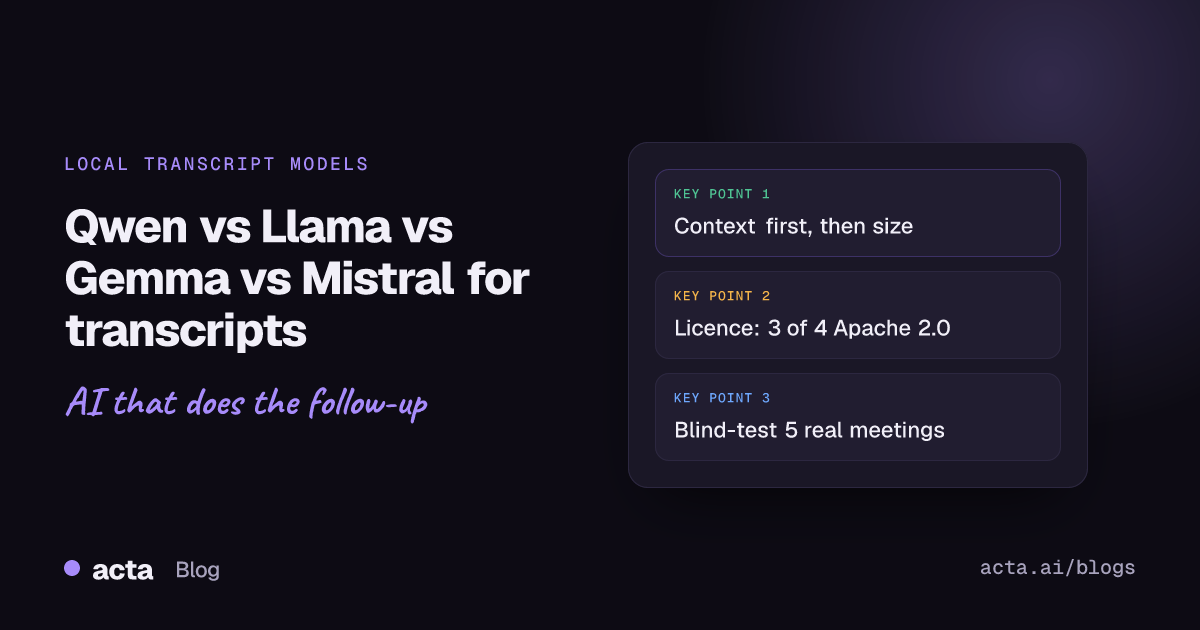
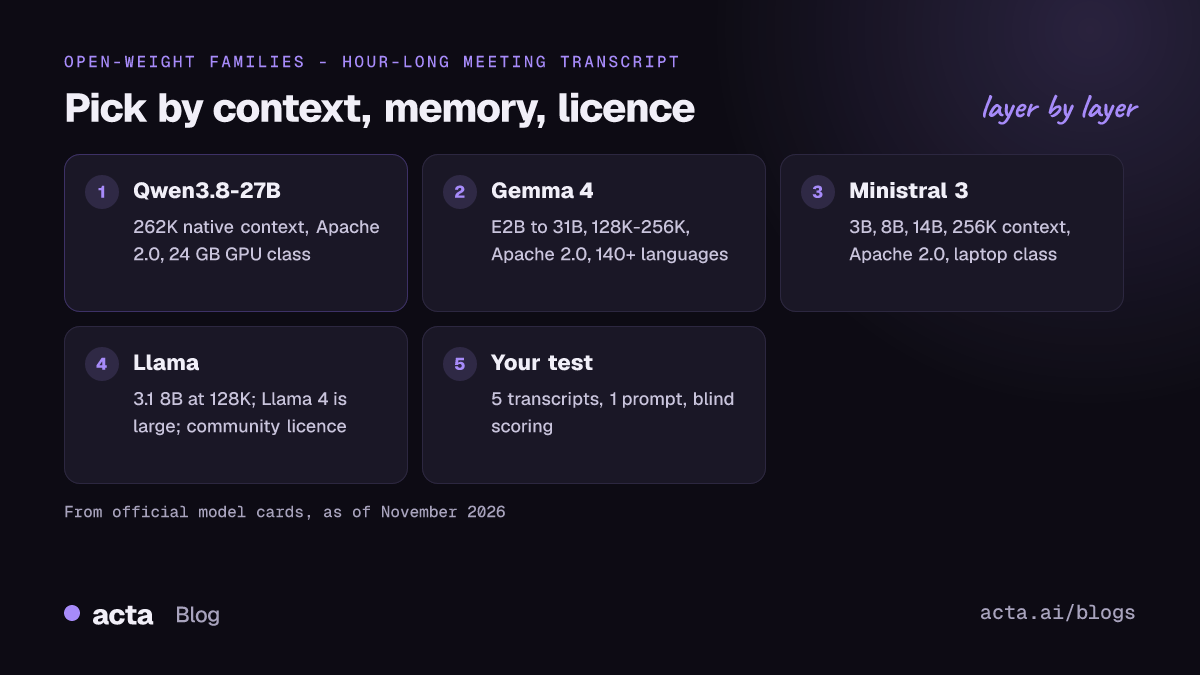
The right local LLM for summarizing transcripts is the one whose context window holds your whole meeting on your hardware, whose licence fits how you'll use it, and that writes well in the language people spoke. As of November 2026, Qwen3.8-27B and Gemma 4 are the strongest single-GPU picks for long meetings, Mistral's Ministral 3 is the best small Apache 2.0 option, and Llama makes sense mainly if your stack already runs on it.
This guide compares the four open-weight families on the facts that matter for transcripts: context length, sizes, licence and languages, taken from each vendor's model card or announcement. It doesn't publish scores, because a summary benchmark on someone else's meetings tells you little about yours. Instead it gives you a test you can run in an afternoon. If you need notes for a whole team every day with no hardware to maintain, a local model is probably the wrong tool, and that's fine.
Key takeaways
- Check the context first: Ollama defaults to a 4K-token context on machines with under 24 GiB of VRAM, which silently cuts most hour-long transcripts. Set num_ctx yourself.
- Qwen3.8-27B (262,144-token native context, Apache 2.0) and Gemma 4 31B (256K, Apache 2.0, listed at about 17.5 GB at 4-bit) fit a 24 GB GPU or a 32 GB Mac with room for a long meeting.
- For laptops, Ministral 3 8B or 14B (256K context, Apache 2.0) and Gemma 4 E4B (128K, about 4.5 GB at 4-bit) are the realistic choices.
- Llama's licence adds obligations the other three don't: "Built with Llama" attribution, a 700 million monthly user threshold, and no rights to Llama 4's multimodal models for EU-based companies.
- Test on five of your own transcripts with one fixed prompt and score decisions, owners and invented facts. That beats any leaderboard.
Table of contents
- A local LLM for summarizing transcripts lives or dies on context
- Qwen vs Llama vs Gemma vs Mistral on the facts that matter
- Qwen and Gemma lead for long meetings on one machine
- Mistral's small models are the laptop pick
- Llama works, but its licence asks more of you
- Test models on your own transcripts in one afternoon
- Chunking long transcripts is a last resort
- Frequently asked questions
- Choose your transcript model
A local LLM for summarizing transcripts lives or dies on context
A meeting summary is only as good as the part of the transcript the model actually read. Most bad local summaries I've seen weren't a model quality problem at all. The runtime quietly dropped the first half of the meeting because the context window was set too small, and the model summarized the last twenty minutes with total confidence.
Ollama is the usual culprit, through no fault of its own. Its documentation says it picks a default context from your VRAM: 4K tokens under 24 GiB, 32K between 24 and 48 GiB, and 256K at 48 GiB or more. A model card that says "256K" doesn't help if the runtime only allocated 4K. Set the context explicitly, inside ollama run or per request through the API:
/set parameter num_ctx 32768
curl http://localhost:11434/api/generate -d '{"model": "gemma4", "prompt": "...", "options": {"num_ctx": 32768}}'
Then confirm the model saw everything. Ollama's API returns prompt_eval_count, the number of tokens in your prompt. Run one transcript and compare that count with the context you set: if the count sits right at the limit, the transcript didn't fit. That one number also tells you how many tokens your meetings really are, which beats guessing from word counts, because tokenizers differ between families.
Bigger context costs memory. The KV cache grows with every token, so a model that loads comfortably can run out of room at 64K. Our guide to local LLM VRAM requirements shows how to estimate that before you download.
Qwen vs Llama vs Gemma vs Mistral on the facts that matter
Here are the four families side by side, as of November 2026. Every cell comes from the vendor's model card, repository or announcement; check them again before you commit, because these families release often.
| Family | Sizes that suit one machine | Context (official) | Licence | Languages |
|---|---|---|---|---|
| Qwen | Qwen3.5 0.8B to 9B; Qwen3.6-27B and 35B-A3B; Qwen3.8-27B | 262,144 native for Qwen3.8-27B, extendable to 1M | Apache 2.0 for Qwen3.8-27B; the 2.4T flagship uses a custom licence | 201 languages and dialects (stated for Qwen3.5) |
| Gemma 4 | E2B, E4B, 12B, 26B A4B, 31B | 128K (E2B, E4B); 256K (12B and up) | Apache 2.0 | Over 140 |
| Mistral | Ministral 3 at 3B, 8B, 14B; Mistral Small 4 (119B total) for workstations | 256K | Apache 2.0 | 40+ native languages across the Mistral 3 family |
| Llama | Llama 3.2 1B and 3B; Llama 3.1 8B; Llama 4 Scout (109B total) | 128K (3.x); 10M (Scout) | Llama Community License | 8 (3.1 and 3.3); 12 (Llama 4) |
Checked on November 26, 2026; confirm on each model card before you deploy.
Two things jump out. First, three of the four families now ship their single-machine models under Apache 2.0, which settles most licence questions for internal tools. Second, every family claims a context far larger than a typical meeting, so the practical limit is your memory, not the model. If you want the broader licence picture beyond transcripts, our sibling piece on open-weight vs closed models covers it.
Qwen and Gemma lead for long meetings on one machine
Qwen: the default for long, multilingual transcripts
Qwen3.8-27B is a dense 27B model released on August 14, 2026, according to the Qwen GitHub repository, and its Hugging Face model card lists a native context of 262,144 tokens, extendable to one million. At 4-bit the weights alone are around 13.5 GB by the usual arithmetic, which leaves real room for a long meeting on a 24 GB card. The Qwen3.5 release notes state support for 201 languages and dialects, which matters if your calls switch between English and Hindi, Arabic or Spanish.
The smaller Qwen3.5 sizes (0.8B to 9B) are useful for quick drafts on a laptop, but for transcripts with interruptions and half-finished sentences, I'd start at 27B. Pick Qwen if you want one model that handles long and multilingual meetings on a single high-memory GPU or Mac.
Gemma 4: the widest size range and published memory numbers
Google's Gemma 4 model card lists five sizes, Apache 2.0, support for over 140 languages, a 128K context for E2B and E4B, and 256K for the 12B, 26B A4B and 31B. It also publishes approximate memory figures, which is rare: about 4.5 GB for E4B at 4-bit and about 17.5 GB for the 31B. Note that the 26B A4B, a mixture-of-experts model with about 4B active parameters, still needs around 14.4 GB at 4-bit because all its experts must be loaded.
Pick Gemma if you want to start small on a laptop (E4B) and move up to 31B on a desktop without changing family, prompts or tooling. Gemma vs Qwen is close enough at the top that your own test should decide it.
Mistral's small models are the laptop pick
Mistral released the Ministral 3 series in three sizes, 3B, 8B and 14B, with base, instruct and reasoning variants under Apache 2.0, and its paper lists a 256K context for all three. The Ministral 3 14B Instruct model card describes a 13.5B language model plus a 0.4B vision encoder. At 4-bit, a 14B model is about 7 GB of weights by arithmetic, which suits a 16 GB machine as long as you keep the context to what your meetings need.
Above that, Mistral's announcement of Mistral Small 4 describes a 119B-parameter mixture-of-experts model with a 256K context, also Apache 2.0. "Small" is relative: at 4-bit that's roughly 60 GB of weights, so it belongs on a workstation or a server, not a laptop. Pick Mistral if you need a small, permissively licensed model with a long context, or a European vendor matters to your buyers.
Llama works, but its licence asks more of you
Llama is the family most local tooling was first built around, and Llama 3.1 8B (128K context, 8 supported languages) remains a reasonable baseline. The newer Llama 4 models are a different shape: Scout is a mixture-of-experts model with 109B total parameters and a 10M-token context, Maverick has 400B total. Both are far heavier than the other families' single-GPU options.
The bigger difference is the licence. The Llama 4 Community License asks you to display "Built with Llama" on a related website, to start any derived model's name with "Llama", and requires a separate licence from Meta if your products had more than 700 million monthly active users when the model was released. The Llama 4 acceptable use policy also withholds the licence rights for Llama 4's multimodal models from individuals domiciled in, and companies with their principal place of business in, the European Union (end users of products built on them are exempt). None of that blocks an internal summarizer at most companies, but it's paperwork the Apache 2.0 families don't ask for. This is general information, not legal advice; read the licence yourself.
Pick Llama if your team already runs Llama in production or has approved its licence; otherwise start with one of the other three.
Test models on your own transcripts in one afternoon
Choosing a local LLM for summarizing transcripts from public scores means trusting other people's meetings, judged by other people's rules. Your transcripts have your jargon, your accents and your way of making decisions. Here's a test that takes two or three hours and gives you an answer you can defend.

- Pick five transcripts you know well: one short stand-up, one hour-long planning call, one with two languages, one with a messy decision, one where nothing was decided.
- Write the answer key first. For each meeting, list the decisions, the action items with owners, and two facts that were said but are easy to miss.
- Fix the prompt and settings. Same prompt, same context size, low temperature, for every model. Use the template below.
- Run every model on every transcript and check prompt_eval_count each time, so you know nothing was cut.
- Score blind. Strip model names, then mark each summary against the key.
You are summarizing a meeting transcript. Use only what the transcript says.
1. Decisions: each decision in one line, with who made it.
2. Action items: task, owner, due date if stated. Write "no owner" if none was named.
3. Open questions: anything raised and not resolved.
4. If something is unclear, say so. Do not guess names, numbers or dates.
Transcript: [paste here]
Score each summary on four counts: decisions captured (out of the key), owners correct, invented facts (any name, number or commitment not in the transcript), and missed facts. Invented facts should weigh most; a summary that misses one action item is annoying, but one that assigns a task to the wrong person causes real damage. Our post on reducing hallucinations in meeting summaries covers prompt patterns that help, and seven prompts for summarizing transcripts gives alternatives to the template above.
Chunking long transcripts is a last resort
When a transcript won't fit, the common workaround is to split it, summarize each part, then summarize the summaries. It works, but it loses things. A decision made in minute 50 that reverses a plan from minute 10 looks like two unrelated statements to a model that saw them in separate chunks.
So chunk only after you've tried the cheaper fixes: raise the context, quantize the KV cache to 8-bit to make room, or move to a model with a larger window at a smaller quant. If you do resort to chunking long transcripts, split on topic or agenda boundaries rather than fixed token counts, overlap the chunks slightly, and make the final pass list decisions with their timestamps so you can spot reversals. mlx-lm also offers prompt caching, which helps if you ask several questions of the same long transcript on a Mac.
If you want to summarize long transcripts locally as a routine rather than an experiment, wrap the winning model in a small app. The existing open source LLM for meeting summaries guide suggests models to start with, and our comparison of local runners helps you pick Ollama, LM Studio, llama.cpp or vLLM to serve it.
A local model still needs a good transcript to work from. Acta's desktop app records Zoom, Teams and other calls from your own computer without a bot, and the transcript carries speaker names; Pro includes downloading transcripts, so you can feed them to your own model or let Acta write the summary. Before recording anyone, check what to tell participants in our guide to recording consent.
Frequently asked questions
What is the best local LLM for meeting transcripts?
As of November 2026, Qwen3.8-27B and Gemma 4 31B are the strongest choices if you have a 24 GB GPU or a 32 GB Mac: both are Apache 2.0 with 256K-class context. On a 16 GB laptop, try Ministral 3 14B or Gemma 4 E4B. The best local LLM for meeting transcripts is the one that wins a blind test on your own meetings.
How long a transcript can a local model summarize?
The model's card sets the ceiling (128K to 262K tokens for the families here), but your memory and runtime set the real limit. Ollama defaults to 4K tokens on machines with under 24 GiB of VRAM. Set num_ctx explicitly and check prompt_eval_count in the response to confirm the whole transcript was read.
Is Llama free for commercial use?
Mostly, with conditions. The Llama 4 Community License requires "Built with Llama" attribution, a "Llama" prefix on derived model names, and a separate Meta licence above 700 million monthly active users. Llama 4's multimodal models aren't licensed to EU-based companies. Qwen3.8-27B, Gemma 4 and Ministral 3 use Apache 2.0. This is general information, not legal advice.
Which local model handles non-English meetings best?
On paper, Qwen (201 languages and dialects stated for Qwen3.5) and Gemma 4 (over 140 languages) cover the most ground; Llama 3.1 officially supports 8 and Llama 4 supports 12. Coverage on paper isn't quality in your language, so include at least one mixed-language meeting in your test set and score it separately.
Should I chunk long transcripts or use a bigger context?
Use a bigger context whenever memory allows, because chunking hides links between early and late parts of a meeting. Try an 8-bit KV cache or a smaller quant first. Chunk only when the transcript still won't fit, split on agenda boundaries with a small overlap, and ask the final pass to flag reversed decisions.
Choose your transcript model
Run through this list before you settle on a model for meeting summaries.
- Measure your meetings: run one long transcript and read prompt_eval_count to learn your real token counts.
- Match memory to context: pick the largest model whose weights plus KV cache for that context fit with headroom.
- Clear the licence: Apache 2.0 for Qwen3.8-27B, Gemma 4 and Ministral 3; read Llama's licence and use policy if you choose it.
- Test blind on five transcripts: one fixed prompt, scored for decisions, owners, invented and missed facts.
- Recheck quarterly: these families ship new versions every few months, so rerun your test when one lands.
To get clean transcripts with speaker names to test with, try Acta's desktop app or Chrome extension on your next few calls.