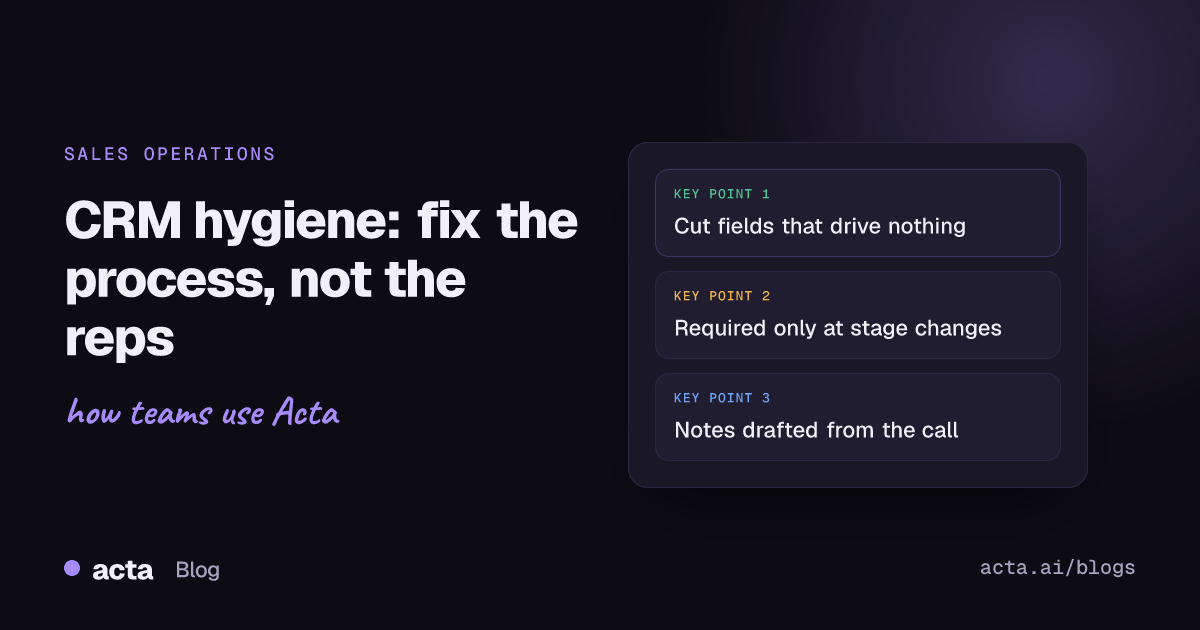
Quick answer: CRM hygiene breaks down because updating the CRM costs reps time and gives them little back. Fix it by cutting fields to the few that drive decisions, making each one owned and checked, using the data in every pipeline review, and capturing call details automatically so reps confirm notes instead of typing them. Clean the backlog once, then keep a short weekly routine.
Every sales leader I've worked with has said some version of "the CRM is a mess". Close dates in the past, deals stuck in "Proposal" since spring, three records for the same company. The usual reaction is a stern email and a new mandatory field. A month later it's a mess again, with one more field nobody fills in properly.
In my experience laziness has very little to do with it; the way the CRM and the process around it were set up has a lot more. Below is why reps don't update the CRM, and the changes that actually make the data trustworthy.
What is CRM hygiene?
CRM hygiene is the ongoing work of keeping CRM records accurate, complete, current and free of duplicates, so that forecasts, reports and handovers can be trusted. Good CRM data quality means a manager can open a deal and know, without asking anyone, what stage it's really in, who the buyer is, what happened on the last call and what happens next.
It's different from a one-off data cleanup. A cleanup fixes the past. Hygiene is the set of habits and guardrails that stop the mess from coming back.
Why don't sales reps update the CRM?
Ask reps directly and you'll hear the same handful of reasons. They're worth taking seriously, because each one points to a fix.
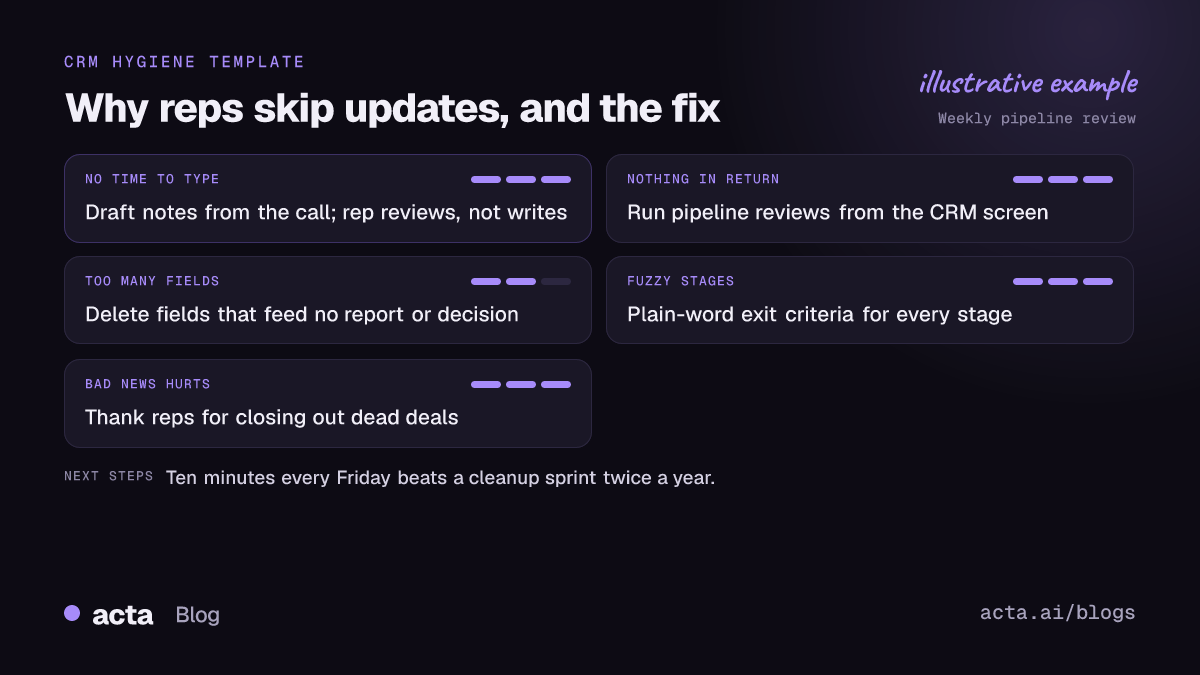
- It takes time away from selling. Salesforce's State of Sales research has found across several editions that reps spend well under half their week actually selling. Admin, including data entry, eats much of the rest. Every extra field makes that worse.
- They get nothing back. If the CRM is only used to report upward, it feels like surveillance. Reps update it before the forecast call and ignore it otherwise.
- Too many fields, unclear definitions. When "Stage 3" means something different to every rep, the data is wrong even when it's filled in.
- Double entry. Notes go into a notebook or doc during the call, then have to be retyped into the CRM later. (Our guide to sales call note-taking has ways to keep in-call notes light.) The retyping is what gets skipped.
- Bad news is uncomfortable. Moving a deal to "Closed lost" or pushing a close date invites questions. Leaving it alone is easier.
Notice that only the last one is a behaviour problem. The rest are process problems that managers created, usually with good intentions.
What does bad CRM data actually cost?
You won't find a line item for it, which is why it gets ignored. But you can see it everywhere:
- Forecasts nobody believes. Managers build a shadow spreadsheet because the pipeline report is fiction.
- Lost context at handover. A rep leaves, and their accounts arrive with a contact name and nothing else. The customer has to repeat everything.
- Wasted marketing. Campaigns go to closed-lost contacts who were never marked as such, or to duplicate records that get the same email twice.
- Slow pipeline reviews. Half the meeting is spent asking "where is this one really?" instead of deciding what to do about it.
A quick test: pick ten open deals at random and ask the owner what's really happening. If more than two or three are out of date, your CRM hygiene needs work.
How do you fix CRM hygiene for good?
Here's the order I'd tackle it in. Skipping straight to rules and reminders, without the first two steps, is the most common mistake.
- Agree what the CRM is for. Write down the three or four decisions it needs to support: forecasting, territory planning, handovers, renewal tracking. Every field should serve one of them.
- Cut fields ruthlessly. Pull a report of field fill rates. Anything below about half filled in, and not used in any report or decision, is a candidate for deletion. You'll be surprised how many fields exist because someone asked for them once.
- Define every stage in plain words. "Stage 3: buyer has seen a demo and agreed a date for a proposal review." Exit criteria, not vibes. Put the definitions where reps see them.
- Make a few fields required at the right moment. More on this below.
- Remove double entry. Get call notes, next steps and contacts into the CRM without retyping. It's the main job teams give to AI agents for CRM and sales teams. This is where automation earns its keep.
- Use the data in every meeting. Run pipeline reviews from the CRM screen, not from slides. When reps see their manager reading the next-step field, they keep it current.
- Set a weekly ten-minute routine. Every Friday, each rep checks a saved view: deals with past close dates, no activity in 14 days, or no next step. Fix or close them.
Should you use CRM required fields and validation rules?
Yes, sparingly. CRM required fields are useful at stage changes, where they ask for exactly the information that should exist at that point. Asking for a decision-maker before a deal can move to "Proposal" makes sense. Asking for twelve fields when a lead is created just produces "TBD" and "n/a" everywhere.
In Salesforce, validation rules let an admin block a save when data breaks a rule, such as a close date in the past on an open opportunity, and show a message explaining what to fix. HubSpot lets admins set properties that must be filled in when a deal moves into a given pipeline stage. Both work well for a small number of high-value checks.
Two warnings. First, every rule you add is friction, so add them one at a time and watch whether the data improves or just gets filled with junk. Second, Trailhead itself points out that automations can update records in ways that conflict with your validation rules, which then stops users saving records they didn't even touch. Test new rules against your existing workflows before you turn them on.
How do you handle duplicate records?
Duplicate records are the slowest hygiene problem to notice and the most annoying to fix. They come from imports, from reps creating a contact instead of searching first, and from integrations that each create their own version of a company.
- Turn on your CRM's built-in duplicate matching for contacts and companies, and set it to warn rather than block at first.
- Pick one system as the source of truth for each object, so integrations update records instead of creating new ones.
- Do a one-off merge of the backlog, starting with your top accounts, where duplicates do the most damage.
- Make "search before you create" part of onboarding. It sounds obvious; most new reps have never been told.
How do call recordings and notes help CRM adoption?
The biggest single gain in CRM adoption I've seen comes from removing the retyping. When the notes from a 30-minute discovery call are drafted for the rep, with next steps, contacts and the buyer's own words, updating the CRM becomes a two-minute review instead of a fifteen-minute writing job.
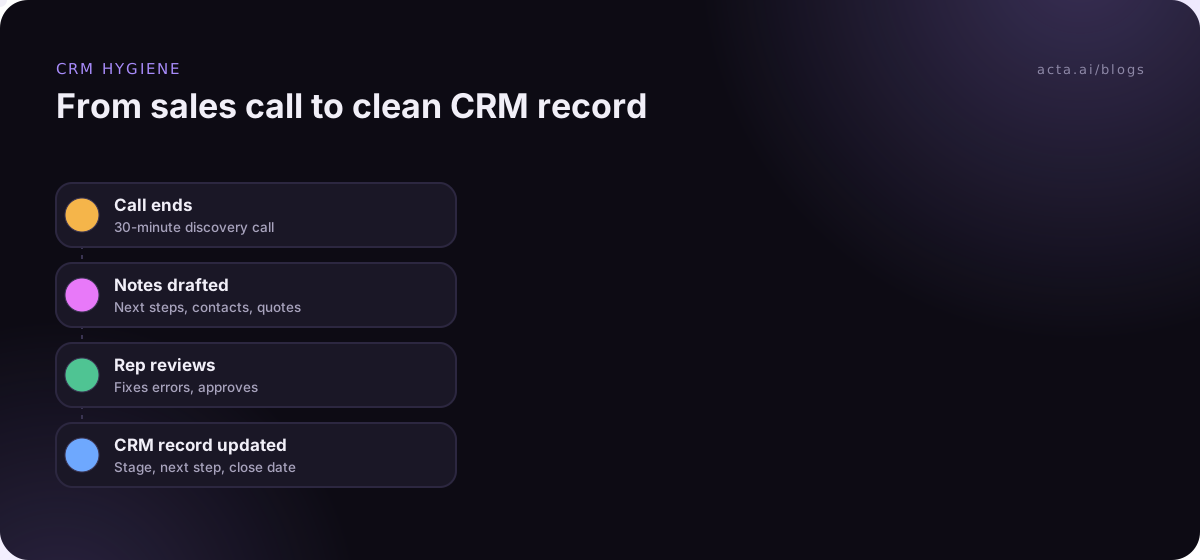
The rep still matters here. They should read the draft, fix anything the AI got wrong and decide what's worth logging. But reviewing is much easier than writing from memory at 6pm. We've covered the mechanics in detail in how to update the CRM after a sales call automatically and in a HubSpot-specific recipe for sending sales call notes to HubSpot.
A practical note: if reps record calls, they need to tell the people on the call. Our post on recording consent explains what to say. And if a visible notetaker bot makes buyers uneasy, a desktop recorder captures the call from the rep's own computer instead.
What should managers stop doing?
Some of the worst CRM habits are management habits:
- Punishing honest updates. If moving a deal to closed-lost triggers a grilling, reps will leave it open. Thank people for cleaning up their pipeline.
- Asking for updates in Slack. "Where's the Northwind deal at?" in a DM teaches reps that the CRM isn't where the truth lives. Ask them to update the record, then read it there.
- Adding fields for one-off questions. If the CEO wants to know how many deals involve a partner this quarter, run a quick survey. Don't add a permanent field.
- Treating hygiene as a project. A big cleanup sprint followed by nothing just resets the clock. The weekly routine matters more than the blitz.
Where Acta fits
Acta records sales calls with a bot or from your own computer and writes the summary, decisions and action items with owners. It connects to Salesforce, HubSpot and Zoho, so reviewed notes and next steps can go to the right record; the CRM integration guide covers the setup. With Agent Builder you can set up an automation that drafts the update and waits for the rep to approve it.
Frequently asked questions
How often should you clean CRM data?
Do one thorough cleanup to clear the backlog, then a short weekly check per rep and a monthly look at duplicates and fill rates. Small and regular beats big and rare.
Who owns CRM hygiene?
Each rep owns their records, sales managers own the standard by reviewing pipeline from the CRM, and sales or revenue operations own the structure: fields, stages, rules and integrations. If nobody owns the structure, fields multiply.
How many CRM fields should be required?
As few as possible, and tied to stage changes rather than record creation. A handful of required fields at the right moments beats a long list that reps fill with placeholders.
Can AI keep the CRM updated on its own?
It can draft updates from calls and emails, which removes most of the typing. I'd still keep a rep in the loop to approve changes, because a confident wrong update is worse than a missing one.
What's the quickest CRM hygiene win?
A saved view of open deals with a close date in the past, reviewed every Friday. It takes minutes and makes the forecast noticeably more honest.
If you'd like to see how call notes reach your CRM without retyping, look through the features or start the 15-day free trial.