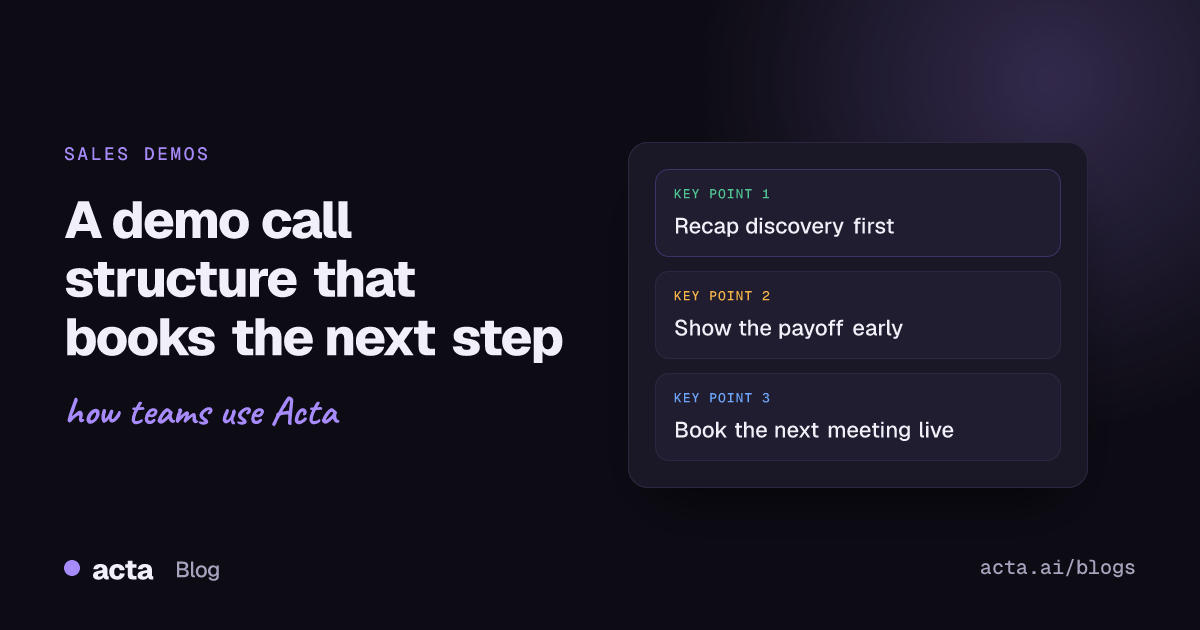
Quick answer: A good demo call structure has five parts: a two-minute recap of what you learned in discovery, an agreed agenda, the single most valuable workflow shown first, short stretches of showing broken up by questions, and a wrap-up that books a dated next step. Tailor every part to the buyer's own problem, and keep pricing and logistics for the last ten minutes.
Most demos I've sat in on fail the same way. The rep shares their screen, says "let me give you a quick tour", and forty minutes later the buyer has seen every menu and still can't say how the product fixes the thing they complained about in discovery. Nobody asked a question because there was never a gap to ask one.
The fix is boring: decide the shape of the call before you open the product. Below is the demo call structure I'd hand a new account executive, with timings for a 45-minute slot, the questions to ask at each stage, and the mistakes that quietly lose deals.
What is a good demo call structure?
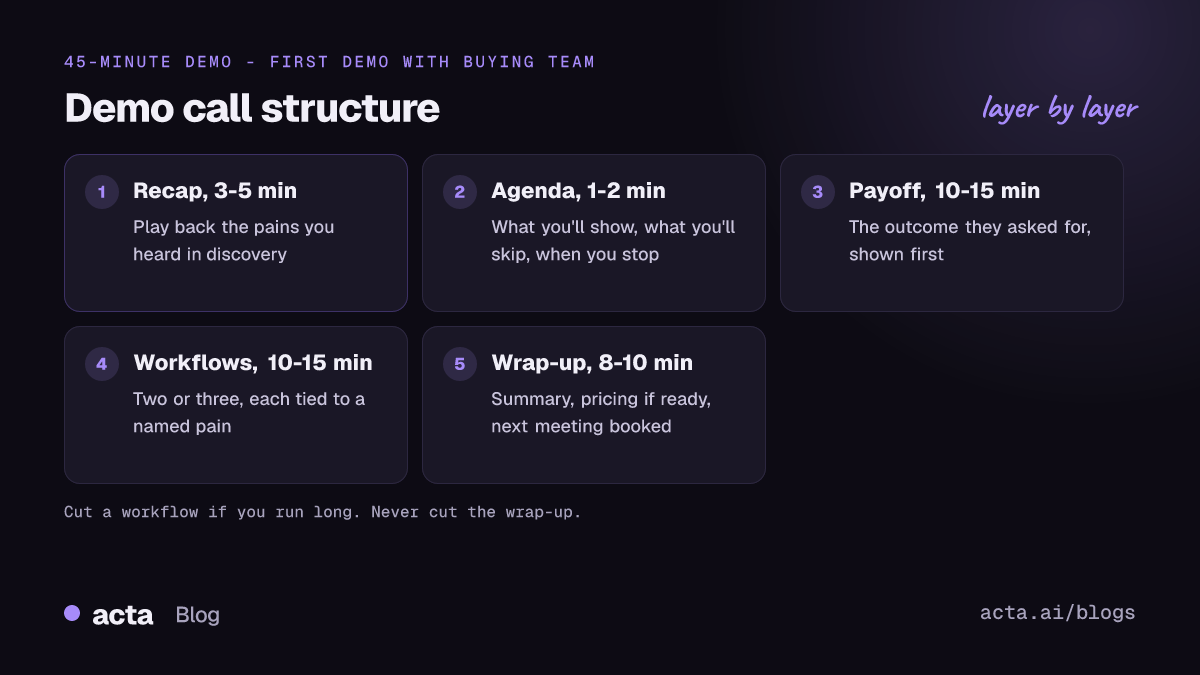
Think of the call as a story about the buyer, with your product as the supporting character. A structure that works for most B2B software looks like this:
- Open and recap (3-5 minutes). Thank them, confirm who's on the call and what each person cares about, then play back what you heard in discovery.
- Agree the agenda (1-2 minutes). Say what you'll show, what you won't, and when you'll stop to talk about next steps.
- Lead with the payoff (10-15 minutes). Show the outcome they asked for first: the finished report, the approved invoice, the dashboard their boss wants.
- Two or three supporting workflows (10-15 minutes). Only the ones tied to pains they named. Check in after each.
- Wrap-up and next step (8-10 minutes). Summarise, handle open questions, talk pricing if they're ready, and put a date in the calendar before anyone hangs up.
That last block is the one reps squeeze. If the call runs over, cut a workflow, never the wrap-up.
Why show the most valuable part first?
Because attention drops as the call goes on, and senior people often leave early. If the VP who signs the contract drops off at minute 20, you want them to have already seen the thing that matters to them.
Gong's analysis of tens of thousands of recorded demos, written up on its blog post about sales demos, found that winning demos tend to run "upside down": they open with the conclusion instead of building up to it. The Great Demo! blog picks up the same finding and compares it to the inverted pyramid newspapers use: the most important part goes at the top, and readers go deeper only if they want to.
In practice that means if a finance team told you month-end close takes six days because of spreadsheet reconciliation, your first screen is the reconciled close view, not the login page or the settings menu. Then you ask, "Would this be what your controller looks at on day two?" and let them pull you into the detail.
How do you open the call with a discovery recap?
The discovery recap is the most underrated two minutes in sales. It proves you listened, it catches anything that changed since the last call, and it gives new people on the call the context they missed.
Keep it short and specific. Something like:
"Last week Marco mentioned three things: renewals are tracked in a spreadsheet, the team misses about a renewal a month because nobody owns it, and you need something live before the January planning cycle. Is that still right? Has anything moved?"
Then stop talking. Often someone new says, "Actually, the bigger issue for me is reporting," and you've just learned what the next 40 minutes should be about. If you didn't run a proper discovery call, this is the moment to admit it and ask two or three discovery questions that show buying intent before you share your screen. Our discovery call template has the questions worth asking first.
What should a sales demo agenda include?
A sales demo agenda is one sentence per block, said out loud and ideally typed into the chat. It sets expectations and gives you permission to steer later ("we said we'd keep ten minutes at the end for next steps, so let me pause here").
A good agenda covers:
- The two or three problems you'll show solved, in their words.
- What you're deliberately leaving out, and that you can cover it in a follow-up.
- When questions are welcome (the answer should be "any time").
- That you'll finish with next steps and how long that will take.
Then ask, "Is there anything you'd want to add or swap?" Buyers rarely change much, but asking makes it their agenda as well as yours.
How long should a demo be?
Book 45 minutes for a first demo with a small group, and plan to finish in 35. Thirty minutes is fine for a single user with a narrow problem; an hour makes sense when several departments are on the call and each needs to see their own workflow.
The real question is how long you talk without interruption. Long monologues are where buyers check email. A rough rule I use: never more than a couple of minutes of showing before you ask something. Gong's demo research points the same way: in successful demos, the back-and-forth picks up in the second half of the call.
If you've got a lot to cover, split it. A second, technical session with their admin is better than a 90-minute marathon where the economic buyer sees nothing they care about.
Which demo call questions keep the buyer talking?
Check-in questions turn a presentation into a conversation. The trick is to ask about their world, not your product. "Does that make sense?" gets a polite yes. These get real answers:
- "How does your team do this today?"
- "Who would be the first person to use this screen?"
- "What would have to be true for this to replace the spreadsheet?"
- "On a scale of one to five, how close is this to what you need? What's missing?"
- "If we had this running next month, what would you stop doing?"
- "Who else needs to see this before you could decide?"
Write the answers down as you go, or have a colleague do it. The answers to the last two questions are your next step and your buying committee, and they're easy to forget once the call ends.
How do you tailor the demo to each buyer?
Before the call, write down three things on a sticky note: the pain they named, the metric they care about, and the person who'll sign. Every screen you plan to show should map to at least one of them. If it doesn't, cut it.
A few habits that make tailoring easier:
- Use their data, or data that looks like theirs. A demo account full of "Acme Corp" and "Test User 1" makes buyers do the mental translation. Rename things to match their industry.
- Name people. "Here's where Dana's team would approve the request" lands better than "here's the approval screen".
- Prepare a different payoff for each role. The operations lead wants to see the daily workflow; the finance lead wants to see the cost report. If both are on the call, show each one their payoff early.
- Have a backup path. Demos break. Keep screenshots of the key screens ready so a slow load doesn't eat five minutes.
If you record your calls, rewatching your own demos is the fastest way to spot where you lost the room. We've written about what your demo calls reveal when you review them properly. Do tell the buyer you're recording; our post on recording consent and what to tell participants covers what to say. If a meeting bot feels awkward on a sales call, a desktop recorder can capture the call from your own computer without anyone new joining the participant list.
How do you close a demo call with a clear next step?
A demo without a dated next step is a nice conversation. Reserve the final eight to ten minutes and walk through this in order:
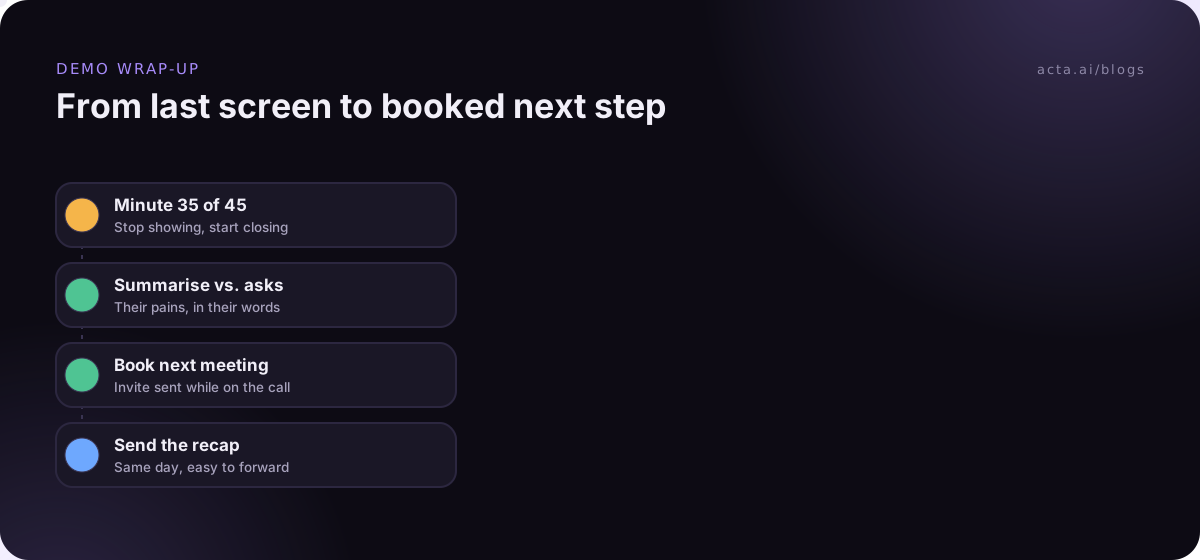
- Summarise what they saw against what they asked for. "You wanted renewals owned and visible; you've seen the owner field and the weekly digest."
- Ask for an honest read. "Where does this sit for you right now?" Listen for hedges like "interesting" and probe them.
- Raise pricing if they're ready. Summaries of Gong's demo research put pricing and next steps in this wrap-up phase, which matches my experience: pricing early derails the demo, pricing never stalls the deal.
- Book the next meeting on the call. Share your screen, open your calendar, and send the invite while they're there. A "we'll get back to you" without a date is a warning sign.
- Agree who does what. They'll loop in IT; you'll send the security questionnaire; Priya will pull usage numbers. Say names and dates out loud.
What should the demo follow-up email say?
Send the demo follow-up the same day, ideally within the hour. Our sales follow-up email examples show what to put in it. Keep it short enough to forward, because it will be forwarded to the people who weren't on the call. Include:
- A three-line summary of their problem in their words.
- What you showed, mapped to each problem, with a link to the recording or a short clip if they asked for one.
- Open questions and who owns each answer.
- The next meeting, with date and attendees.
Skip the attachments nobody asked for. A 40-page product deck in a follow-up email tells the buyer you didn't listen. Our guide to automating meeting follow-up emails shows how to get a first draft written from the call itself.
Common demo mistakes worth fixing first
If you only change three things this quarter, change these:
- The feature tour. Showing everything feels thorough. It's the opposite: the buyer can't tell what matters, so they remember nothing.
- Answering questions they didn't ask. When someone asks "can it export to Excel?", answer yes, show it in ten seconds, then ask why they need it. The why is usually more useful than the export.
- Running out of time for next steps. Put a timer on your second screen. At minute 35 of 45, you wrap up no matter where you are.
And one that's more about prep: don't demo to a single champion who can't buy. If the person on the call keeps saying "I'll need to show this to my boss", the right next step is a second demo with the boss, not a follow-up email hoping they'll relay it well.
Where a meeting assistant fits
A meeting assistant won't run the demo for you, but it does take the note-taking off your plate so you can watch the buyer's reactions. Acta records Zoom, Google Meet or Teams calls with a bot or from your own computer, then writes a summary, the action items with owners and a follow-up email draft you can edit before sending. Its report templates include sales formats if you want the call written up for your CRM.
Frequently asked questions
What is the best demo call structure for a first meeting?
Recap discovery, agree the agenda, show the most valuable outcome first, cover two or three supporting workflows with check-ins, then wrap up with a summary and a booked next step. If you didn't do discovery, spend the first ten minutes doing it before you share your screen.
Should I send slides before a demo?
Usually not. Send a short agenda instead. Slides sent in advance get skimmed and anchor the buyer on features rather than on their problem. Keep two or three slides ready for context if someone asks about the company or the roadmap.
How many people should be on our side of the call?
One or two. The account executive leads, and a solutions engineer joins if the product is technical. More than that and the buyer feels outnumbered, and your team ends up talking to each other.
When should I talk about price in a demo?
In the wrap-up, once the buyer has seen the payoff and told you how close it is to what they need. If they ask early, give a range and say you'll go through it properly at the end, then actually do.
Should I record demo calls?
It helps for coaching and for colleagues who missed the call, but ask first and respect a no. Recording rules differ by country and state, so check what applies to you before you press record.
If you'd like the notes and follow-up for your next demo written for you, try Acta on real calls with the 15-day free trial.