A consulting meeting notes template should match the job of the meeting: a stakeholder interview captures what one person believes and the evidence behind it; a discovery workshop captures the problem as the client group sees it; a steering update captures decisions, risks and asks. The common thread is a hypotheses or findings table and a decision log, so every meeting moves the engagement's answer forward. Six templates you can copy follow.
Use Cases 10 min read
Consulting Meeting Notes Template: 6 Examples for Client Engagements
Six copy-ready consulting note templates, from stakeholder interviews to final readouts, built around a hypotheses table and a decision log so twenty meetings add up to an answer.
By Sarma BKP, Founder & CEO, Acta · Updated
This is for independent consultants and small firms who run a lot of client meetings and then spend the evening writing them up. If your engagement is a single workshop, a plain notes doc is fine. If it's ten weeks with twenty interviews and a fortnightly steering committee, consistent notes are what let you synthesise at the end instead of rereading everything.
Key takeaways
- Run a different template for interviews, workshops and steering meetings; they answer different questions.
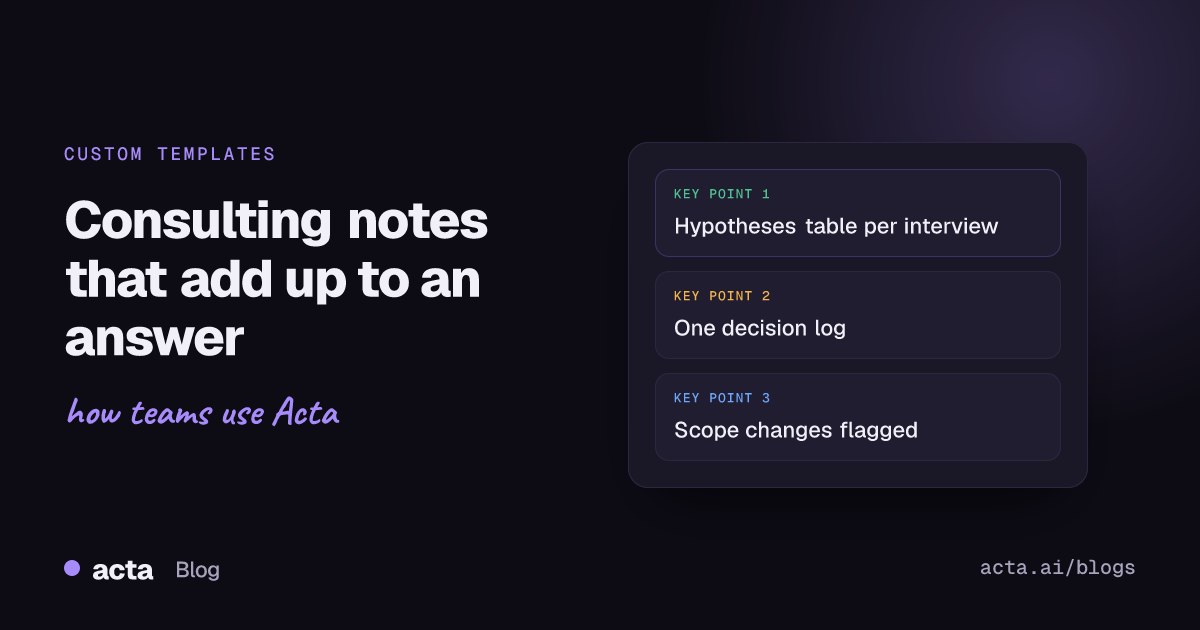
- Give every interview the same hypotheses table (Hypothesis | What we heard | Supports or contradicts | Next check) so twenty interviews add up.
- Keep one decision log format across the whole engagement: decision, who made it, date, reason.
- Quote the client's words for problems and objections; paraphrase loses the political signal.
- Test each template on one past meeting before you use it on a live engagement.
Table of contents
- Structured notes are what make synthesis possible
- Template 1: stakeholder interview
- Template 2: discovery workshop
- Template 3: steering committee update
- Templates 4-6: working session, weekly check-in and final readout
- Build this as a custom template in Acta
- Four habits make consulting notes hard to use
- Frequently asked questions
- Choose a consulting meeting notes template per meeting type
Structured notes are what make synthesis possible
Most consulting work runs on some version of hypothesis-driven problem solving: break the client's question into smaller ones, form a view early, then test it in interviews, data and workshops. A university course outline on core consulting skills covers the basics if you want a refresher. The note-taking consequence is simple. If you're testing hypotheses, your notes should record evidence against them, not just a summary of who said what.
Free-form notes fail at that. By interview twelve, you're looking at twelve documents with different headings, written at different levels of tiredness, and the synthesis becomes a re-listening exercise. A fixed template turns each meeting into rows you can line up: hypothesis H2, four interviews support it, two contradict it, and here are the quotes.
The same goes for decisions. Steering committees make decisions that get re-opened three weeks later, usually by someone who wasn't there. A decision log with who decided, when and why is the cheapest protection against that. The guide on building a decision log and RACI from meetings goes deeper on the format.
Template 1: stakeholder interview
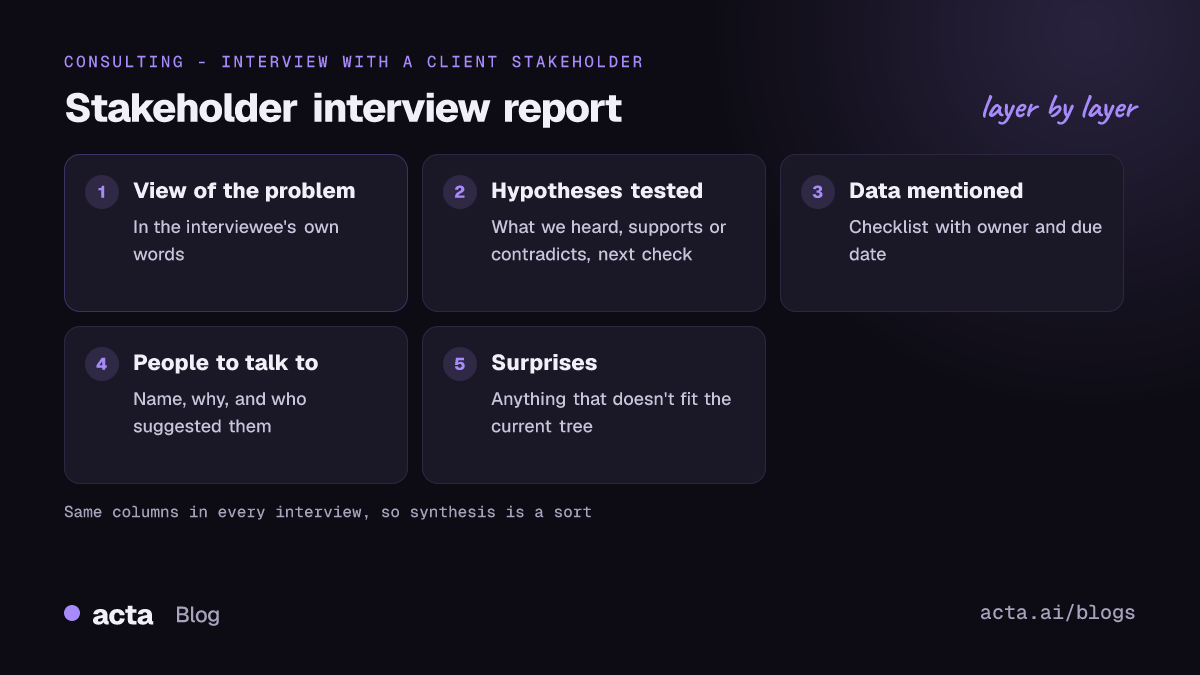
Use this for one-to-one or small-group interviews early in an engagement. PMI's learning library treats interviews as a core way to elicit requirements; its paper on requirements in project management is a reasonable primer. A stakeholder interview template should balance two things: fixed sections for comparison, plus a place for the thing you didn't expect.
Stakeholder interview
1. Interviewee and context - Bullets: name, role, team, how long in role, relationship to the sponsor
2. Their view of the problem - Paragraph, in their own words
3. Hypotheses tested - Table: Hypothesis | What we heard | Supports, contradicts or mixed | Next check
4. Pain points and examples - Bullets, each with a concrete example they gave
5. Data and documents mentioned - Checklist (task, owner, due date)
6. Other people to talk to - Table: Name | Why | Who suggested
7. Surprises - Bullets: anything that doesn't fit the current hypotheses
Section 7 is my favourite. It's where the engagement's real answer often first shows up, as a throwaway comment that doesn't fit your tree. Make it a habit to read the Surprises section of every interview before your weekly team review.
Template 2: discovery workshop
A discovery workshop has more voices and less depth per person. The goal is a shared problem statement and an agreed list of what to investigate. Notes need to show where people agreed, where they didn't, and what the group decided to look at.
Discovery workshop
1. Attendees - Table: Name | Role | Team
2. Problem statement as agreed - Paragraph
3. Themes raised - Table: Theme | Raised by | Level of agreement
4. Disagreements - Bullets with who held each view
5. Questions to investigate - Bullets
6. Decisions - Table: Decision | Made by | Reason
7. Actions - Checklist (task, owner, due date)
If the workshop is also your kickoff, the advice in how to run a client kickoff meeting covers the agenda side. For agency-style engagements where the kickoff becomes a brief, see the sibling guide on turning a kickoff call into a creative brief.
Template 3: steering committee update
Steering committee meeting notes are read by people who weren't in the room and by the sponsor's boss. They should be short, and the decisions and asks should be impossible to miss.
Steering committee update
1. Status in one paragraph - Paragraph
2. Findings presented - Table: Finding | Evidence | Committee reaction
3. Decisions - Table: Decision | Made by | Date | Reason
4. Risks and issues - Table: Risk | Impact | Owner | Mitigation discussed
5. Scope changes requested - Bullets
6. Asks of the client - Checklist (task, owner, due date)
Section 5 is there for a reason. Scope creep in consulting usually arrives as a reasonable-sounding request in a steering meeting ("could you also look at the Northern region?"). Writing it down as a scope change, rather than an action, gives you the moment to discuss fees. The piece on catching scope creep in client meetings has more on that.
Templates 4-6: working session, weekly check-in and final readout
Template 4: working session with the client team
1. Purpose of the session - Paragraph
2. What we worked through - Bullets
3. Findings and hypotheses updated - Table: Hypothesis | Status change | Why
4. Decisions - Bullets
5. Actions - Checklist (task, owner, due date)
Template 5: weekly client check-in
1. Progress since last week - Bullets
2. Blockers and waiting on client - Table: Item | Waiting on | Since
3. Client concerns raised - Bullets with quotes
4. Actions - Checklist (task, owner, due date)
Template 6: final readout
1. Recommendations presented - Bullets
2. Reactions and objections - Table: Recommendation | Who reacted | What they said
3. Decisions and commitments - Table: Decision | Made by | Date
4. Follow-on work discussed - Bullets
5. Actions - Checklist (task, owner, due date)
A quick comparison:
| Template | Main question it answers | Key table |
|---|---|---|
| Stakeholder interview | What does this person believe, and why? | Hypotheses tested |
| Discovery workshop | What problem are we solving together? | Themes and agreement |
| Steering update | What was decided and what's at risk? | Decision log |
| Working session | What changed in our thinking? | Hypothesis status |
| Weekly check-in | What's blocked? | Waiting on client |
| Final readout | What will the client act on? | Reactions and objections |
Build this as a custom template in Acta
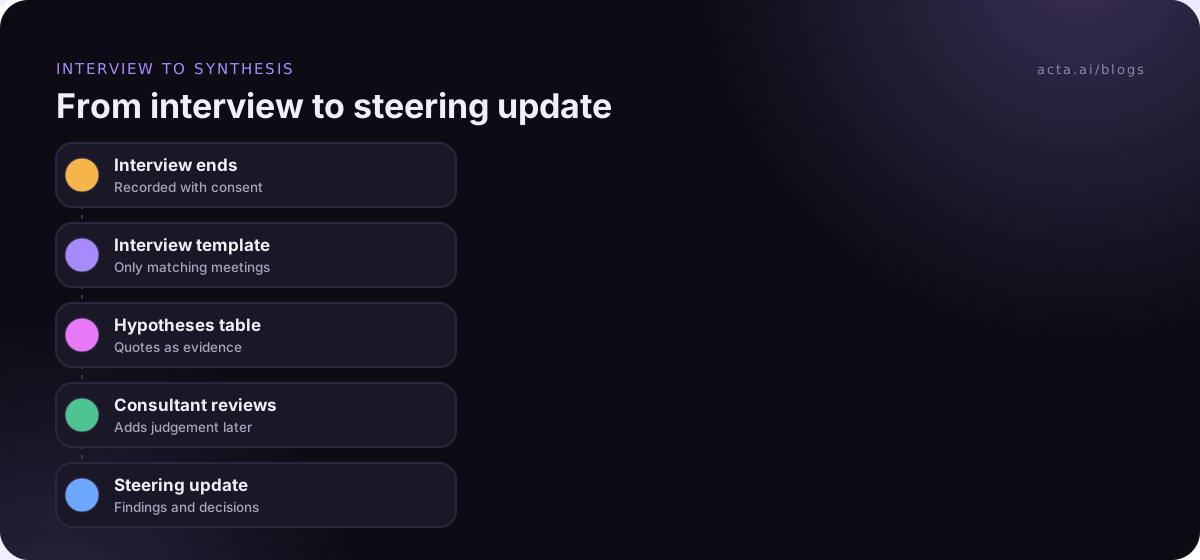
If you record client meetings, each of these can run as a custom template so the write-up is waiting when the call ends. Custom templates come with Acta's paid plans; the 15-day free trial doesn't include them. The custom templates help article is the full reference. Here's the stakeholder interview.
- In the Acta dashboard, open Templates, choose My templates and click + Create template.
- Name it "Stakeholder interview" and choose Describe it under Start from.
- In What should this report do?, write: "For consulting interviews with client stakeholders: record the interviewee's role, their view of the problem in their own words, evidence for or against our hypotheses, pain points with examples, data they mentioned, people we should talk to next, and anything surprising." Click Draft sections.
- Edit the drafted sections to match Template 1. Set the hypotheses section to Table with four columns: Hypothesis, What we heard, Supports or contradicts, Next check.
- Add extra instructions: "Quote the interviewee for opinions. Do not judge whether a hypothesis is true; record only what was said."
- Under When should Acta use it?, pick Only matching meetings so it skips your internal team calls.
- Click Test on a past meeting, choose a recorded interview and Run on this meeting. Nothing is saved or sent. Adjust, then Save.
- If colleagues on the engagement should use it, turn on Share with my team. They can switch it on; only you can edit.
You can keep up to 10 custom templates with up to 12 sections each, which covers all six above. Or start from a built-in one on the templates page and click Customize; Project status is a reasonable base for the weekly check-in.
Here's an illustration of an interview report. The names are invented.
In short: Dana Whitfield, Head of Operations, thinks the delivery delays come from manual handoffs between warehouse and dispatch, not staffing. Confidence: medium (call audio dropped for a few minutes).
Hypotheses tested: H1 Delays are caused by understaffing | "We've had the same headcount for three years and it was fine until the new system" | Contradicts | Check overtime data. H2 The 2025 system change added manual steps | "Every order gets re-keyed twice now" | Supports | Map the order flow with Marco.
Data and documents mentioned: Overtime report by month | Dana | Next Friday. Order flow diagram | Unassigned | Not discussed.
Other people to talk to: Marco Silva | Runs dispatch | Dana.
Surprises: Two depots already built their own spreadsheet workaround.
Key quote: "Nobody asked the dispatch team before the system went live."
After a dozen interviews, the payoff comes from asking across them. Acta's OneChat answers questions across meetings with sources, so "which interviews contradicted H1?" points you at the meetings and quotes; the OneChat help article shows how.
Four habits make consulting notes hard to use
- Writing conclusions into interview notes. "Confirms H2" is your judgement. "Every order gets re-keyed twice now" is evidence. Keep the judgement for synthesis.
- Different templates per consultant. If two people run interviews, they need the same sections or the synthesis falls apart.
- Burying decisions in prose. A decision in paragraph four of a steering write-up will be re-litigated. Put it in the log.
- No "who suggested" on referrals. When the sponsor sends you to someone, that tells you something about the politics. Write it down.
Recording client meetings needs consent, and some clients will say no to sensitive interviews. Ask up front, respect the answer, and check the rules where you and they are; the guide on whether it's legal to record meetings with AI is a starting point. Clients who dislike bots in the call usually accept a recorder on your own machine, like Acta's desktop app for Zoom and Teams.
Where Acta fits: it records the meeting, runs whichever of your templates matches, and puts the report in the meeting's Templates tab with Copy and Download, so it goes straight into your working files. For a wider view of how consultants use it, see AI meeting notes for consultants and agencies.
Frequently asked questions
What should a consulting meeting notes template include?
Include attendees and roles, the client's view of the problem in their own words, a hypotheses or findings table, decisions with who made them and why, risks, and actions with owners and due dates. Vary the middle sections by meeting type: interviews need evidence and referrals, steering meetings need decisions and scope changes.
How do I take notes in a stakeholder interview?
Use the same stakeholder interview template every time: role and context, their view of the problem, evidence for or against each hypothesis, pain points with examples, data mentioned, people to talk to next and surprises. Quote opinions directly. Record the call if they agree, so you can listen rather than type.
What is a decision log template?
A decision log template is a table with one row per decision: what was decided, who made it, the date and the reason, often with a column for what it replaced. Consultants keep one per engagement and add to it after each steering meeting, so decisions don't get reopened by people who missed the discussion.
How are steering committee meeting notes different from minutes?
Formal minutes record the meeting in order. Steering committee meeting notes for a consulting engagement are built for action: a one-paragraph status, findings and reactions, decisions, risks, scope change requests and asks of the client. Readers who weren't there should see what changed in under two minutes.
Should consultants record client meetings?
Often yes, for interviews and workshops, because you can focus on the conversation and quote people accurately later. Always ask first, explain how recordings are used and stored, and accept a no. Some clients, especially for sensitive interviews, will prefer handwritten notes.
Choose a consulting meeting notes template per meeting type
Pick the meetings that repeat most on your current engagement and build those templates first.
- Map your meetings: list the recurring meeting types on the engagement and who reads each write-up.
- Fix the hypotheses table: use the same columns in every interview and working session.
- Keep one decision log: same columns for workshops, steering meetings and readouts.
- Track scope changes: make them a section, not an action item.
- Test and share: run each template on a past meeting, then share it with the engagement team.
For Google Meet or browser-based Teams and Zoom calls, the Acta Chrome extension records without a bot, and the pricing page lists which plans include custom templates.
Found this useful? Share it with your team.