A creative brief template turns a client kickoff call into one page the creative team can work from: the objective, the audience, the single message, the deliverables, the mandatories and the timeline. The fastest way to get a good one is to run the kickoff call against the template's questions, then fill the sections from what the client actually said, and send it back for sign-off within a day.
Use Cases 11 min read
Creative Brief Template: Write It From the Client Kickoff Call
A seven-section creative brief template built from the client kickoff call, with the questions to ask, setup as a custom template and a filled-in example.
By Sarma BKP, Founder & CEO, Acta · Updated
This guide is for agency account leads, in-house marketing managers and freelancers who brief designers, writers or video teams. You get a seven-section template with the format for each section, the kickoff questions that fill it, a step-by-step setup as a custom template in Acta, and a filled-in example. If your projects are tiny one-off asks, a three-line email brief is enough and this is overkill.
Key takeaways
- Seven sections cover almost every brief: objective, audience, key message, deliverables, mandatories, timeline and approvals, open questions.
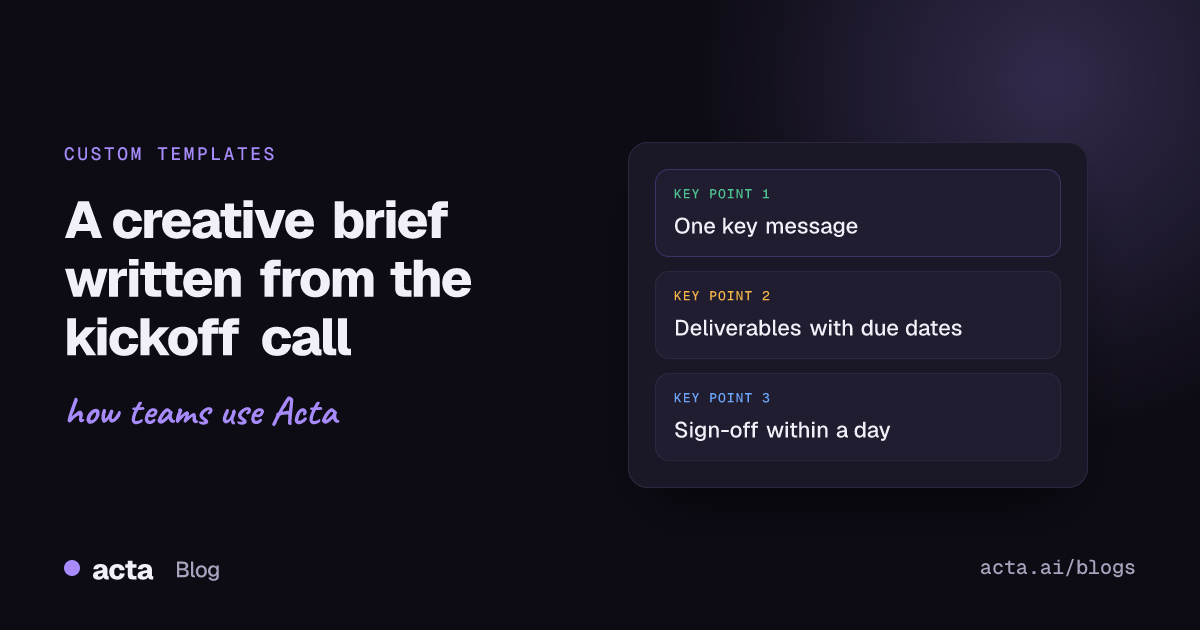
- Write the key message as one sentence. If the client gives you three messages, the brief isn't finished.
- Put deliverables in a table with format, size or length, channel and due date, so scope is visible before work starts.
- Use the client's own words for the objective and audience. Paraphrasing is where briefs drift.
- Send the brief back for sign-off within 24 hours of the kickoff call, while the conversation is fresh on both sides.
Table of contents
- A creative brief template should come out of the kickoff call
- The seven sections of a usable creative brief template
- Ask the kickoff questions the brief needs answered
- Build the brief as a custom template in Acta
- A creative brief example filled from a real-style kickoff
- Adjust the brief for campaigns, video and web projects
- Fix the gaps before the brief goes to the client
- Frequently asked questions
- Set up your brief workflow this week
A creative brief template should come out of the kickoff call
A creative brief is a short document that tells the creative team what to make, for whom, why, and by when. Most agencies treat it as something the account lead writes from memory after the client agency kickoff meeting. That is where things go wrong. The client says one thing on the call, the account lead writes a slightly different thing in the brief, and the designer builds a third thing from the brief.
The better order is: agree the template first, use it as the agenda for the client kickoff call, then fill it from the conversation. The client hears every question the brief needs answered, and the brief reflects what they said rather than what you remember. Our guide to running a client kickoff meeting covers the meeting itself; this post is about the document that comes out of it.
There is no single official format. Smartsheet's guide on how to write a creative brief notes that the sections vary by project, and that matches my experience. What doesn't vary is the core: objective, audience, message, deliverables and timing.
The seven sections of a usable creative brief template
Here is the template I'd start with. Each line gives the section, its format, and what goes in it. Copy it as is.
Creative brief
1. Objective (Paragraph): what the work must achieve for the business, in the client's words, with how they'll judge success.
2. Audience (Bullets): who it's for, what they already believe, what they care about, where they'll see it.
3. Key message (Paragraph): one sentence the audience should take away, plus the proof points that support it.
4. Deliverables (Table: Deliverable | Format and size | Channel | Due date): every asset agreed on the call.
5. Mandatories and constraints (Bullets): logos, legal lines, brand rules, budget limits, things the client said to avoid.
6. Timeline and approvals (Table: Milestone | Date | Approver): first concepts, review rounds, final delivery, who signs off.
7. Open questions and follow-ups (Checklist: task, owner, due date): anything still unknown and who will find out.
The key message is the section people fudge. Elon University's creative services guide on the creative brief asks for a single idea, expressed in a single sentence. That rule is worth enforcing. If the brief lists "affordable, sustainable, premium and fast" as the message, the designer will pick one and the client will be disappointed by the other three.
Tone usually sits inside the key message section as a line or two. Some teams split it out. I keep it merged until a client cares enough about tone to talk about it for five minutes, which is usually brand work.
Ask the kickoff questions the brief needs answered
A template only fills well if the call covers each section. These are the questions I ask, grouped by section. You don't need to read them out like a survey; work them into the conversation and check them off.
- Objective: "What has to be different after this launches?" "How will you know it worked?" "What happens if we do nothing?"
- Audience: "Who exactly is this for?" "What do they think about you today?" "Where will they come across it?"
- Key message: "If they remember one thing, what is it?" "Why should they believe it?"
- Deliverables: "List every asset you're expecting, with sizes and channels." "Is anything a nice-to-have rather than a must?"
- Mandatories: "What must appear?" "What must never appear?" "Is there a budget ceiling we should design to?"
- Timeline: "When is the hard launch date?" "Who approves, and how long do they take?"
The deliverables question is the one to push on. Clients often remember an extra asset two weeks later, and a brief with a clear project deliverables table is your best defence against quiet scope growth. If that's a pattern for you, our post on catching scope creep in client meetings goes deeper.
Build the brief as a custom template in Acta
If you record kickoff calls, Acta can fill the seven sections from the transcript. Custom templates are a paid-plan feature and aren't included in the 15-day free trial. Setup takes about ten minutes. The custom templates help article has the full reference.
- In the Acta dashboard, open Templates in the sidebar, choose My templates, then click + Create template.
- Name it "Creative brief from kickoff".
- Under Start from, choose Blank so you control every section, or Describe it and let Acta draft three to seven sections for you to edit.
- In "What should this report do?" write: "For client kickoff calls about creative or marketing projects: capture the objective, target audience, the single key message, every deliverable with format and due date, mandatories and constraints, timeline and approvers, and open questions." Acta also uses this text to decide which meetings match.
- Add the seven sections above in order. Set Deliverables to Table with the four named columns, Timeline and approvals to Table with three, and Open questions to Checklist (task, owner, due date). Use Paragraph and Bullets for the rest.
- Add extra instructions: "Use the client's own words for the objective and audience. Write the key message as one sentence. If the client gave several messages, list them under the sentence and flag that one must be chosen."
- Set When should Acta use it? to Only matching meetings, so it runs on kickoffs and not on internal reviews.
- In the preview panel, click Test on a past meeting, pick an old kickoff and click Run on this meeting. Nothing is saved or sent. Adjust, then Save.
- Switch on Share with my team if other account leads run kickoffs. They can turn it on; only you can edit, which keeps one version of the brief format across the agency.
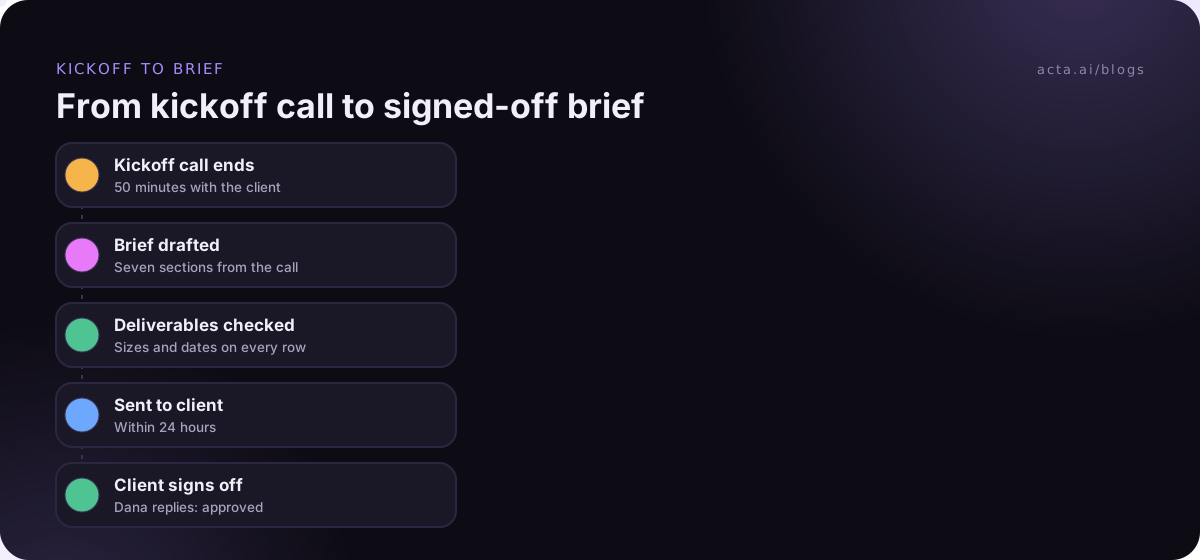
After the call, the brief appears in the meeting's Templates tab as "Your template" (or "Team template" for a shared one), with Copy and Download, and it arrives by email like other template reports. It opens with an "In short" summary, a confidence rating and key quotes. Anything the client never covered reads "Not discussed", which is your list of questions for the follow-up email. Browse the built-in marketing templates on the templates page if you want a second layout for campaign reviews.
A creative brief example filled from a real-style kickoff
This is an illustration. The client, people and dates are invented, but the shape is what a 50-minute kickoff produces.
Creative brief: Harbour Coffee spring menu launch
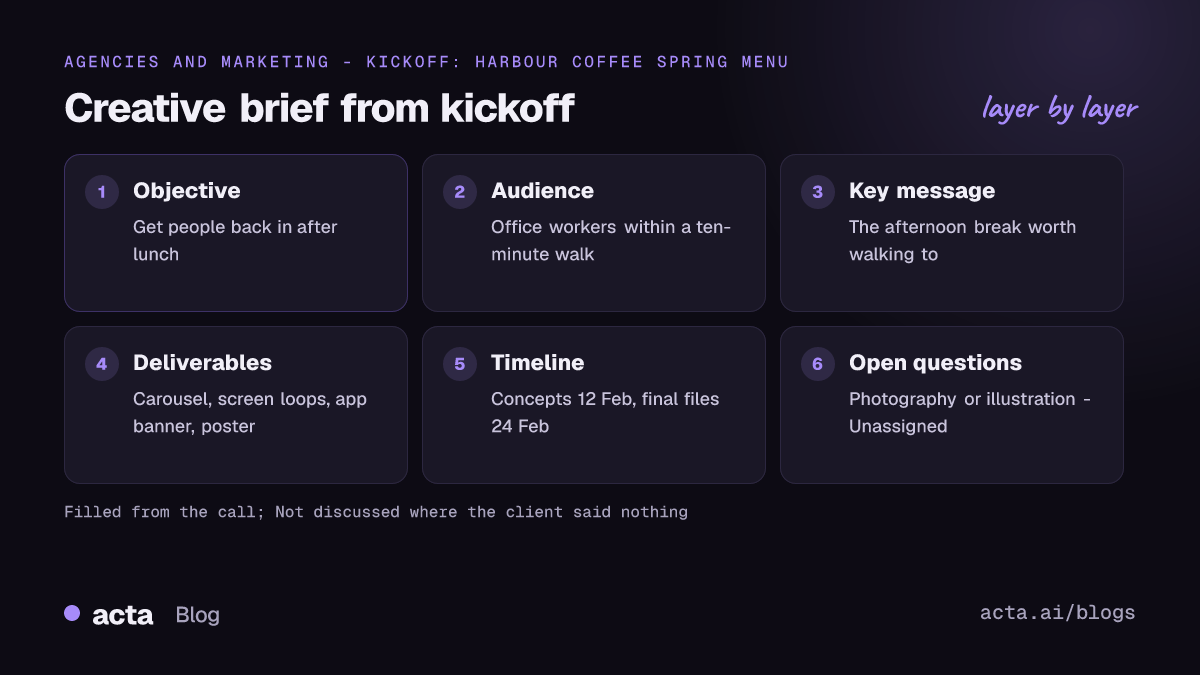
In short: Harbour Coffee wants more weekday afternoon visits from office workers, driven by a new spring menu. Six assets due before 3 March; Dana Okafor approves everything.
Objective: "Get people back in after lunch." Success is more afternoon visits at the three city-centre stores in March, compared with February.
Audience: Office workers within a ten-minute walk. They know Harbour for morning coffee, not afternoons. They see Instagram, the in-store screens and the loyalty app.
Key message: Harbour is the afternoon break worth walking to. Proof points: new seasonal drinks, the 3pm pastry offer, quiet seating.
Deliverables: Instagram carousel, 1080 x 1350, Instagram, 24 Feb. Two in-store screen loops, 15 seconds, stores, 26 Feb. Loyalty app banner, app spec, app, 26 Feb. A-board poster, A1, stores, 28 Feb. Menu insert, A5, stores, 28 Feb.
Mandatories and constraints: New logo lockup only. Allergen line on every food image. No price on the screens, because prices differ by store. Print budget fixed at the figure in the contract.
Timeline and approvals: Concepts, 12 Feb, Dana. Revised designs, 19 Feb, Dana and Marco (ops). Final files, 24 Feb, Dana.
Open questions: Confirm screen spec with the store team (Marco, 9 Feb). Send final drink names (Dana, 10 Feb). Decide on photography or illustration (Unassigned).
Two things in that example are worth copying. The objective is in the client's words, "get people back in after lunch", which keeps the team honest. And the unassigned photography decision is flagged instead of quietly assumed. Chase it in the follow-up, or it becomes a disagreement at concept review.
Adjust the brief for campaigns, video and web projects
The seven sections hold up for most work, but a few project types need one swap or addition. Change sections rather than adding them, so the template stays short.
| Project type | Swap or add | Format |
|---|---|---|
| Multi-channel campaign | Add "Channel plan": channel, role, budget share | Table |
| Video | Swap Deliverables for "Cuts and lengths": cut, length, ratio, platform | Table |
| Website or landing page | Add "Pages and goals": page, primary action, content owner | Table |
| Brand refresh | Split "Tone and personality" out of Key message | Bullets |
| Small ad-hoc request | Drop Timeline table; keep a single due date in Deliverables | Bullets |
Save each variant as its own template rather than one giant brief. Acta allows up to 10 custom templates per person and up to 12 sections each, so a campaign brief, a video brief and a web brief fit comfortably. Give each a description that clearly separates them ("for kickoff calls about video production") so Only matching meetings picks the right one.
Fix the gaps before the brief goes to the client
Most bad briefs fail in the same handful of ways. Check for these before you hit send.
- Three key messages. Pick one or send the client a choice. Don't let the designer choose.
- Audience as a demographic only. "Women 25-40" says nothing about what they believe. Add one line on what they think today.
- Deliverables without sizes or dates. Every row needs a format and a due date, or it isn't agreed.
- No named approver. If nobody signs off, everybody does, usually late.
- Brief never confirmed. Send it back within a day and ask for a reply, even just "approved".
Troubleshooting the template itself: if a section keeps coming out thin, the call probably didn't cover it, and "Not discussed" is telling you so. Add that question to your kickoff agenda. If the template runs on the wrong meetings, tighten the description. If the objective reads like marketing copy, add "use the client's words" to the extra instructions. For keeping track of feedback after the brief goes out, see our guide to client feedback tracking for agencies.
A note on recording: tell the client at the start that you're recording the kickoff and why. Our article on recording meetings with AI and what to tell participants covers the basics. If the client's IT team blocks meeting bots, Acta's desktop app records from your computer with nothing joining the call.
Where Acta fits: it records the kickoff, transcribes it with speaker names and fills your brief from what was said. You still decide what the message is; it just makes sure you're deciding from the client's words. The same approach works for periodic account check-ins, covered in our client review meeting notes post.
Frequently asked questions
How do I write a creative brief from a kickoff call?
Agree your template before the call, use its sections as the agenda, and capture the client's answers in their own words. Fill each section straight after the call, mark gaps as open questions with owners, and send the draft back for sign-off within a day. Recording the call makes the second step much faster.
What should a creative brief template include?
Objective, audience, a single key message with proof points, a deliverables table with format and due date, mandatories and constraints, a timeline with approvers, and open questions. Add a channel plan for campaigns or a cuts table for video, but keep it to about seven sections.
How long should a creative brief be?
One page for most projects, two at most for campaigns. If it runs longer, you're usually including background that belongs in an appendix or repeating the same point in several sections. The creative team should be able to read it in five minutes and know what to make.
Who should approve the creative brief?
One named person on the client side, ideally the person who will approve the final work. Put their name in the timeline table next to every milestone. If several people approve, list them, but agree who has the final say before work starts.
Can I use one template for every client?
Yes for the core seven sections. Keep separate variants for video, web and multi-channel campaigns, and share them with your team so every account lead briefs the same way. Customize the extra instructions per client only if a client has unusual mandatories.
Set up your brief workflow this week
You don't need to change how your agency works. Change the order: template first, call second, brief third.
- Copy the seven sections: paste the template above into your doc or a custom template.
- Turn it into an agenda: use the kickoff questions list on your next client call.
- Test on an old kickoff: run the template on a past meeting and compare it with the brief you actually wrote.
- Lock the format: share it with your team so every brief has the same sections.
- Send within 24 hours: confirm the brief with the client while the call is fresh.
To record kickoffs in Google Meet, Teams or Zoom in the browser without a bot, add the Acta Chrome extension.
Found this useful? Share it with your team.