Bengali is a working language for more offices than people assume
Bengali is the state language of Bangladesh; Article 3 of the Constitution of Bangladesh says so in one line, and it uses the word Bangla. In India it's one of the 22 scheduled languages, and the Census of India 2011 language table (C-16) places it second only to Hindi by number of people who reported it as their mother tongue. That alone tells you there are a lot of business conversations happening in Bengali every day.
Think about who those people are at work. An export manager in Kolkata's Dalhousie area calling a jute mill in Hooghly district. A small publisher on College Street going over a print run with the binder. A buying office in Gurugram that talks to factory owners in Gazipur. A tea estate manager in north Bengal reporting to the owners. Accountants in east London serving Bangladeshi restaurant owners. Many of these teams write their email in English, but the meeting itself, where the real negotiation happens, is in Bengali.
That gap is what Bangla transcription solves. The person who wasn't on the call gets an accurate record of what was promised, and the person who was on the call doesn't have to take notes in a second language while also negotiating in the first.
Auto mode never chooses Bengali, so set it yourself
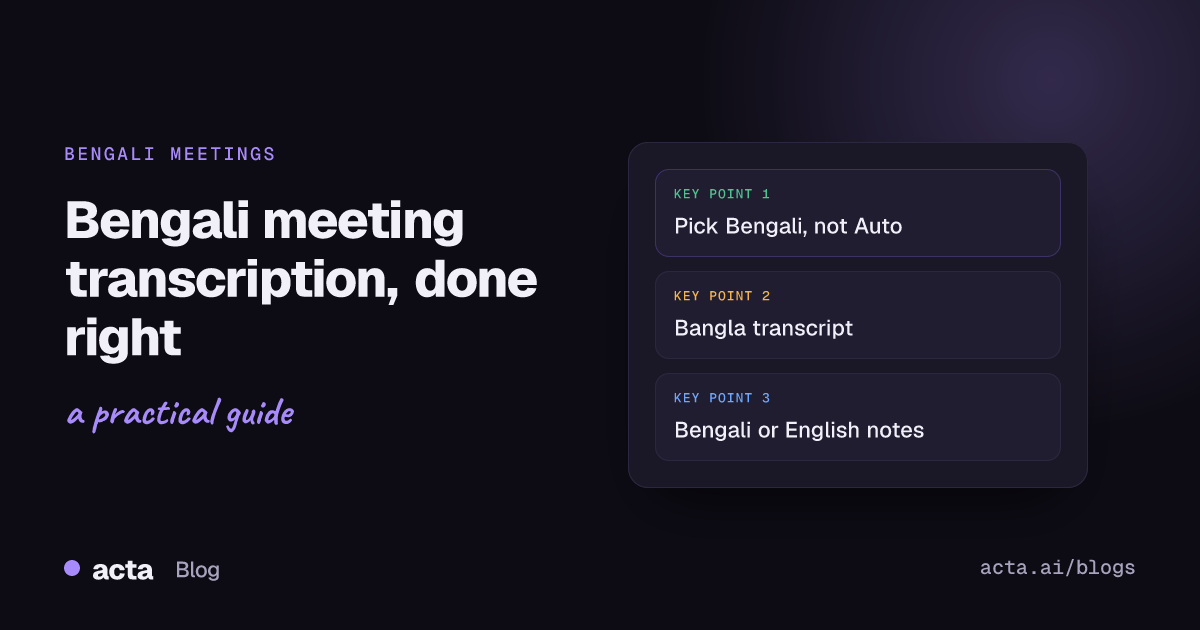
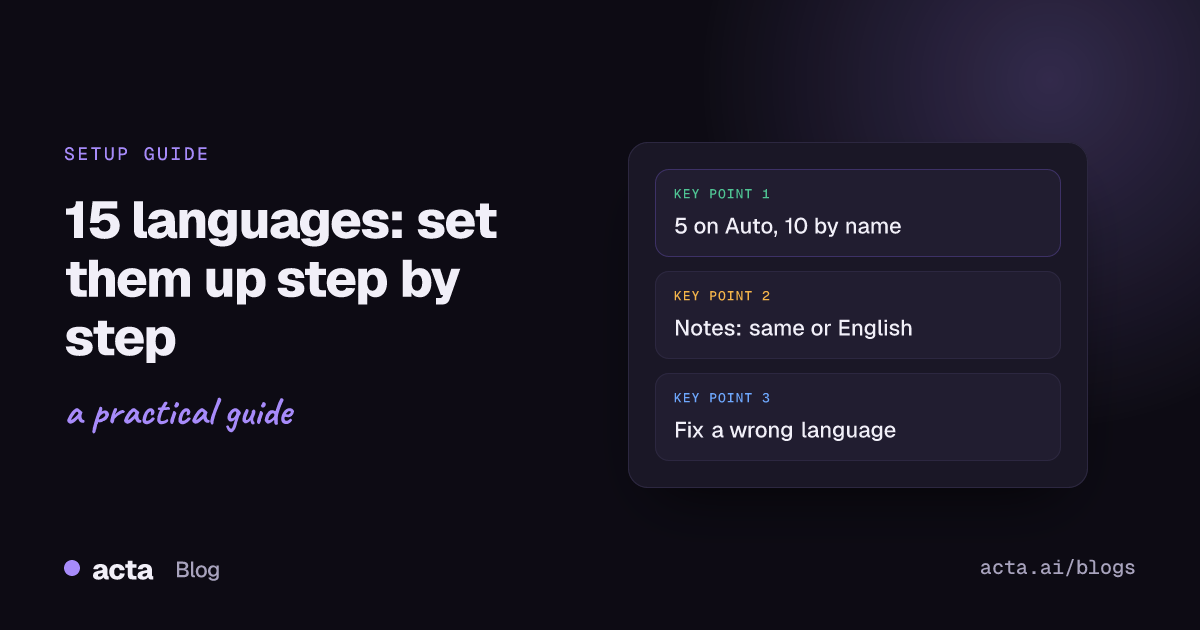
Here's the plain fact first: Acta detects English, Hindi, French, Spanish and German automatically; ten more languages, Bengali included, are chosen in Settings and marked beta. The other nine beta languages are Italian, Portuguese, Dutch, Arabic, Japanese, Telugu, Tamil, Kannada and Marathi. Fifteen in total.
The consequence catches people out. If "Language spoken in meetings" is on Auto and you record a Bengali call, Acta has to answer with one of its five auto languages. Hindi is the closest neighbour, so you may get something that half looks like Hindi, or broken English. Nothing failed in the recording; Bengali simply wasn't on the menu Auto was choosing from.
So decide based on your week. If most of your meetings are in Bengali, set Bengali and switch back to English on the days you have English calls. If Bengali calls are the exception, keep English as your default and change it before the Bengali ones. Either way, the language chip on each meeting page shows what was used, so a wrong setting is easy to spot after the fact.
Set up Bengali meeting transcription in five steps
- Log in to the Acta dashboard and click Settings, then the Meetings section.
- Scroll to the Language card, which sits right under "Add Acta Notetaker to my meeting invites".
- In Language spoken in meetings, replace the default English with Bengali (beta).
- In Language for my notes, keep Same as the meeting for Bengali notes, or pick English if the notes are going to people who don't read Bangla.
- Hold the meeting. Afterwards, look at the chip beside the meeting tabs; it should say Bengali. If not, the Change language link takes you straight back to the card for next time.
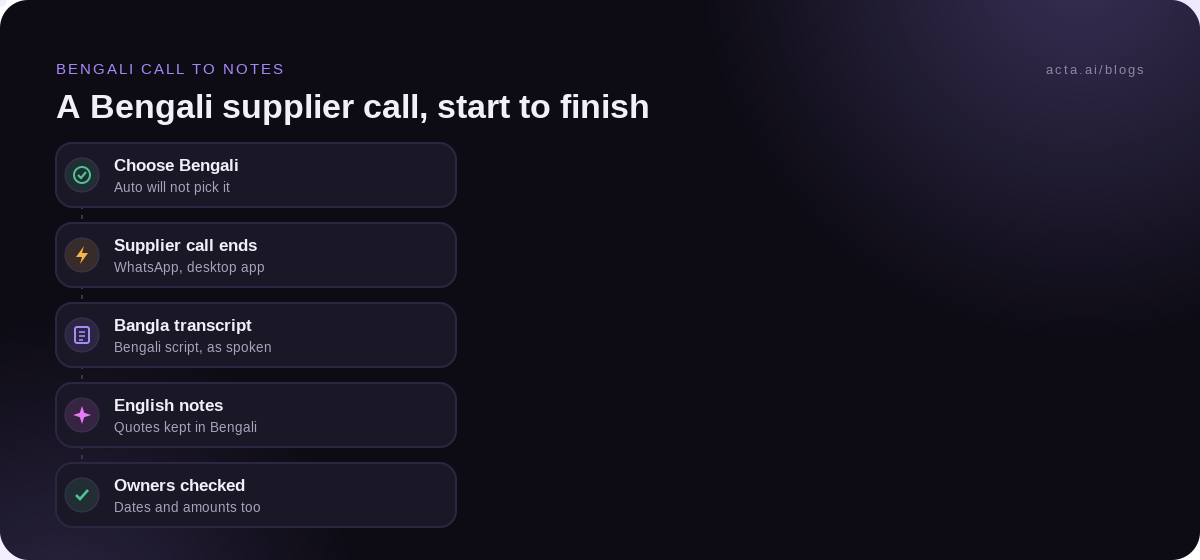
The change applies to meetings recorded after you save it. Older meetings keep the language they were processed in. It works with every way Acta captures audio: the notetaker that joins Zoom, Google Meet or Microsoft Teams, the desktop app (useful for WhatsApp calls with suppliers, which are common in this trade), the mobile app for a meeting across a desk, and uploaded audio files. The meeting languages help article lists every option on the card.
Before you start, tell people the call is being recorded. A short line in Bengali at the start of the call is enough for most teams. The guide to recording consent and what to tell participants has wording you can adapt, and Indian teams should also read the DPDP Act recording guide. For UK-based teams, the GDPR checklist for AI note takers covers the questions your data protection lead will ask.
You get a Bangla transcript and notes in Bengali or English
With Bengali selected, the transcript is written in Bengali script, line by line, with speaker names where Acta can tell people apart. If it can't label speakers for a particular recording, you still get the Bengali text without names rather than an error or a switch to English.
The notes follow your second setting. With "Same as the meeting", the summary, decisions, action items, any report template you run and the follow-up email draft are all written in Bengali. With "English", the same items come in English while the transcript stays in Bengali and quoted lines keep their original wording. In both cases, names, numbers, dates, amounts and product terms are kept as they were said. If someone says "পঁচিশ হাজার ব্যাগ" (twenty-five thousand bags), the notes don't round it or reformat it.
A few things don't change. Report section headings such as "In short" and "Key quotes" stay in English, as do the dashboard and menus. Questions work in either language: ask Acta about a meeting in Bengali and you get a Bengali answer, ask in English and you get English. That's handy when a London buyer wants to ask "what did the mill say about the delivery date?" without reading the transcript. The help page on reading your meeting notes explains each tab.
Which notes language should you choose? My rule of thumb: Bengali when everyone who reads the notes was in the room and reads Bangla comfortably, such as a family business, a publisher's editorial meeting or a para club committee. English when the notes go to a buyer abroad, a head office in Mumbai, or a CRM where every other record is in English. It's a personal setting, so a Kolkata manager and a Delhi colleague can each choose what suits the meetings they record.
Bengali-English mixing works when Bengali carries the meeting
Very few people in a Kolkata office speak unmixed Bengali at work. A line like "invoice টা কাল পাঠিয়ে দেব" (I'll send the invoice tomorrow) is completely ordinary. Shipping terms, bank names, "LC", "container", "sample approval": these all come in English, inside Bengali grammar.
Acta treats a meeting as one language. Hindi-English is the only mix supported as a mix. For Bengali, the practical rule is to pick the language that carries most of the meeting. If people speak Bengali sentences with English words dropped in, choose Bengali; those English nouns usually come through as said. If the meeting is really in English and someone switches to Bengali for a side remark, choose English and accept that the aside may be rough.
The hard case is a meeting that changes language halfway. A Dhaka supplier call might start in Bengali between two owners and then move to English when a European buyer joins. There's no perfect setting for that. You can record the two halves separately, or choose the language of the part that matters most (usually the decision part) and treat the rest as a bonus. For the general problem of mixed-language calls, the older post on transcribing meetings in other languages is still a useful read.
Worked example: a Kolkata jute exporter's Monday call
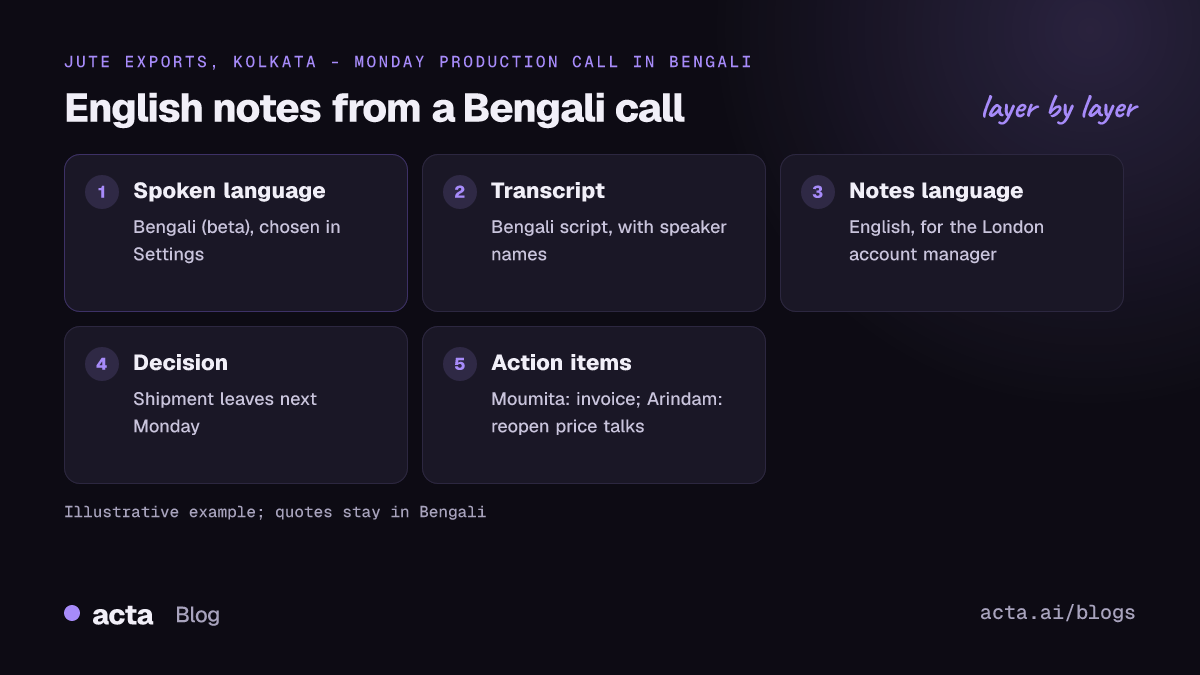
Here's an illustrative example. It's not a real company, but the shape will be familiar to anyone in the trade. A jute-goods exporter with an office in central Kolkata holds a 30-minute call every Monday with the supervisor at the mill it buys from in Hooghly district, plus its own accounts person. The call is in Bengali. The notes go to an account manager in London who handles the UK buyer and doesn't read Bangla.
Setup: Arindam, the export manager, sets "Language spoken in meetings" to Bengali (beta) and "Language for my notes" to English. The mill supervisor joins by WhatsApp on his phone, so Arindam records from the desktop app on his laptop.
Three lines from the transcript, as they'd appear, with English glosses:
Subrata: আগামী সোমবার শিপমেন্ট যাবে। (The shipment goes next Monday.)
Moumita: invoice টা কাল পাঠিয়ে দেব। (I'll send the invoice tomorrow.)
Arindam: দাম নিয়ে আরেকবার কথা বলতে হবে। (We need to talk about the price once more.)
And the English notes Arindam would expect to see, roughly:
- In short: 25,000 shopping bags ready for dispatch; the price for the next order is still open.
- Decision: the shipment leaves next Monday as planned.
- Action item: Moumita sends the invoice tomorrow.
- Action item: Arindam reopens price talks with the mill before Friday.
- Key quote: "দাম নিয়ে আরেকবার কথা বলতে হবে" (kept in Bengali, glossed by the reader).
Look at what to check here. Did "next Monday" get the right owner? Is the price action item assigned to Arindam, who said it, and not to the mill? Did twenty-five thousand stay twenty-five thousand? On a beta language, these are the three things to verify before you forward anything. The follow-up email draft then goes to the London account manager in English, and the Bengali transcript stays on file if anyone disputes what was agreed.
If the exporter wanted the notes in Bengali for the mill instead, Arindam would set notes to "Same as the meeting" for that call. Because the setting applies to new meetings, it's a choice you make before the call, not after.
The beta has limits your team should hear upfront
Being honest about the beta saves arguments later. Bengali transcription works, but accuracy is still improving, so the first meetings need a human check. Tell your team that on day one instead of letting them find out.
Here's what affects results most, in roughly this order:
- The language setting. Bengali chosen by name, not Auto. Nothing else matters if this is wrong.
- Audio from phones. A supervisor on a mill floor with looms running will be harder to transcribe than someone in a quiet office. Ask them to step outside or use earphones with a mic.
- People talking at once. Bengali meetings can get lively. One speaker at a time helps the transcript and the speaker labels.
- Regional speech. Strong regional varieties, such as Sylheti, which many Bangladeshi families in the UK speak at home, sit further from standard Bengali. Test a couple of meetings before relying on it.
- Long stretches of English. If a "Bengali" meeting is mostly English, the setting is wrong for it.
For the audio side, the post on improving accuracy with accents, noise and crosstalk has fixes that apply to any language. And if your team works across several Indian languages, the batch guide to meeting notes for Indian teams covers who should own the language setting.
One more limit worth knowing: notes are in Bengali or English only. A Dhaka office can't get Hindi notes from a Bengali meeting, and a Dubai team can't get Arabic notes from it. English is the shared fallback.
Where Acta fits for Bengali meetings
Acta records the call, gives you a Bangla transcript, and writes the summary, decisions, action items and follow-up draft in Bengali or English. It doesn't use your meeting data to train AI models. It won't fix poor audio or pick Bengali for you, and the beta still needs checking, so plan for that.
Frequently asked questions
Can AI transcribe Bengali meetings?
Yes. Acta transcribes Bengali meetings as a beta language. You choose Bengali under Settings, Meetings, Language, because Auto doesn't detect it. The transcript comes back in Bengali script, and notes can be in Bengali or English. Accuracy is still improving, so check names, dates and amounts in early meetings, especially calls recorded on phones.
Does Bengali meeting transcription handle Bengali mixed with English?
Mostly, if Bengali carries the meeting. Choose Bengali when people speak Bengali sentences with English words inside them, which is normal in Kolkata and Dhaka offices; those English terms usually come through as said. If the meeting is mainly English with Bengali asides, choose English instead. Acta processes one language per meeting.
Can I get English notes from a Bengali meeting?
Yes. Set "Language for my notes" to English. The transcript stays in Bengali script, while the summary, decisions, action items and follow-up email draft are written in English. Quotes keep their original Bengali wording, and names, numbers and amounts such as lakh figures are kept as spoken, not converted.
Does it work for Bangladeshi Bengali as well as West Bengal Bengali?
The setting is simply Bengali; there's no separate option for Bangladesh or West Bengal. Standard spoken Bengali from either side should work as a beta language. Strong regional varieties, such as Sylheti, are further from the standard, so test a few recordings first and check the output before you rely on it.
Why did my Bengali meeting come out as Hindi or English?
Almost always because the spoken language was left on Auto or English. Auto only picks among English, Hindi, French, Spanish and German, so it can't return Bengali. Open the meeting, check the language chip, then use "Change language" to set Bengali for future meetings. Past meetings keep the language they were processed in.
Plan your first month of Bengali transcripts
A little planning in the first month makes the difference between a team that trusts the notes and one that gives up after a bad week. Use this as a checklist:
- Pick the right meetings: start with two or three regular calls that are clearly in Bengali, such as a weekly supplier or production call.
- Agree the notes language: decide per meeting who reads the notes, and choose Bengali or English to match them.
- Fix the audio first: earphones with a mic for anyone calling from a factory floor, a market or a car.
- Check three things: owners, dates and amounts in each set of notes for the first few weeks.
- Tell people: say at the start of each call that it's being recorded and why.
When you're ready to try it on a real call, record your next Bengali meeting from your own laptop with the Acta desktop app, or in the browser with the Chrome extension.