Arabic-English meetings in Dubai need one language per meeting
Walk through a typical Dubai office on a Tuesday and you'll hear a client call in Gulf Arabic, an internal ops review in English, a finance huddle in Hinglish and a site briefing where three languages pass in ten minutes. English carries a lot of business: an Abu Dhabi government overview of the emirate's people notes that English is the most widely spoken language for business, trade and tourism. Arabic remains the official language and the language of many clients, regulators and senior staff.
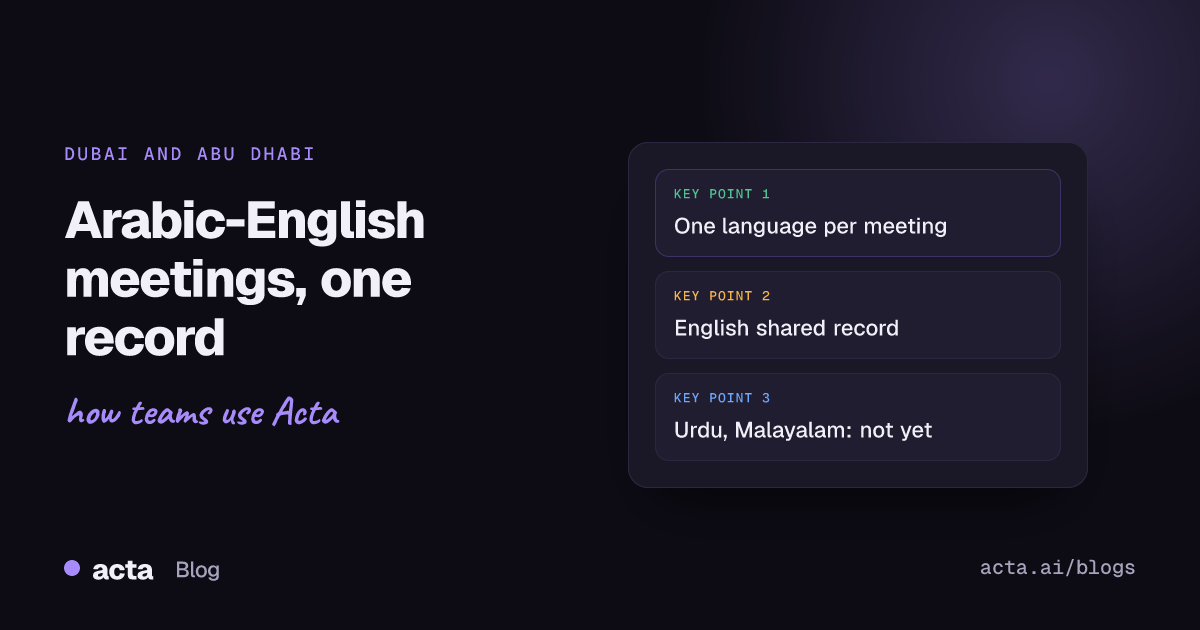
A meeting notetaker has to pick a language before it can write anything. Acta processes each meeting in one language. Acta detects English, Hindi, French, Spanish and German automatically; ten more languages can be chosen in Settings, including Arabic, which is in beta. Arabic is never picked by Auto, so Arabic meetings need Arabic selected on purpose.
What about meetings that use both? English words inside Arabic speech, such as "invoice", "KPI" or a product name, are kept as said when the meeting is set to Arabic. The trouble starts when a meeting genuinely splits: the first half in Arabic with the client, the second half in English with the internal team. Pick the language in which decisions are made. If both halves matter equally, consider recording them as two meetings.
The person who records sets the language
The language settings live on each person's account, under Settings, Meetings, then the Language card. There are two choices: "Language spoken in meetings" (English by default, Auto, or one of the 15 languages) and "Language for my notes" (Same as the meeting, or English). They apply to new meetings; anything already recorded keeps its language.
So the question for an office isn't "what language does the company use?" It's "who records the Arabic meetings, and what is their account set to?" Three patterns work well for bilingual meetings:
- Named recorder. One person per team (often the account manager for Arabic-speaking clients) records all Arabic meetings and keeps Arabic on their account. Everyone else stays on English or Auto.
- Switch per week. A team that has a run of Arabic client meetings switches to Arabic for that week and back afterwards. It works, but people forget to switch back.
- Split by role. Government-relations and client-facing staff use Arabic; operations, finance and tech stay on Auto or English.
Each meeting page shows a small chip with the language, and the notes email shows it too. Make checking the chip a habit for the first month. The meeting languages help article has screenshots of where everything sits, and setting up your team covers inviting people to a shared workspace.
Four kinds of meeting cover most of the week
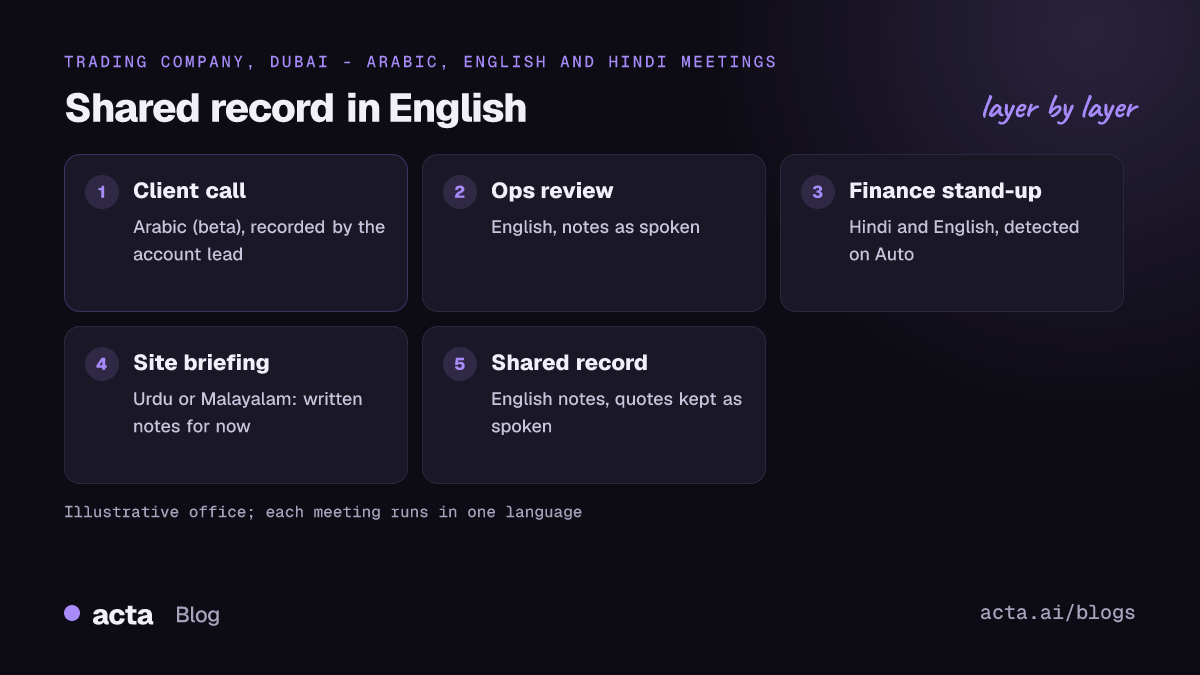
Most Arabic-English meetings Dubai teams hold fall into a small number of types. Map yours once and the settings follow. Here's an illustrative mapping for a mid-sized trading company in Jebel Ali:
| Meeting | Spoken language setting | Notes language |
|---|
| Client or government call held in Arabic | Arabic (beta) | English for the file, Arabic if the client gets the follow-up |
| Internal ops or sales review in English | English or Auto | Same as the meeting |
| Finance or IT stand-up in Hindi and English | Auto (detects Hindi) | English for the shared record |
| Site or warehouse briefing in Urdu or Malayalam | Not supported yet | Written notes by the team lead |
The last row is the honest one. Not every meeting in a Gulf office can be transcribed today, and pretending otherwise produces records nobody can trust.
An English record keeps a mixed office on one page
When notes come in English, a manager who doesn't read Arabic can follow every client relationship, and a CRM gets one language to search. The transcript of an Arabic meeting stays in Arabic either way. Only the summary, decisions, action items, report templates and follow-up email draft switch to English. Quotes stay as spoken, and names, numbers, dates and dirham amounts are kept exactly as said.
Here's an illustrative excerpt from English notes on an Arabic supplier call:
In short: The supplier agreed to move delivery to the second week of the month. Payment terms unchanged.
Action items: Karim confirms the new delivery date in writing by Sunday.
Key quotes: "تم الاتفاق على الموعد."
Gloss of the quote: The date was agreed.
Arabic text in Acta currently displays left-aligned, and right-to-left display is being fixed, which is one more reason many offices prefer English notes for circulation. The Arabic meeting transcription setup guide covers that limit and the dialect question in detail.
Questions across meetings work in any of the languages people ask in. OneChat answers in the language of the question, so a manager can type "What did we agree with the supplier about delivery?" in English and get an English answer with sources pointing back to the Arabic meeting. The OneChat guide explains how sources are shown.
English notes are a choice about readers, not a judgement about the language. If a meeting's notes go back to an Arabic-speaking board or client, Arabic notes are the right call.
Hindi-speaking colleagues can stay on Auto
Many UAE finance, IT and operations teams include Hindi speakers who move between Hindi and English in the same sentence. That mix, often called Hinglish, is handled as Hindi, and Auto detects it. Someone who joins English meetings in the morning and a Hindi-heavy team call after lunch can leave Auto on all day.
A short illustrative line from a finance stand-up transcript:
कल तक भेज दूँगा।
Gloss: I'll send it by tomorrow.
With English notes, that becomes an action item in English with the owner's name, while the line itself stays in Devanagari in the transcript. For more on how mixed Hindi-English speech is handled, see Hinglish transcription for mixed meetings.
Auto has one catch for these colleagues: it won't switch to Arabic. If a Hindi-speaking account manager also records Arabic client calls, they need to change to Arabic for those, and back to Auto afterwards.
Urdu and Malayalam are not supported yet
Urdu and Malayalam are common in Gulf workplaces, and neither is among Acta's 15 languages today. Tagalog isn't either. Don't record those meetings expecting a usable transcript, and don't choose a different language as a stand-in. Spoken Urdu sounds close to Hindi to many listeners, but Acta isn't built to treat one as the other, and a record you can't trust is worse than none.
For those meetings, a few practical options:
- Keep written notes by the team lead, with decisions and owners in English.
- Close in English. If the team is comfortable, restate the decisions in English at the end and record just that part with English selected.
- Use a shared language where it's natural. Many site and warehouse teams already switch to English or Hindi for cross-team briefings; record those, not the private ones.
Tell staff plainly which languages are covered. It avoids someone recording a Malayalam meeting, getting nonsense back and deciding the tool doesn't work for anything.
Tell people before you record and check the official rules
Whatever the language, say at the start that the meeting is being recorded and why, in the language of the meeting. In a mixed room, say it in Arabic and English. The Acta desktop app has a "Copy notice" button that pastes a recording notice into the meeting chat, and it records only the call's sound and your microphone, never your screen. In a browser meeting, the Chrome extension records without a bot joining, but people still need to know.
On the legal side, the UAE has a federal personal data protection law, Federal Decree-Law No. 45 of 2021. The UAE government portal's page on data protection laws is the official place to start reading about it. This is general information, not legal advice: if your recordings involve customers, employees or sensitive matters, check with your legal adviser. For a plain guide to what to tell participants, read is it legal to record meetings with AI.
A one-page language playbook for the office
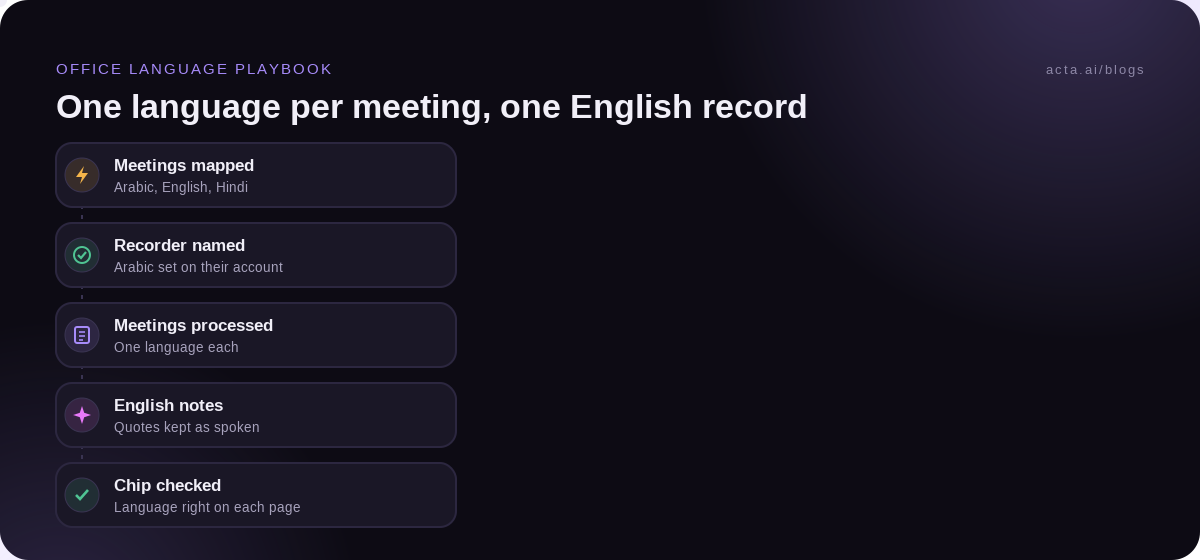
Put this on one page and share it in the team channel. Adjust the names and meeting types:
- List the recurring meetings and write the spoken language next to each: Arabic, English, Hindi, or not supported.
- Name a recorder for every Arabic meeting and make sure their account says Arabic before it starts.
- Set everyone else to Auto if they move between English and Hindi, or English if they only meet in English.
- Agree the notes language for the shared record. For most mixed offices that's English; for an Arabic-speaking leadership team it may be Arabic.
- Check the chip on each meeting page for the first month. Fix any wrong setting the same day, because past meetings don't change.
- Write down the unsupported languages (Urdu, Malayalam and others) and how those meetings are noted instead.
- Review after four weeks. Ask which notes people actually read, and adjust.
For a wider look at how transcript language and notes language interact, the multilingual meeting notes explainer covers the concepts in more depth.
Where Acta fits
Acta transcribes Arabic (beta), English and Hindi meetings, among 15 languages, and writes notes in the meeting's language or English. It records through a meeting bot, the desktop app, the Chrome extension, mobile apps or uploaded files, and the language setting works the same across all of them.
Frequently asked questions
Can one meeting be transcribed in both Arabic and English?
No. Each meeting is processed in one language. English words inside Arabic speech are kept as said when Arabic is selected, but a meeting split evenly between Arabic and English should be set to the language in which decisions are made, or recorded as two parts. Hindi with English is the only supported mix.
Can I get English notes from Arabic meetings in Dubai?
Yes. Choose Arabic as the spoken language and English as the notes language. The transcript stays in Arabic, and the summary, decisions, action items, templates and follow-up email draft come in English. Quotes, names and dirham amounts are kept as said. Arabic is in beta and currently displays left-aligned.
Does Acta support Urdu or Malayalam?
Not yet. Acta supports 15 languages: English, Hindi, French, Spanish and German on Auto, plus Italian, Portuguese, Dutch, Arabic, Japanese, Telugu, Tamil, Kannada, Marathi and Bengali in beta. Urdu, Malayalam and Tagalog are not on the list, so don't rely on Acta transcripts for meetings held in those languages.
Does each person need to set the language?
Yes. The language setting belongs to each user's account and applies to meetings that person records. An office playbook should name who records Arabic meetings and confirm their account is set to Arabic. Everyone else can stay on Auto, which covers English and Hindi, or on English.
Is it legal to record meetings in the UAE?
This is general information, not legal advice. The UAE has a federal personal data protection law, Federal Decree-Law No. 45 of 2021, summarised on the official u.ae portal. Tell participants before recording, explain why, and check the official texts or a legal adviser for anything involving customers or sensitive matters.
Agree your office's language rules this week
The Arabic-English meetings Dubai and Abu Dhabi teams run won't sort themselves out. A short decision now saves months of confused notes:
- Map the meetings: one line per recurring meeting with its spoken language.
- Name the Arabic recorders: and check their Language card says Arabic.
- Choose the shared notes language: usually English for mixed teams.
- Say what's not covered: Urdu and Malayalam meetings get written notes for now.
- Script the recording notice: one line in Arabic and English, used every time.
To try it with your team, start a 15-day free trial and set the language on each recorder's account before the first meeting.