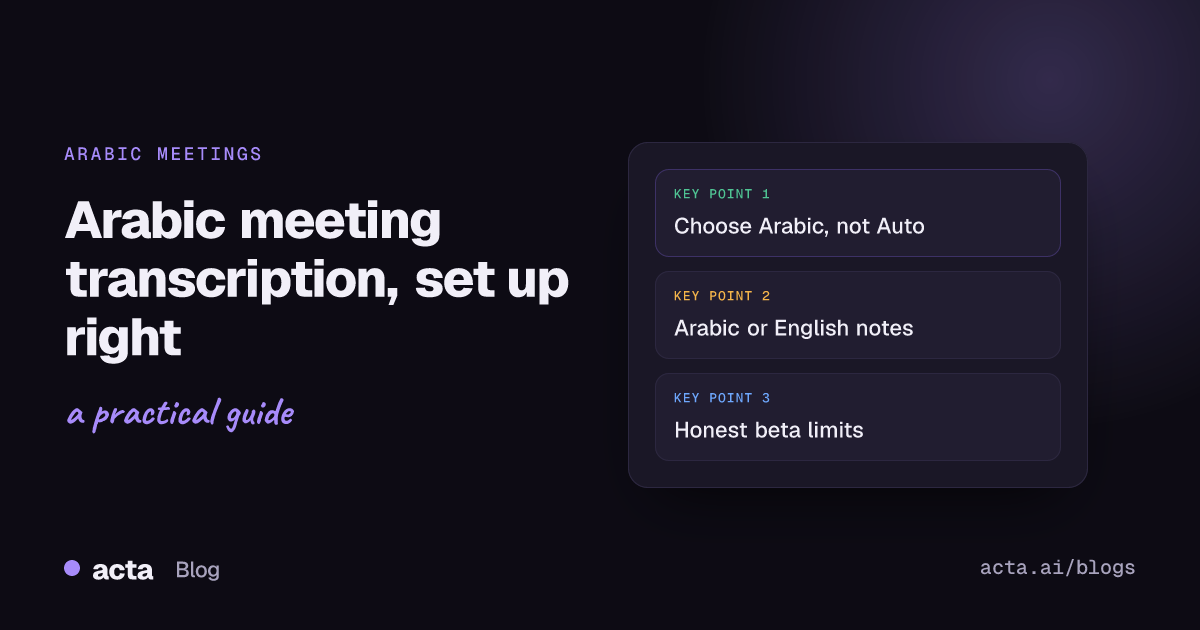
Arabic meeting transcription starts with choosing Arabic by name
Acta detects English, Hindi, French, Spanish and German automatically; ten more languages can be chosen in Settings, and Arabic is one of them. That split matters more than anything else in this guide, and it explains most failed Arabic transcription attempts. Auto is a shortcut that picks among five languages. It does not listen for Arabic, so if your setting says Auto and the meeting is in Arabic, the result will be wrong. Nothing about the audio tells Auto to look beyond its five languages.
The fix is simple: set the meeting language to Arabic. The option is marked "(beta)" in the list. Beta here means the feature works and is being improved, not that it's hidden or experimental. You should still read the first few transcripts carefully, especially for names and figures.
Arabic is one of 15 languages Acta handles. The full list, and what Auto does and doesn't cover, is in the meeting languages help article and in the step-by-step guide to the languages Acta supports.
Turn on Arabic in five steps
The setting lives on your account and applies to meetings recorded after you change it. Past meetings stay as they were.
- In the Acta dashboard, open Settings and then Meetings.
- Scroll to the Language card. It sits just below "Add Acta Notetaker to my meeting invites".
- Open "Language spoken in meetings" and select Arabic (beta). The default is English.
- Under "Language for my notes", pick Same as the meeting for Arabic notes, or English for English notes.
- Record a short test meeting. On its page, the language chip next to the tabs should say Arabic; if not, follow the "Change language" link back to this card.
The meeting-notes email also shows the language, with a short tip linking to this setting, so a colleague who gets a confusing email can see at a glance what went wrong.
Because the setting is per account, think about who records. If your colleague in Dubai sends the notetaker to an Arabic client call but their account is set to English, the meeting is processed as English. Agree who records Arabic meetings, or make sure everyone who might has Arabic set for those weeks. The companion piece on running Arabic-English meetings in Dubai covers that office-level question.
Arabic transcripts display left-aligned for now
Here's the limit you'll notice first. Arabic is written right to left, but Acta currently displays Arabic transcripts left-aligned. The text is in Arabic script; the lines simply sit against the left edge of the page instead of the right. Right-to-left display is being fixed. Acta does not offer right-to-left layout yet, and you shouldn't tell colleagues that it does.
In practice this makes long paragraphs harder to scan, and lines that mix Arabic with numbers or English words can look awkward. Text direction on screen is a layout question: the Unicode Bidirectional Algorithm describes how mixed right-to-left and left-to-right text is ordered for display, and the layout around it decides where each line starts.
Until the fix lands, a few habits help:
- Paste into an editor set to right-to-left when you need to share a passage. Most word processors and email clients let you switch paragraph direction.
- Quote short. A one-line quote is easy to read left-aligned; a 200-word block is not.
- Use English notes for wide circulation if the alignment would distract readers who aren't used to it.
- Tell people in advance. A one-line note in your rollout message saves a dozen "is this broken?" questions.
Gulf dialect and Modern Standard Arabic often share one meeting
Arabic in a real business meeting is rarely one register. A formal opening, a contract clause read aloud, or a government-facing statement tends to be in Modern Standard Arabic. The back-and-forth that follows often moves into dialect: Gulf, Egyptian, Levantine, depending on who's in the room. UAE University's Arabic programme page describes Standard Arabic as the form used in government institutions, with spoken dialects used outside official settings. Most meetings live somewhere between the two.
Acta has one Arabic option, not separate dialect options. Treat it accordingly. Formal, clearly spoken passages are the most reliable. Fast dialect exchanges, people talking over each other, and heavy slang are where a beta transcript will be weakest. That's not a reason to avoid it; it's a reason to read the parts of the transcript that matter (commitments, figures, dates) rather than trusting a skim.
Arabic is also an official language of the United Nations; the UN's Arabic Language Day page marks the 1973 General Assembly decision that made it so. Formal documents across the region follow that standard register, which is one reason English notes or Arabic notes in a neutral register read well as a record, even when the conversation was in dialect.
English mixing is normal too. A Jeddah sales meeting might drop "deadline" or "invoice" into Arabic sentences, or switch fully into English for a technical slide. Short English terms inside Arabic speech are kept as said. Long stretches of English inside an Arabic meeting can come through less cleanly, because the meeting is being processed as Arabic. If a meeting is genuinely half and half, decide which language carries the decisions and set that one.
Arabic notes suit the client, English notes suit the project file
The transcript is always in Arabic for an Arabic meeting. The notes are your choice: the summary, decisions, action items, report templates and follow-up email draft all follow the notes language. Nothing is translated into a third language, so the choice is Arabic or English.
| Situation | Notes language | Why |
|---|
| Client steering call, follow-up goes to the client | Arabic | The client reads the email draft |
| Same call, record kept by a mixed team | English | Everyone can read the project file |
| Internal Arabic-speaking team meeting | Arabic | The room reads its own notes |
| Notes pushed into an English CRM | English | Search and reports work in one language |
| Formal Arabic meeting minutes for a board | Arabic | Minutes match the meeting record |
One setting covers both notes and the follow-up draft, so you can't have English notes and an Arabic email from the same meeting automatically. A workable middle path: keep notes in English, then use Ask Acta on that meeting. Ask Acta answers in the language you ask in, so a question typed in Arabic gets an Arabic answer you can adapt for the client.
If you need Arabic meeting minutes in a fixed format, run a report template or your own custom template; templates follow the notes language too. Section headings such as "In short" and "Key quotes" stay in English in both cases, as does the whole dashboard. Only the text under the headings changes language.
Worked example: an Abu Dhabi consultancy's call with a Riyadh client
An illustrative example. Omar, a project manager at an Abu Dhabi engineering consultancy, runs a monthly review with a facilities client in Riyadh over Microsoft Teams. The client team speaks Arabic, mostly Gulf dialect, with English terms for contract items. Omar's account is set to Arabic for meetings and English for notes, because his project file is read by colleagues who don't read Arabic.
Two lines from the transcript:
نحتاج التقرير يوم الخميس.
Gloss: We need the report on Thursday.
الاجتماع القادم في الرياض.
Gloss: The next meeting is in Riyadh.
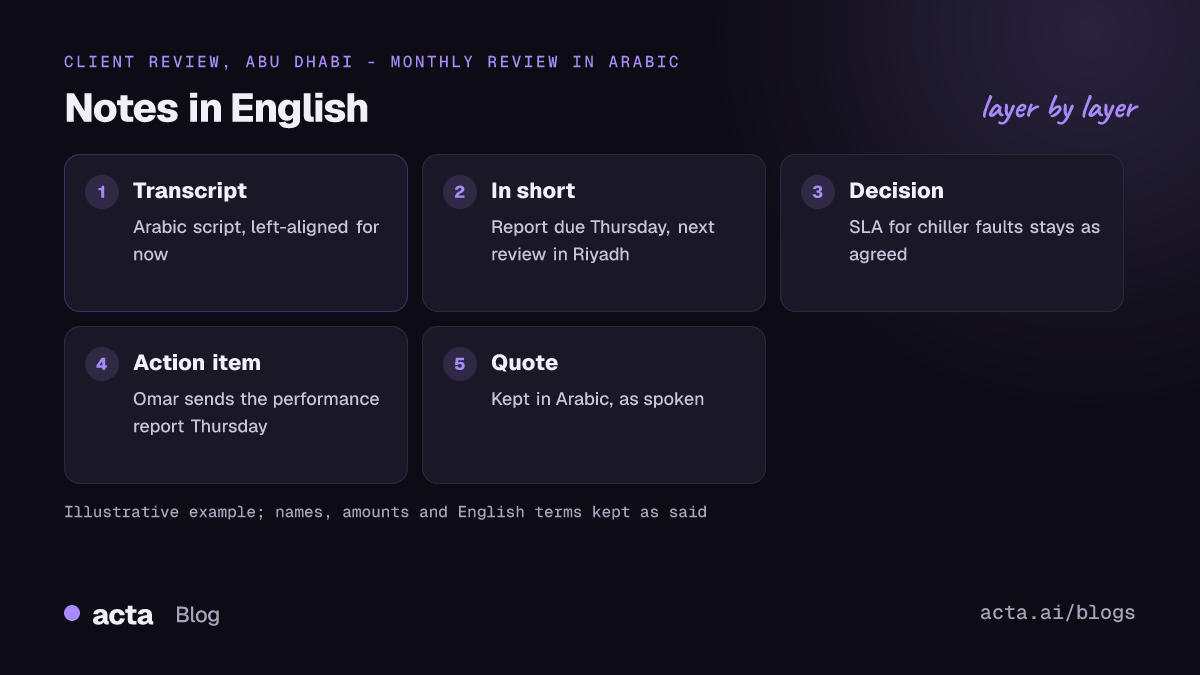
On screen these lines are left-aligned for now. The English notes for the meeting read:
In short: The client wants the monthly performance report by Thursday and asked for the next review to be held in Riyadh.
Decisions: Next review in person in Riyadh. The SLA response time for chiller faults stays as agreed in the contract.
Action items: Omar sends the performance report by Thursday. Lina confirms travel dates for the Riyadh visit.
Key quotes: "نحتاج التقرير يوم الخميس."
The quote stays in Arabic even though the notes are in English. "SLA" and the client's name stay exactly as spoken. When the client said "إن شاء الله" (God willing) about the date, the notes didn't turn that into a firm commitment or drop it; Omar checks the transcript for that kind of nuance before he writes the follow-up.
Omar recorded with the meeting bot because the client was happy with a visible notetaker. If a client prefers no bot, the Acta desktop app records the call from his own laptop instead, and in a browser meeting the Chrome extension does the same. In every case he says at the start that the meeting is being recorded; the guide to recording meetings with AI covers what to tell participants.
Riyals, names and English terms are kept as they were said
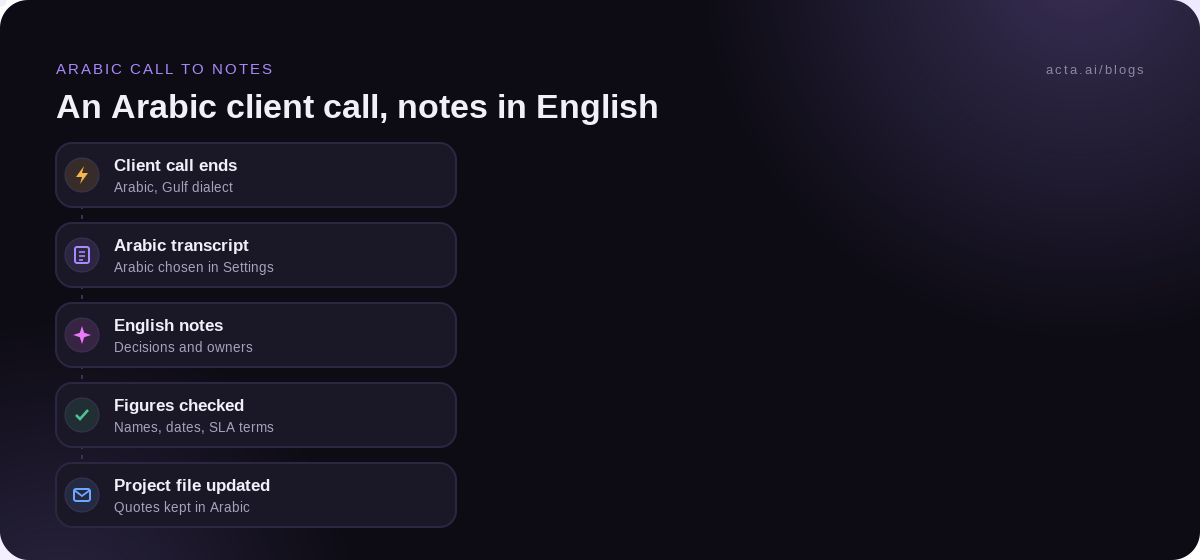
Acta keeps names, numbers, dates, amounts and technical terms as they were spoken. For Arabic meetings that has three practical effects.
Amounts stay in their spoken form. If someone says a figure in riyals or dirhams, the notes keep that figure and currency, without converting it. That's what you want for a record, but it means you should check figures said quickly in dialect against the audio before they go in a contract summary.
Names aren't standardised. Arabic names can be written in English several ways (Mohammed, Muhammad, Mohamed). In English notes, expect the name as it came through, and correct it once to the spelling your client uses.
English terms stay English. KPI, SLA, invoice, the product name, the software module: kept as said. That's usually right for engineering and finance meetings, where those terms are the shared vocabulary anyway.
If speaker labels aren't available for a meeting, the Arabic transcript still comes back, just without names. Owners in action items can still come from what was said ("Lina will confirm the dates").
Room audio decides more than the setting does
Beta languages are more sensitive to poor audio than English is. The usual problems in the region are familiar: a large boardroom with one speakerphone in the middle, a majlis-style seating arrangement where people sit far from the microphone, air conditioning running loud, and several people talking at once when a decision gets close.
- Use individual laptops or headsets for hybrid meetings rather than one room microphone.
- Ask people to speak one at a time for the decisions. Overlap matters most at exactly the moment you need the record.
- Restate commitments at the end: who does what by when, in one clear sentence.
- Keep side conversations out of the meeting audio. A side chat in a different dialect confuses the transcript.
The guide to accents, noise and crosstalk goes further on room setup. For recordings you already have, such as a phone recording of an earlier meeting, upload the audio after setting Arabic, and it's processed the same way.
Where Acta fits
Acta transcribes Arabic meetings in Arabic script (beta) and writes the summary, decisions, action items, templates and follow-up draft in Arabic or English. It records through the meeting bot, desktop app, Chrome extension, mobile apps or uploads. Arabic text is left-aligned for now.
Frequently asked questions
Can AI transcribe Arabic meetings?
Yes. Acta transcribes Arabic meetings in Arabic script as a beta language. Choose Arabic under Settings, Meetings, Language before the meeting, because Auto does not detect Arabic. Notes come in Arabic or English. Accuracy is still improving, so check names, figures and commitments against the audio for important meetings.
Does Acta detect Arabic automatically?
No. Auto detects five languages: English, Hindi, French, Spanish and German. Arabic is one of ten beta languages that you must choose by name in Settings. If an Arabic meeting is recorded on Auto or English, the transcript will be wrong; change the setting and record the next meeting with Arabic selected.
Can I get English notes from an Arabic meeting?
Yes. Set "Language for my notes" to English. The transcript stays in Arabic, while the summary, decisions, action items, report templates and follow-up email draft are written in English. Quotes, names, amounts and English terms such as KPI or SLA are kept as they were said.
Why does my Arabic transcript look left-aligned?
Arabic transcripts in Acta currently display left-aligned. The text is in Arabic script, but lines start at the left edge rather than the right. Right-to-left display is being fixed. Until then, paste passages into an editor set to right-to-left when you share them, or use English notes for wide circulation.
Does it handle Gulf dialect and English mixed in?
There's one Arabic option covering the meeting, not separate dialect options. Formal, clearly spoken Arabic comes through best; fast dialect, crosstalk and long English passages inside an Arabic meeting are weaker in the beta. Short English terms within Arabic sentences are kept as said. One language applies per meeting.
Plan your first Arabic meetings
A short checklist before you rely on Arabic transcripts for client work:
- Set Arabic on the right account: whoever records the meeting needs Arabic selected, not Auto.
- Pick the notes language by reader: Arabic for the client and the room, English for mixed teams and CRM records.
- Warn people about alignment: left-aligned Arabic is expected for now; it isn't a broken transcript.
- Run a 15-minute internal test: check the chip, the figures and one or two names before the first client call.
- Fix the room: one microphone per speaker where you can, and restate decisions clearly at the end.
To try it on your next Arabic call, start a 15-day free trial and set Arabic before the meeting begins.