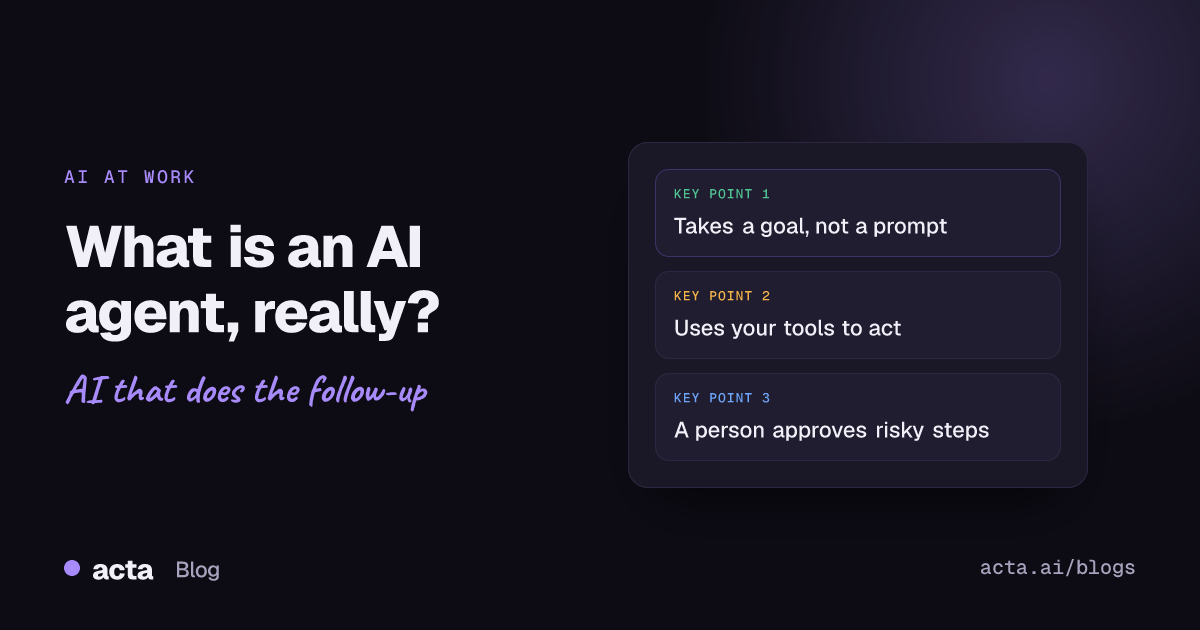
Quick answer: What is an AI agent? It's software that takes a goal, decides the steps, uses tools such as your email, CRM or calendar to carry them out, and checks the result before it reports back. A chatbot answers you. An agent does a piece of work for you, usually with a person approving anything that leaves the building.
Most people asking this have already sat through a vendor demo where everything was called an agent. The word has been stretched so far that it's hard to tell a clever chat window from something that will actually update a record while you're at lunch. This post gives you an answer to "what is an AI agent" that holds up in a buying meeting, a few honest examples, and the questions that separate the real thing from a rebrand.
What is an AI agent, in plain English?
Think of the difference between asking a colleague a question and asking them to handle something. "What did the client say about pricing?" is a question. "Send the client a recap with the pricing we agreed and log it in the CRM" is a task. A chatbot is built for the first. An AI agent is built for the second.
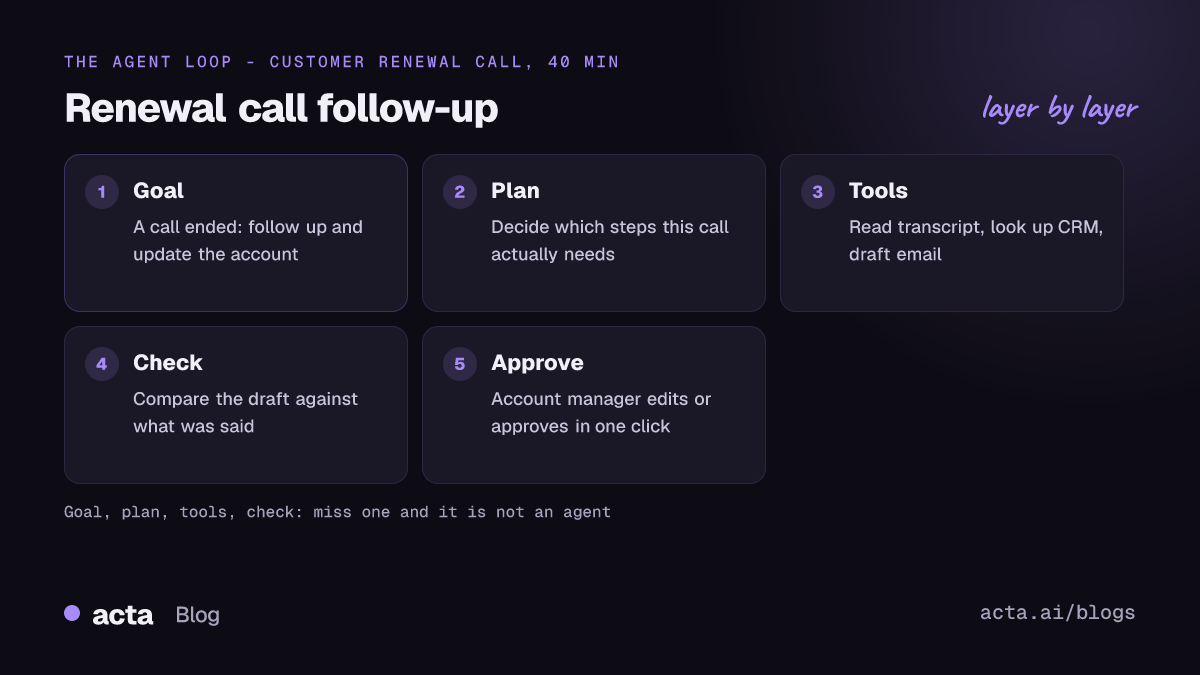
IBM's explainer puts it this way: an agent is a system that autonomously performs tasks by designing workflows with available tools. Strip out the jargon and you get four parts:
- A goal. Something a person or an event hands it, like "a sales call just ended" or "draft this week's status report".
- A model that plans. A large language model works out which steps get it to the goal. That's the part older automation never had.
- Tools. Connections it's allowed to use: read a transcript, look up a contact, create a ticket, write an email draft.
- A check. It looks at what it produced, fixes obvious gaps, and either finishes or hands the work to a person.
If any of those four is missing, you probably have something useful but not an agent. A model with no tools is a chatbot. Tools with no model making choices is a classic automation. Both are fine. They just aren't what this word is supposed to mean.
How does an AI agent work?
Here's the loop with a real-ish example. Say a 40-minute renewal call with a customer just ended.
- Trigger. The call ending is the event that starts the agent.
- Read. It pulls the transcript and the account's history from the CRM.
- Plan. It decides what this call needs: a follow-up email, two tasks for the account manager, an update to the renewal date.
- Act. It drafts the email, creates the tasks, and prepares the field change.
- Check. It compares the draft against the transcript. Did the customer really agree to the March date, or was that just floated?
- Hand off. The account manager gets one message: here's what I drafted, approve or edit.
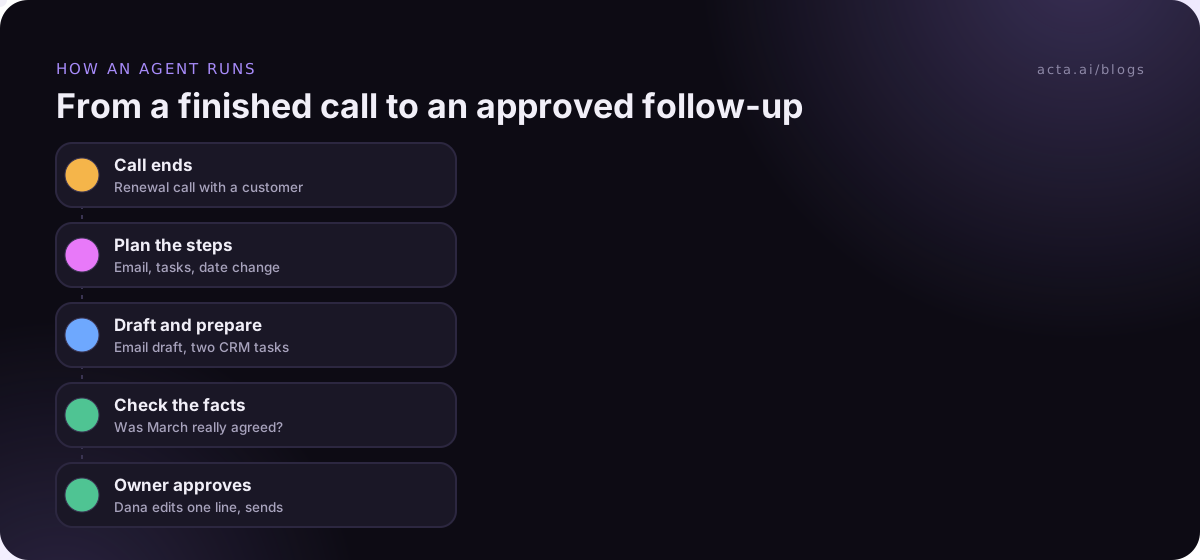
Step 3 is what makes it an agent. A fixed automation would run the same steps on every call, even a 10-minute internal check-in that needs none of them. The agent can decide this call needs no email at all, or that it needs a heads-up to the support lead because the customer complained about an outage. That's the kind of job AI agents for customer success teams take on.
Anthropic, which builds these systems, draws a useful line in its engineering guide. It calls fixed, predefined paths "workflows" and reserves "agents" for systems where the model dynamically directs its own processes and tool usage. The same guide recommends starting with the simplest setup that works and only adding autonomy when the task really needs it. I'd tape that sentence to the monitor of anyone planning an agent project.
What are good AI agent examples for business teams?
The jobs that suit agents share a shape: they happen often, the input is messy text, and the output is a draft or an update someone would otherwise type by hand. A few examples I see work well:
Sales
After a discovery call, an agent fills in next steps, stakeholders and the close date in the CRM and drafts the recap email. The rep reads it for 30 seconds instead of typing for 10 minutes.
Project and engineering teams
After a sprint review, it turns "Marco will look at the login bug before Friday" into a ticket with an owner and a date. Our ticket agent post shows what that looks like end to end.
Hiring
After an interview, it drafts a scorecard with quotes from the conversation as evidence, and the interviewer still gives the rating.
Operations and leadership
Every Friday it reads the week's meetings and writes a one-page status note: decisions made, items slipping, owners who went quiet.
Notice how many of these start with a meeting. Meetings are where most commitments get made and where most of them get lost, so a transcript is often the best raw material an agent can get. If you want the meeting-specific version of this explanation, read what an AI meeting agent does after your calls.
What is the difference between an AI agent, a chatbot and an automation?
Short version of the AI agent vs chatbot vs automation question:
- Chatbot: waits for your question, answers it, does nothing else. Great for looking things up.
- Automation: follows rules you wrote. "When a form is submitted, add a row to the sheet." Fast, cheap and predictable, but it can't cope with anything you didn't foresee.
- AI agent: gets a goal, chooses the steps, uses tools. More flexible, slower, and it needs guardrails.
In practice, plenty of good "agents" in business are really automations with a model doing one smart step in the middle, like reading a transcript and pulling out action items. That's fine. You're buying an outcome, not a label.
How much should an AI agent be allowed to do on its own?
This is the question that matters most, and teams usually get it backwards. They start by asking what the agent can do, when the real question is what it should be allowed to do without asking.
A rule of thumb I use: sort every action into three buckets.
- Do it. Internal, easy to undo, low stakes. Creating a draft, tagging a meeting, adding a note to a record.
- Ask first. Anything a customer or candidate will see, or anything that changes a number someone reports on. Emails, deal stages, forecast fields.
- Never. Deleting records, sending money, changing permissions.
Most teams should start with nearly everything in "ask first" and move items to "do it" only after a few weeks of approving drafts without edits. We've written more about when to put a person in the loop and about the security side, in what changes when a chatbot can take action.
Why do so many AI agent projects stall?
Gartner predicted in June 2025 that over 40% of agentic AI projects will be canceled by the end of 2027, citing rising costs, unclear business value and weak risk controls. The same release warned about "agent washing", where vendors rebrand existing chatbots and assistants as agents, and estimated that only about 130 of the thousands of vendors claiming agentic AI are the real thing.
From what I've seen, the failures look boringly similar:
- The task was too vague. "Help the sales team" is not a goal an agent can finish.
- The inputs were bad. If calls aren't captured, there's nothing for the agent to read.
- Nobody owned it. The agent ran, drafts piled up, and no one was responsible for approving them.
- It tried to do ten things at once instead of one thing every day.
The fix is to start small: one trigger, one output, one owner. Our walkthrough on how to build your first AI agent in five minutes uses a meeting follow-up for exactly that reason.
How do you spot a real AI agent in a vendor demo?
Ask these five questions and watch how specific the answers get:
- What starts it? A real agent has a trigger, not just a chat box waiting for you.
- Which tools can it use, and with what permissions? Read-only and read-write are very different conversations.
- Show me a run where it chose not to do something. If every run does the same steps, it's an automation.
- Where do I approve its work, and can I see what it did afterwards? You want a log you can read, not a black box.
- What happens when the input is missing or messy? A good answer is "it stops and tells you." A bad answer is a confident draft built on nothing.
One practical point about inputs: if your agent depends on meeting content, check how that content is captured. Some companies don't allow bots in calls, and that rules out tools that only join as a participant. A desktop recorder like Acta's desktop app captures the call from your own computer instead. Wherever calls get recorded, tell participants first; here's our guide on recording consent and what to tell people.
Where Acta fits
Acta records meetings on Zoom, Google Meet and Microsoft Teams and turns them into transcripts, summaries, decisions and action items with owners. Its Agent Builder lets you set up automations that run after meetings, such as drafting the follow-up email or sending updates to Salesforce, HubSpot or Jira. It's one option if your agent's raw material is what people said in calls.
Frequently asked questions
Is ChatGPT an AI agent?
Used as a plain chat window, no: you ask, it answers. Once it's connected to tools and allowed to take steps on its own, like browsing, filling in forms or calling another app, it starts to behave like an agent. The label depends on the setup, not the brand.
Do AI agents replace employees?
Not in the setups that work. They take over the typing that follows the real work: logging, drafting, chasing. The judgment calls, the customer relationship and the final approval stay with people.
Do I need developers to use an AI agent?
Not for common jobs. Many tools now offer ready-made agents or no-code builders. You'll want technical help when the agent needs access to internal systems with no existing connector.
Are AI agents safe to use with company data?
They can be, if access is scoped to what the task needs and risky actions require approval. Ask any vendor whether your data is used to train their models and what the agent can do without a person signing off.
What is an AI agent good for first?
Something that happens several times a week, has clear inputs, and ends in a draft a person reviews. Meeting follow-ups, CRM notes and status reports are common starting points.
If you want to try an agent on your own meetings, Acta's 15-day free trial is a low-stakes way to see what it drafts from a real call.