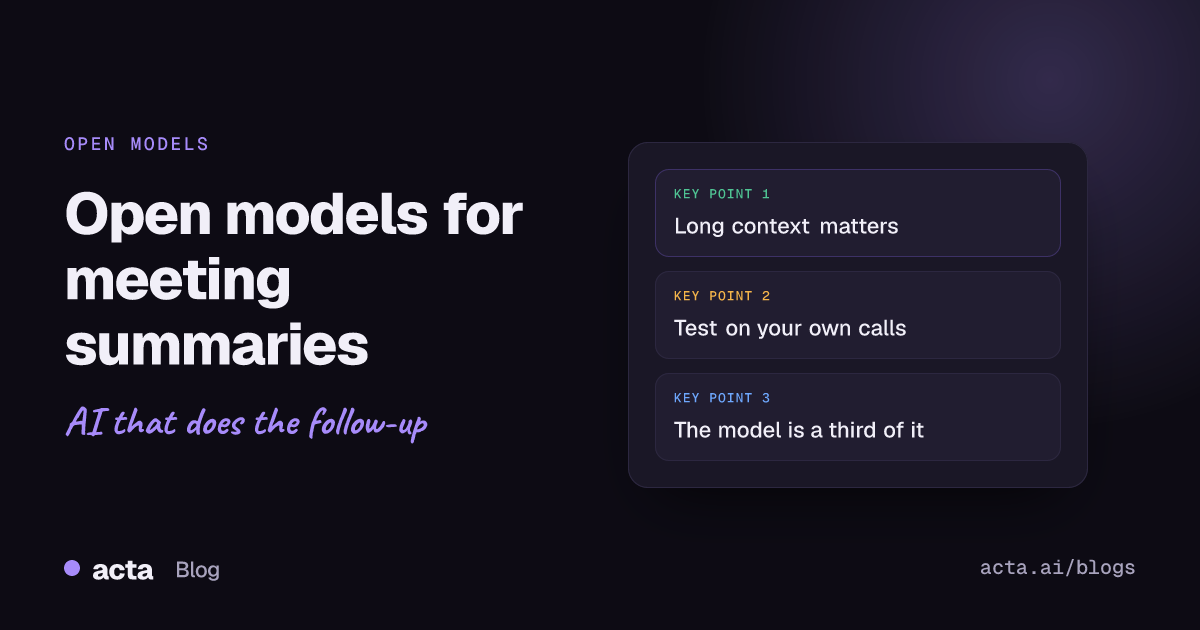
Quick answer: A good open source LLM for meeting summaries needs a long context window, reliable instruction following and support for the languages your team actually speaks. As of November 2026, Qwen3 (8B and up), Gemma 3 (4B and up), Mistral Small 3.1 and Llama 3.1 all clear that bar on paper. Run two of them on one of your own transcripts before you commit to either.
Most people who search for this have the same setup. There's a folder of call recordings, a transcript export from somewhere, and a hunch that a free model could turn it all into decent notes. That hunch is mostly right. The catch is that the model is maybe a third of the job, and the rest is the part nobody puts in the README.
This post covers what to look for in a model, which open models are worth a first test, a prompt you can paste in today, and an honest list of what you still need to build around it.
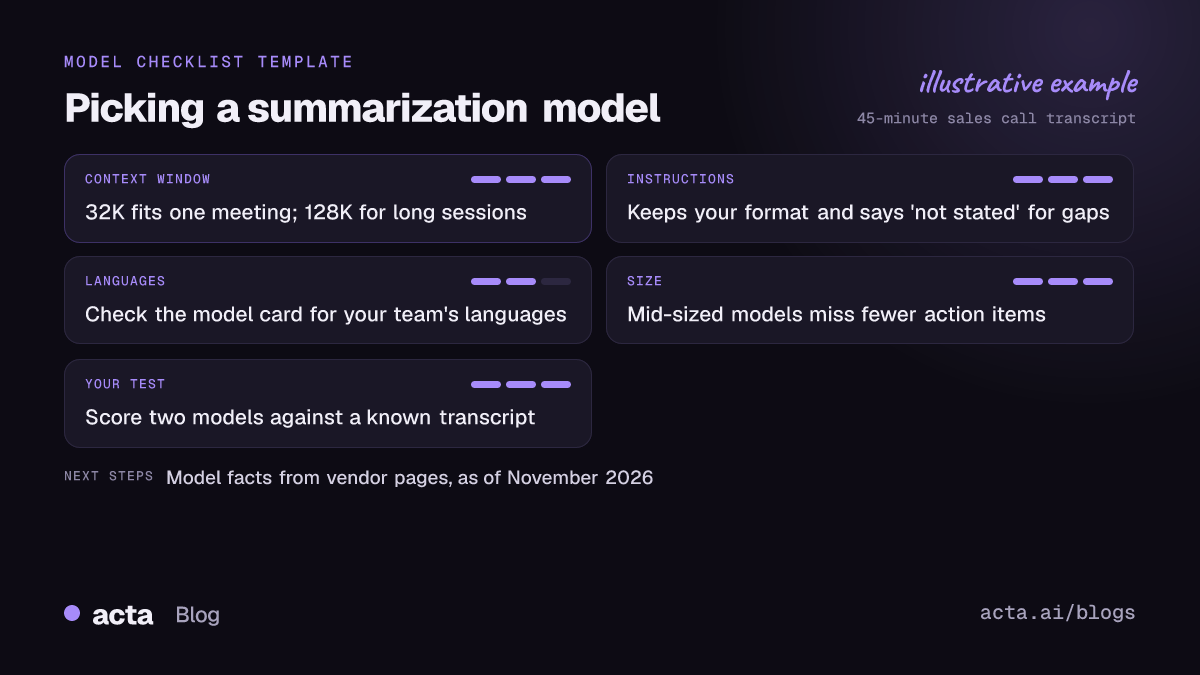
What makes a model good at summarizing meetings?
Meeting transcripts are a strange kind of text. They're long, repetitive, full of half-sentences, and the important bit ("fine, let's ship Friday") is often buried between two tangents about parking. A model that writes lovely essays can still be bad at this. Four things matter more than leaderboard rank.
Context window
The context window is how much text the model can read in one go, measured in tokens. People talk at very roughly 130 to 150 words a minute, so a 45-minute sales call lands somewhere around 6,000 words. In English that's usually under 10,000 tokens. A model with a 32K window handles that fine. A three-hour planning workshop or a batch of five calls is where you start wanting 128K.
Instruction following
You'll ask for a fixed format: decisions, action items with owners, open questions. A good model sticks to that format on the tenth transcript, not just the first. More importantly, it writes "no owner named" when nobody took the task, instead of quietly assigning it to whoever spoke last.
Languages
If half your calls are in German or Hindi, check what the model card says about language support before you test anything else. A model can read a language passably and still summarize it badly.
Size versus quality
Bigger models generally follow instructions better and miss fewer details, but they need more memory and run slower. For summaries, a mid-sized model (roughly 8B to 30B parameters) is the sweet spot I'd start with. Tiny models are tempting on a laptop, and they're fine for a gist, but they're the ones most likely to drop an action item or merge two people into one.
Which open source LLM for meeting summaries should you try first?
These four families all ship instruction-tuned versions with long context windows, and you'll find them in plenty of formats on Hugging Face. The facts below come from the model makers' own pages or launch notes, as of November 2026. New versions land often, so check the model card for the exact checkpoint you download.
Qwen3
The Qwen3 launch post lists six dense models from 0.6B to 32B parameters, released under Apache 2.0. The 8B, 14B and 32B sizes are listed with a 128K context; the 0.6B, 1.7B and 4B sizes with 32K. If you're on a laptop, the 8B is the one to start with.
Gemma 3
Google's Gemma 3 technical report covers 1B, 4B, 12B and 27B sizes. The 4B and larger models take 128K tokens of input, the 1B takes 32K, and the training data spans more than 140 languages. If your team runs calls in several languages, Gemma 3 12B is a sensible first test.
Mistral Small 3.1
Mistral Small 3.1 is a 24B model under Apache 2.0 with a context window of up to 128K tokens. It sits in a nice middle spot: big enough to keep track of who said what, small enough to run on a well-equipped workstation once it's quantized.
Llama 3.1
Llama 3.1 came in 8B, 70B and 405B sizes with a 128K context, and AWS's launch notes list eight supported languages: English, German, French, Italian, Portuguese, Hindi, Spanish and Thai. It's older than the others here, but the 8B model is everywhere and makes a useful baseline to compare newer models against.
Notice what I'm not giving you: a ranking. Published benchmarks rarely include messy meeting transcripts, and the model that wins on your sales calls might lose on your engineering standups. That's why the test below matters more than any list.
Does a bigger context window mean better summaries?
Not automatically. The "Lost in the Middle" paper found that models do best when the relevant information sits near the start or end of a long input, and noticeably worse when it's in the middle. A decision made at minute 40 of a 90-minute call is exactly that kind of buried detail.
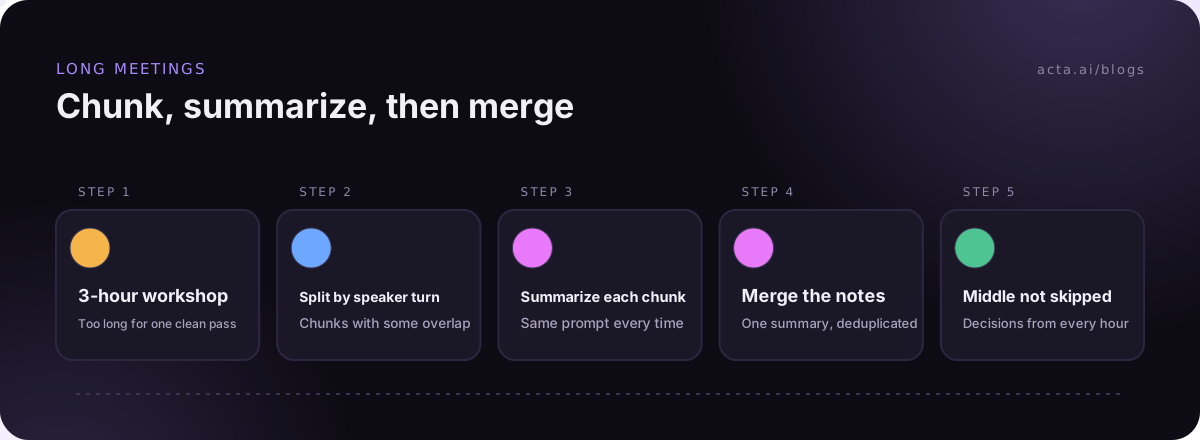
Two practical fixes help. First, don't fill the window just because you can; one meeting per prompt beats five. Second, for very long recordings, split the transcript into chunks along speaker turns, summarize each chunk, then summarize the summaries. We go deeper on splitting in chunking meeting transcripts by speaker turn.
One trap if you run models locally: the runner's default context setting is often far smaller than what the model supports. If your summary only mentions the first twenty minutes, that's almost always why. Our guide to running a local LLM on your laptop shows where that setting lives.
How do you test a model on your own transcript?
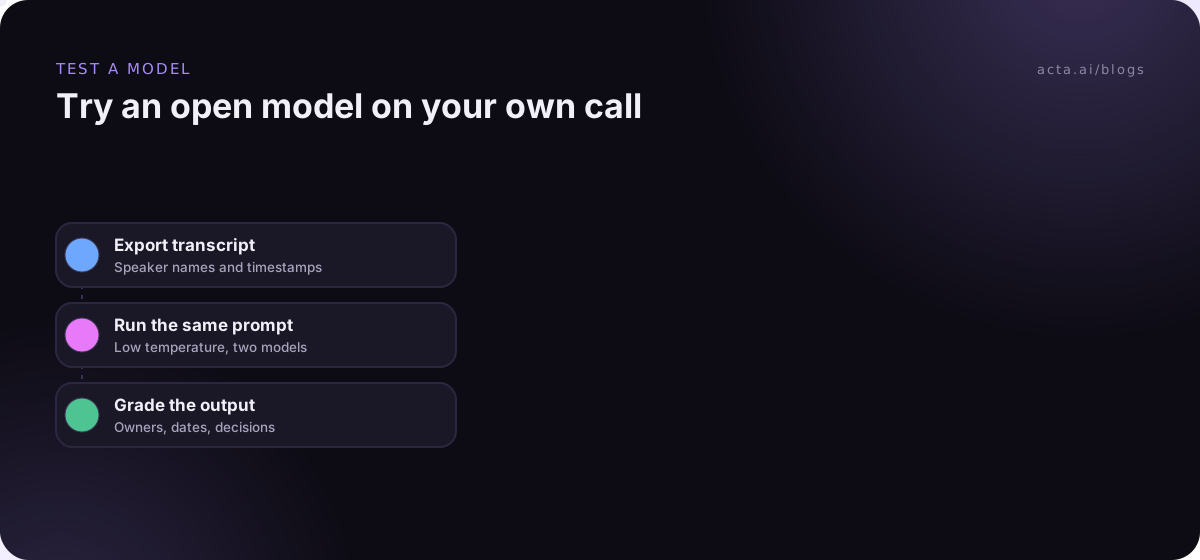
Pick one real meeting you attended, ideally a messy one with at least four speakers and a couple of decisions. You need to know what actually happened so you can grade the output. Then:
- Export the transcript with speaker names and timestamps. Plain text is fine.
- Write down, from memory or your own notes, the decisions and action items you expect. This is your answer key.
- Load the first model and paste in the prompt below with the transcript.
- Run the same prompt on the second model. Keep temperature low (0.2 to 0.3) so you're comparing models rather than luck.
- Score both against your answer key: missed items, invented items, wrong owners.
Here's the meeting summary prompt I start with:
You are summarizing a meeting transcript. Use only what is said in the transcript. Output four sections: 1) Summary in 3-5 sentences. 2) Decisions: one line each, with the name of who made or confirmed it. 3) Action items: task, owner, due date. If no owner or date was said, write "not stated". 4) Open questions. Do not add anything that is not in the transcript. Transcript follows.
The "not stated" line does a lot of work. Without it, most models will fill gaps with plausible guesses, and plausible guesses are exactly what you can't afford in a follow-up email.
If you want to wrap this in a small app rather than copy-pasting, our walkthrough on building a summarization app with open models picks up from here.
What should you check in the output?
Read the summary like a skeptical colleague who was in the room. The usual failures are boring and predictable:
- Wrong owner. "Marco will send the deck" when Priya offered and Marco just agreed it was a good idea.
- Discussion promoted to decision. "We'll move the launch" when someone only floated it.
- Invented dates. "By Friday" appearing out of nowhere.
- Missing quiet items. A task agreed in one sentence near the end, skipped entirely.
Our post on reducing hallucinations in AI meeting summaries has more checks, including asking the model to quote the line each action item came from.
Common mistakes people make with open models
The biggest one is testing on a clean demo transcript. Real calls have crosstalk, "sorry, you go", and someone on a train. If the model only sees tidy text during your test, you'll be surprised later.
Second is dropping speaker names. If your transcript says "Speaker 1" and "Speaker 2", no model can tell you that Dana owns the pricing follow-up.
Third is choosing the smallest file that runs. Heavy compression makes a model fit in memory, and it also makes it sloppier with details. If you're squeezing a model onto a laptop, read our explainer on GGUF quantization before you pick a file.
And last, judging by vibes. A summary that reads well isn't the same as one that's correct, which is the whole reason you wrote that answer key.
What does the model not do for you?
This is the part that surprises people. An open model takes text in and gives text out. Everything else is yours to build and maintain:
- Capture. Something has to record the meeting, and you need to tell participants. Our guide to recording meetings with AI and consent covers what to say.
- Transcription with speaker names. A separate speech-to-text step, plus working out who is speaking.
- Action items that go somewhere. A list in a text file isn't a Jira ticket or a CRM note.
- Search across meetings. "What did we promise this customer in March?" needs retrieval over many transcripts, not one prompt.
- Access control. Who can see the board meeting summary?
None of that is impossible. Teams with strict data rules build it on purpose, and our post on the on-premises AI meeting assistant lays out what that project looks like. Just budget for it honestly.
When is a ready tool faster than running your own model?
If your goal is good notes from this week's calls rather than an AI project, a ready tool usually wins on time. Acta is one option. It records Zoom, Google Meet and Teams with a meeting bot, or without one through the desktop app for Windows and Mac and the Chrome extension, and you can upload recordings too. You get transcripts with speaker names, summaries, decisions and action items with owners, plus follow-up email drafts and 40 report templates. OneChat answers questions across your meetings and shows its sources, and action items can go to Jira, Salesforce, HubSpot or Notion. Acta doesn't use customer data to train AI models.
To be clear about the trade: Acta doesn't run the open models in this post, and it isn't a self-hosted setup. If your rules say transcripts can never leave your own hardware, a local model is the right call and the test above is how you pick one. If they don't, it's worth comparing a week of DIY output against a week of a ready tool. You can see what's included on the features page.
Frequently asked questions
What is the best open source LLM for meeting summaries?
There isn't one winner. As of November 2026, Qwen3 8B or 14B, Gemma 3 12B and Mistral Small 3.1 are strong first tests because they have long context windows and good instruction following. The best one for you is the one that scores highest on your own transcripts.
How long a context window do I need to summarize meeting transcripts?
For a single meeting under an hour, 32K tokens is usually plenty. For multi-hour sessions or several meetings at once, look for 128K, and consider chunking anyway, since models pay less attention to the middle of very long inputs.
Can a local LLM summarize meetings without sending data anywhere?
Yes. If the model and the transcript both stay on your machine, nothing goes to a third party. You still need a way to record and transcribe the meeting, and to keep those files secure.
Why does my summary miss things from the end of the meeting?
Usually the runner cut the transcript off at its default context length. Raise the context setting, or split the transcript into chunks and summarize each one.
Do I need speaker names in the transcript?
For action items, yes. Without speaker names the model can describe what was discussed but can't reliably say who owns each task.
If you'd rather get meeting notes with owners and decisions this week, start a 15-day free trial of Acta and run it next to your open-model test.