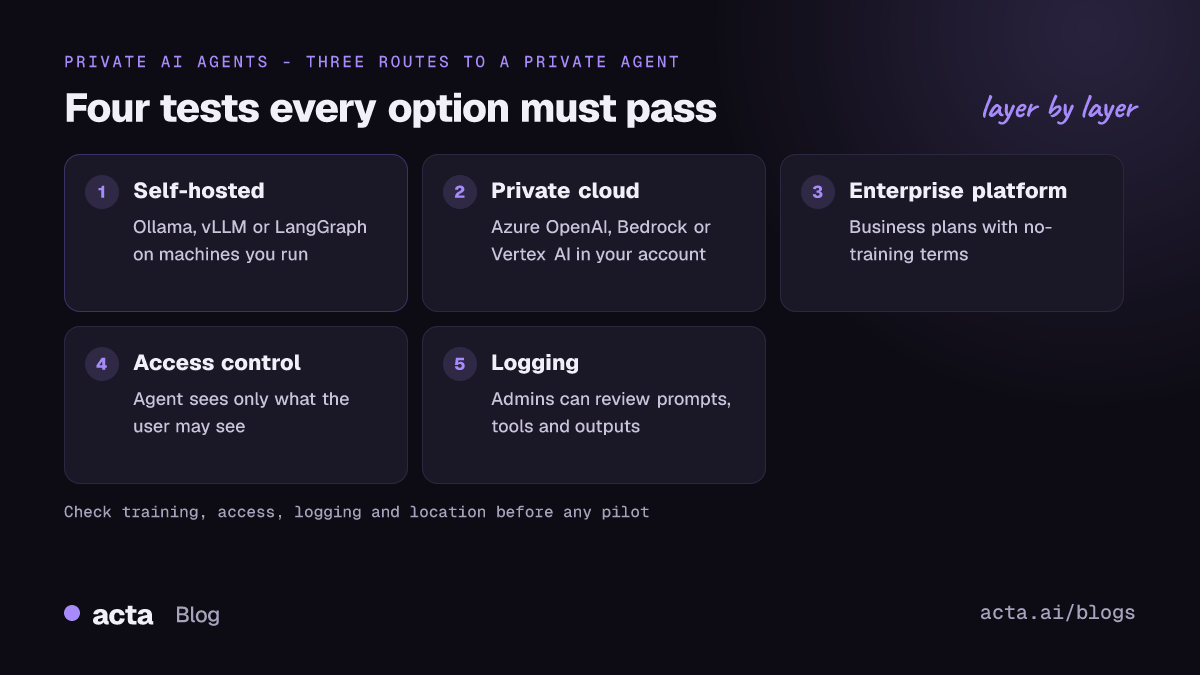
Private AI agents are agents whose prompts, files and outputs stay under your control: the model provider doesn't train on them, only the right people and systems can reach them, and you can see what the agent did. You can get there three ways: run open-weight models on your own hardware, use a private cloud model service with written no-training terms, or buy an enterprise agent platform that makes the same commitment in its contract.
This guide compares nine concrete options across those three routes, quotes what each provider's own documentation says about your data (as of November 2026), and ends with a checklist you can send to a vendor or your security team. It's for operations, IT and team leads who sign off on agents. It won't settle legal questions for a regulated sector; treat it as general information, not legal advice.
Key takeaways
- "Private" has four parts: no training on your data, access limited to the right people, a log of what the agent did, and a known place where processing happens.
- Self-hosting (Ollama, vLLM, an open framework such as LangGraph) gives the strongest control but makes you responsible for patching, access and uptime.
- Azure OpenAI, Amazon Bedrock and Vertex AI all state in their docs that your prompts aren't used to train models, but each has a setting or feature (global deployments, caching, search grounding) that changes where data goes or how long it's kept.
- Give every agent the smallest set of tools and permissions it needs. Excess permissions leak more data than model training ever will.
Table of contents
Private AI agents must pass four tests
An agent is more exposed than a chatbot: it reads your inbox, queries the CRM and sometimes sends things on your behalf. So the question isn't only "does the provider keep my prompt?" but "what can this reach, where does the data travel, and who can see what it did?" I use four tests; fail one and the option isn't private yet.
- No training on your data. The provider states in its documentation or contract that prompts, outputs and uploaded files aren't used to train or improve its models, and says whether any opt-in exists.
- Access control. The agent sees only what the person running it is allowed to see, and nothing more.
- Logging and audit. Your admins can see prompts, tool calls and outputs, and you know how long the provider keeps its own copies (for abuse monitoring, caching or debugging).
- Known processing location. You know which region or which machines process the data. Some deployment types route requests to other regions.

The second test trips teams up most often. Our guide to permission-aware RAG for sensitive meetings walks through how to filter retrieval by the asking user's rights, and securing RAG against broken access controls covers what goes wrong when you don't.
Nine ways to run private AI agents compared
The nine options fall into three routes: self-hosted (machines you run), private cloud (a hyperscaler account under your cloud contract) and enterprise platforms (model, builder and connectors under business data terms).
| Option | Best for | Where it runs | Training on your data | Price |
|---|
| Ollama | Pilots on a laptop or one server | Your machine | Not seen by Ollama when local | Check vendor page |
| vLLM | Serving a GPU box to a team | Your servers | Stays on your servers | Check project page |
| LangGraph | Building the agent logic yourself | Your infrastructure | Depends on the model you plug in | Library is MIT-licensed |
| Azure OpenAI (Foundry) | Microsoft cloud customers | Your Azure subscription | Not used for base models | Check vendor page |
| Amazon Bedrock | AWS customers | Your AWS account | Not used to train AWS models | Check vendor page |
| Google Vertex AI | Google Cloud customers | Your GCP project | Not without your permission | Check vendor page |
| OpenAI business plans and API | Teams already on ChatGPT | OpenAI's cloud | Off by default | Check vendor page |
| Microsoft 365 Copilot agents | Microsoft 365 tenants | Microsoft 365 service | Not used for foundation models | Check vendor page |
| Salesforce Agentforce | CRM-centred agents | Salesforce, with external models | Zero retention with model providers | Check vendor page |
Checked on 26 November 2026; confirm on each vendor's pricing page.
Self-hosted models keep every prompt on your hardware
Running open-weight models yourself is the most literal form of private: the prompt never leaves a machine you control. The trade-off: you become the provider, patching servers and deciding who can call them. If you're new to this, start with our walkthrough on how to run a local LLM on your laptop, then read the comparison of Ollama, LM Studio, llama.cpp and vLLM before you pick a runner for a team.
1. Ollama
- Best for: a private LLM on a laptop or a single office server, for prototypes and small internal agents.
- Pros: the Ollama FAQ says plainly that "Ollama runs locally" and that the company doesn't see your prompts or data when you run locally (as of November 2026).
- Cons: the same FAQ explains that cloud-hosted models are different: Ollama processes those prompts and responses to provide the service, though it says it doesn't store or log that content or train on it. If you want everything on-device, make sure your team only pulls local models. Don't expose the server on your network without an access layer.
- Price: check the vendor's page, plans change.
2. vLLM
- Best for: serving one or more GPU machines to several internal agents.
- Pros: the vLLM documentation describes an HTTP server that implements OpenAI's API, started with vllm serve, so agent code written for a hosted API can point at your own endpoint instead. It accepts an API key flag, which gives you a basic gate.
- Cons: you own capacity planning, upgrades and monitoring. Put it behind your identity system.
- Price: open-source software; the real cost is the hardware and the people who run it.
3. LangGraph (or another open agent framework)
- Best for: teams writing their own agent logic who need state, retries and a human approval step.
- Pros: the LangChain docs describe LangGraph as a low-level orchestration framework and runtime for long-running, stateful agents, with durable execution, streaming, human-in-the-loop and persistence. Its FAQ says the library is MIT-licensed and free to use.
- Cons: the framework is only the wiring. Privacy depends on the model you call, where you store state and how you scope tools. The hosted platform and server products sit under separate terms, so read them if you go beyond the library.
- Price: library is free; hosted options are priced separately, so check the vendor's page.
For a meeting-specific version of the self-hosted route, our piece on the on-premises AI meeting assistant covers what changes when the data is transcripts rather than documents. On-premises AI makes sense when contracts require data never to leave your premises, or when volume is steady enough to keep GPUs busy. It's rarely the right first step for a 20-person team.
Private cloud model services trade hardware for contract terms
The hyperscalers sell model access inside your existing cloud account, so your identity, network and logging controls still apply. All three say they don't train on your prompts; the differences are in retention and routing.
4. Azure OpenAI in Microsoft Foundry
- Best for: organisations already on Azure and Microsoft identity.
- Pros: Microsoft's data, privacy and security page for Azure OpenAI states that prompts and completions aren't used to train, retrain or improve the base models and aren't available to OpenAI (as of November 2026). Fine-tuning data is kept out of base-model training too.
- Cons: human reviewers can see prompts and completions that the abuse-monitoring system flags. Deployments labelled "Global" may process prompts in any geography where the model is deployed, so pick a regional deployment type if location matters. The stored completions feature keeps input-output pairs for display in the portal; leave it off unless you need it.
- Price: check the vendor's page, plans change.
5. Amazon Bedrock
- Best for: AWS customers building agents next to data already in their account.
- Pros: the Amazon Bedrock data protection page says Bedrock doesn't store or log your prompts and completions, doesn't use them to train AWS models and doesn't share them with third parties (as of November 2026).
- Cons: anything your own application logs (tool calls, retrieved documents, debug traces) is outside that promise.
- Price: check the vendor's page, plans change.
6. Google Vertex AI
- Best for: Google Cloud customers and teams using Gemini models.
- Pros: Google's Vertex AI zero data retention page says Google won't use your data to train or fine-tune any AI/ML models without your prior permission, for all managed models on Vertex AI, including pre-GA ones (as of November 2026).
- Cons: by default Gemini models cache inputs and outputs in memory, isolated per project, with a 24-hour lifetime; to reach zero data retention you must switch caching off. Grounding with Google Search keeps data, and Google points zero-retention customers to Web Grounding for Enterprise instead. Customers in scope for abuse-monitoring logging have to request an exception.
- Price: check the vendor's page, plans change.
The pattern: "no training" is the easy promise; zero data retention is a configuration you verify feature by feature.
Enterprise platforms bundle an agent builder, connectors and admin controls in one contract. Training terms are usually good; the bigger question is what the agent can reach once connected.
7. OpenAI business plans and API
- Best for: teams already using ChatGPT who want agents on the same account.
- Pros: OpenAI's business data page says that by default it doesn't use data from ChatGPT Enterprise, Business, Edu or the API platform, including inputs and outputs, to train or improve its models (as of November 2026). Qualifying organisations can set how long data is kept, and the API offers zero data retention.
- Cons: zero retention is an option for qualifying API customers, not a default for everyone.
- Price: check the vendor's page, plans change.
8. Microsoft 365 Copilot agents
- Best for: agents that work across Outlook, Teams, SharePoint and OneDrive.
- Pros: Microsoft's enterprise data protection page says prompts, responses and data accessed through Microsoft Graph aren't used to train foundation models (as of November 2026). Because agents work through Graph, existing SharePoint and Teams permissions apply.
- Cons: Microsoft notes that web searches triggered by Copilot run under separate Bing terms, and that third-party agents follow their own terms. Clean up SharePoint oversharing first.
- Price: check the vendor's page, plans change.
9. Salesforce Agentforce
- Best for: sales and service agents that live in the CRM.
- Pros: Salesforce's developer docs describe a Trust Layer (formerly the Einstein Trust Layer) with zero data retention agreements with external model providers, so those providers don't keep your data or train on it, plus masking of sensitive data before it leaves the Salesforce boundary (as of November 2026).
- Cons: the protections cover the path to the model. Which records an agent can read and change still depends on your org's sharing rules and the agent's permissions.
- Price: check the vendor's page, plans change.
For a wider view of platforms judged on fit rather than privacy, see enterprise AI agents platforms compared.
Most leaks come from permissions and settings, not training
Once training is off, the real AI data privacy risks are ordinary ones. The OWASP Top 10 for LLM applications lists sensitive information disclosure and "excessive agency" (too much functionality, permission or autonomy given to an LLM-based system). The mistakes I see most:
- Service accounts with admin rights. An agent that reads every mailbox through one powerful account ignores who's asking. Make the agent act as the user.
- Write tools on by default. Give read access first. Add "send email" or "update record" only with a human approval step, and only for the agents that need it.
- Debug logs that keep everything. Your own traces can hold full prompts, retrieved documents and API responses for months. Set a retention period.
- Convenience features that move data. Global deployments, search grounding, cloud model fallbacks and response caching each change where data goes or how long it stays. Turn them on deliberately, not by accident.
Our piece on the risks of AI agents at work goes deeper on approvals and kill switches.
An eight-question vendor checklist
Send these in writing and keep the replies with the contract:
- Is any of our data (prompts, outputs, files, embeddings, logs) used to train or improve your models? Is there any opt-in, and who can switch it on?
- What do you keep, for how long, and why (abuse monitoring, caching, debugging)? Can we get zero retention?
- Which regions process our requests? Can any setting route them elsewhere?
- Can people at your company or a subprocessor read our content? Under what conditions?
- Does the agent act with the user's own permissions or a shared account?
- Which tools can write or send, and can we require approval for each one?
- What audit log do our admins get, and can we export it?
- How do we delete everything, and how do you confirm it?
Where Acta fits for meeting data
Meeting transcripts are some of the most sensitive text a company produces, and agents built on them inherit that. Acta doesn't use customer data to train AI models, and its Agent Builder (in beta) runs agents that act as you, with a Human approval step and a test mode where nothing is sent. Enterprise plans add SSO, private storage, custom data retention and on-premise deployment. If bots aren't welcome in a call, the Acta desktop app captures the meeting from your own computer, and our guide on consent and what to tell participants covers the notice side.
Frequently asked questions
What are private AI agents?
Private AI agents are AI agents whose data stays under your control. The provider doesn't train on your prompts or files, the agent can only reach what the person using it is allowed to see, admins can review what it did, and you know where processing happens. You can build them on self-hosted models, private cloud services or enterprise platforms with no-training terms.
Is a self-hosted AI agent more private than a cloud one?
Usually, because prompts never leave machines you run. But self-hosted AI agents are only as private as your own setup. An open model server on the office network with no authentication, or debug logs anyone can read, can expose more than a well-configured cloud service. Self-hosting moves responsibility to you; it doesn't remove the work.
What does zero data retention mean for AI agents?
Zero data retention means the model provider doesn't keep your prompts and outputs after returning a response. It's often a setting or a contract option rather than the default. Google's Vertex AI, for example, caches Gemini inputs for up to 24 hours unless you switch caching off. Your own application logs sit outside any provider's promise.
Do Azure OpenAI, Bedrock and Vertex AI train on my prompts?
According to their own documentation as of November 2026, no. Microsoft says Azure OpenAI prompts and completions aren't used to train base models, AWS says Bedrock doesn't use them to train AWS models, and Google says Vertex AI won't train on your data without permission. Each has retention and routing details worth checking.
What is the difference between a private LLM and a private AI agent?
A private LLM is the model running somewhere you trust. A private AI agent adds tools, data access and actions on top of it, such as reading files, querying a CRM or sending email. The agent layer brings new risks: permissions, approvals and logs. A private model behind an over-permissioned agent is still a data leak waiting to happen.
Choose a private agent setup in five checks
Pick the route that fits your data and skills, then hold it to one standard.
- Classify the data first: decide which systems the agent may touch and which are off limits, before anyone picks a model.
- Match the route to your team: self-host only if someone will own the servers; otherwise use the cloud account you already govern.
- Get the terms in writing: send the eight questions above and file the answers with the contract.
- Scope permissions tightly: user-level access, read-only by default, approval before anything is sent.
- Review every quarter: check settings, logs, retention and owners, and switch off agents nobody uses.
If meetings are part of the data your agents need, the Acta Chrome extension or desktop app captures calls without a bot, and you can see the 15-day free trial details before you test it.