Use Cases 5 min read
Vendor Review Meeting Reports: SLAs, Issues and a Keep or Exit Call
Supplier reviews decide renewals, yet the notes are often thin. Acta's vendor review report tracks SLAs, open issues, pricing and the team's recommendation.
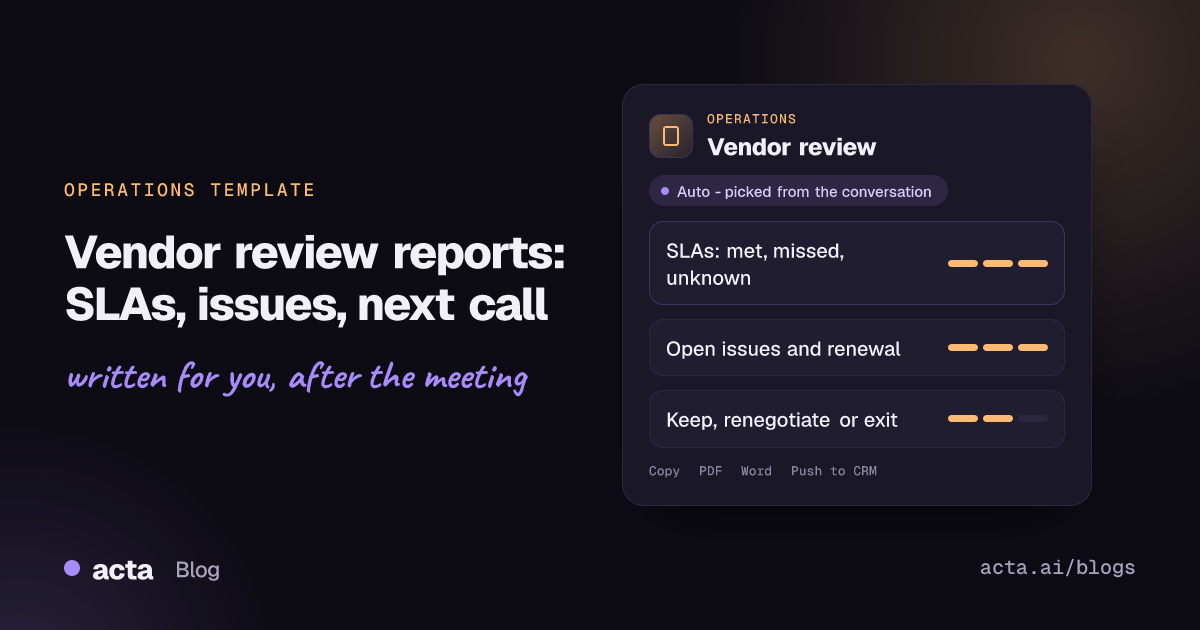
Quick answer: A vendor review meeting report records how a supplier is performing against its agreed service levels, which issues are still open, what was said about pricing and renewal, and whether the team wants to keep, renegotiate or exit the relationship. Acta writes it automatically from the recorded review meeting, marking each service level as met, missed or unknown.
Most operations, procurement and IT teams hold regular reviews with their key suppliers: a monthly service meeting with a logistics partner, a quarterly business review with a software vendor, an annual check before a contract renews. These meetings are where problems get named and promises get made.
The write-up is where things fall apart. The account manager on the supplier side often sends the minutes, which means the supplier controls the record. Or nobody writes them, and six months later the renewal negotiation starts without a clear list of what went wrong.
What is a vendor review meeting?
A vendor review, also called a supplier performance review, is a structured meeting where the buyer and the supplier go through performance against what the contract promised. The yardsticks are usually key performance indicators and service level agreements: delivery times, uptime, response and resolution times, quality and billing accuracy.
The UK government-backed guide from NI Business Info on how to review your suppliers' performance frames these reviews as a way to reduce costs, manage risk and drive improvement, and notes that a review is commonly held around six months before a contract renews, so there is time to fix gaps before agreeing new terms.
A good review ends with three things: an honest scorecard, a list of open issues with owners, and a view on the relationship. That is the shape Acta's report follows.
What does Acta's vendor review report include?
Acta reads the conversation and organises it into three parts:
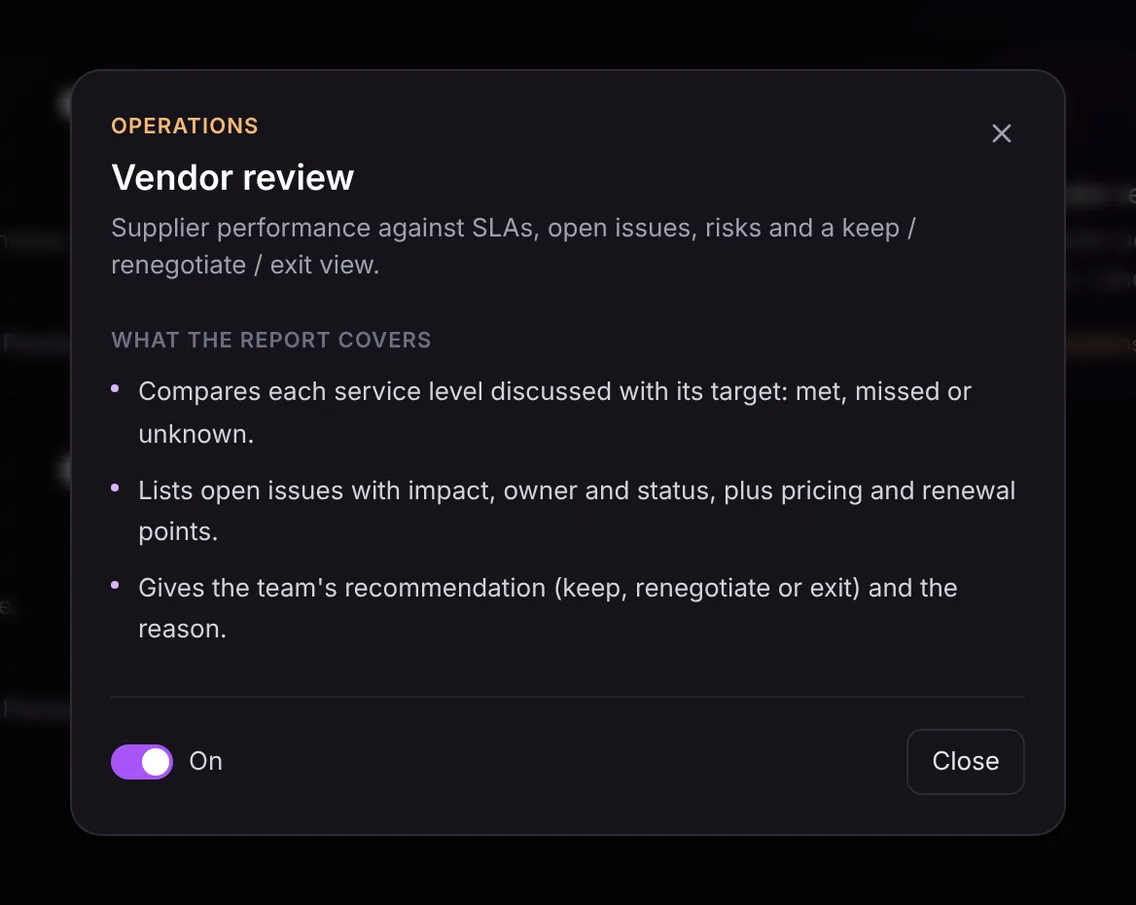
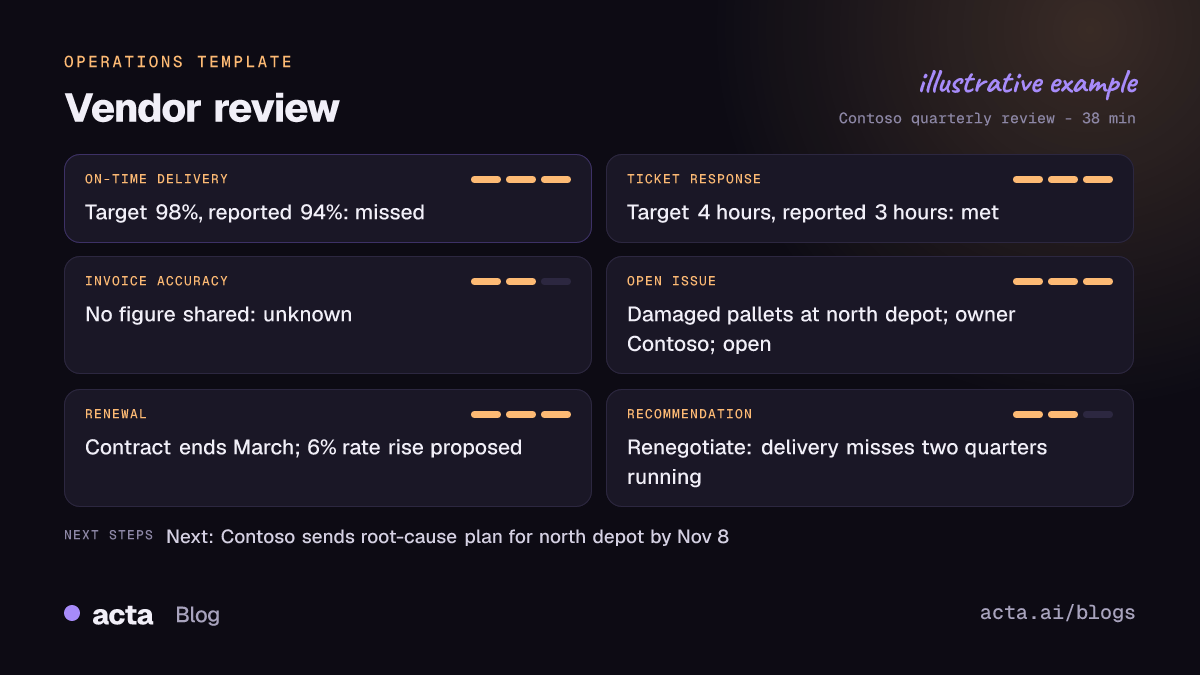
- Service levels against target. Each service level discussed is listed with its target and the performance mentioned, then marked met, missed or unknown. Unknown matters: if nobody shared the invoice accuracy figure, the report says so instead of assuming it was fine.
- Open issues, pricing and renewal. Each open issue is listed with its impact, owner and status. Pricing changes, credits, renewal dates and notice periods that came up are captured alongside.
- The team's recommendation. Whether the team leans towards keep, renegotiate or exit, and the reason given in the meeting.
Here is the template in Acta's Templates page, with the preview of what the report covers:
And an illustrative example of a finished report:
Why is a vendor review report useful, and who is it for?
The report is written for operations managers, procurement and vendor management teams, IT service owners and finance partners who sign off renewals. Anyone who has to defend a supplier decision with evidence will get value from it.
- Renewal negotiations. Going into a renewal, you can lay out four quarters of reports and point to the same delivery target missed every time. That is a much stronger position than "it felt like they were slipping."
- Holding suppliers to commitments. When a supplier promises a root-cause analysis by the next review, the report records the owner and the date. At the next meeting, the first question writes itself.
- Your own record, not theirs. Because the report comes from your recording, you are not relying on minutes drafted by the vendor's account team.
- Handover between owners. When a supplier relationship moves to a new manager, the history of service levels, disputes and promises is there to read.
The Acta for operations page shows how this fits with the other reports operations teams use, and this piece on project risks hiding in everyday conversations explains why spoken commitments need writing down.
How does Acta pick the vendor review template automatically?
Acta reads every recorded conversation and picks a fitting template even if you have not turned it on. For the vendor review, the signals are a buyer and a supplier talking about service levels, targets and actual figures, missed deliveries or outages, service credits, open tickets, pricing, contract terms and renewal dates.
When Acta picks the template this way, the report is labelled "Auto" and Acta explains its choice, for instance that the meeting compared delivery figures to contracted targets and discussed the renewal. One click on "Turn on for future meetings" keeps the template on.
Once it is on, the template checks each meeting first. An internal hiring debrief will not get a vendor review report with every line marked unknown; it is listed under "Not relevant" with the reason.

How do you use the vendor review report?
- Record the review. Acta records Zoom, Google Meet and Microsoft Teams meetings through a meeting bot, the bot-free desktop app, the Chrome extension or the mobile apps. For an on-site review, record on your phone or upload the recording afterwards.
- Turn on the template. In Acta's Templates page, preview the vendor review and switch it on, or let Acta pick it automatically.
- Open the report. Go to the meeting and open its Templates tab, where the report sits next to the summary and transcript.
- File it. Copy it into your supplier file or download it as PDF, Word or Markdown for the contract folder.

Action items from the review, such as a supplier owing a remediation plan, also appear in the meeting's action items with owners and due dates. See how to track action items across meetings so they carry over to the next review.
Tips for a sharper vendor review report
- Say the target and the number. "On-time delivery was 94% against a 98% target" gives the report a clear missed. "Delivery was a bit off" leaves it unknown.
- Name owners for open issues. Ask who on each side owns the fix and when it will be done.
- State the recommendation out loud. Close the meeting internally with a sentence like "we should renegotiate the delivery terms before renewal" so the reason is on record.
Related Operations templates include the KPI review report for internal performance meetings and decisions and RACI for recording who owns what. If the review turns into a negotiation, the contract negotiation notes template tracks terms clause by clause.
Frequently asked questions
What should a vendor review meeting cover?
Performance against each service level or KPI, open issues and their owners, billing and pricing, upcoming renewal or contract changes, and a view on whether the relationship should continue as is.
What does "unknown" mean in the SLA section?
It means the service level came up but no figure or clear statement of performance was given. Acta only reports what was said, so it does not guess whether the target was met.
Does Acta decide whether to keep or exit a supplier?
No. The recommendation section records the view the team expressed in the meeting and the reason they gave. The decision stays with you.
Can I use it for software vendors as well as physical suppliers?
Yes. Uptime, support response times and feature commitments work the same way as delivery or quality targets.
Ready to keep your own record of supplier performance? Start a free Acta trial before your next vendor review.


