Use Cases 6 min read
Contract Negotiation Notes, Clause by Clause, From Every Call
Acta turns each negotiation call into a clause-by-clause record of both sides' positions, the concessions made and the open points before the next redline.
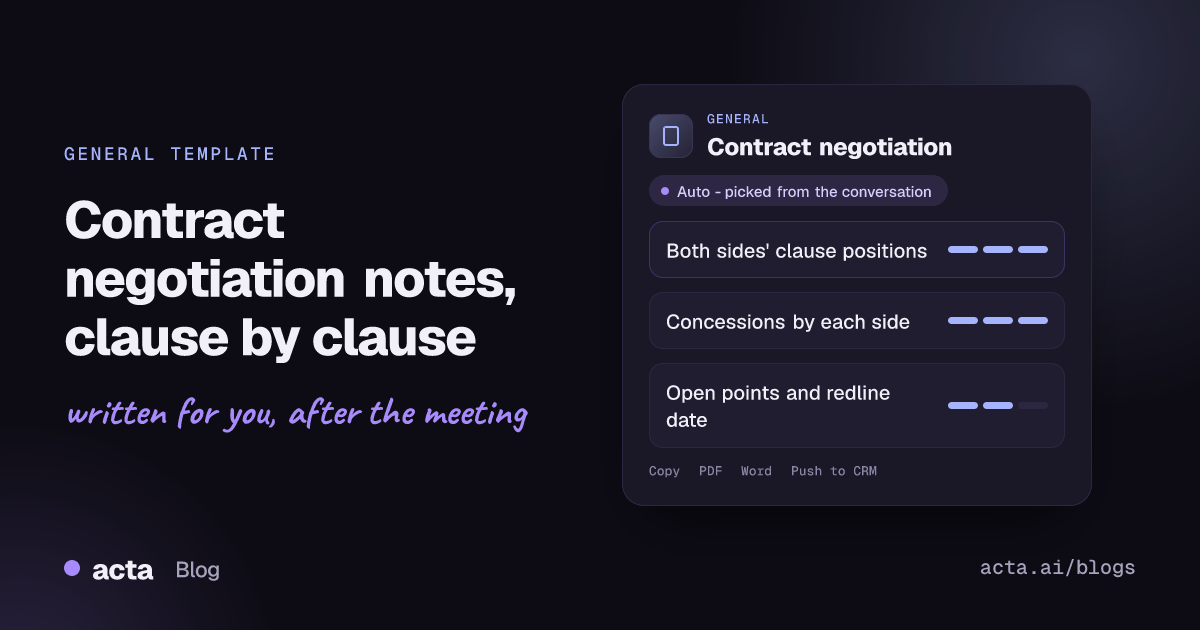
Quick answer: Contract negotiation notes are a clause-by-clause record of a negotiation call: for each clause discussed, your position, the other side's position and where it stands, plus the concessions each side made and the open points still to settle. Acta writes them automatically from the recorded call. The report records what was said; it is not legal advice.
Negotiation calls move fast. In forty minutes you might trade on the liability cap, payment terms, auto-renewal and the data processing addendum, with three people from each side talking and positions shifting as the call goes on.
Afterwards, someone has to turn that into instructions for the next redline. If the record is a few scribbled lines, it is easy to concede twice on the same point, to forget what you asked for in return, or to discover in the next call that the other side remembers the deal differently.
What are clause-by-clause negotiation notes?
They are a structured log of a negotiation, organised by contract clause rather than by the order things were said. For each clause you can see where each party started, what moved and whether the point is agreed, parked or still open. Commercial teams, in-house counsel, procurement and account executives keep versions of this as an issues list or negotiation tracker between drafts.
A clause-level record also supports good negotiation practice. Harvard's Program on Negotiation, in its guide to BATNA basics, stresses knowing your best alternative to a negotiated agreement and your walk-away point before you trade. Tracking every concession against those limits, clause by clause, is how you keep a long negotiation from drifting past them one small give at a time.
The notes do not interpret the law or judge whether a clause is acceptable. They tell your lawyer, your deal desk or your manager exactly what was proposed and agreed, so those decisions are made on an accurate record.
What does Acta's Contract negotiation report include?
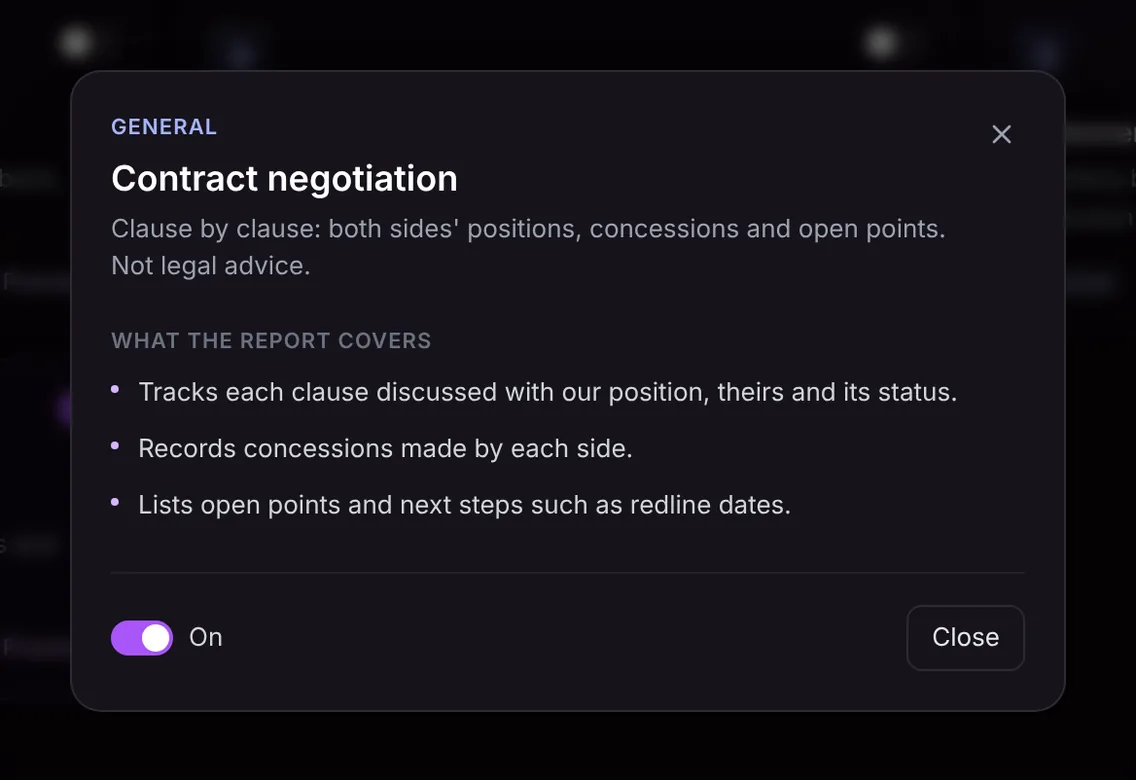
The template has three parts:
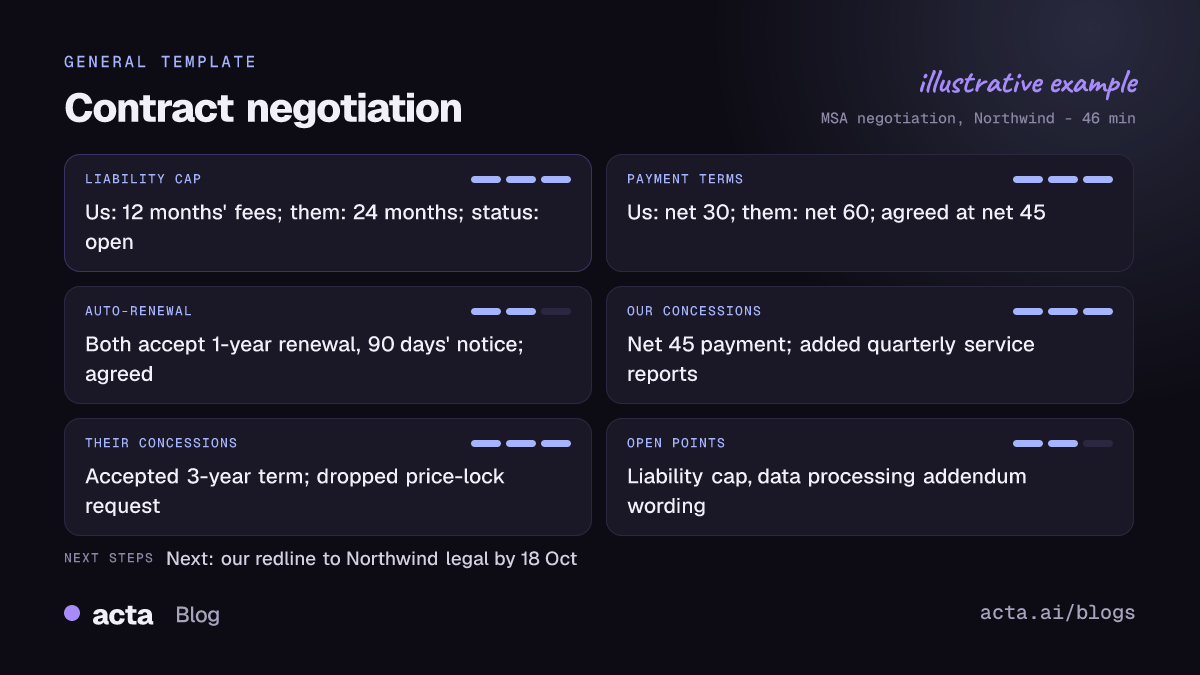
- Clause tracker. Each clause discussed, such as limitation of liability, indemnities, payment terms, term and renewal, SLAs and service credits, IP ownership or data protection, with our position, their position and its status (agreed, open or parked) as stated in the call.
- Concessions by each side. What each party gave, for example "we accepted net 45 instead of net 30" or "they dropped the unlimited liability ask for data breaches in favour of a higher cap". Seeing concessions side by side makes it obvious whether the trade was balanced.
- Open points and next steps. Anything still unresolved, who is taking it away and the agreed next steps, such as who sends the next redline and by when.
The report records what was said in the negotiation and nothing else. It is not legal advice, and it does not recommend positions or assess the risk of any clause.
Here is the template in Acta's Templates page, with the preview of what the report covers:
And an illustrative example of a finished report:
Who is it for, and why does it help?
The template sits in Acta's General group because negotiations happen across functions:
- Enterprise sales. An account executive negotiating an MSA with a customer's procurement team can hand a precise record to legal and the deal desk, and keep the sales manager updated without a separate write-up.
- In-house legal. Counsel joining a call with the other side's lawyers gets a clause list to mark up the next draft from, rather than relying on handwritten notes.
- Procurement and vendor management. A buyer negotiating with a supplier keeps a clear history of what the supplier conceded, which is useful at renewal.
- Leadership and partnerships. Executives negotiating a partnership, reseller agreement or term sheet get a record of commitments that does not depend on memory.
The common thread is a single version of what was agreed. When the next draft arrives, you can check it against the call record line by line and catch anything that was quietly reopened.
How does Acta pick the Contract negotiation template automatically?
Acta reads each recorded conversation and picks a template that fits, even if you have not turned it on. For this one, the signals are talk of specific clauses or sections, phrases such as "our position is", "we can accept that if", "that's a red line for us" or "send us your redline", and back-and-forth trading on terms like caps, payment days, notice periods and renewal.
A report chosen this way is labelled "Auto", and Acta explains why, for example that the call worked through liability, payment and renewal clauses with positions from both sides. If you want it on every negotiation, one click on "Turn on for future meetings" keeps it.
When the template is on, it checks first whether the meeting really was a negotiation. A product demo or an internal pipeline review will not get a forced clause list; the template is listed under "Not relevant" with the reason.

How do you use the Contract negotiation template?
- Record the call. Acta joins Zoom, Google Meet and Microsoft Teams calls with a meeting bot, or records without one through the desktop app, Chrome extension or mobile apps. You can also upload a recording. Make sure everyone on the call knows it is being recorded.
- Turn on the template. Open the Templates page, preview Contract negotiation in the General group and switch it on, or let Acta pick it when the call fits.
- Open the meeting's Templates tab. The clause-by-clause report sits next to the summary, transcript, action items and decisions.
- Share it. Copy it to your legal or deal desk channel, download it as PDF, Word or Markdown, or, for customer deals, use Push to CRM to add it as a note on the customer's contact in Salesforce, HubSpot or Zoho (paid plan, with that CRM connected).

Tips for a sharper negotiation record
- Name the clause before you discuss it. "On clause 9, limitation of liability..." keeps each point filed under the right heading.
- State positions as numbers. "Twelve months' fees" or "net 45" is clearer than "a bit more".
- Make conditional trades explicit. "We can accept net 45 if you accept a three-year term" records the link between the two concessions.
- Recap at the end. A two-minute summary of what is agreed and what is open sharpens the status of every clause.
Related templates help before and after the negotiation: a customer QBR report for the business reviews that often precede renewals, a vendor review report for supplier performance, and a decision log with RACI for internal sign-offs. See how commercial teams use Acta on the Acta for sales page, and how executives use it on the leadership page.
Frequently asked questions
Is the contract negotiation report legal advice?
No. It is not legal advice. The report records what was said in the negotiation so that you and your lawyers can work from an accurate record.
Will Acta tell me whether to accept a clause?
No. The template tracks positions, concessions and open points as discussed; it does not recommend positions or assess risk.
Can it track concessions across several negotiation calls?
Each call gets its own report, and OneChat can answer questions across all your meetings with sources, such as what was conceded on payment terms in earlier calls.
What if nobody named specific clauses?
The report records the terms that were discussed under the most fitting heading, and anything unclear is left as an open point rather than guessed.
Try Acta free for 15 days and go into your next redline with the whole negotiation on one page.


