A sprint retrospective template is a fixed set of prompts and an agenda that the team fills in at the end of each sprint to decide what to change next. The simplest one has three columns: what went well, what didn't, and what we'll try. Rotate formats every few sprints, and end every retro with one to three action items that each have an owner and a check-in date.
Meeting Productivity 11 min read
Sprint Retrospective Template: 8 Formats With Filled-In Examples
Eight copy-ready sprint retrospective templates, from Went well/Try to 4Ls, Sailboat and Timeline, with filled-in examples, a 60-minute agenda and action-item rules.
By Sarma BKP, Founder & CEO, Acta · Updated
This post gives you eight formats you can copy into a whiteboard, Confluence page or shared doc, each with when to use it and a filled-in example. It's for Scrum Masters, team leads and anyone stuck running the same retro for the twentieth time. If the real problem is that people won't speak up at all, start with our guide to running a retrospective people actually speak up in; a new template won't fix trust.
Key takeaways
- Start with the action items from the last retro. Five minutes checking them stops the same complaints coming back every sprint.
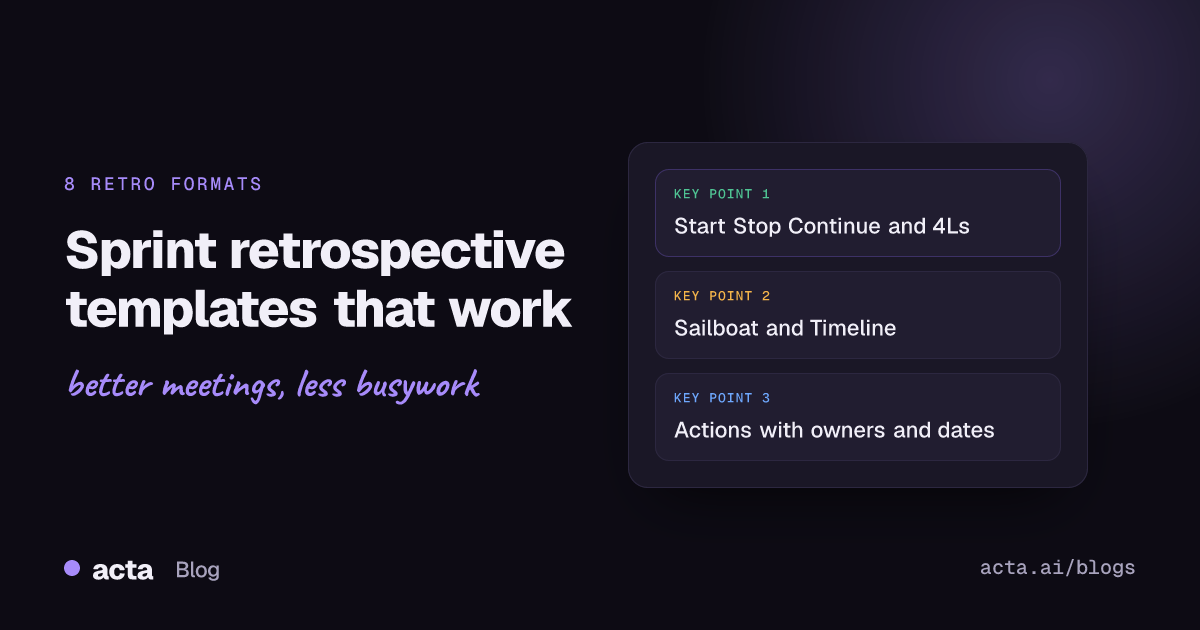
- Pick the format from the problem: Start Stop Continue for habits, 4Ls for learning, Sailboat for risks, Timeline for a messy sprint.
- For a two-week sprint, an hour is usually enough: 5 minutes check-in, 10 review, 20 gather, 15 decide, 10 close.
- Commit to no more than three changes per retro. Each needs one owner, a date and a place in the backlog.
- Rotate formats every three or four sprints so the prompts don't become autopilot.
Table of contents
- A sprint retrospective template gives the hour a shape
- Pick the format from the problem, not from habit
- Three classic formats suit most sprints
- Visual formats help when the team is stuck
- Focused formats fix a specific problem
- A 60-minute agenda works for a two-week sprint
- Retro action items need an owner and a check-in
- Where Acta fits
- Frequently asked questions
- Choose your next sprint retrospective template
A sprint retrospective template gives the hour a shape
The sprint retrospective is the Scrum event where the team looks back at how it worked, not what it built. Scrum.org's explainer on what a sprint retrospective is puts the purpose as planning ways to increase quality and effectiveness, looking at individuals, interactions, processes, tools and the Definition of Done. The product itself is the sprint review's job.
A template is just the scaffolding for that conversation: a few prompts, a time for each, and a place to write down what you'll change. Without one, retros drift into either a venting session or ten minutes of "it was fine". With the same one for a year, people start writing the same sticky notes. The answer is a small set of formats you rotate, all ending the same way, with actions.
A good template has three parts, whatever the prompts are:
- Look back: what happened this sprint, from everyone's point of view.
- Find the cause: why the two or three biggest issues happened.
- Decide: what you'll do differently, who owns it, and when you'll check.
Many teams open by reading the Retrospective Prime Directive, written by Norm Kerth, which asks everyone to assume people did the best job they could with what they knew at the time. Martin Fowler's short piece on priming the Prime Directive explains why reading it aloud helps. It isn't magic, but it sets the tone: we're fixing the system, not blaming people.
Pick the format from the problem, not from habit
Here's a quick way to choose. Look at what went wrong (or right) in the sprint, then pick the format built for it.
| Template | Best for | Time needed |
|---|---|---|
| 1. Went well / Didn't / Try | Any sprint; new teams | 45-60 min |
| 2. Start Stop Continue | Changing team habits | 45 min |
| 3. 4Ls | Learning after a new kind of work | 60 min |
| 4. Sailboat | Spotting risks and blockers | 60 min |
| 5. Mad Sad Glad | Tense sprints; team mood | 45 min |
| 6. Timeline | Long or chaotic sprints, incidents | 60-75 min |
| 7. Action review retro | Same issues keep coming back | 30-45 min |
| 8. Data-informed retro | Teams that argue from opinions | 60 min |
Three classic formats suit most sprints
These three cover most sprints. If you only learn one, learn the first.
Template 1: Went well / Didn't go well / Try next
Use it for any ordinary sprint, and as the default for a new team. It's simple enough that nobody needs an explanation.
Sprint: [number, dates] | Facilitator: [name]
Last retro's actions: [action - owner - done or not]
Went well: [notes]
Didn't go well: [notes]
Try next sprint: [ideas, then vote]
Actions (max 3): [action - owner - check-in date]
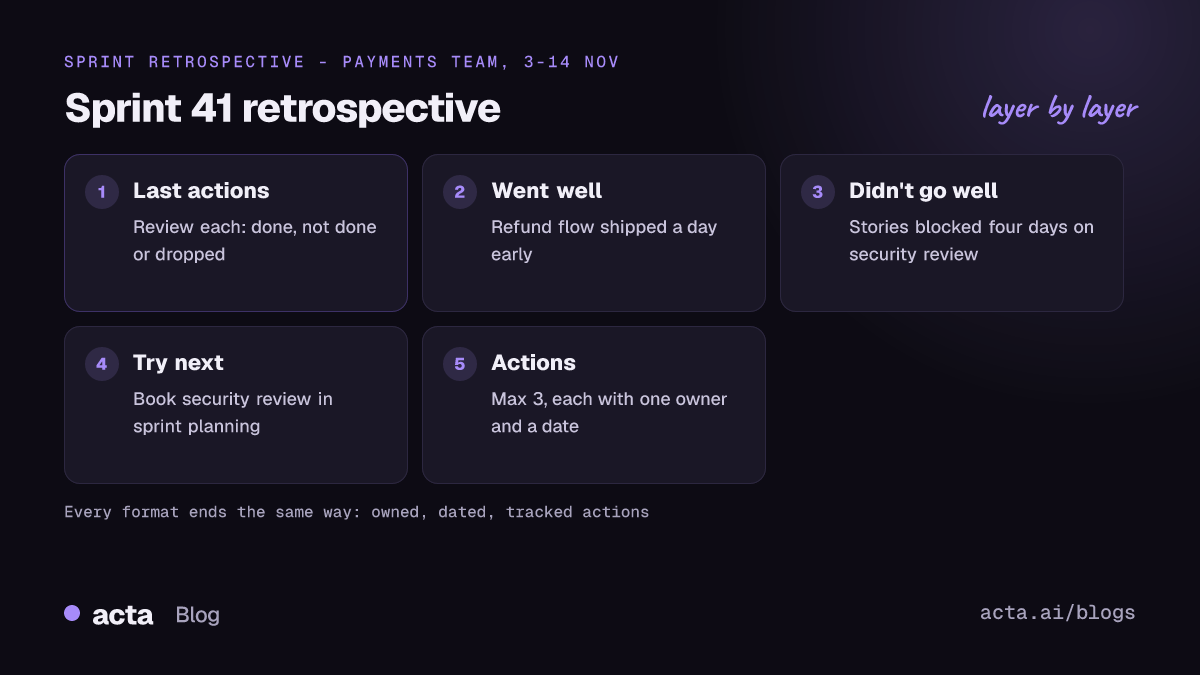
Filled-in example (illustrative), for a two-week sprint on a payments team:
Sprint: 41, 3-14 Nov | Facilitator: Dana
Last retro's actions: Pair on the flaky test suite - Marco - done. Shorter standups - Priya - half done.
Went well: Refund flow shipped a day early. Code reviews were quicker after the new review rota.
Didn't go well: Two stories blocked for four days waiting on the security review. Late scope change on day 8.
Try next sprint: Book security review in sprint planning, not mid-sprint (6 votes). Freeze scope after day 5 (4 votes).
Actions: Priya - add "security review needed?" to the planning checklist - before planning on 17 Nov. Dana - agree a scope-change rule with the product owner - by 21 Nov.
Template 2: Start Stop Continue
Use it when the team needs to change habits: how it reviews code, runs standups or handles support requests. Atlassian's post on sprint retrospective ideas runs it with a short timer for silent writing before people read their notes aloud, which keeps louder voices from setting the agenda.
Start doing: [things we should begin]
Stop doing: [things that waste time or cause problems]
Continue doing: [things that work and we'd miss]
Actions: [pick one start and one stop at most]
Template 3: 4Ls (Loved, Loathed, Longed for, Learned)
Use it after a sprint with something new: a new tech stack, a new client, a first release. Atlassian's Team Playbook describes the 4Ls retrospective technique with four prompts: what the team loved, loathed, longed for and learned. You'll also see an older version, Liked, Learned, Lacked, Longed for. Either works.
Loved: [what we enjoyed and want to keep]
Loathed: [what didn't sit well]
Longed for: [what we wished we'd had: people, tools, guidance]
Learned: [lessons from wins and mistakes]
Actions: [action - owner - date]
Visual formats help when the team is stuck
When the same three people say the same things every sprint, a picture can shake it up. These formats work well on a digital whiteboard for remote teams.
Template 4: Sailboat
Use it when you're worried about risks or blockers. Draw a boat heading to an island.
Island (goal): [what we're aiming for, e.g. the release]
Wind (helps us): [what pushes us forward]
Anchors (slow us down): [what holds us back]
Rocks (risks ahead): [what could sink us]
Actions: [one anchor to cut, one rock to plan for]
Template 5: Mad Sad Glad
Use it after a tense or tiring sprint, when feelings are getting in the way of the work. It's a sprint retrospective template that lets people name frustrations directly, then move to fixes.
Mad: [what frustrated us]
Sad: [what disappointed us]
Glad: [what we're happy about]
Actions: [turn the top "mad" into one change]
Template 6: Timeline
Use it for a long or chaotic sprint, or one with an incident, when people remember events differently. Draw a line from day 1 to the last day and have everyone add events, then mark highs and lows.
Timeline: [day - what happened - who noticed]
Highs: [best moments]
Lows: [worst moments]
Turning points: [where things changed and why]
Actions: [action - owner - date]
Focused formats fix a specific problem
Sometimes the team doesn't need a full look back. It needs to fix one thing that keeps breaking.
Template 7: Action review retro
Use it when the same issues come up sprint after sprint. Scrum.org's writing on retrospectives lists not checking the status of previous action items as a common anti-pattern, and this format makes that check the whole meeting.
Open actions from the last three retros: [action - owner - status]
For each one not done: Still worth doing? What blocked it? Smaller version we can finish this sprint?
Drop list: [actions we're consciously dropping]
Kept actions: [action - owner - new date]
Template 8: Data-informed retro
Use it when the team argues from opinions ("reviews are slow", "they aren't"). Bring two or three numbers from your own tools, such as cycle time, carry-over stories or bugs found after release, and start from them.
Data we're looking at: [metric - this sprint - last three sprints]
What surprises us: [notes]
Likely causes: [notes]
Experiment: [change we'll try, and what result would tell us it worked]
A 60-minute agenda works for a two-week sprint
Whatever template you use, the hour follows the same shape. This is the agenda I'd start with for a two-week sprint and a team of five to nine people; stretch it for longer sprints.
- Check-in (5 min). Read the Prime Directive or ask a one-word question: "How was the sprint, in one word?"
- Review last actions (10 min). Go through each action from the last retro. Done, not done, dropped.
- Gather (20 min). Fill in the template. Silent writing first, then read aloud and group similar notes.
- Decide (15 min). Dot-vote the top two or three themes, talk through causes, and agree actions.
- Close (10 min). Read back the actions with owners and dates. Ask what to change about the retro itself.
The step people skip is the second one. Teams that never check last sprint's actions end up with retros full of the same complaints, and people stop believing the meeting changes anything. If your daily standup has the same problem, our guide to running a 15-minute standup covers the fix there, and our new guide to the async standup covers moving it out of the calendar.
Retro action items need an owner and a check-in
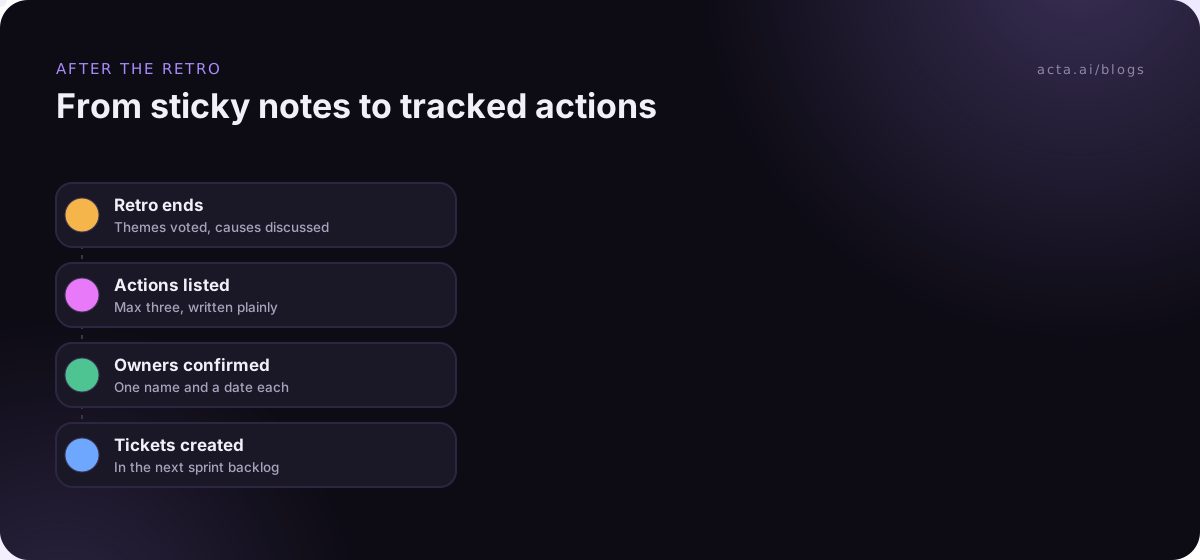
Retro action items are where most retros fail. Writing "improve communication" on a sticky note feels productive and changes nothing. Write each action so a stranger could tell whether it's done:
- Specific: "Add a 'security review needed?' question to the planning checklist", not "involve security earlier".
- Owned: one name, not "the team".
- Dated: a check-in date, usually the next retro or sooner.
- Tracked: in the same place as the rest of the work.
Where should they go? The 2020 Scrum Guide changed this. Earlier editions required at least one improvement in the next Sprint Backlog; the 2020 edition says the most impactful improvements may be added. Scrum Guide's revision history lists the change. In practice, putting the action in Jira or your tracker, next to the sprint's other work, makes it far more likely to happen. Our guide to Jira ticket suggestions from engineering meetings shows one way to get there without retyping, and why action items don't get done covers the follow-through side.
One note on recording retros. Some teams record them so the facilitator can focus on the room rather than notes. If you do, ask first, and be ready to stop for sensitive topics; retros only work if people feel safe being honest. This is general information, not legal advice, but our guide on whether it's legal to record meetings with AI covers consent and what to tell people.
Where Acta fits
If your team records retros with agreement, Acta can capture the call with a meeting bot or a bot-free desktop app, then write a summary, decisions and action items with owners. It integrates with Jira, so retro actions can become tickets, and its product and engineering page shows the sprint-meeting reports. Plenty of teams do this well with a whiteboard and a disciplined facilitator instead.
Frequently asked questions
What are good retrospective questions to ask?
Good retrospective questions are open and about the process: What helped us most this sprint? Where did work wait? What surprised us? What would we change if we ran this sprint again? What did we learn? End with: What one change would make the next sprint easier? Avoid questions that point at a person.
How long should a sprint retrospective be?
For a two-week sprint, about an hour usually works, with time to review last actions, gather input, decide and close. Longer sprints need more time, shorter ones less. The Scrum Guide sets a maximum for a one-month sprint and says shorter sprints get shorter retros. Keep it to what you need to agree real actions.
What is the difference between start stop continue and the 4Ls retrospective?
Start Stop Continue focuses on behaviour: what to begin, end and keep doing. The 4Ls retrospective focuses on experience and learning: what the team loved, loathed, longed for and learned. Use Start Stop Continue to change habits, and 4Ls after a sprint with something new, like a new tool, client or type of work.
How many action items should come out of a retro?
One to three. More than that and they compete with sprint work and usually don't get done. Each one needs a single owner, a check-in date and a place in your tracker. Start the next retro by reviewing them, so the team sees that the retro actually changes things.
Should the product owner attend the sprint retrospective?
In Scrum, the retrospective is for the whole Scrum Team, which includes the product owner. Many of the useful changes, such as scope rules or how stories are written, need the product owner to agree. If people hold back with someone present, fix the trust problem rather than the guest list.
Choose your next sprint retrospective template
Before your next retro, take five minutes to set it up properly:
- Pull last actions: list every action from the last retro with its owner and status.
- Pick the format: match it to the sprint's main problem using the table above.
- Book the hour: use the 60-minute agenda and protect the decide step.
- Limit the actions: three at most, each owned, dated and tracked.
- Close the loop: open the following retro by checking those actions first.
If you'd like retro notes and action items written for you, try Acta's desktop app on your next retro; the 15-day free trial is on the pricing page.
Found this useful? Share it with your team.