Use Cases 6 min read
Jira Ticket Suggestions From Engineering Meetings, Written for You
Acta listens to standups, sprint planning and bug triage like a scrum master and drafts new Jira tickets with type, priority, owner and blockers.
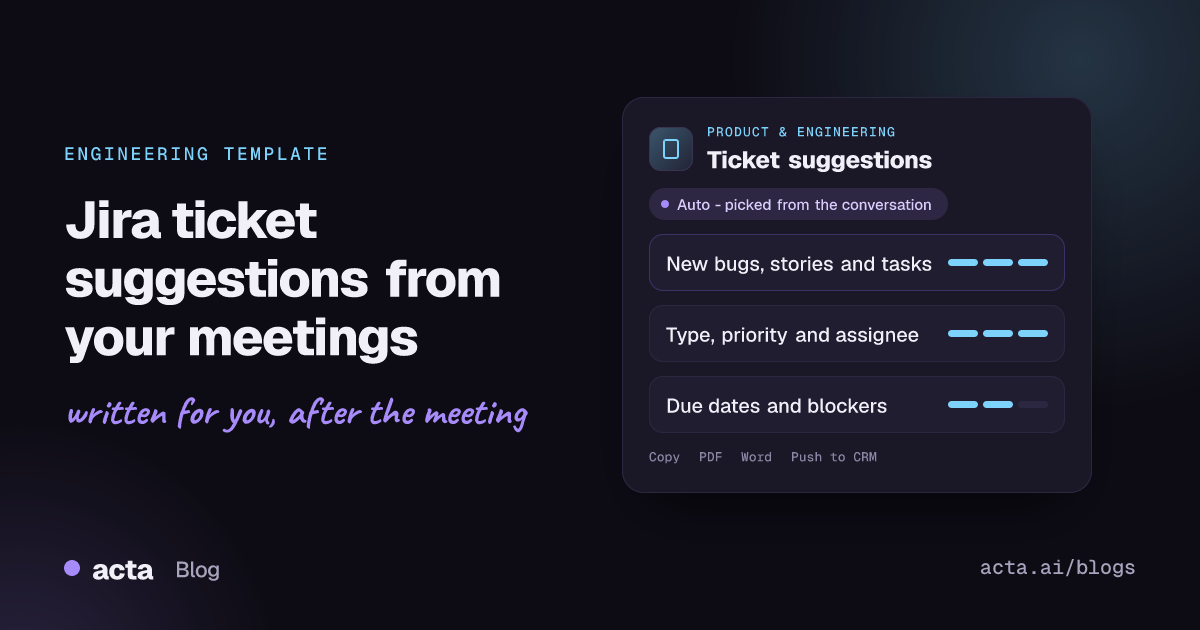
Quick answer: A Jira ticket suggestions report is a list of new, ready-to-file tickets pulled from an engineering meeting. Acta reads the recorded conversation the way a scrum master would, spots new bugs, stories, tasks and epics, skips work that already has a ticket, and writes each one with type, priority, assignee, reporter, due date, related discussion and blockers.
Engineering meetings generate work faster than anyone files it. A standup surfaces a flaky test, sprint planning splits a feature into three stories, and a design review agrees that the old endpoint needs a deprecation notice. Everyone nods, and then the ticket depends on someone remembering it at 6pm.
The result is familiar: half the agreed work never reaches the backlog, the other half lands as one-line tickets with no context, and the next refinement session spends its first twenty minutes reconstructing what was meant. The ticket suggestions template exists to close that gap.
What is a Jira ticket suggestions report?
It is a structured draft of the backlog items that a meeting created but nobody has filed yet. Each suggestion is shaped like a Jira issue, so a product owner or tech lead can review it, adjust it and push it into the right project instead of writing it from memory.
The report follows the standard agile hierarchy. Atlassian's guide to epics, stories and initiatives describes a story as a small unit of work told from the user's point of view, and an epic as a larger body of work that groups several stories. Tasks cover technical work that is not user-facing, and bugs describe a defect in existing behaviour. Getting the type right matters, because it decides which board, workflow and reporting the ticket ends up in.
Done by hand, this is classic scrum master work: listening for commitments, separating new work from existing tickets and writing descriptions good enough that someone who missed the meeting can pick them up.
What does Acta's Ticket suggestions report include?
The template is built for engineering team meetings such as standups, sprint planning, backlog refinement, bug triage and architecture reviews. It covers:
- New work spotted in the meeting. Acta reviews the conversation to find anything that sounds like a new piece of work: "we should add retries to the webhook worker", "the export breaks on files over 50 MB", "let's spike on the new auth library".
- The right ticket type. Acting like a scrum master, it classifies each item as a task, bug, story or epic based on how it was described.
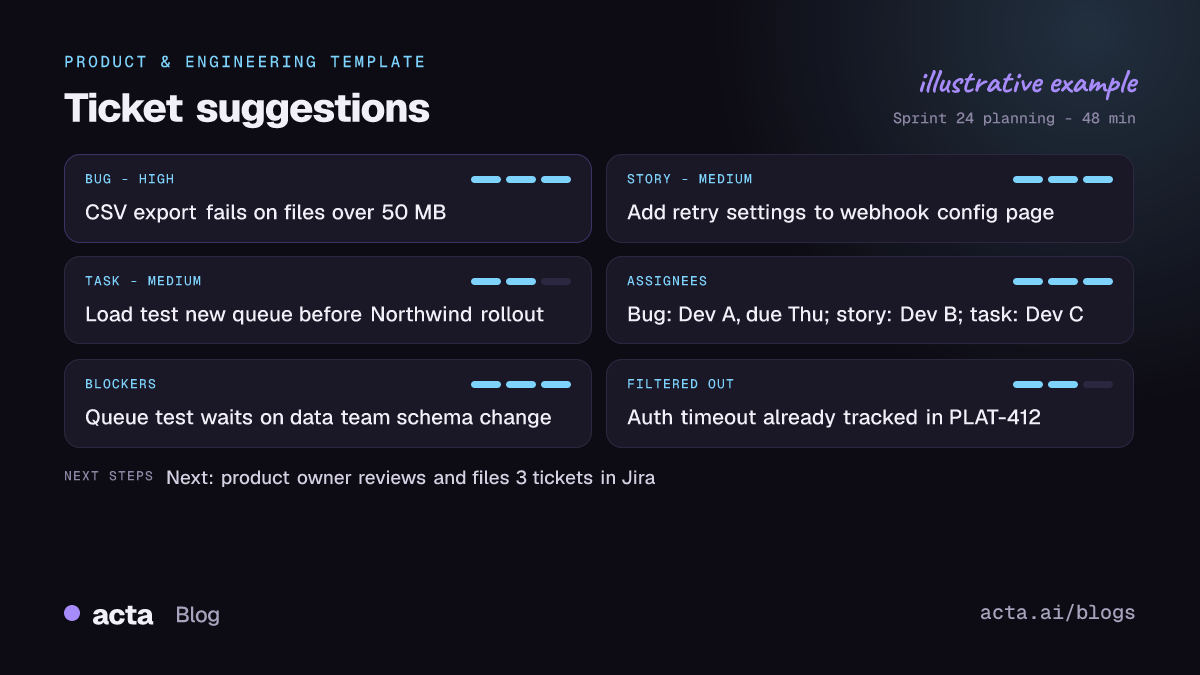
- No duplicates of existing tickets. Items the team referred to as already ticketed, such as "that's already in PLAT-412", are filtered out so the report only shows genuinely new work.
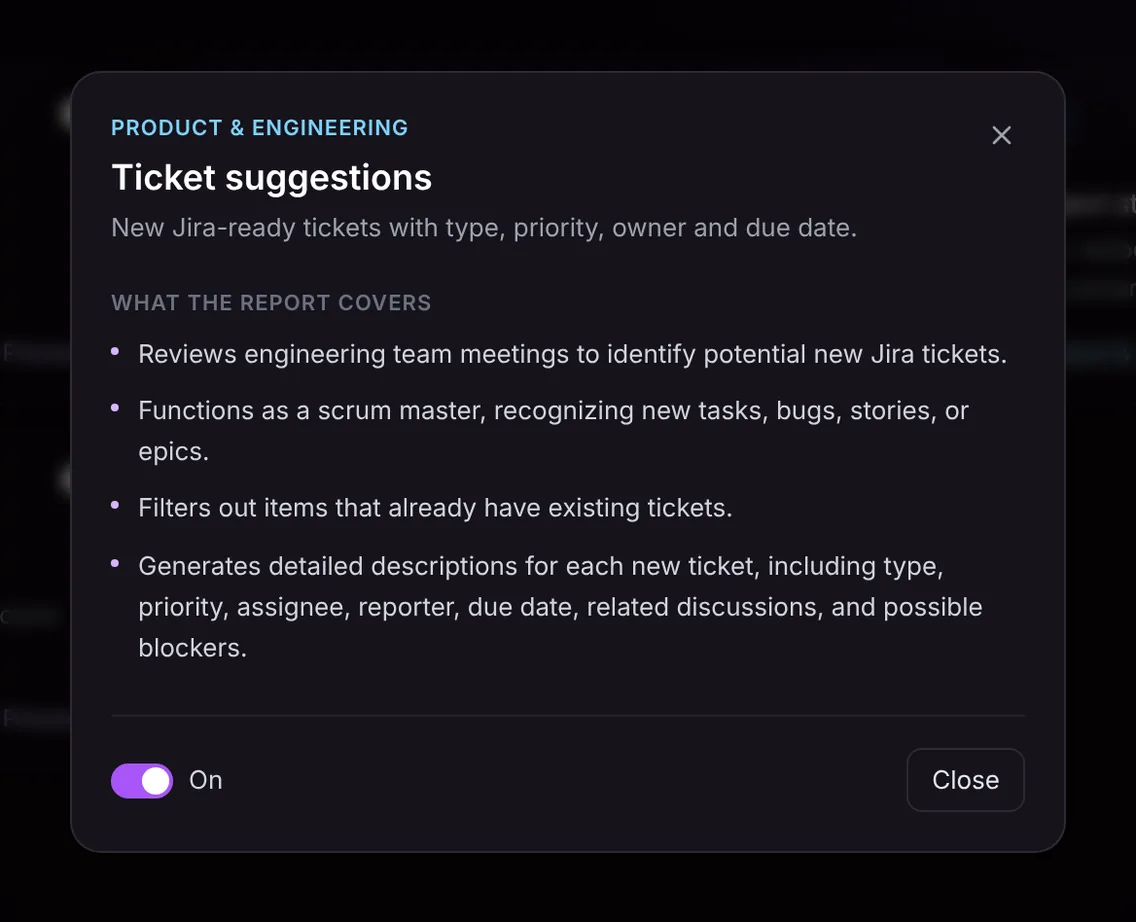
- A full description for each ticket. Every suggestion carries type, priority, assignee, reporter, due date, the related discussion that produced it and any possible blockers mentioned, such as a dependency on another team or a pending security review.
Only what was said goes in. If nobody named an owner or a date, the field says so rather than inventing one, which is your cue to fill it in before filing.
Here is the template in Acta's Templates page, with the preview of what the report covers:
And an illustrative example of a finished report:
Who is it for, and why does it help?
The report is most useful for scrum masters, engineering managers, tech leads and product owners, the people who usually end up as the team's unofficial ticket clerks. It suits these situations well:
- Sprint planning that runs long. When a planning session breaks a feature into eight pieces of work, the report lists each one with its owner and estimate discussion, so the sprint board can be built in minutes.
- Bug triage with customers or support. When support walks through three escalations, each reproducible issue becomes a bug suggestion with the steps and severity that were described.
- Architecture and design reviews. Follow-up work like "write an ADR", "load test the new queue" or "migrate the cron jobs" tends to vanish after design reviews. Here it becomes tasks with owners.
- Standups where blockers surface. A blocker mentioned in passing becomes a ticket with the blocking dependency spelled out.
The bigger benefit is context. Because each suggestion links back to the related discussion, the engineer who picks it up two weeks later can see why it exists and what was agreed, without asking around.
How does Acta pick this template automatically?
You do not have to remember to turn the template on. After a meeting, Acta reads the conversation and picks a fitting template even if it is not enabled for you. For ticket suggestions, the signals are things like engineers describing defects, people volunteering to "take" a piece of work, talk of sprints, story points, priorities and releases, or someone saying "can we get a ticket for that?".
A report chosen this way is labelled "Auto", and Acta explains why it picked it, for example that the meeting was a sprint planning session where several new tasks and bugs were assigned. If the report is useful, one click on "Turn on for future meetings" keeps the template on.
The reverse also holds. When the template is turned on, it first checks whether the meeting is the kind it is for. A pricing call with a customer or a quarterly all-hands will not produce a forced list of fake tickets; the template is listed under "Not relevant" with the reason.

How do you use the Ticket suggestions template?
- Record the meeting. Acta joins Zoom, Google Meet and Microsoft Teams calls through a meeting bot, or you can record without a bot using the desktop app, the Chrome extension or the mobile apps. You can also upload a recording of an in-person planning session.
- Turn the template on. Open the Templates page, preview what Ticket suggestions covers and switch it on, or simply let Acta pick it when the conversation fits.
- Open the Templates tab of the meeting. The report appears next to the summary and transcript once the meeting is processed.
- Review and file. Check owners, priorities and dates, then turn the suggestions into Jira tickets through Acta's Jira integration. You can also copy the report or download it as PDF, Word, Markdown or CSV if you want to bulk import or share it.

For more on the hand-off itself, see how to turn meeting action items into Jira tickets.
Tips for getting better ticket suggestions
- Say the owner out loud. "Priya, can you take the retry logic?" gives the report an assignee; a silent nod does not.
- Name the existing ticket. Mentioning the key ("that's covered by PLAT-412") is what lets Acta filter it out.
- State priority and timing. "This blocks the release, so before Thursday" gives priority and a due date in one sentence.
- Call out blockers explicitly. "We can't start until the data team ships the new schema" becomes a blocker on the ticket.
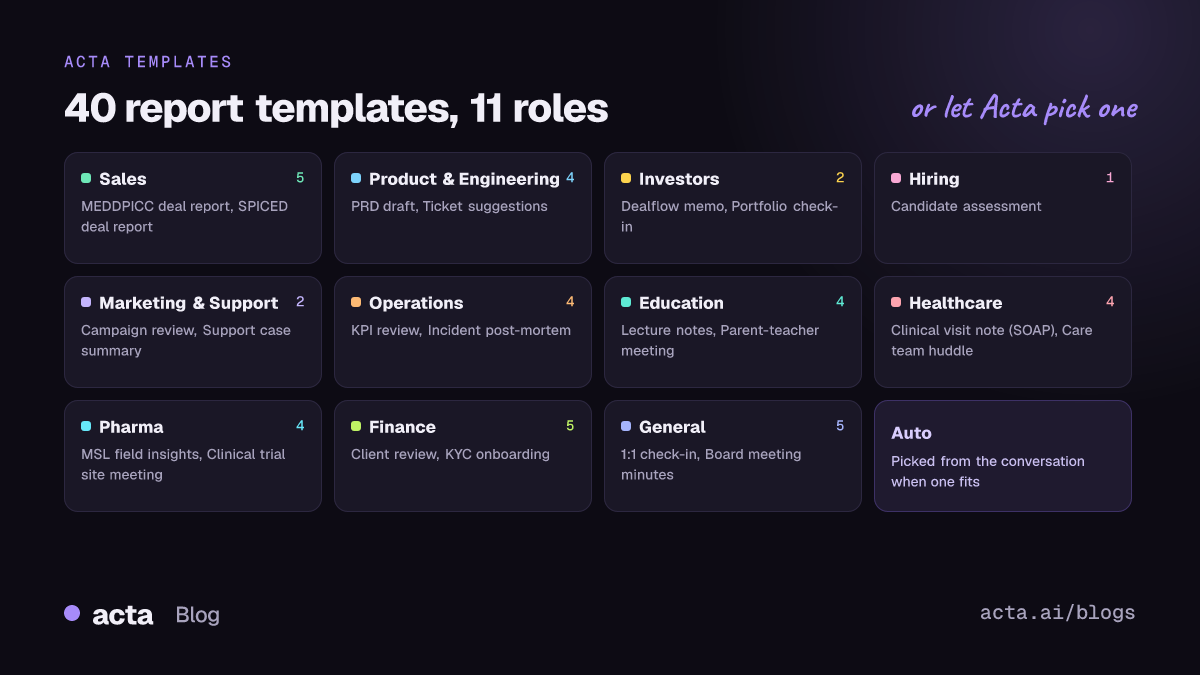
Ticket suggestions works well alongside the other product and engineering templates. A discovery or roadmap meeting can produce a PRD draft, a status meeting a project status report, and an engineering leadership sync a CTO brief. You can see how these fit together on the product and engineering page.
Frequently asked questions
Does Acta create the Jira tickets automatically?
Acta writes the suggestions after the meeting and, because it integrates with Jira, they can become Jira tickets. You review them first, so nothing lands in your backlog without a person checking it.
How does it avoid duplicating tickets we already have?
The template filters out items the team described as already ticketed during the meeting. Referring to existing tickets by key or name makes this filtering more reliable.
What ticket types does it suggest?
It suggests tasks, bugs, stories and epics, with type, priority, assignee, reporter, due date, related discussion and possible blockers for each.
Can I export the suggestions without Jira?
Yes. Every report can be copied or downloaded as PDF, Word or Markdown, and ticket suggestions can also be downloaded as CSV.
What if the meeting was not an engineering meeting?
The template checks relevance first. If the meeting is not one where engineering work is planned or triaged, it is listed under "Not relevant" with the reason instead of producing an empty report.
Ready to stop rewriting tickets from memory? Try Acta free for 15 days and let your next sprint planning file its own backlog.


