A sprint planning meeting template records what the team agreed at the start of a sprint: the sprint goal, the items committed with owners and estimates, the team's capacity, the risks and dependencies, and any decisions or open questions. Fill it during or straight after planning, keep it to five or six sections, and use a separate, shorter template for backlog refinement so the two meetings don't blur together.
Use Cases 11 min read
Sprint Planning Meeting Template: 6 Layouts Plus Refinement
Six sprint planning meeting template layouts, including backlog refinement and multi-team variants, with a comparison table, setup steps and a filled-in sprint.
By Sarma BKP, Founder & CEO, Acta · Updated
This post is for Scrum Masters, engineering managers and product owners who run planning every one or two weeks. It gives six copy-ready layouts, a table to pick between them, the setup as a custom template in Acta and a filled-in example. If your team already plans entirely inside Jira and nobody asks "why did we commit to that?" a week later, you may not need separate notes. Most teams do get asked.
Key takeaways
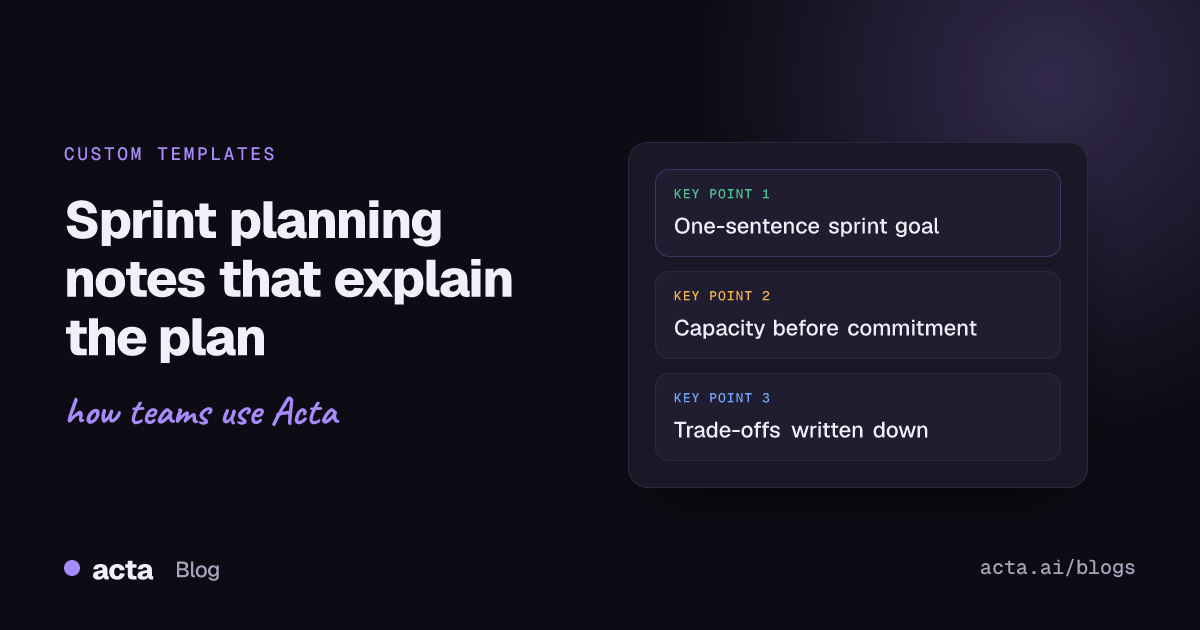
- Put the sprint goal first, as one sentence. If the team can't agree one, the plan isn't done.
- Record committed items in a table with item, owner, estimate and notes, and keep stretch items in a separate list.
- Write capacity as people and days available, including holidays and on-call, before anyone commits to work.
- Capture decisions and trade-offs ("dropped the export fix to make room for the billing bug") because the ticket tool won't.
- Keep refinement and planning in separate templates: refinement clarifies items, planning commits to them.
Table of contents
- Sprint planning produces a goal, a backlog and a reason
- Three sprint planning meeting template layouts
- Refinement and backlog grooming need their own templates
- Pick the layout that matches your team
- Build the sprint planning template in Acta
- A filled-in sprint planning example
- Common sprint planning notes mistakes
- Frequently asked questions
- Choose your sprint planning layout
Sprint planning produces a goal, a backlog and a reason
Sprint planning is the meeting where a Scrum team decides what it will deliver in the next sprint and how. Scrum.org's introduction to Sprint Planning frames it around three topics from the Scrum Guide: why the sprint is valuable, what can be done, and how the work will get done. A good template mirrors those three: the sprint goal answers why, the committed items answer what, and the notes on approach, capacity and risks answer how.
The tooling already holds part of this. Your sprint backlog lives in Jira or Linear, with estimates and assignees. What the tool doesn't hold is the conversation: why the team chose this goal, what it traded away, which risk the tech lead flagged, which dependency the designer is waiting on. That's what planning notes are for. Two weeks later, at the review or the retro, someone will ask why the team took on the migration, and the notes should answer it.
Timebox matters too. The Scrum Guide caps Sprint Planning at eight hours for a one-month sprint, and shorter sprints usually need much less. A template helps you keep inside that, because the meeting ends when the sections are full.
Three sprint planning meeting template layouts
These three cover most teams. Section, format in brackets, then what goes in.
1. Standard Scrum sprint planning
When to use it: a two-week sprint for a single team with a product owner.
1. Sprint goal (Paragraph): one sentence, plus why it matters now
2. Capacity (Table: Person | Days available | Notes): holidays, on-call, part-time
3. Committed items (Table: Item | Owner | Estimate | Notes)
4. Stretch items (Bullets): only if capacity allows
5. Risks and dependencies (Bullets): blockers, other teams, unknowns
6. Decisions and trade-offs (Bullets): what was dropped or deferred, and why
2. One-week lightweight planning
When to use it: small teams on one-week cycles who plan in 30 minutes.
1. This week's goal (Paragraph)
2. Committed work (Checklist: task, owner, due date)
3. Carried over from last week (Bullets): and why it slipped
4. Blockers (Bullets)
3. Multi-team sprint planning
When to use it: two or more teams planning a shared sprint, where dependencies are the main risk.
1. Shared sprint goal (Paragraph)
2. Team goals (Table: Team | Goal | Contact)
3. Cross-team dependencies (Table: Needs | From team | By when | Status)
4. Committed items by team (Table: Team | Item | Owner | Estimate)
5. Risks (Bullets)
6. Decisions (Bullets)
The dependencies table is the heart of multi-team planning. Write "by when" as an actual date, not "early in the sprint", because "early" means day two to one team and day six to another.
Refinement and backlog grooming need their own templates
Backlog refinement, still often called backlog grooming, is where the team clarifies and sizes upcoming items so that planning can be quick. It's a different meeting with a different output, and running it through the sprint planning template produces a mess: a "committed items" table full of things nobody committed to.
4. Backlog refinement
When to use it: the mid-sprint session that prepares items for the next planning meeting.
1. Items discussed (Table: Item | Estimate | Ready? | Notes)
2. Acceptance criteria clarified (Bullets): per item, in the product owner's words
3. Questions to answer before planning (Checklist: task, owner, due date)
4. Items split or removed (Bullets): and why
5. Estimation session
When to use it: a dedicated sizing meeting, often with planning poker.
1. Estimates agreed (Table: Item | Estimate | Spread of votes | Assumption)
2. Items too big to estimate (Bullets): with the proposed split
3. Follow-ups (Checklist: task, owner, due date)
The "Assumption" column earns its place. When an estimate turns out wrong, the stated assumption is usually why, and it's a better retro topic than the number.
6. Sprint planning with capacity focus
When to use it: holiday periods, onboarding weeks or sprints where half the team is on support duty.
1. Sprint capacity (Table: Person | Days available | Focus)
2. Reduced sprint goal (Paragraph)
3. Committed items (Table: Item | Owner | Estimate)
4. What we are explicitly not doing (Bullets)
5. Risks (Bullets)
"What we are explicitly not doing" is worth stealing for any template. Saying it out loud in planning stops a stakeholder from assuming their item is in.
Pick the layout that matches your team
Most teams need two of these: one for planning and one for refinement.
| Template | Best for | Lead section | Sections |
|---|---|---|---|
| Standard Scrum planning | Single team, two-week sprints | Sprint goal | 6 |
| One-week lightweight | Small teams, short cycles | This week's goal | 4 |
| Multi-team planning | Shared sprints with dependencies | Shared goal | 6 |
| Backlog refinement | Preparing items for planning | Items discussed | 4 |
| Estimation session | Sizing meetings | Estimates agreed | 3 |
| Capacity-focused planning | Holidays and reduced teams | Sprint capacity | 5 |
Atlassian's guide to sprint planning and Mountain Goat Software's notes on the sprint planning meeting are both good background if you are tuning how the meeting itself runs.
Build the sprint planning template in Acta
If you record planning, Acta can fill the template from the conversation, so whoever facilitates doesn't also have to type. Custom templates are a paid-plan feature and aren't included in the 15-day free trial. Setup is below; the custom templates help article covers every option.
- In the Acta dashboard, open Templates from the sidebar, choose My templates and click + Create template.
- Name it "Sprint planning".
- Under Start from, choose Describe it. In "What should this report do?" write: "For sprint planning meetings: the sprint goal, team capacity, committed items with owner and estimate, stretch items, risks and dependencies, and decisions or trade-offs made." Click Draft sections and Acta drafts three to seven sections.
- Edit them to match the standard layout. Set "Capacity" and "Committed items" to Table with named columns (up to six each). Use Bullets for risks and decisions. Move the sprint goal to the top with the up arrow.
- Add extra instructions: "Write the sprint goal as one sentence. Use ticket numbers when they were said. Keep stretch items out of committed items."
- Under When should Acta use it? choose Only matching meetings, so it runs on planning and not on standups or retros.
- Use Test on a past meeting and Run on this meeting on last sprint's planning call. Nothing is saved or sent. Fix any section that comes out thin, then Save.
- Switch on Share with my team so other squads can turn it on. Only you can edit it. Build the refinement template the same way, with a description that clearly says "backlog refinement", so the two don't match the same meetings.
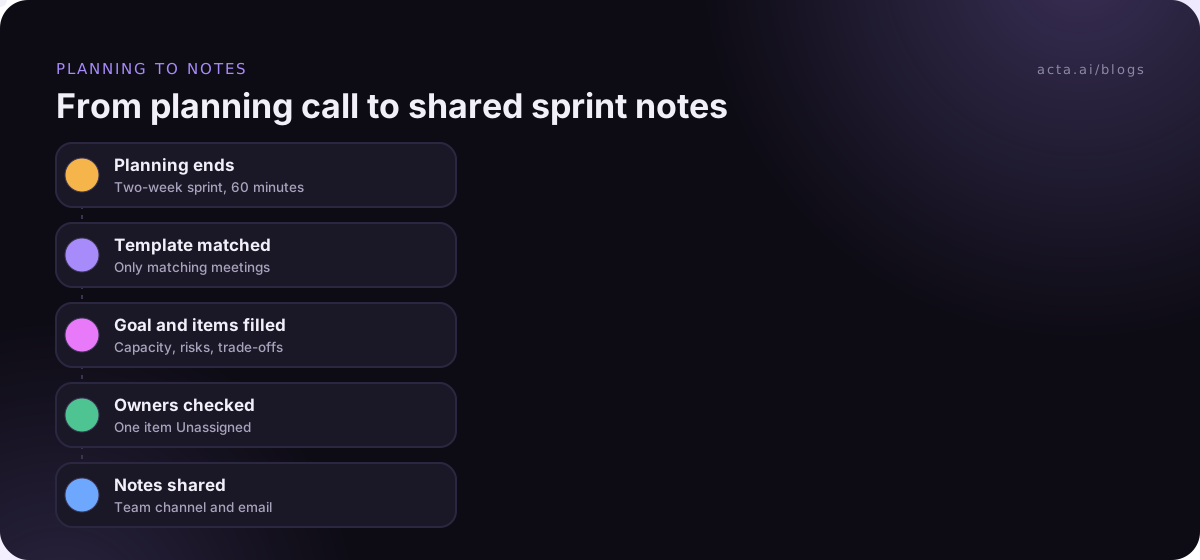
The finished notes appear in the meeting's Templates tab as "Your template" or "Team template", with Copy and Download, and they're emailed like other template reports. Each report opens with an "In short" summary, a confidence rating and key quotes. If nobody discussed stretch items, that section says "Not discussed"; an item nobody picked up shows as "Unassigned". Acta also has built-in engineering templates such as Ticket suggestions and Project status on the templates page; our post on Jira ticket suggestions from engineering meetings shows how the ticket side works. The product and engineering page lists the rest.
A filled-in sprint planning example
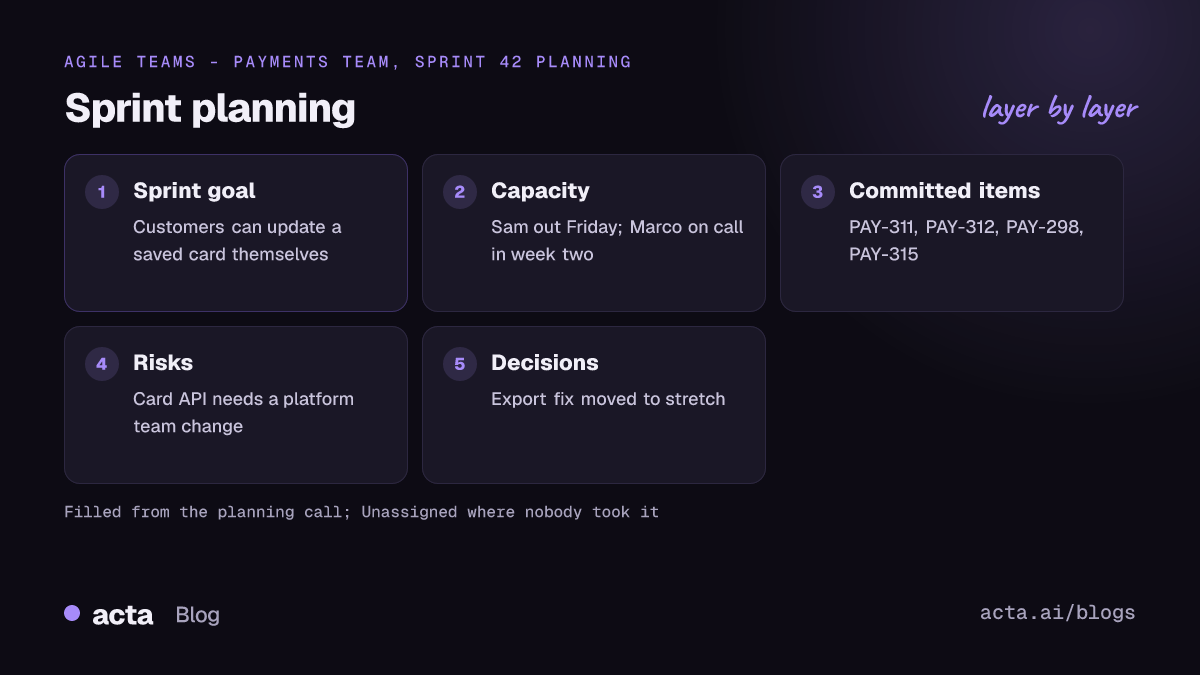
An illustration of the standard template after a 60-minute planning session for a two-week sprint. The team and tickets are invented.
Sprint planning: Payments team, Sprint 42
In short: Goal is to let customers update a saved card without contacting support. Capacity is down a day for a holiday. The export fix was deferred to make room for the billing bug.
Sprint goal: Customers can update a saved card themselves. It matters now because card update requests are the largest group of support tickets this month, per Dana.
Capacity: Priya, 9 days. Marco, 10 days, on call in week two. Dana (PO), part-time. Sam, 7 days, holiday on Friday the 14th.
Committed items: PAY-311 card update form (Priya, 5 pts). PAY-312 card update API (Marco, 8 pts). PAY-298 billing date bug (Sam, 3 pts). PAY-315 confirmation email (Unassigned, 2 pts).
Stretch items: PAY-280 CSV export fix.
Risks and dependencies: Card update API needs a change from the platform team; Marco to confirm by Wednesday. Email template copy still with marketing.
Decisions and trade-offs: Export fix moved to stretch. "The billing bug is costing us refunds; the export can wait a sprint." (Dana)
Two things to act on straight away: the confirmation email has no owner, and the platform dependency has a check date. Both would be easy to lose in a ticket tool, and both are in plain sight here.
Common sprint planning notes mistakes
I've sat through a lot of planning meetings. These are the mistakes that make the notes useless by the next review.
- A sprint goal that is a list. "Finish PAY-311, PAY-312 and PAY-298" is a backlog, not a goal. Say what changes for the user.
- Capacity skipped. Without it, the commitment is a wish. Write days available before you discuss items.
- Stretch items mixed with commitments. Keep them in a separate list, or the sprint "fails" on items nobody promised.
- Trade-offs not written down. The reason something was deferred is the first thing a stakeholder asks about.
- Planning used as refinement. If half the meeting is spent clarifying acceptance criteria, refinement isn't happening. Fix that meeting, not this one.
Planning notes also feed the rest of the cycle. The daily standup tracks progress against them (see our standup meeting template), and the retro checks whether the plan held up, which our guide on running a retrospective people speak up in covers. When a sprint goes badly wrong in production, the postmortem meeting template from this series picks up from there. Items coming in from customer calls are covered in our feature request template post.
If you record planning, tell the team, and check your company's policy; our guide on recording meetings with AI and consent covers the basics. For planning in the Zoom or Teams desktop apps, Acta's desktop app records the call from your computer with no bot joining.
Where Acta fits: it records planning, transcribes it with speaker names and fills your sprint planning template from what was said. It doesn't estimate for you or choose the goal; it makes sure what the team agreed is written down the same way every sprint.
Frequently asked questions
What should a sprint planning meeting template include?
The sprint goal as one sentence, team capacity in days, committed items with owner and estimate, stretch items kept separate, risks and dependencies, and decisions or trade-offs made. Five or six sections is enough. Multi-team planning adds a dependencies table with dates; refinement uses a different template.
How do you write a good sprint goal?
Describe the outcome for users or the business in one sentence, not a list of tickets. "Customers can update a saved card themselves" is a goal. "Finish PAY-311 and PAY-312" isn't. A good goal lets the team make trade-offs mid-sprint without going back to the product owner for every change.
What is the difference between sprint planning and backlog refinement?
Backlog refinement clarifies, splits and sizes upcoming items so they're ready. Sprint planning picks from those ready items, sets the sprint goal and commits to the sprint backlog. Refinement happens during the sprint; planning happens at the start. Keep separate notes templates for each.
How long should sprint planning take?
The Scrum Guide sets a maximum of eight hours for a one-month sprint, and shorter sprints usually need less. Many two-week teams finish in one to two hours when refinement has been done properly. If planning regularly runs long, look at refinement first.
How do I calculate sprint capacity?
List each person's available days for the sprint, subtract holidays, on-call duty, training and other commitments, then compare with the work the team usually finishes in a sprint. Record the numbers in the capacity table before discussing items, so commitments start from what is actually available.
Choose your sprint planning layout
Start with one planning template and one refinement template. Run them for three sprints before changing anything.
- Pick a layout: standard Scrum for most teams, lightweight for one-week cycles, multi-team when dependencies dominate.
- Lead with the goal: one sentence, agreed before items are committed.
- Write capacity first: days available per person, before any estimates.
- Separate stretch from committed: two lists, never one.
- Keep the why: record trade-offs in a decisions section.
For planning calls in Google Meet, Teams or Zoom in the browser, the Acta Chrome extension records without a bot in the meeting.
Found this useful? Share it with your team.