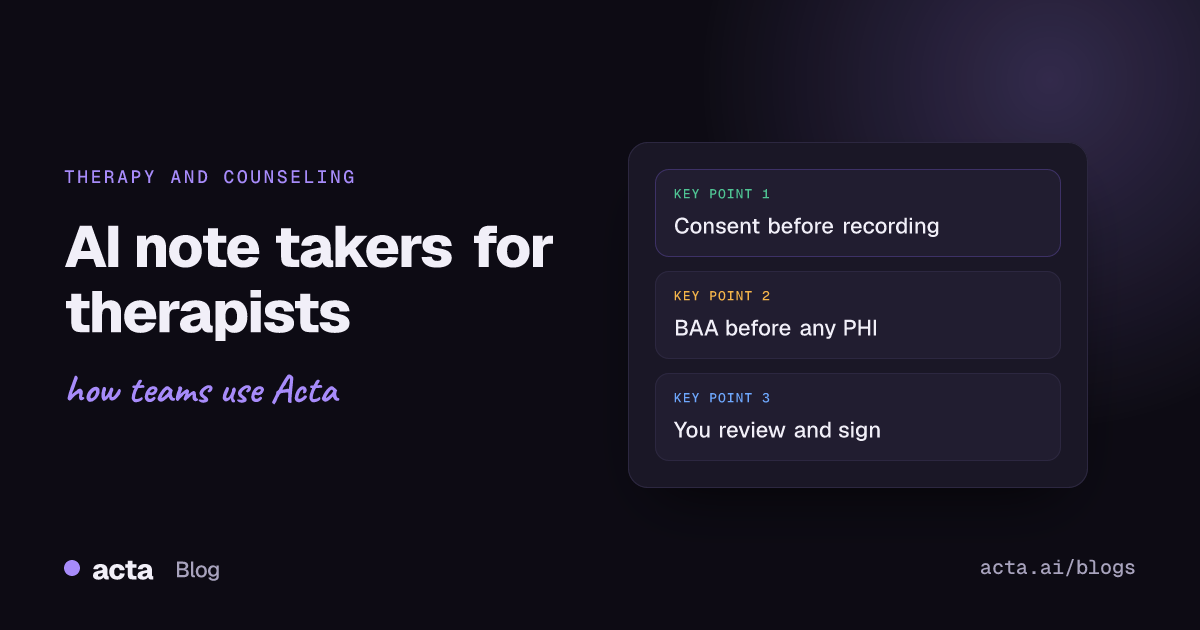
An AI note taker for therapists records or listens to a session, transcribes it and drafts a progress note for the clinician to review. It can save real documentation time, but therapy carries stricter privacy duties than most settings, so before you use one, get the client's informed consent, have a business associate agreement in place if HIPAA applies to you, and know where the audio and transcript go.
Use Cases 12 min read
AI Note Taker for Therapists: Privacy, Consent and What to Check
How an AI note taker for therapists works, how it relates to progress and psychotherapy notes, what client consent should cover and seven questions to ask any vendor.
By Sarma BKP, Founder & CEO, Acta · Updated
This guide is for psychologists, counselors, social workers and marriage and family therapists in private practice or small group practices who are weighing whether to try one. It explains how these tools work, how they relate to progress notes and psychotherapy notes, what to tell clients and what to check with a vendor. It's general information, not clinical, ethical or legal advice: your licensing board, your professional code and your own counsel have the final word for your situation.
Key takeaways
- Ask the vendor for a signed business associate agreement before any session with protected health information goes into the tool. HHS guidance says a cloud provider handling ePHI is a business associate even if it only stores encrypted data.
- Get informed consent that names the tool, what it records, where data goes, how long it's kept and how the client can say no, and record the client's answer in the chart.
- Treat every AI draft as a draft. You sign the note, so read it against your memory of the session, especially risk assessments and anything the client said about safety.
- Keep psychotherapy notes, in the HIPAA sense, separate from the AI-drafted progress note. Don't let a vendor's system blur the two.
- Start with a small pilot: a few consenting adult clients, one note format, and a weekly check of how often you correct the draft.
Table of contents
- An AI note taker for therapists drafts the note you still sign
- These tools work in four steps, and each one holds data
- Progress notes and psychotherapy notes are treated differently
- Client consent comes before the first recorded session
- Check seven things with any vendor before a pilot
- A worked example: one counselor's first month
- An AI scribe is one of several documentation options
- Frequently asked questions
- Decide whether an AI note taker fits your practice
An AI note taker for therapists drafts the note you still sign
An AI note taker, often called an AI scribe in clinical settings, is software that captures the audio of a session, or a summary you dictate afterwards, and turns it into a structured draft. In therapy that's usually a progress note in a format such as SOAP, DAP or BIRP, sometimes with a treatment-plan update or a list of follow-ups.
The appeal is easy to see. Many therapists write notes in the evening, after a full day of sessions, and lose detail as the day goes on. A tool that drafts the note within minutes of the session can make documentation faster and more consistent. If you're new to note formats, this guide to SOAP note drafts shows how a structured draft is built from a visit.
But the draft is never the record until you've reviewed it. The American Psychological Association's ethical guidance on AI in professional practice treats AI as a tool the psychologist is responsible for, and says psychologists have an obligation to obtain informed consent by clearly explaining the purpose, application, benefits and risks of the AI tools they use. In plain terms: the tool can write the first version, and you are still the author.
There are two broad kinds of product. Clinical AI scribes are built for healthcare, often plug into an electronic health record and usually offer a business associate agreement. General AI meeting notetakers are built for business calls on Zoom, Teams or Google Meet. Both can transcribe, but only the first kind is designed around clinical documentation, and the difference matters a lot in therapy.
These tools work in four steps, and each one holds data
Under the hood, nearly every tool follows the same flow. Knowing it helps you ask the right questions, because each step creates data that has to be protected.
- Capture. The tool records the session from a phone, a laptop microphone, the telehealth platform or a bot that joins the video call. Some tools let you dictate a summary after the session instead, so the client's voice is never recorded.
- Transcription. Speech is converted to text, usually on the vendor's servers. This is where accents, crosstalk and quiet voices cause errors.
- Drafting. A language model turns the transcript into a note in your chosen format.
- Review and storage. You edit and sign the note, and it goes into your record system. The audio and transcript may be kept, deleted after a set time, or deleted straight away, depending on the tool and your settings.
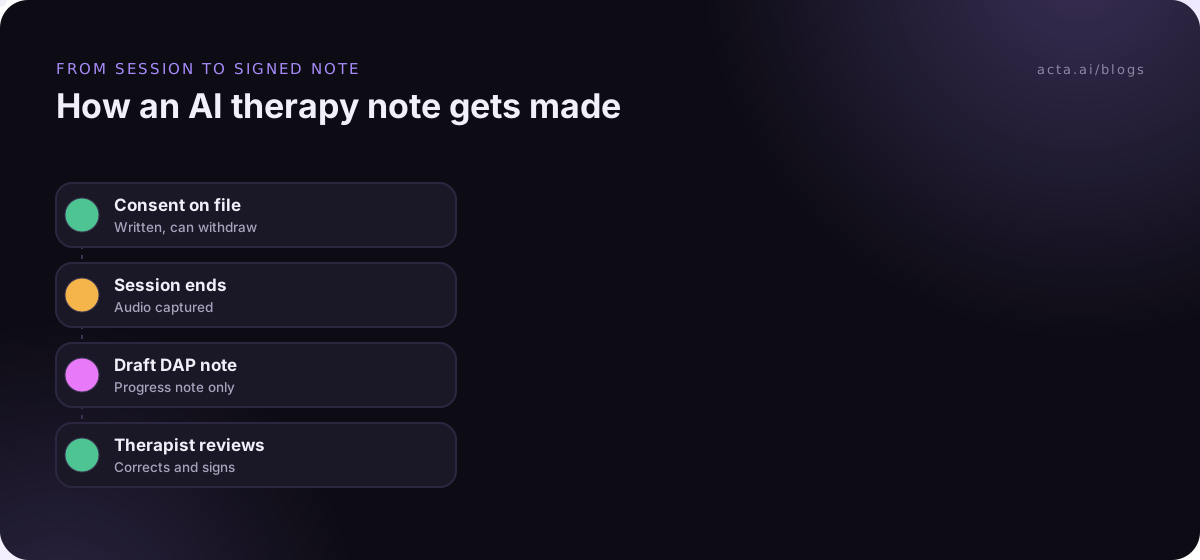
Ask where each of these happens and who can see the data at each step. A tool that deletes the audio as soon as the draft exists is a very different risk from one that keeps every recording for a year. Also ask whether the vendor uses customer data to train its models; many say no, but you want it in writing.
Progress notes and psychotherapy notes are treated differently
US therapists covered by HIPAA work with two kinds of notes, and AI tools can blur the line between them. HHS explains that HIPAA gives extra protection to psychotherapy notes, meaning a mental health professional's notes documenting or analysing the contents of a counselling session, kept separate from the rest of the client's record.
Progress notes are different. Under the HIPAA definition, information such as medication prescribing and monitoring, session start and stop times, the modalities and frequency of treatment, results of clinical tests, and summaries of diagnosis, functional status, treatment plan, symptoms, prognosis and progress belong to the regular record, not to psychotherapy notes, wherever you write them down.
Why this matters for AI tools:
- A session transcript is closer to process notes than to a progress note. It holds everything the client said. Think hard about whether you want it kept at all, and where.
- Notes routinely shared stop being psychotherapy notes. If your private reflections end up in a system your billing staff or the vendor's support team can see, they may lose that special status.
- Keep the AI draft to progress-note content. Use the tool for the clinical summary that belongs in the chart, and keep your own working hypotheses and process reflections separate.
Rules outside the US differ, and state laws can add requirements for mental health records. If you're unsure which category a piece of content falls into, ask your professional association's ethics line or a healthcare lawyer.
Client consent comes before the first recorded session
Recording a therapy session is not a background technical choice. It changes the room. Professional codes have treated it that way for a long time: the APA Ethics Code's standard on recording says psychologists obtain permission from the people they serve, or their legal representatives, before recording their voices or images, and the ACA Code of Ethics says counselors obtain permission from clients before recording sessions. Many states also have their own laws on recording conversations; this guide to recording consent covers the general picture.
APA's page on evaluating AI scribes recommends building an informed consent process and a documentation policy before you start. A good consent conversation covers:
- What the tool does: it records or listens, transcribes and drafts a note that you review.
- Where the data goes: the vendor's name, where it's stored, how long audio and transcripts are kept.
- Who can see it: you, any staff with record access, and the vendor under its agreement with you.
- Risks: transcription errors, data breaches and the fact that the tool is a third party.
- The choice: saying no changes nothing about their care, and they can withdraw at any time, including mid-session.
Get consent in writing, record it in the chart, and check in again after a few sessions. Some clients agree at intake and feel differently once they hear themselves being recorded. Be especially careful with minors, couples and families, where you need consent from more than one person and the dynamics of who agrees are part of the clinical picture. And respect a "no" without making the client explain it.
Check seven things with any vendor before a pilot
Most of the risk sits with the vendor, so this is where you spend your diligence. If HIPAA applies to you, HHS's guidance on cloud computing says you may use a cloud provider that creates, receives, maintains or transmits ePHI only if you have a business associate agreement with it, and that the provider is a business associate even if it stores only encrypted data it can't read.
Ask every vendor these seven questions, and get the answers in writing:
- Will you sign a business associate agreement? If not, don't put client sessions into the tool.
- Where is audio processed and stored, and for how long? Can you choose immediate deletion of audio after the draft?
- Is customer data used to train your models? Look for a clear no in the contract, not just the marketing page.
- Which subcontractors handle the data? Transcription and language model providers are often third parties.
- Who at the vendor can access session data, and when? Support access should be limited and logged.
- What happens to data if you cancel? You want export and deletion, with a date.
- How was the tool tested on therapy sessions? Tools built for medical visits may handle a 50-minute therapy conversation poorly.
Independent security reports and certifications are useful evidence, but ask to see the report itself rather than relying on a badge. For a longer list built for clinicians, see what to check before choosing an AI scribe.
A worked example: one counselor's first month
Here's an illustrative example. Dana is a licensed professional counselor in a three-person group practice, seeing around 25 adult clients a week, mostly by video. She writes DAP notes and has been finishing them late at night.
Week 1: choose and contract. Dana's practice shortlists two clinical scribes that sign business associate agreements. She picks the one that lets her set audio to delete as soon as the draft is created. The practice owner signs the agreement and adds the vendor to the practice's list of business associates.
Week 1: consent. She updates the intake paperwork with a one-page AI documentation consent form and asks six existing adult clients whether they'd be comfortable trying it. Four agree; two decline, and nothing changes for them.
Weeks 2-3: pilot. For those four clients, the tool drafts a DAP note after each session. Dana reviews each draft the same day. She keeps a simple tally: drafts she accepts with light edits, and drafts she has to rewrite. The drafts tend to over-report the client's words and under-report her own interventions, so she adjusts the template prompt to ask for interventions explicitly.
Week 4: review. She notices the tool once attributed a statement about sleep to the wrong person in a session where the client's partner joined for ten minutes. She decides to switch the tool off for any session with more than one client present. She keeps using it for the four individual clients and offers it to a few more.
The useful part of this example isn't the tool. It's the order: agreement, then consent, then a small pilot with a written review.
An AI scribe is one of several documentation options
Recording every session isn't the only way to get help with notes. Some therapists prefer options that never capture the client's voice at all.
| Option | Client audio recorded? | Best for | Main trade-off |
|---|---|---|---|
| Clinical AI scribe (session audio) | Yes | High caseloads, consistent note formats | Most privacy and consent work |
| Post-session dictation into an AI tool | No, only your summary | Therapists who want speed without recording clients | Relies on your memory right after the session |
| EHR note templates and smart phrases | No | Routine follow-ups | Still typed by hand |
| General meeting notetaker | Yes | Practice business meetings without client data | Not built for clinical records |
Post-session dictation is underrated. You speak for two minutes after the client leaves, the tool turns your summary into a note, and the client's voice never leaves the room. It avoids most of the consent questions, though your dictation is still PHI if it names the client, so the vendor checks above still apply.
Avoid the common mistakes: using a general business notetaker for client sessions without a business associate agreement, letting a bot join a telehealth session without the client knowing, and signing AI drafts without reading them. The overview of AI notetakers in healthcare covers the same mistakes from a wider clinical angle.
Where a general notetaker like Acta fits
Acta is a general meeting notetaker, not a clinical scribe. It's working towards HIPAA but doesn't claim it today, so it isn't the right tool for client sessions. It does fit the business side of a practice, such as partner meetings, staff training or vendor calls with no client information, and Acta doesn't use customer data to train AI models. Its healthcare page gives the same advice as this guide: get the patient's consent and make sure your data-processing agreements cover patient data.
Frequently asked questions
Is it legal for therapists to use AI note takers?
In general, yes, if you meet the privacy, consent and recording rules that apply to you. In the US that usually means a business associate agreement with the vendor if HIPAA covers you, informed client consent, and any state recording or mental health record rules. Check with your licensing board or a healthcare lawyer for your specific state and setting.
Do I need client consent to use an AI scribe in therapy?
Professional codes such as the APA and ACA codes require permission before recording sessions, and APA's AI guidance calls for informed consent about the AI tools you use. Even when a tool doesn't record audio, telling clients how their information is processed is good practice. Get consent in writing, note it in the chart, and make it easy to decline.
Can an AI note taker write psychotherapy notes?
It can draft text, but under HIPAA psychotherapy notes are your private notes about session content, kept separate from the record. Putting them into a vendor's system may weaken that separation. Most therapists use AI tools only for the progress note that goes into the chart, and keep any psychotherapy notes on their own.
What is the difference between an AI scribe and a general AI notetaker?
Clinical AI scribes are built for healthcare: they draft clinical note formats, often link to an electronic health record and usually sign business associate agreements. General notetakers are built for business meetings and may not offer the agreements or controls a therapy practice needs. Check the contract, not the product category, before using either with client information.
How accurate are AI therapy notes?
It varies by tool, audio quality and session type, and vendors' own accuracy figures are hard to compare. Common problems include misattributed statements when more than one person speaks, missed nuance in emotional content, and under-reporting of the therapist's interventions. Review every draft against your own memory and correct it before signing.
Decide whether an AI note taker fits your practice
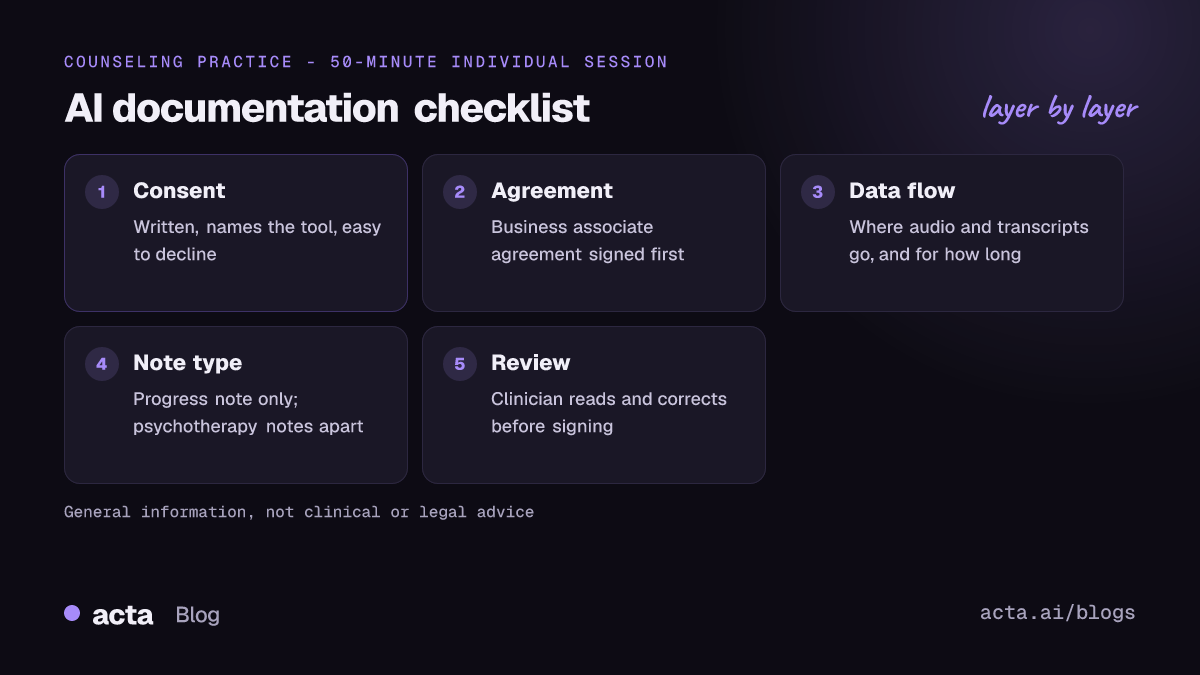
If you're considering an AI note taker for therapists in your own practice, work through these checks before the first session goes in.
- Sign the agreement: A business associate agreement is in place if HIPAA applies, and you've read what it covers.
- Map the data: You know where audio, transcripts and drafts are stored, for how long, and who can see them.
- Get informed consent: A written consent that names the tool, explains the risks and makes declining easy.
- Separate the notes: AI drafts stay to progress-note content; psychotherapy notes stay apart.
- Review every draft: You read and correct each note before signing, and track how often the draft needs a rewrite.
For practice meetings that don't involve client information, the Acta desktop app records Zoom, Teams and other calls from your own computer without a bot, and you can read how Acta handles data on the security page.
Found this useful? Share it with your team.