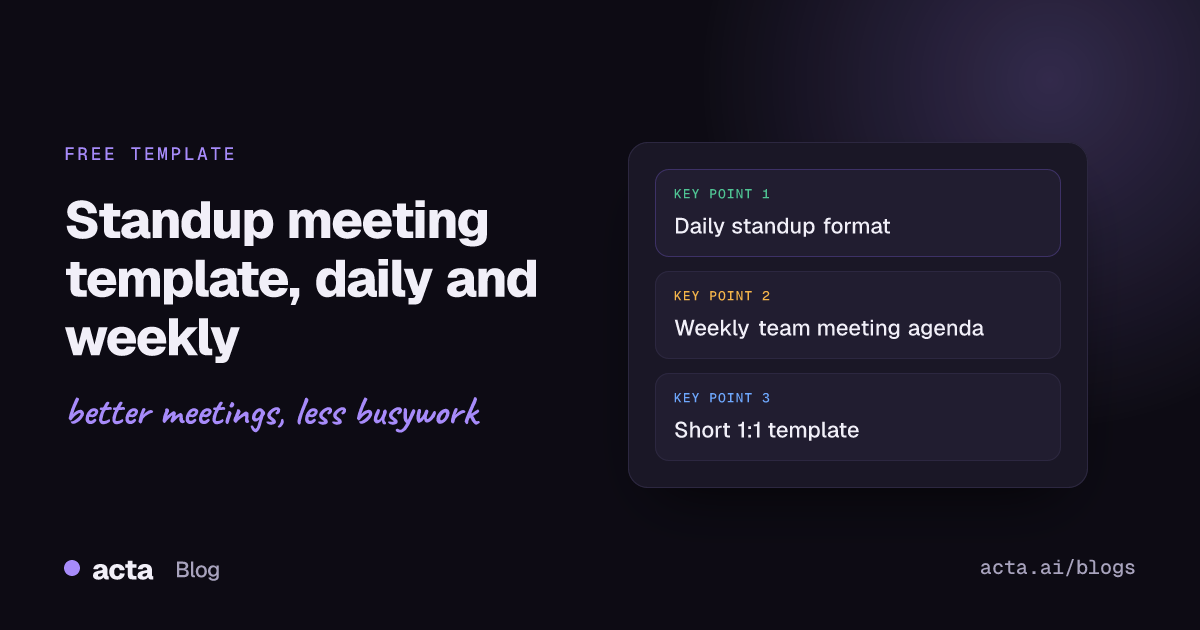
Quick answer: A standup meeting template is a short, repeatable format for a team check-in. For a daily standup, each person answers three questions in about a minute: what I finished, what I am doing next, and what is blocking me, all tied to the team's goal. A weekly team meeting adds metrics, decisions and priorities. Blockers become owned action items after the meeting.
Standups are meant to take fifteen minutes and often take forty. The fix is almost always a tighter format: the same questions in the same order, a clear place for blockers, and a rule that problem-solving happens after the standup with only the people who need to be there.
Below you will find a daily standup template, a filled-in example for a fictional team at Northwind, a weekly team meeting template, a short 1:1 template, how to handle blockers, common mistakes, and how Acta captures the output for you.
What is a daily standup meeting?
A daily standup is a short meeting where a team syncs on progress and obstacles. The name comes from the habit of standing up to keep it short. In Scrum the event is called the Daily Scrum.
The current 2020 Scrum Guide describes the Daily Scrum as a 15-minute event for the Developers, held at the same time and place every working day. Its purpose is to inspect progress toward the Sprint Goal and adapt the Sprint Backlog as needed. The Developers can pick any structure, as long as it focuses on the Sprint Goal and produces a plan for the next day of work.
The well-known three questions come from earlier versions. The 2017 Scrum Guide offered them as an example: what did I do yesterday that helped the team meet the Sprint Goal, what will I do today, and do I see any impediment. The 2020 edition removed them, so they are a useful default rather than a rule.
Daily standup meeting template (copy and paste)
Use this as your standup meeting template. Paste it into the meeting invite so everyone knows the format.
- Header: [Team] daily standup - [date] - facilitator: [name]
- Goal check (30 seconds): the sprint or weekly goal in one sentence, and whether we are on track.
- Round (about 1 minute each):
- Done since last standup: [what moved the goal forward]
- Next: [what I will work on today]
- Blockers: [what is stopping me, and who could unblock it]
- Board check (1 minute): anything stuck in the same column for days, or unassigned.
- Parking lot: [topics to discuss after the standup, and who stays]
- Action items: [Action] - Owner: [name] - Due: [date]
Ground rules that keep it short:
- Start on time, even if someone is missing. Same time and place every day.
- Talk about work that affects the goal, not everything you did.
- If a topic needs more than a minute, put it in the parking lot.
- Walk the board right to left (closest to done first) if updates per person feel repetitive.
Daily standup example: Northwind platform team
Here is the template filled in. Northwind and Contoso are fictional companies and everyone named is invented.
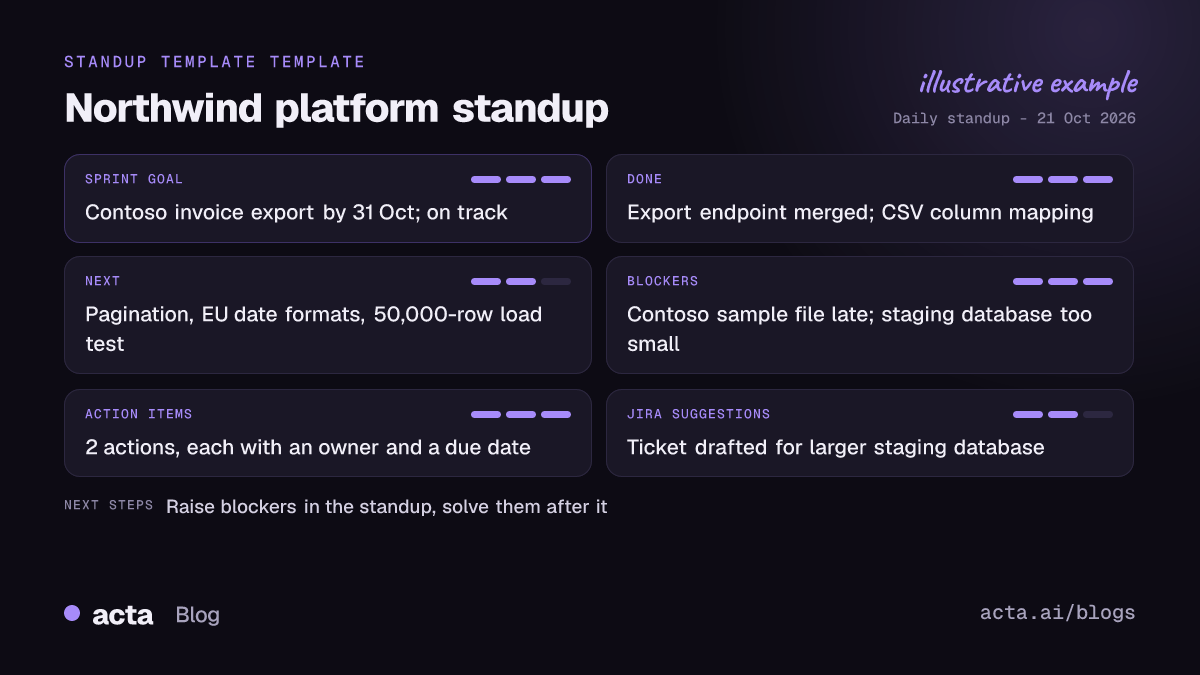
Northwind platform team - daily standup - 21 October 2026 - facilitator: Kim Osei
Goal check: Sprint goal is "Contoso can export invoices to CSV by 31 October". On track, one risk below.
Ravi Nair: Done - export endpoint merged. Next - pagination for large accounts. Blockers - none.
Ellie Brandt: Done - CSV column mapping. Next - date formats for EU customers. Blockers - waiting on Contoso's sample file since Friday.
Marco Diaz: Done - test plan. Next - load test with 50,000 rows. Blockers - staging database is too small for the test.
Parking lot: staging database size (Marco, Kim, Ravi stay on).
Action items:
- Chase Contoso for the sample file - Owner: Kim Osei - Due: today
- Request a larger staging database - Owner: Ravi Nair - Due: 22 October
Each update is one line per question. The two blockers left the standup with an owner and a date, and the discussion about staging happened after, with three people instead of the whole team.
How do you handle blockers in a standup?
Blockers are the main reason to hold a standup at all. Status can be read on a board; a blocker usually needs another person.
- Say it plainly. "I am blocked on X because Y, and I need Z from [person]." Not "it's going fine, just waiting on a few things."
- Do not solve it in the standup. Name who can help and move it to the parking lot.
- Give it an owner and a date. The owner is the person who will chase it, which is not always the person who is blocked.
- Check it tomorrow. Start the next standup with yesterday's blockers. A blocker raised three days running is a risk, not a status.
- Escalate outside the team when needed. If the blocker sits with another team or a customer, raise it with whoever can change priorities there.
Weekly team meeting template
A weekly team meeting does a different job from a daily standup. It looks back at the week, makes decisions that need the whole team, and sets priorities for the next week. Plan 30 to 45 minutes.
- Header: [Team] weekly team meeting - [date] - chair: [name] - notes: [name]
- Last week's action items (5 minutes): done, late or dropped, with a reason for anything late.
- Metrics (5 minutes): the two to four numbers the team owns, against target.
- Wins and lessons (5 minutes): what shipped, what went wrong, what we change.
- Decisions needed (10 to 15 minutes): each item with an owner, options and a recommendation sent in advance.
- Risks and blockers (5 minutes): anything that could affect next week's plan.
- Priorities for next week (5 minutes): the top three, in order.
- Action items: [Action] - Owner: [name] - Due: [date]
Write decisions down in the meeting, with the reason. If your weekly team meeting needs formal minutes, our meeting minutes template has a format and example you can copy. For projects with several workstreams, a project status report with RAG ratings works better than a free-form update.
1:1 meeting template
One-on-ones are where blockers that people will not raise in front of the team come out. Keep a running document shared between manager and report, newest meeting at the top.
- Header: [Manager] and [report] - 1:1 - [date]
- Their topics first: [what the report wants to discuss]
- Wins and challenges since last time
- Blockers the manager can help with
- Growth and feedback: [both directions]
- Action items: [Action] - Owner: [name] - Due: [date]
This 1:1 meeting template is deliberately short. For a fuller version with a worked example, see our guide to one-on-one meeting notes.
Standup variants: async, remote and cross-team
Async standup
- Each person posts the same three answers in writing by a set time.
- Works well across time zones. Someone still has to read the blockers and act on them.
- Hold a live standup once or twice a week anyway, so problems that are hard to write down still come up.
Remote or hybrid standup
- Share the board on screen and walk it, rather than going person by person.
- Pick a fixed speaking order so remote people are not talked over.
- Cameras optional; punctuality not.
Cross-team standup
- One person per team, two or three times a week.
- Only dependencies and blockers between teams. No individual status.
What are the most common standup mistakes?
- Status report to the manager. People face the lead and report. The standup is for the team to plan the day together.
- Problem-solving in the room. Two people debug while eight wait. Use the parking lot.
- Hidden blockers. "No blockers" every day for a week usually means people do not feel safe raising them.
- No follow-through. Blockers are mentioned and nobody owns them. Write down an owner and a date.
- Too many people. Past about ten people, split the standup or move to a board walk.
- Moving the time. A standup that moves every day stops being a habit.
How does Acta capture blockers, action items and Jira tickets?
Most teams do not take notes in a standup, which is why blockers get forgotten by Thursday. Acta writes the notes so the facilitator can focus on the conversation.
- Capture. Acta records Zoom, Google Meet and Microsoft Teams standups through a meeting bot that joins from your calendar, or without a bot through the Acta desktop app for Windows and Mac, the Chrome extension, or the mobile apps for in-person standups. Recording people needs their consent where the law requires it, so agree it with the team first; see whether it is legal to record meetings with AI.
- Notes and action items. Acta transcribes with speakers and writes a summary, with action items, owners and due dates. Blockers mentioned in the round become action items rather than lines nobody reads.
- Across meetings. Action items and decisions are kept across meetings, so tomorrow's standup can start with yesterday's open items. The Follow-ups view shows what is still open; see how to track action items across meetings.
- Jira ticket suggestions. Acta's Jira ticket suggestions template drafts tickets from what the team discussed, and the Jira integration sends them to your project. Our post on Jira ticket suggestions from engineering meetings shows what a suggested ticket looks like.
- Ask later. OneChat answers questions across all your meetings with sources, such as "When did Ellie first mention the Contoso sample file?"
Acta also has 1:1 report templates, among its 40 templates in 11 role groups, so the same setup covers your 1:1s. For more on how engineering teams use it, see Acta for product and engineering.
Frequently asked questions
What are the three standup questions?
What did I finish since the last standup, what will I work on next, and what is blocking me. The 2017 Scrum Guide gave them as an example; the 2020 guide lets teams choose their own format.
How long should a daily standup be?
Fifteen minutes or less. The Scrum Guide sets 15 minutes for the Daily Scrum, and most teams of up to about ten people can finish well within that.
What is the difference between a daily standup and a weekly team meeting?
A daily standup plans the next day of work and surfaces blockers. A weekly team meeting reviews results, makes decisions and sets priorities for the week ahead.
Should managers attend the daily standup?
They can listen, but the standup belongs to the people doing the work. If updates are being directed at the manager, ask the manager to skip a few and read the notes instead.
Do we need notes for a standup?
Not a full record. Write down blockers, owners and due dates, and any decision. That is enough to start the next standup with yesterday's open items.
Want blockers and action items from every standup written down for you? Try Acta free for 15 days.