Podcast transcription is the job of turning a recorded episode into accurate, timestamped text you can publish next to the audio and reuse for show notes, chapters and clips. For your own show, the reliable routine is: record clean tracks, run an automatic transcript, correct names and jargon by listening at the marked spots, export a VTT or SRT file for the apps, and write show notes from the corrected text.
Use Cases 12 min read
Podcast Transcription: From Episode to Transcript and Show Notes
A producer's routine for podcast transcription: record for text, correct in the right order, publish one VTT file to Apple and Spotify, and write show notes from it.
By Sarma BKP, Founder & CEO, Acta · Updated
This guide is for hosts and producers who publish their own episodes and want a routine that takes one sitting per episode. If you only need the text of somebody else's show for research, the shorter guide on how to transcribe a YouTube video or podcast fits better.
Key takeaways
- Fix the audio before you fix the text: one microphone per speaker and a separate track per guest remove most transcript errors at the source.
- Correct in a fixed order: speaker labels, then proper nouns, then numbers, then filler words. Skip word-by-word proofreading of the whole file.
- Publish a timestamped VTT or SRT file. Apple and Spotify both accept those two formats for creator-supplied transcripts, as of November 2026.
- Write podcast show notes from the corrected transcript with a fixed template: a two-sentence summary, 3-6 timestamped chapters, every name and link mentioned, and one call to action.
- Budget roughly one listen-through at higher speed for checking; that pass is where the quality comes from.
Table of contents
- Podcast transcription turns audio into publishable text
- Clean audio decides most of the transcript quality
- Transcribe a podcast episode in seven steps
- Pick the podcast transcript format by where it will be read
- Apple Podcasts and Spotify treat your transcript differently
- Podcast show notes come straight from the transcript
- Most transcript problems come from five mistakes
- Where Acta fits for interview shows
- Frequently asked questions
- Set up your podcast transcription routine
Podcast transcription turns audio into publishable text
A podcast transcript is a text version of an episode, usually with speaker labels and timestamps, that listeners can read along with or search. Podcast transcription is the process that produces it, and for most shows today it means a machine draft plus a human correction pass. Fully manual typing still exists, but it rarely makes sense for a weekly show unless the audio is unusually hard.
Transcripts earn their keep in three places. Listeners who are deaf or hard of hearing, or who simply prefer to read, can follow the episode. Search engines and AI answer tools can read text, not audio, so a transcript page gives each episode something to index. And the transcript is the raw material for everything you write afterwards: show notes, newsletter blurbs, quote cards and clip selections.
There's a cost, though. An uncorrected machine transcript with a guest's name spelled three different ways looks worse than no transcript at all. The routine below is built around catching exactly those errors quickly.
Clean audio decides most of the transcript quality
Transcription engines struggle with the same things human listeners struggle with: crosstalk, room echo, a guest on a laptop microphone three feet away, and music under speech. You can spend an hour correcting a transcript that a better setup would have got right the first time.
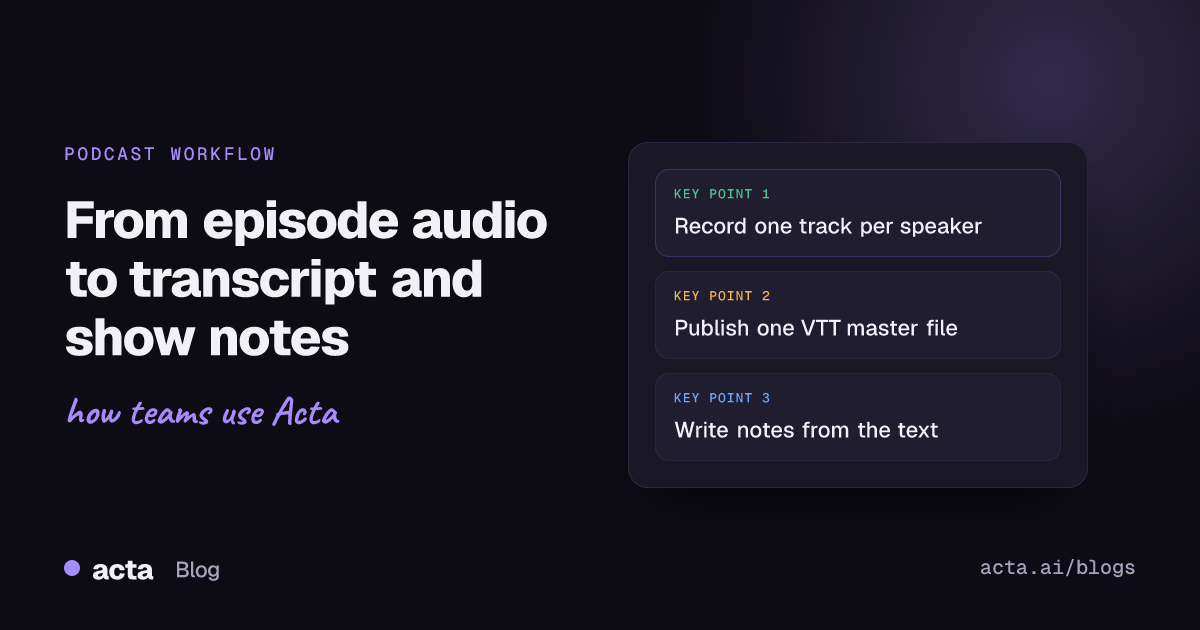
- Record each person on their own track. Separate tracks let the engine hear one voice at a time and make speaker labels far more reliable. Remote recording platforms and most DAWs can do this.
- Use a close microphone. A dynamic USB mic a hand's width from the mouth beats an expensive condenser across the room. The guide to the best microphone for clear recordings covers the trade-offs.
- Transcribe the speech-only mix. Export a version without intro music, stingers and ad beds, or the engine will try to transcribe lyrics and miss the first words of each segment.
- Ask guests not to talk over each other. A ten-second briefing before you hit record saves minutes of untangling later.
If your audio already has accents, noise or overlapping speech you can't re-record, the tactics in improving transcription accuracy with accents, noise and crosstalk apply to podcasts as much as to meetings.
Recording a remote guest also means telling them you're recording, and in some places getting explicit consent. Most hosts cover this in the booking email and again on air. For the general rules, read is it legal to record meetings with AI; this is general information, not legal advice.
Transcribe a podcast episode in seven steps
This is the routine I'd hand to a new producer. It assumes a 45-minute interview with one host and one guest, edited and ready to publish.
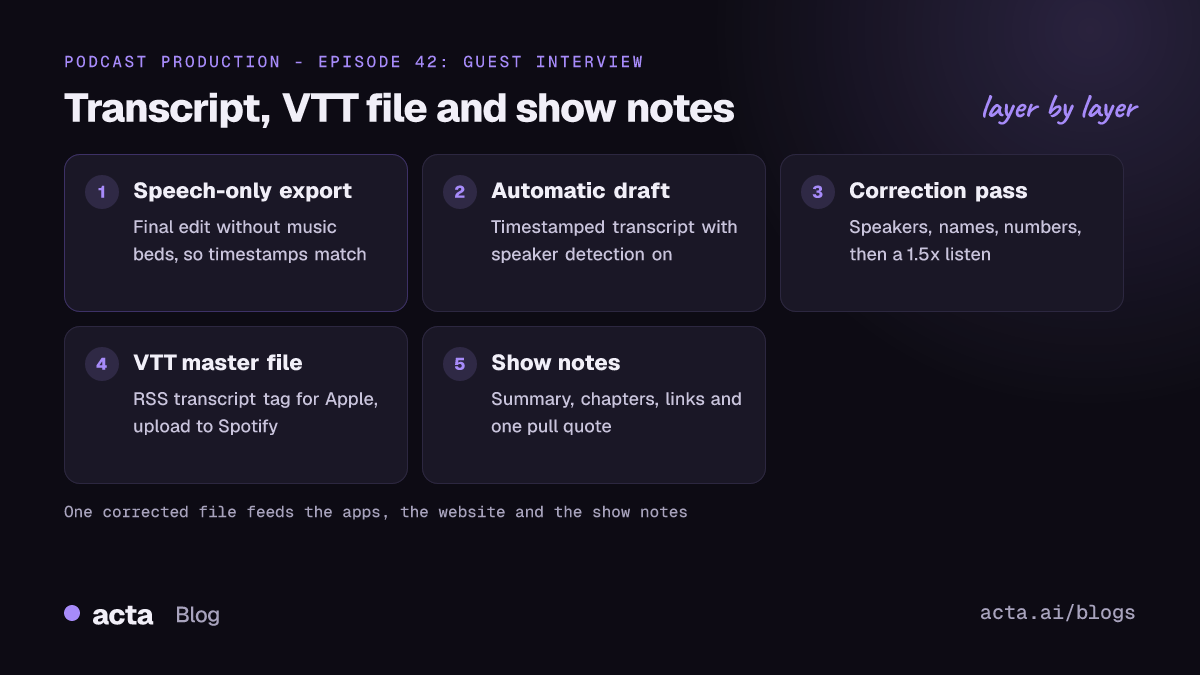
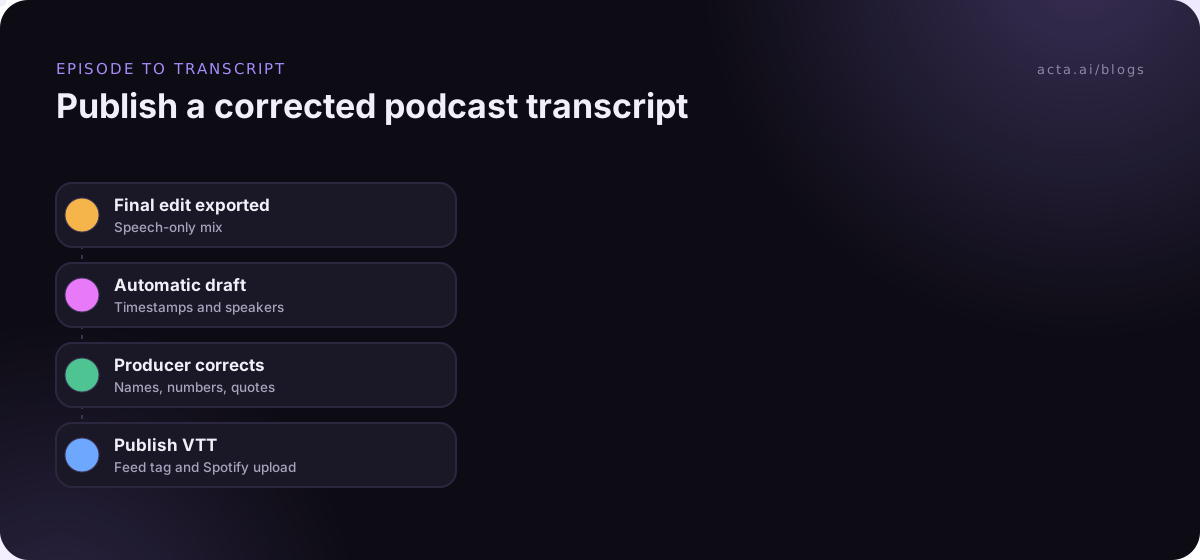
- Export the final edit as speech-only audio. Transcribe the edited version, not the raw recording, so timestamps match what listeners hear. A mono MP3 or WAV is fine.
- Prepare a glossary. List the guest's name, company, product names, places and any acronyms. Many transcription tools accept custom vocabulary; if yours doesn't, the list still speeds up correction.
- Run the automatic transcript. Use a tool that exports timestamped formats (VTT or SRT) as well as plain text. Turn on speaker detection and set the number of speakers if the tool asks.
- Fix speaker labels first. Rename "Speaker 1" and "Speaker 2" to real names, then scan for turns assigned to the wrong person, which usually happens on short interjections.
- Search-and-replace the glossary. Look for each tricky term and its likely misspellings. A guest named Siobhan will appear as "Shivaun" or "Chevonne"; fix all of them at once.
- Listen at 1.5x with the text open. Check numbers, dates, quotes you plan to reuse and anything marked unclear. Don't polish grammar; a transcript should read like speech.
- Export and publish. Save a VTT or SRT file for the podcast apps, and an HTML or plain-text version for the episode page on your website.
Steps 4 and 5 catch most visible errors in a few minutes. Step 6 is the slow one, and it's where you find the "fifteen" that should be "fifty" before a listener does.
Pick the podcast transcript format by where it will be read
The podcast transcript format matters because each destination reads a different one. The Podcasting 2.0 namespace defines a podcast:transcript tag for your RSS feed that points to an external file, and its specification on GitHub lists plain text, HTML, VTT, JSON and SRT as file types. A feed can carry several of these tags, one per format.
| Format | Best for | Timestamps |
|---|---|---|
| VTT (WebVTT) | Podcast apps, web players, captions | Yes, per cue |
| SRT | Apps and video captions | Yes, per cue |
| HTML | Episode page on your site | Optional |
| JSON | Apps that highlight words as they play | Yes, detailed |
| Plain text | Archives, quick sharing | No |
If you publish one file, make it VTT. It works in browsers, most transcription tools export it, and it's accepted by both of the big apps. Add an HTML version on your site for readers and search engines, since a page of readable text is easier to skim than a captions file.
A VTT file is a list of cues, each with a start time, an end time and a line of text. Keep cues short, roughly one sentence each, so the read-along view doesn't jump in big blocks.
Apple Podcasts and Spotify treat your transcript differently
The two largest apps both generate transcripts on their own for many shows, and both let you supply yours. They differ in how the file reaches them, so check each one. Details below are as of November 2026; menus and eligibility change, so confirm on each platform's help page.
Apple Podcasts
Apple's transcripts support page for podcasters covers both routes. By default Apple shows its own auto-generated transcript for supported languages. To show yours instead, you provide a VTT or SRT file through the transcript tag in your RSS feed (your host has to support it) or, for subscriber episodes, upload it in Apple Podcasts Connect, and choose the setting to display the transcripts you provide. Apple says provided transcripts must meet its quality standards, and changes appear after Apple refreshes your feed.
Spotify
Spotify doesn't take your file from the RSS feed. Its Spotify for Creators help page on managing transcripts describes uploading a VTT or SRT file from the episode's transcript section, with timestamps so the text syncs during playback, and a toggle to show or hide the transcript. You can't edit a transcript inside Spotify for Creators; you download it, edit the file, and upload it again. Transcript features aren't available to every creator, so check your own dashboard.
The practical upshot: keep one corrected VTT file as your master. Point your RSS feed at it for Apple and other apps that read the tag, and upload the same file to Spotify.
Podcast show notes come straight from the transcript
Podcast show notes written from memory miss things: the book the guest recommended at minute 38, the correct spelling of their company, the exact quote you wanted to pull. Written from the corrected transcript, they take fifteen minutes and they're accurate.
Copy this template and fill it in from the transcript:
Episode title: [Guest name] on [specific topic, in plain words]
Summary: Two sentences. Who the guest is, and the one idea a listener walks away with.
Chapters: 00:00 Intro / [mm:ss] [Topic] / [mm:ss] [Topic] / [mm:ss] [Topic] (3-6 entries)
Mentioned in this episode: every book, tool, person and link named on air.
Pull quote: one sentence, checked word for word against the audio.
Next step: one call to action (subscribe, reply, visit the guest's site).
Here's a filled-in example for a fictional episode:
Episode title: Priya Raman on pricing a bakery for wholesale
Summary: Priya runs a two-site bakery that started selling to cafes last year. She explains how she priced wholesale loaves without undercutting her own shop.
Chapters: 00:00 Intro / 03:12 Why wholesale at all / 14:40 Working out cost per loaf / 27:05 The first cafe contract / 39:50 What she'd change
Mentioned in this episode: Priya's bakery site, the cost sheet she describes, her earlier interview on a local food show.
Pull quote: "The cafe price has to work on your worst week, not your best one."
Next step: Reply to the newsletter with your own pricing question for a listener Q&A episode.
Podcast chapters are easiest to find in the transcript by looking for topic shifts: a new question from the host, or a phrase like "let's talk about". Timestamps come straight from the VTT cues. If your host supports the Podcasting 2.0 chapters tag or embedded chapters, publish them there too so listeners can jump around in the app.
An AI summary can draft the summary and chapter list for you, but check every timestamp and name against the transcript. Drafts get the gist right and the details wrong often enough that skipping the check is a false saving.
Most transcript problems come from five mistakes
These are the problems I see most often, with the fix for each.
- Timestamps drift from the audio. You transcribed the raw recording and then edited the episode. Re-run the transcript on the final export, or the read-along view will lag behind.
- Speakers swap halfway through. Both voices were on one track and sound similar. Record separate tracks next time; for now, fix labels in blocks by listening to the first words of each turn.
- Music shows up as gibberish. The intro bed was transcribed. Use the speech-only mix, or delete the cues covering the music.
- The app still shows the auto-generated transcript. On Apple, the setting to display your own transcript isn't on, or your host doesn't write the transcript tag. On Spotify, your upload may be replaced if auto-generated transcripts are turned on for the show. Check the settings on each platform.
- The transcript reads like a legal document. Someone cleaned up every "um" and rewrote sentences. Keep verbatim meaning, remove only distracting fillers and false starts, and never change what a guest said.
One more, which isn't technical: decide who owns the transcript step. If it's "whoever has time", it doesn't happen for half the episodes.
Where Acta fits for interview shows
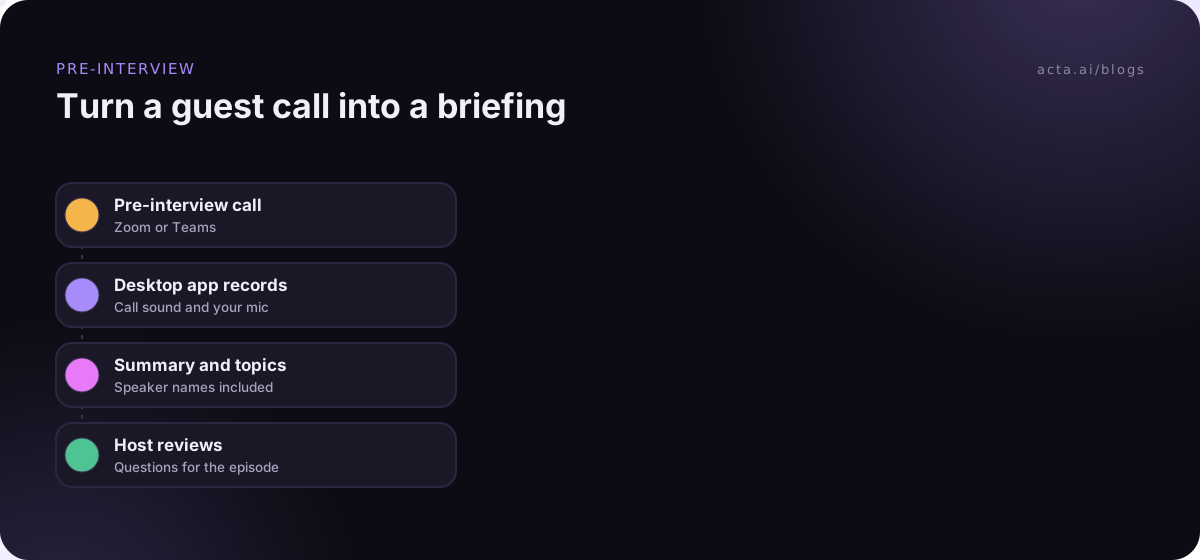
Acta is a meeting notetaker, not a podcast editor, but interview shows have a lot of meetings around the episode: pre-interviews, guest briefings and planning calls. If you hold those over Zoom or Teams, the Acta desktop app records the call's sound and your microphone from your own computer with no bot joining, and you can upload an MP3 or M4A recording to get a transcript with speaker names and a summary. Its report templates can turn a pre-interview into a briefing with topics and questions for the main recording.
Frequently asked questions
How do I transcribe a podcast episode for free?
Apple and Spotify generate transcripts for many shows at no charge, as of November 2026, but you don't control their accuracy. To publish your own, use any transcription tool with a free tier that exports VTT or SRT, then correct names and numbers yourself. Free tiers usually cap minutes, so check the vendor's page; plans change.
Do podcast transcripts help with SEO?
Search engines can't listen to audio, so a transcript on your episode page gives them text to index, including the specific names and phrases guests use. It works best as a readable HTML page next to the player, with headings for chapters, rather than a raw captions file linked from the page.
What is the difference between a transcript and show notes?
A transcript is the full text of what was said, ideally with speaker labels and timestamps. Show notes are a short editorial summary: what the episode is about, chapters, links and a call to action. Write the show notes from the transcript, and publish both.
Should a podcast transcript be verbatim?
Use a light clean verbatim style: keep every word of meaning, remove filler like "um" and repeated false starts, and don't rewrite sentences. Fully verbatim text is tiring to read, while heavily edited text risks changing what a guest meant. Quotes you reuse should match the audio exactly.
Which file should I upload to Apple Podcasts and Spotify?
A timestamped VTT file works for both, and SRT is accepted too, according to each platform's help pages as of November 2026. Apple can read the file through the transcript tag in your RSS feed; Spotify needs a direct upload in Spotify for Creators.
Set up your podcast transcription routine
A transcript habit sticks when it's written down and owned. Use this checklist for every episode.
- Record for text: one mic and one track per speaker, and a speech-only export of the final edit.
- Keep a glossary: guest names, companies and jargon, added to the transcription tool or used for search-and-replace.
- Correct in order: speakers, names, numbers, then a 1.5x listen-through.
- Publish one master file: a VTT for Apple (via your feed) and Spotify (via upload), plus an HTML page on your site.
- Write notes from text: fill the show notes template from the corrected transcript, with checked timestamps.
If your prep calls and guest briefings happen on Zoom or Teams, try the Acta desktop app during the 15-day free trial and see whether the notes save you a step.
Found this useful? Share it with your team.