Use Cases 6 min read
Pharma Rep Call Notes With Objections, Samples and Safety Flags
How Acta turns a sales rep's call with a healthcare professional into a call note with messages, objections, samples, and flags for safety and off-label routing.
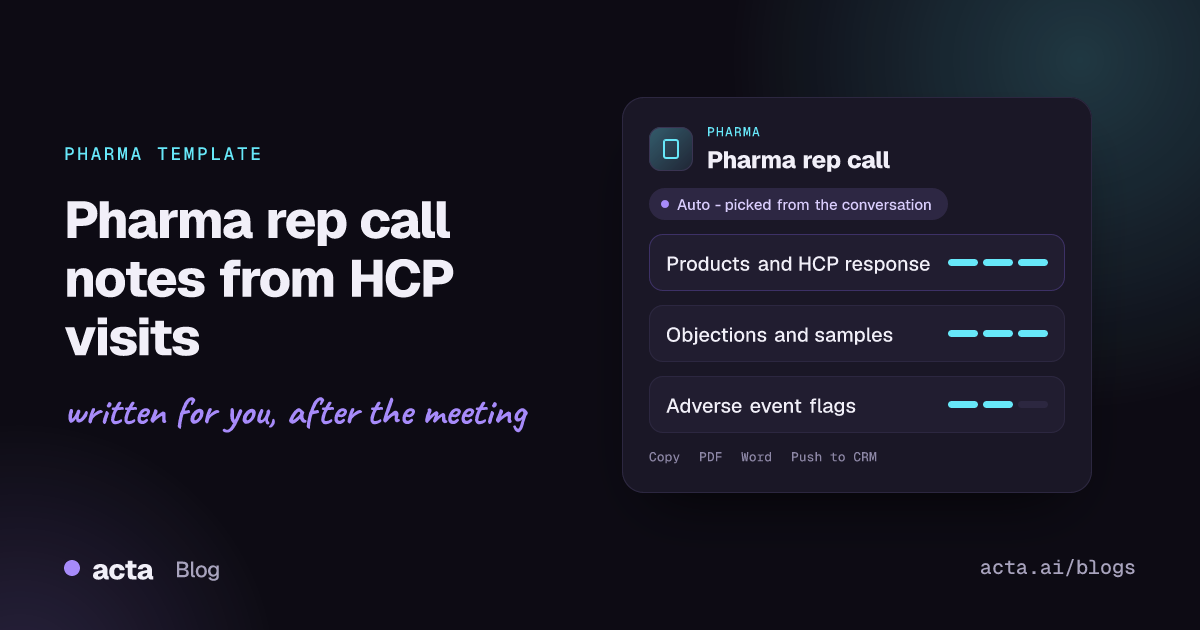
Quick answer: Acta's pharma rep call report is a call note for a sales representative's visit with a healthcare professional. It records each product discussed, the key messages and the HCP's response, the objections and how they were answered, sample requests, and flags possible adverse events and off-label requests for routing. Acta writes it from the recorded conversation, so the rep starts from a complete draft.
A field representative may see several healthcare professionals in a day, and each visit needs a call record: what was presented, how the HCP reacted, what samples were asked for. That record feeds CRM, territory planning and, when something safety-related comes up, a process with strict timelines.
The trouble is that call notes are written in the car park or at the end of the day. A passing remark about a patient's side effect, or a question about an unapproved use, is exactly the kind of detail that slips out of a hurried note, and it is the kind that matters most.
What is a pharma rep call note, and why do safety flags matter?
A rep call note is the record of a promotional interaction between a pharmaceutical sales representative and a healthcare professional. It typically documents who was seen, which products were detailed, the approved messages delivered, the HCP's questions and objections, and any samples requested or left. Companies use these records for coaching, for territory and message planning, and to show that interactions follow the company's compliance rules and industry codes.
Two kinds of remarks need special handling. The first is a possible adverse event: any mention that a patient experienced an unwanted effect while on a product. Pharmaceutical companies have pharmacovigilance obligations, and employees are usually required to pass such reports to the safety team quickly, whatever the source. In the US, the FDA's MedWatch safety information and adverse event reporting program is the channel through which health professionals and patients report suspected problems with medical products, and manufacturers have their own reporting duties. The second is an off-label request: a question about a use, dose or population that is not in the approved labelling. Reps generally should not answer these promotionally; they are referred to medical information or a medical science liaison.
What does Acta's pharma rep call report include?
The template follows the order of a typical call record:
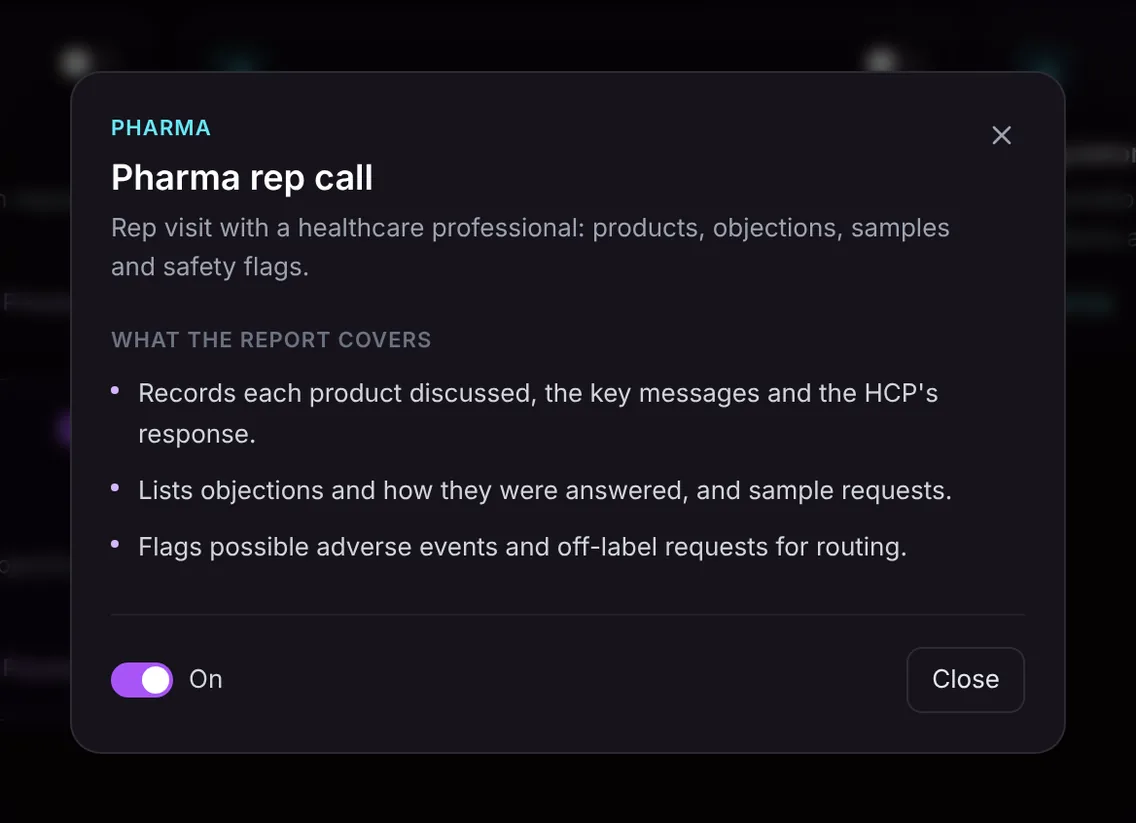
- Products and messages. Each product discussed, the key messages delivered, and the HCP's response to each, for example interest, scepticism or a request for data.
- Objections and samples. The objections the HCP raised, how they were answered, and any sample requests.
- Safety and off-label flags. Possible adverse events and off-label requests mentioned in the conversation, flagged so they can be routed to the right team.
An important limit: possible adverse events are flagged for your safety team to review. They are not confirmed, and causality is not assessed. The flag points the safety team to what was said; it does not replace your company's adverse event intake process or its timelines. Likewise, an off-label flag means a question came up that should go to medical information, not that anything improper happened.
The report only contains what was said in the meeting, so it will not add product claims or messages that were not delivered.
Here is the template in Acta's Templates page, with the preview of what the report covers:
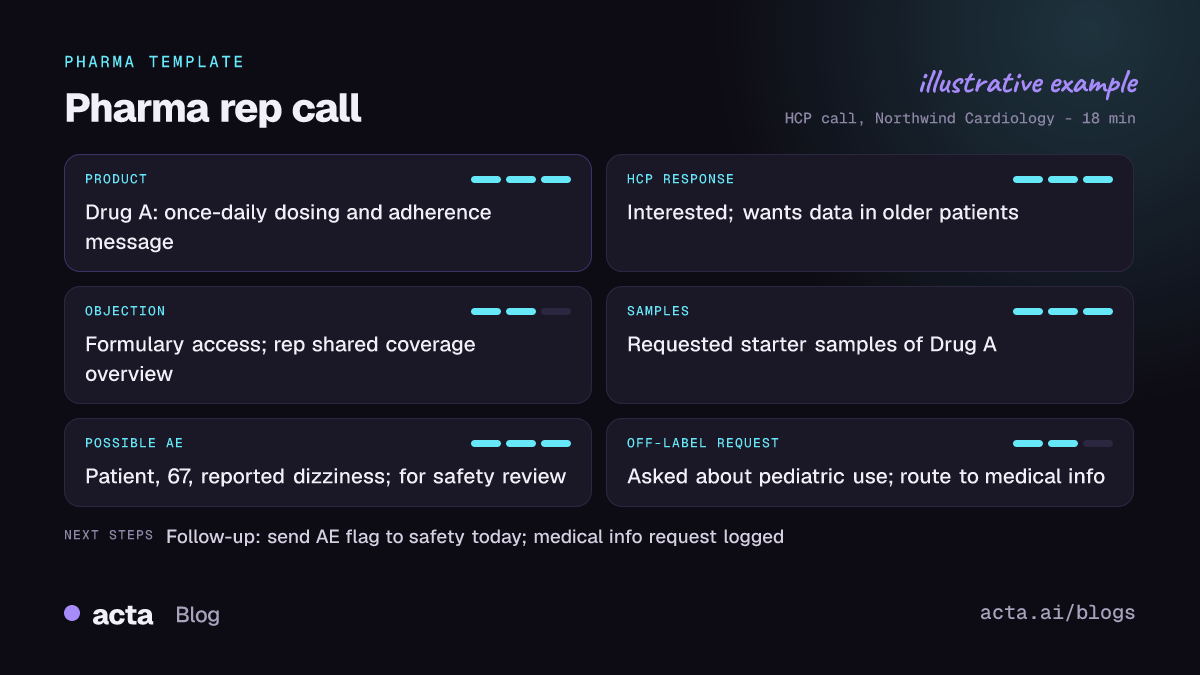
And an illustrative example of a finished report:
Why is it useful, and who is it for?
The report is written for field sales representatives, key account managers, first-line sales managers and the commercial operations teams who rely on call data. Compliance and pharmacovigilance teams benefit too, because safety-relevant remarks are surfaced rather than buried.
- Virtual HCP calls. A remote detail on Zoom or Teams produces a call note with the HCP's reaction to each message, ready for the CRM.
- Catching safety mentions. When a physician mentions in passing that a patient stopped Drug A because of dizziness, the report flags it as a possible adverse event so the rep can follow the company's reporting procedure the same day.
- Handling unsolicited questions. An HCP asks about use in an unapproved population; the off-label flag reminds the rep to route the question to medical information.
- Coaching. Managers can see which objections come up most and how they were handled, without riding along on every call.
How does Acta pick the rep call template automatically?
Acta reads the conversation and picks a fitting template even if you have not turned it on. A rep call has clear signals: a representative presenting a named product to a healthcare professional, efficacy or safety messages, questions about patients or formulary access, and talk of samples.
When Acta picks this template on its own, the report is labelled "Auto" and Acta says why, for example that the call was a product discussion with a physician that included sample requests. A single click on "Turn on for future meetings" keeps it on.
If you have the rep call template on and record an internal brand team meeting, the template first checks whether the conversation is an HCP interaction. If it is not, there is no forced call note; it is listed under "Not relevant" with the reason. Scientific exchanges led by medical staff are better served by the MSL field insights template.

How do you use the pharma rep call report?
- Record the call, with consent. Use Acta's meeting bot on Zoom, Google Meet or Microsoft Teams, the bot-free desktop app or Chrome extension, or the Acta mobile apps for in-person visits where recording is permitted. Follow your company's policy and tell the HCP; see what to tell participants about AI recording.
- Turn the template on, or let Acta pick it. Preview and enable it on the Templates page at Acta's report templates.
- Open the meeting's Templates tab. The call report sits next to the summary and transcript.
- Act on the flags first. Pass any possible adverse event to your safety team through your company's procedure, and route off-label questions to medical information.
- File the call note. Copy it into your call recording system or download it as PDF, Word or Markdown.

Related pharma templates
The Pharma group also includes clinical trial site meeting notes and the regulatory meeting prep briefing. See how they fit together on Acta for pharma.
Frequently asked questions
Does Acta report adverse events to the FDA or my safety team?
No. Acta flags possible adverse events mentioned in the call for your safety team to review. They are not confirmed and causality is not assessed; reporting follows your company's own process.
What counts as an off-label request in the report?
A question from the HCP about a use, dose or patient group that the rep indicates is outside the approved labelling. The flag is a prompt to route the question to medical information.
Will the report add product messages that were not said?
No. The report only contains what was said in the conversation, including the HCP's actual response to each message.
Can I use it for face-to-face visits?
Yes, where recording is permitted and the HCP agrees. Record on the mobile app or upload the recording.
See what a complete call note looks like after your next HCP visit: start a free 15-day trial of Acta.


