Use Cases 6 min read
Clinical Trial Site Meeting Notes From Every Visit and Study Call
What clinical trial site meeting and monitoring visit notes should cover, and how Acta drafts them from the call with possible adverse events flagged for review.
Quick answer: Clinical trial site meeting notes record a monitoring visit or site call: enrolment against target, screen failures, protocol deviations, open data queries and site issues, each with an owner. Acta writes them automatically from the recorded conversation and flags any possible adverse event mentioned for your safety team to review. Those flags are not confirmed events, and causality is not assessed.
Site visits and study calls generate a lot of small commitments. The CRA asks the coordinator to resolve a batch of queries, the PI agrees to re-consent two participants under the amended protocol, someone mentions a participant who felt dizzy after the last visit.
All of that has to land in a visit report and a follow-up letter, usually written later from scribbled notes. Details get lost, owners go unrecorded, and an offhand remark that should have reached pharmacovigilance stays in someone's notebook.
What is a clinical trial site meeting, and what should the notes cover?
A site meeting is any structured conversation between a sponsor or CRO and an investigator site: a site initiation visit, a routine monitoring visit, a close-out visit or a regular study status call. Under Good Clinical Practice, the sponsor oversees how the trial is run at each site, and the investigator is responsible for following the protocol, protecting participants and keeping accurate records.
The current version of the guideline is ICH E6(R3), which the FDA adopted in final form in September 2025. ACRP's overview of what ICH E6(R3) means for U.S. clinical trials explains the shift to risk-based, proportionate oversight, which puts more weight on identifying the issues that matter for participant safety and data reliability and following them through.
Site meeting notes therefore tend to cover the same ground every time:
- Recruitment: screened, enrolled and randomised participants against target, and the reasons for screen failures.
- Protocol deviations: any departure from the approved protocol, how it is being handled and whether it needs reporting.
- Data quality: open queries in the EDC system, source data verification findings and overdue entries.
- Site operations: staffing, training, investigational product storage, equipment and regulatory documents.
- Safety: anything that may be an adverse event, so it can be checked against the safety reporting process. Advarra's explainer on reporting serious adverse events to the IRB outlines why timely, accurate safety reporting matters.
What does Acta's clinical trial site meeting report include?
Acta organises the conversation into three sections:
- Enrolment against target and screen failures: the numbers mentioned in the meeting, how they compare to the target that was discussed, and the reasons given for screen failures, such as eligibility lab values or withdrawn consent.
- Protocol deviations, data queries and site issues: each item listed with an owner where one was agreed, so the follow-up letter writes itself. Examples include a missed visit window, a batch of unresolved queries or a temperature excursion in the pharmacy fridge.
- Possible adverse events and action items: any mention that could describe an adverse event is flagged for review, and every action agreed in the meeting is tracked with its owner and due date.
Important: possible adverse events are flagged for your safety team to review; they are not confirmed and causality is not assessed. Acta does not decide whether something is reportable. Your team follows its own safety procedures.
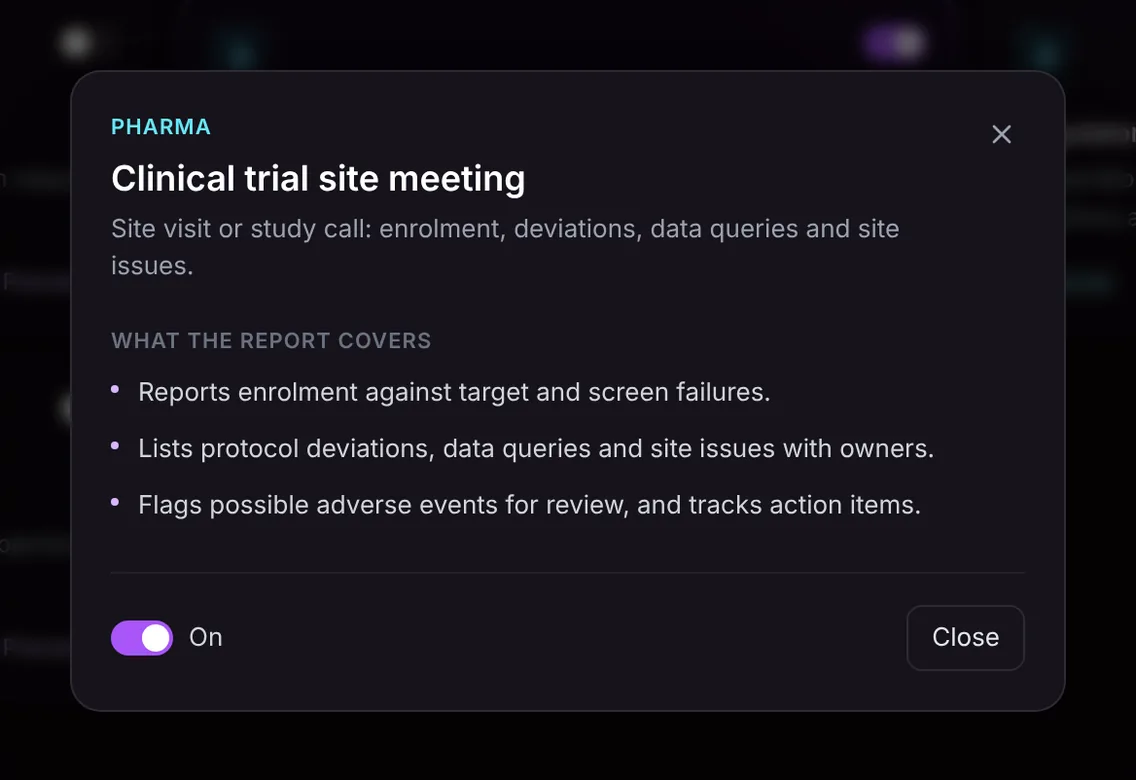
Here is the template in Acta's Templates page, with the preview of what the report covers:
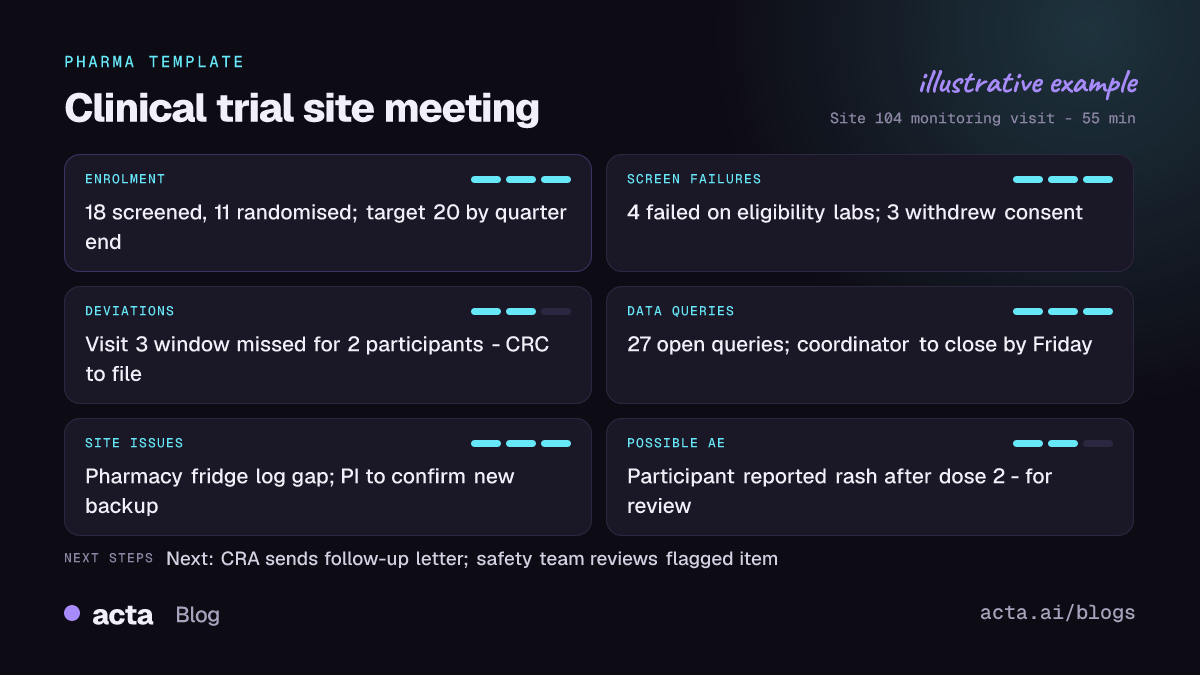
And an illustrative example of a finished report:
Why is it useful, and who is it for?
The report is built for clinical research associates, study managers, site coordinators and principal investigators, and for the clinical operations leads who review site performance across a study.
- Monitoring visit reports: a CRA leaves the site with a structured draft of findings and actions rather than starting the visit report from a blank page.
- Weekly study calls: a study manager running calls with many sites keeps a consistent record of enrolment and open issues per site.
- Safety hand-offs: a remark like "one participant mentioned a rash after the second dose" is surfaced for review instead of being missed.
- Deviation follow-up: each deviation discussed has an owner and can be checked at the next visit.
The report only contains what was said in the meeting. It does not replace the EDC, the trial master file or your safety database; it gives you a clean starting point for each of them.
How does Acta pick the trial site template automatically?
Acta reads each conversation and picks a template that fits, even if you have not turned it on. For this template, the signals are study vocabulary used in a site context: enrolment and randomisation numbers, screen failures, protocol deviations or amendments, query resolution, source data verification, the investigator and the site coordinator discussing visits and participants.
A report picked this way is labelled "Auto", with Acta's reason, for example that the call covered enrolment against target, open queries and a deviation. One click on "Turn on for future meetings" keeps it on for later visits.
The relevance check works the other way. If the template is on and you record an internal budget review or a regulatory strategy meeting, it is listed under "Not relevant" with the reason rather than producing a forced site report.

How do you use it?
- Record the meeting. For remote calls, use the meeting bot on Zoom, Google Meet or Microsoft Teams, or record with the bot-free desktop app or the Chrome extension. For on-site visits, use the mobile apps, or upload a recording. Follow your study's rules on recording and consent.
- Turn on the template. Clinical trial site meeting is in the Pharma group on the Templates page. Preview it, then toggle it on, or let Acta pick it.
- Open the meeting's Templates tab. The report sits next to the summary and transcript.
- Send it on. Copy it into your visit report or follow-up letter, or download it as PDF, Word or Markdown. Route any flagged possible adverse event to your safety team through your usual process.

Tips for better site meeting notes
- State numbers clearly: "We've screened 18, randomised 11, against a target of 20 by end of quarter."
- Assign each deviation and query batch to a named person with a date before moving on.
- When a participant's symptom comes up, describe what was reported plainly, so the flag gives the safety team enough to review.
Other Pharma templates cover adjacent work: MSL field insights from HCP meetings and the regulatory meeting prep briefing. The Acta for pharma page shows how they fit together.
Frequently asked questions
What is discussed at a clinical trial monitoring visit?
Typically recruitment against target, screen failures, protocol deviations, data queries and source data verification, investigational product handling, site staffing and documents, and any safety concerns.
Does Acta report adverse events to regulators or the sponsor?
No. Acta flags possible adverse events mentioned in the meeting for your safety team to review. They are not confirmed, causality is not assessed, and reporting stays with your own process.
Can the report replace the formal monitoring visit report?
It is a structured draft based only on what was said in the meeting. Use it as the starting point for your visit report and follow-up letter.
Does it work for site initiation and close-out visits?
Yes. Any site visit or study call that covers enrolment, deviations, queries or site issues fits this template.
Spend the visit on the site, not the notes: start a free 15-day Acta trial.


