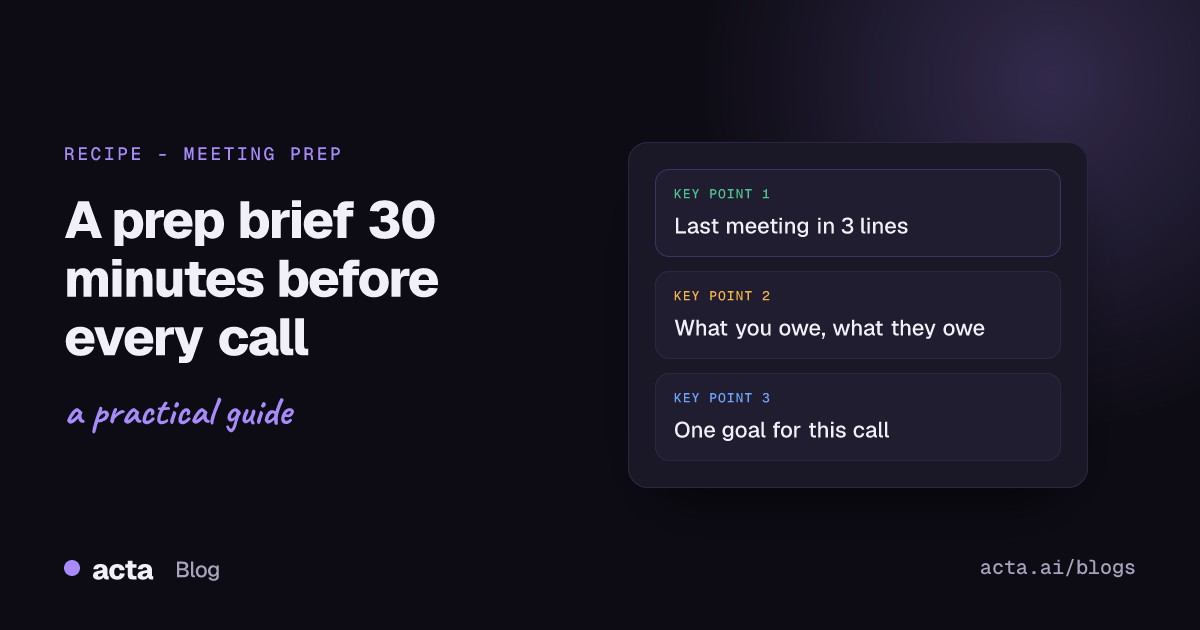
Quick answer: A meeting prep brief is a one-screen note you read before a meeting: who's coming, what you discussed last time, what you promised them, what they promised you, and the one thing you need from this call. You can automate it in Acta: 30 minutes before the meeting, an agent pulls your past meetings with those attendees and the open action items, writes the brief and sends it to you in Slack or email.
You know the move. Calendar pops up "Renewal check-in, Northwind, in 5 minutes," and you start frantically scrolling through old notes, Slack threads and your inbox trying to remember what you told them last month. Then you join two minutes late and spend the first five minutes catching up out loud.
A short brief, waiting for you half an hour before, fixes most of that. Here's what a useful one contains, a recipe that writes it from your past meetings, and where it's not worth the setup.
What should a meeting prep brief include?
Less than you think. I've seen prep templates with 15 sections, and nobody reads those five minutes before a call. A good brief fits on a phone screen:
- Who's coming. Names and roles, and anyone new since last time. A new face on a customer call is information.
- Last time. Two or three lines on the last meeting with these people: what was discussed and what was decided.
- Open promises, both ways. What you owe them (with how late, if it is) and what they owe you. This is the section that saves you.
- Open risks or concerns. Anything they raised that hasn't been resolved. "Asked about SSO twice."
- Your goal for this meeting. One line. The AI can suggest it, but you should rewrite it.
Skip the company background, the LinkedIn summaries and the "suggested talking points." If you need a company bio before a recurring meeting, you have a bigger problem than prep.
The HBR advice on preparing for your meeting is mostly about the organiser: have a clear purpose, draft an agenda, block time to think. All good. But most meetings you attend, you didn't organise, and what you need is memory, not an agenda. That's what the brief gives you.
Why most people don't prepare for meetings (and why that's reasonable)
Because prep takes longer than the gap between meetings. Most advice on how to prepare for a meeting quietly assumes you have a free half hour beforehand. If you're in back-to-back calls from 10 to 3, there's no 15-minute window to dig through notes. So you wing it, and mostly that's fine.
Until it isn't. The meetings where winging it hurts are predictable:
- customer calls where you promised something last time;
- a 1:1 with someone you haven't spoken to in a month;
- a follow-up with a candidate, vendor or partner where the details matter;
- any meeting where the other side remembers more than you do.
The fix isn't more discipline. It's making the brief arrive on its own, so prep costs you 90 seconds of reading instead of 15 minutes of searching.
How to automate a meeting prep brief in Acta
This works because Acta already has your past meetings with these people: transcripts with speakers, summaries, action items with owners and due dates, and decisions. (Recorded through the meeting bot, the bot-free desktop app, the Chrome extension, or mobile apps for in-person meetings. Tell people you record and get consent where the law requires it; our post on whether it's legal to record meetings with AI explains what to say.)
Here's the agent in Acta Agent Builder:
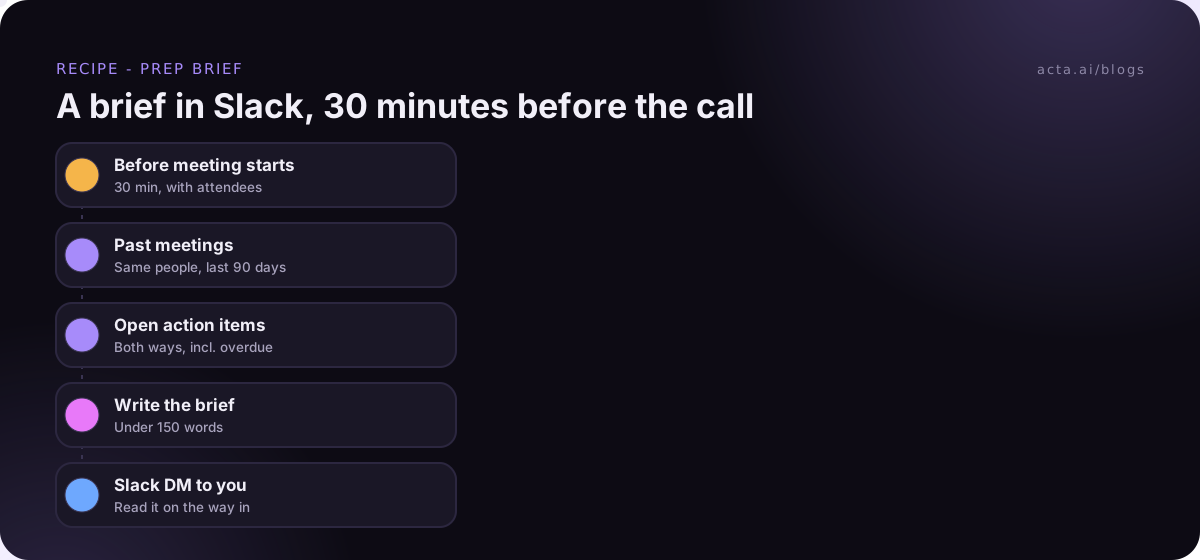
- Trigger: Before a meeting starts. Set it to 30 minutes before. It comes with the attendee list. Why 30 and not 5? Five minutes before a call you're usually wrapping up the last one, and a brief you read while joining doesn't change anything. Thirty gives you slack and still feels fresh.
- If/else: is it worth a brief? Optional, but I'd add it. Skip meetings with only internal attendees, or skip anything with "Focus" or "Lunch" in the title. Otherwise you'll get a brief for your daily standup, which is silly.
- Acta data: past meetings with these people. List meetings by person for the attendees, over the last 90 days. Pull the most recent two or three.
- Acta data: open action items. Action items from those meetings that are still open, including overdue ones, with owners.
- AI step: write the brief. Give it the five sections above and a hard limit: "Under 150 words. Name owners. Flag anything overdue. If there's no history, say so in one line."
- Slack: DM yourself. Or Gmail, sending to your own address. I prefer Slack for this: it pops up on your phone, which is where you'll be reading it on the way to the room.
An example meeting prep brief
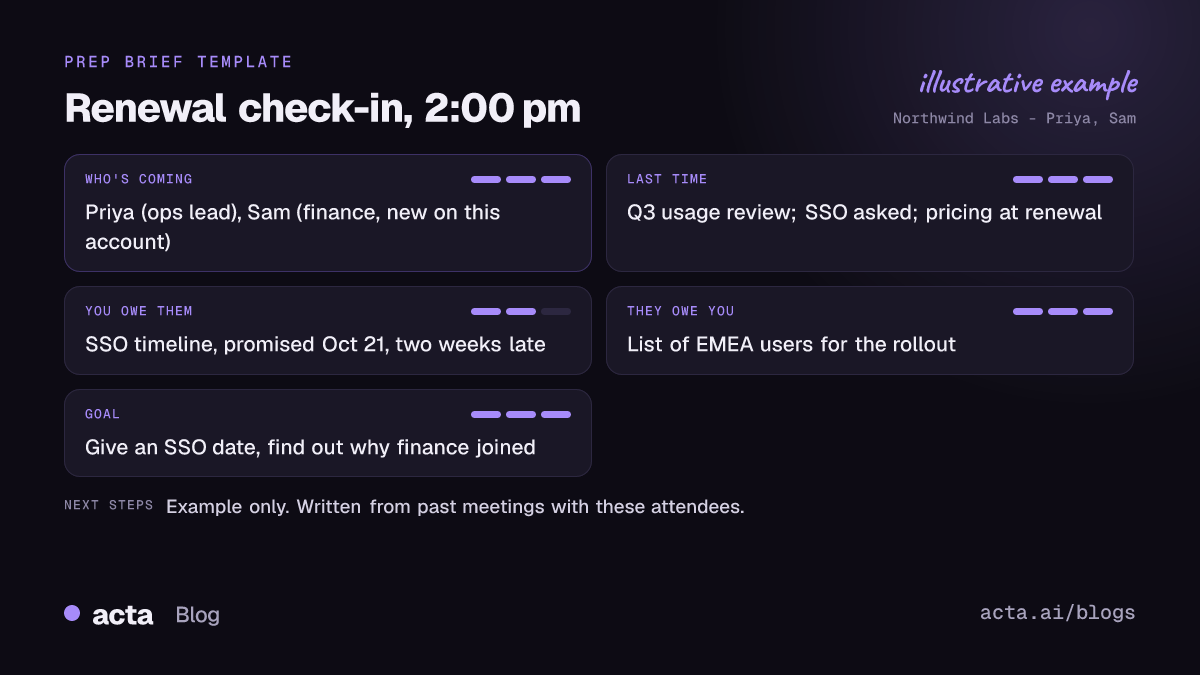
Illustrative (made-up account and names), sent to Marco at 1:30 for a 2:00 call:
Prep: Renewal check-in, Northwind Labs (2:00 pm)
Coming: Priya (ops lead), Sam (finance, new on this account).
Last time (Oct 14): Walked through Q3 usage. Priya asked about SSO for the EMEA team. Agreed to revisit pricing at renewal.
You owe them: SSO timeline, promised Oct 21, now 2 weeks late. Revised quote, due Nov 1, done.
They owe you: list of EMEA users for the rollout.
Goal: give an SSO date and find out why finance is joining.
Read that in the elevator and you walk in knowing the one awkward thing (the late SSO timeline) and the one new thing (finance is on the call). Nobody has to catch you up.
What about first meetings with no history?
The recipe above has nothing to work with for a first call. Two options.
The simple one: let the brief say "No previous meetings with these attendees" and leave it there. Honestly, that's often enough.
The fuller one: swap the AI step for an AI agent step, which picks its own tools. It can search your meetings (maybe a colleague met them), check related action items, and use web search or read a web page for public context about the company. Then it emails you the result.
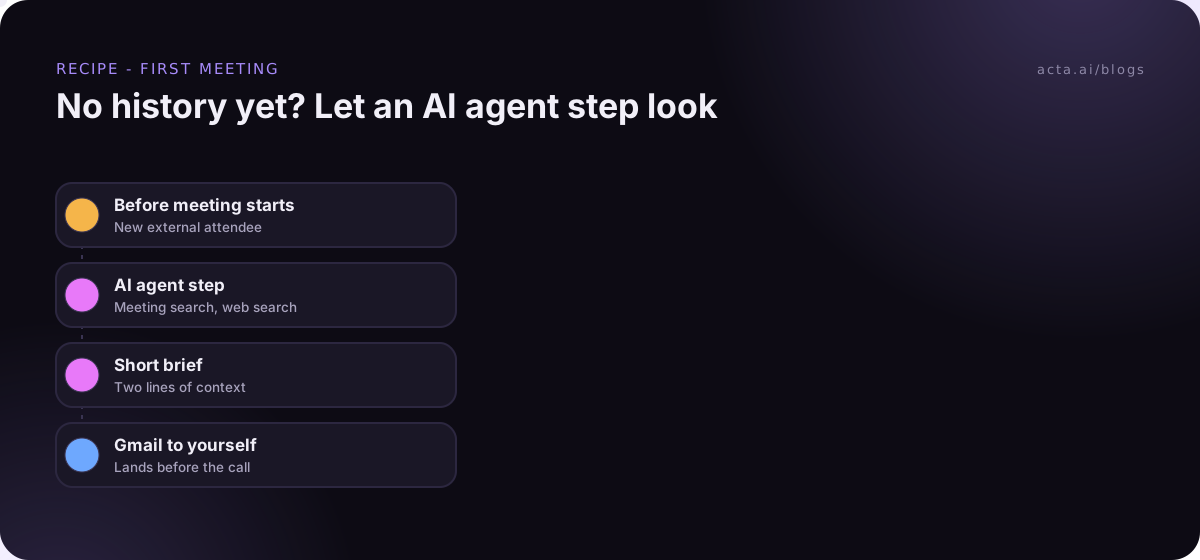
I'd keep that brief even shorter than the regular one. Public web info is easy to pad, and you don't need three paragraphs on their funding history to run a discovery call. Two lines of context plus "colleague Dana met their CTO in June" is the useful bit.
Can you build a pre-meeting brief with Zapier instead?
You can, with more plumbing. Zapier's Google Calendar "Event Start" trigger can fire a set number of minutes before an event. But the trigger polls, and on Zapier's community forum users have reported it firing several minutes late, with the usual advice being to set a longer lead time.
The bigger issue is the data. Zapier sees your calendar, but it doesn't know what was said in your last three meetings with Priya, or what you promised. You'd need a meeting tool that exposes that history, plus a few lookup and AI steps to stitch it together. If you already run everything in Zapier and want the brief there, Acta can hand data to a Zap with the "Send to a Zap" step. We compared both approaches in Zapier meeting automation vs Acta Agent Builder.
How do you test the brief without spamming yourself?
Use a test run on a meeting you had last week: it shows what each step would send without sending. Read the brief and ask, "would this have helped?" If the AI step is listing every action item from three months of meetings, shorten the date range or cap it at the five most recent.
"Check setup" will flag a missing Slack connection. After you turn it on, History shows each run, so if a brief didn't arrive before your 2 pm, you can see whether the If/else skipped it or the trigger never fired. New to building agents? Build your first AI agent walks through the basics.
When is a meeting prep brief overkill?
- Internal recurring meetings. Your weekly team sync doesn't need a brief. Everyone was there last week.
- You have three external meetings a week. Just ask OneChat "what did I last discuss with Priya and what do I owe her?" before the call. Same result, no agent.
- You prefer to ask from Claude or ChatGPT. Acta's connector lets those assistants read your meetings, so you can ask for a brief there. See Acta's MCP server for how.
The automated version earns its place when you have lots of external meetings and not enough gaps between them. Sales, CS and account managers, mostly.
Frequently asked questions
How long before the meeting should the brief arrive?
About 30 minutes. Earlier and you'll forget it; later and you won't have time to act on it.
What's the best meeting prep brief template?
Five lines: who's coming, last time, open promises both ways, open concerns, and your goal. If it doesn't fit on a phone screen, cut it.
Can the brief go to Google Chat or Teams chat?
No, Agent Builder doesn't post to Google Chat or Teams chat. Use a Slack DM or an email to yourself.
Does it work for in-person meetings?
Yes, if they're on your calendar and you recorded earlier ones (for example with Acta's mobile app). The brief draws on whatever past meetings Acta has with those people.
Will it include meetings I wasn't in?
Only meetings you have access to. If a colleague met the same person and shared that meeting with you, it can show up.
Want a brief waiting before your next customer call? Start a free 15-day Acta trial.