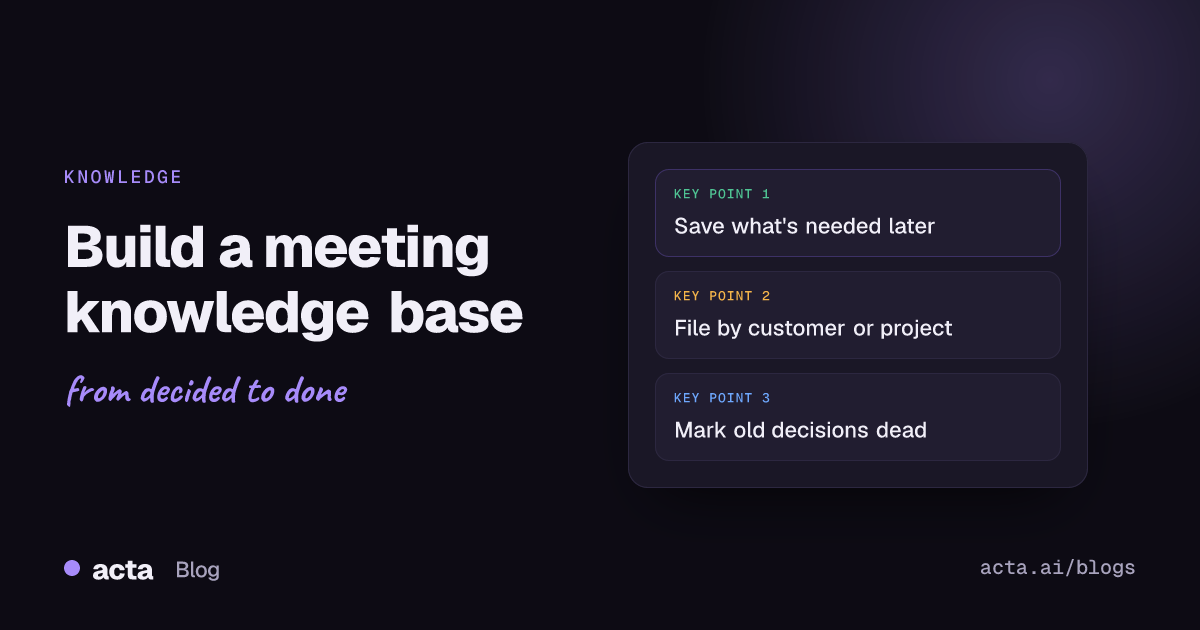
Quick answer: A meeting knowledge base is a shared place where the useful output of meetings lives after the call: decisions with their reasons, standing answers to repeat questions, and customer or project context. Build it by saving only what someone will need again, filing it by project or customer, marking old decisions as superseded, and spending ten minutes a week tidying it.
Every team already has a meeting knowledge base. It's just spread across six people's notebooks, a Slack thread from March and the memory of whoever has been there longest. When that person goes on holiday, the team finds out how much of its institutional knowledge was never written down.
This post is about building a deliberate one: what goes in, how to structure it, and how to keep it from turning into a graveyard of meeting notes nobody opens. I'll assume you already take notes or record calls. The question is what happens to them next.
What is a meeting knowledge base?
It's the layer between raw meeting notes and your official documentation. Raw notes are too long and too tied to one day. Official docs (handbooks, specs, process pages) are slow to update and usually miss the reasoning. A meeting knowledge base sits in the middle and answers questions like:
- Why did we drop the annual plan discount?
- What did Northwind ask for in their last three calls?
- Who agreed to own the data migration, and when?
- Have we already discussed moving standup to async?
The answers to those come from meetings, and they're the kind of thing a new hire asks in week two and nobody can answer without digging. If your team keeps re-having the same conversation, you need one.
What should go into a meeting knowledge base?
Less than you think. The most common failure is pasting every summary into a wiki and calling it a knowledge base. Six months later there are 400 pages, half of them contradict each other, and search returns the wrong one first.
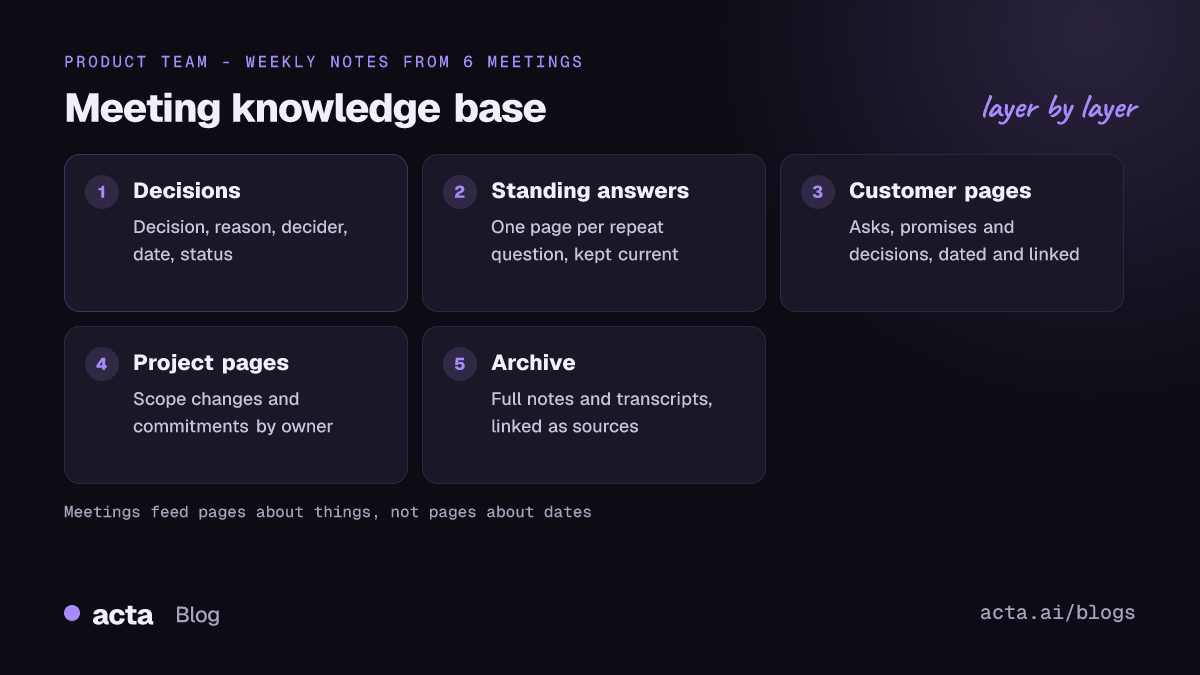
I use a simple test: will someone who wasn't in this meeting need this in three months? If yes, it earns an entry. Four kinds of things usually pass:
Decisions with reasons
The decision on its own is half the value. "We're not building SSO this quarter" is useful. "We're not building SSO this quarter because the two customers asking for it renew in Q3 and engineering is on the billing rewrite" is what stops the question being reopened in four weeks. Write the reason, who decided and the date. Our guide to tracking decisions made in meetings goes deeper on the format.
Standing answers
Questions that keep coming up in meetings deserve one written answer. "Do we support on-prem?" "What's our policy on discounts above 20 percent?" When the answer changes, you update one page instead of hoping everyone heard.
Customer context and project history
One page per active customer or project, with a running list of what was asked, promised and decided, each line dated and linked to the meeting it came from. This is the page an account manager reads before a renewal call, and it's where customer context survives when an account changes hands.
Commitments
Who agreed to do what, by when. Action items live in your task tool, but the knowledge base should show the bigger commitments ("we told Northwind the export API ships in June") because those are the ones that cause trouble when forgotten.
How should you structure a meeting knowledge base?
Structure around how people look things up, not around when meetings happened. Nobody searches for "meeting notes, 14 October." They search for a customer, a project or a topic. Agencies feel this most; see client feedback tracking for agencies.
- Top level by area. Customers, projects, product decisions, team process. Four or five sections at most.
- One page per thing. One page for each customer, project or standing question. Meetings feed into these pages; they don't become pages themselves.
- A decision log. A single list of decisions across the team, newest first, with date, decider, reason, status and a link to the source meeting. A decision log with RACI works well if your decisions involve several teams.
- Raw notes in an archive. Keep the full notes and transcripts, but out of the way, linked from the pages that cite them.
Whatever tool you use, keep the template boring and consistent. Atlassian's meeting notes template for Confluence is a reasonable starting point: it separates attendees, discussion, decisions and action items, and recommends recording why a decision was made. Notion, SharePoint or a Google Drive folder with good naming work too. The tool matters much less than the habit.
How do you keep old decisions from misleading people?
This is where most knowledge bases quietly fail. A decision from last year is still sitting there, looking authoritative, and someone acts on it without knowing it was reversed in a meeting they weren't in.
Software teams solved a version of this with architecture decision records. As Martin Fowler describes in his note on the Architecture Decision Record, the idea is a short document per significant decision, kept with a status. When a decision changes, you don't edit or delete the old record; you mark it superseded and link to the new one.
Borrow that for meeting decisions:
- Every decision entry gets a status: active, superseded or reversed.
- A superseded entry links forward to the decision that replaced it.
- The new entry links back and says what changed and why.
Now someone who finds the old decision sees immediately that it's dead, and can follow the trail to the current one. That trail is often more useful than either decision on its own.
Who should own the meeting knowledge base?
Someone specific. "Everyone keeps it up to date" means nobody does. In a team of eight to fifteen people, one owner per section works: the product lead owns product decisions, each account manager owns their customer pages, the team lead owns process.
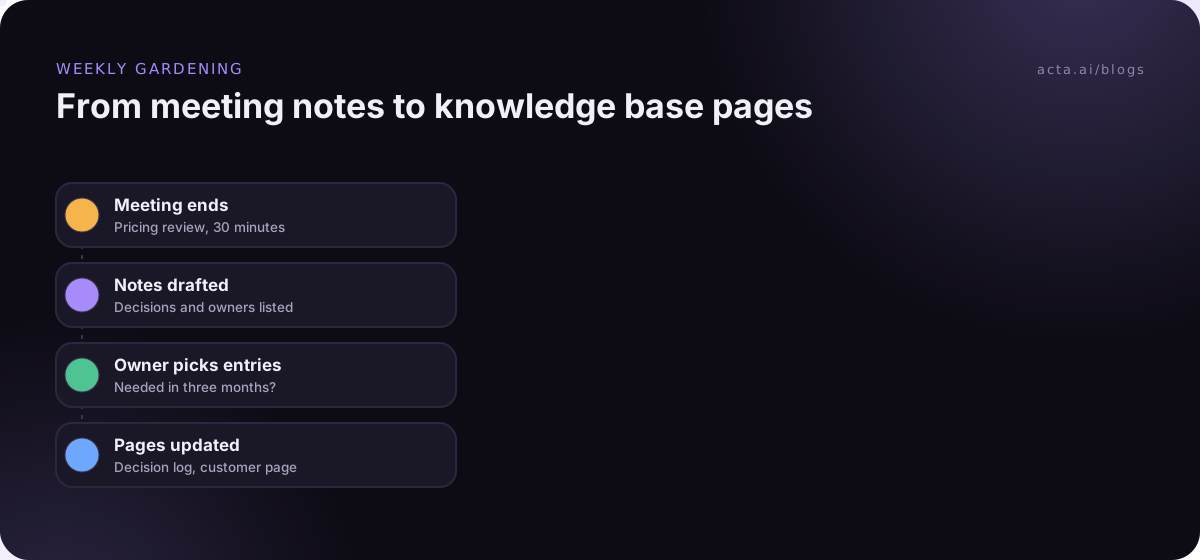
Their job isn't to write everything. It's to spend about ten minutes a week doing three things:
- Pull this week's decisions and commitments from meeting notes into the right pages.
- Mark anything that changed as superseded.
- Delete or archive pages nobody has opened in a long time.
Ten minutes sounds too small. It isn't, as long as the notes coming out of meetings already list decisions and action items clearly. If the notes are a wall of text, the gardening takes an hour and stops happening by week three.
Who should be able to see what?
Meeting content is more sensitive than most documentation. A customer page might quote a pricing discussion; a team process page might reference a performance issue raised in a retro. Before you open the doors:
- Keep HR, legal and board material out of the shared knowledge base entirely, or in a restricted space.
- Match access to the meeting: if only five people were in the room, think twice before publishing the reasoning to two hundred.
- Write a short rule about personal data. Under UK and EU data protection law, the storage limitation principle explained by the ICO says you shouldn't keep personal data longer than you need it, which applies to transcripts as much as anything else. This is general information, not legal advice.
If you're adding AI search on top, permissions matter even more, because a chatbot will happily answer from a page the asker shouldn't see. Our post on permission-aware search for sensitive meetings covers how to design around that.
Where do AI notes and search fit in?
Two places. First, they make the input cheaper. If every meeting produces a transcript with speaker names, a summary, decisions and action items, the weekly gardening becomes copying and checking instead of writing. Consent comes first, though: tell people the call is being recorded, and read up on what the law expects where you work. For teams on Google Meet who don't want a bot in the call, a browser extension such as Acta's Chrome extension records from your own tab.
Second, AI search lets people ask questions across the raw archive when the curated pages don't have the answer. Our guide to searching old meeting recordings in Zoom, Teams and Drive covers the archive side. That's covered in how to ask questions across every meeting you've had. I'd still keep the curated layer, though. Search finds what was said; the knowledge base tells you what's currently true. Those are different things, and confusing them is how a team ends up quoting a decision that was reversed in May.
Mistakes to avoid when building a meeting knowledge base
- Starting with a migration. Don't import three years of old notes on day one. Start with this week's meetings and add history only when someone asks for it.
- One page per meeting. That's an archive, not a knowledge base. Pages should be about things, not dates.
- No source links. Every decision and commitment should link to the meeting it came from. Without that, people stop trusting the page the first time it's wrong.
- Over-designing the template. If it has fifteen fields, people will fill in three. Title, decision, reason, owner, date, status, source. That's enough.
How Acta can feed it
Acta writes up each meeting as a transcript with speaker names, a summary, decisions and action items with owners, and can send them to Confluence, Notion or Google Drive through its integrations. OneChat answers questions across your meetings with links to the source, which helps when the curated pages don't cover something yet.
Frequently asked questions
What's the difference between meeting notes and a meeting knowledge base?
Meeting notes describe one meeting. A meeting knowledge base collects what's still true and useful across many meetings, organised by customer, project or topic, with old decisions marked as superseded.
Which tool should we use for a meeting knowledge base?
Whatever your team already opens every day: Confluence, Notion, SharePoint or a shared drive. Adoption matters more than features.
Should we store full transcripts in the knowledge base?
Keep them in an archive and link to them, rather than putting them in the main pages. Transcripts are long and hard to skim, and they often contain personal data you may not want widely shared.
How often should the knowledge base be updated?
Weekly works for most teams. Ten minutes per section owner, pulling decisions and commitments from that week's notes.
How do we get people to actually use it?
Link to it constantly. When someone asks a question in chat that the knowledge base answers, reply with the link instead of the answer. It feels petty for a fortnight and then people start checking first.
You can see how meeting notes, decisions and integrations work together on the features page.