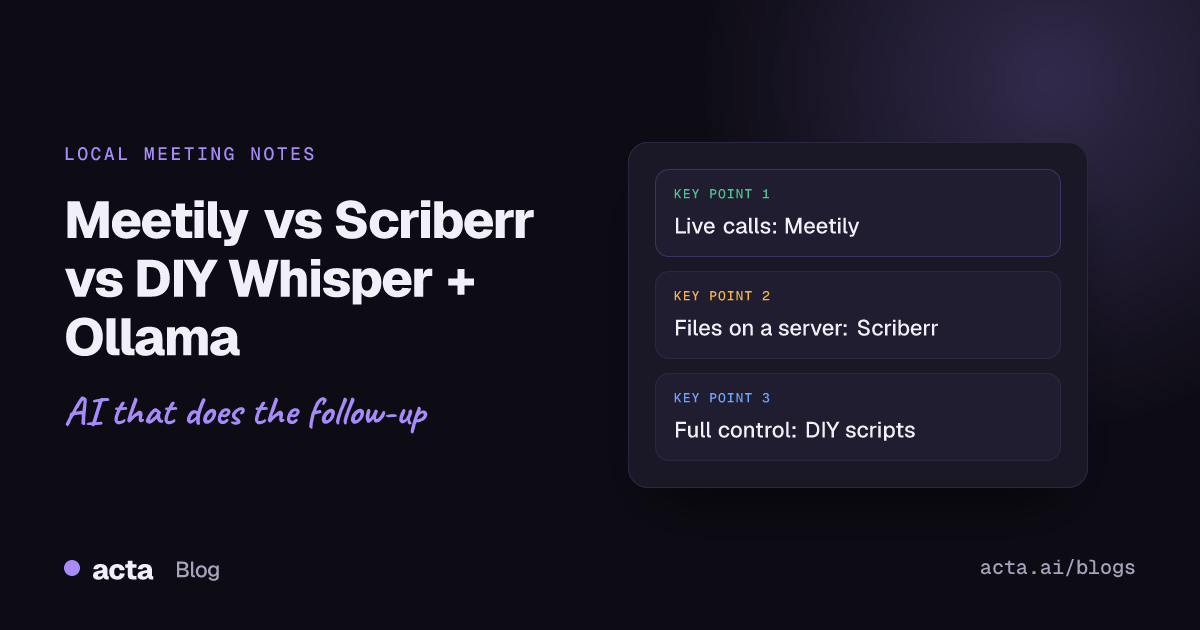
Local meeting notes means the audio, the transcript and the summary all stay on hardware you control. In November 2026 there are three realistic ways to get there: Meetily, a desktop app that captures calls and summarizes them with Ollama; Scriberr, a self-hosted transcription server you upload recordings to; or a DIY stack of whisper.cpp plus Ollama. Pick Meetily for live calls on one laptop, Scriberr for a home server or team box, and DIY when you want every step scripted.
This comparison is for people who have decided, for privacy or cost reasons, that meeting audio shouldn't leave their machine, and who now want to know what each option really does. Tool facts come from each project's README or docs, as of November 2026. It's not the right read if you need a deployment plan for a whole company; our guide to an on-premises AI meeting assistant covers that.
Key takeaways
- Meetily (MIT) is the only one of the three that captures a live call: microphone and system audio together, transcribed with Whisper or Parakeet, summarized with Ollama by default. Speaker identification is a paid PRO feature.
- Scriberr (MIT) doesn't sit in your calls. It's a web app on port 8080 that transcribes files you upload or drop in a watched folder, with speaker detection and chat over transcripts.
- A DIY stack is about six commands: build whisper.cpp, convert audio to 16 kHz WAV, transcribe to text, then send the text to Ollama's API.
- The most common failure is silent: Ollama's docs say machines with under 24 GiB of VRAM default to a 4k context, which is too small for most hour-long transcripts. Raise it before you trust any summary.
- If several people need the same notes, action items and search across meetings, a hosted notetaker is usually the better trade than running a server yourself.
Table of contents
- Local meeting notes need three jobs done on your machine
- Meetily is a desktop notetaker that runs offline
- Scriberr is a self-hosted transcription server, not a call recorder
- A DIY whisper.cpp and Ollama stack takes six commands
- A 4k context window quietly ruins long transcripts
- Meetily vs Scriberr vs DIY at a glance
- A hosted notetaker wins when the notes belong to a team
- Frequently asked questions
- Pick your local meeting notes setup
Local meeting notes need three jobs done on your machine
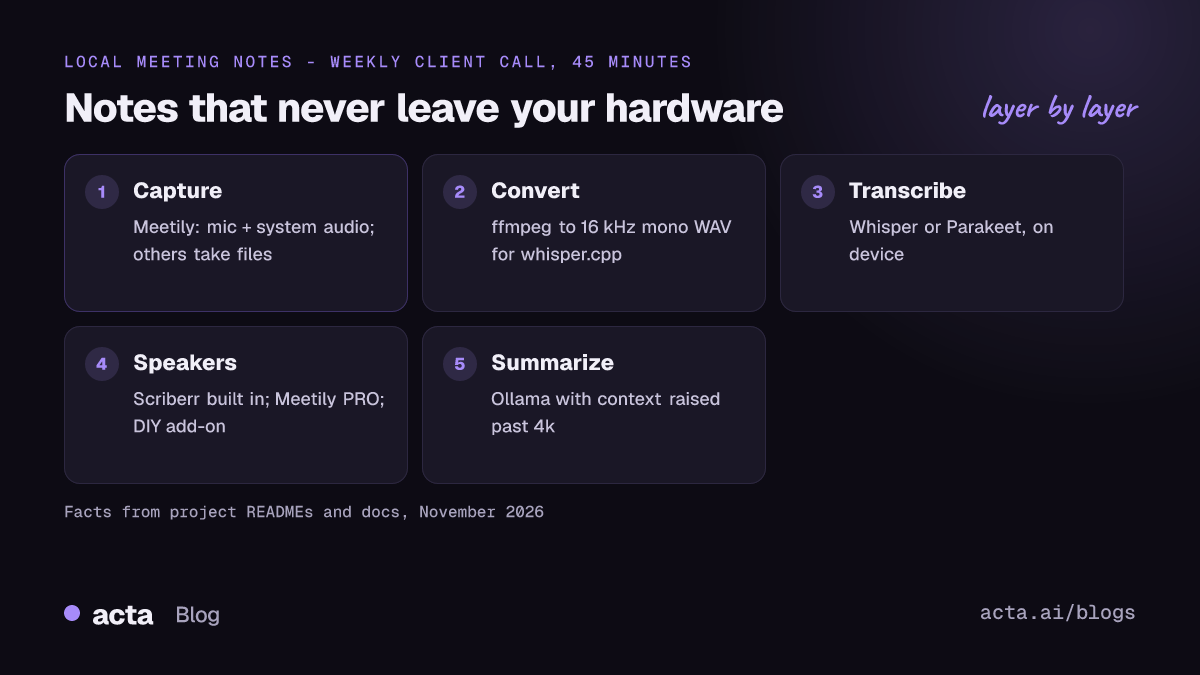
Every local setup has to do three separate things: capture the audio, turn speech into text, and turn text into notes someone will read. Tools differ mostly in which of these they cover and how much wiring they leave to you.
- Capture is the awkward one. A call has two sides: your microphone and everyone else, who arrive as system audio.
- Transcription is a solved problem on consumer hardware. Whisper-family models and NVIDIA's Parakeet run on laptops, and whisper.cpp publishes its memory use per model size.
- Summarization is where a local LLM comes in, usually through Ollama. Quality depends on the model and, more than people expect, on the context window.
Then there's a quieter question: where does data go if you change a setting? Meetily's README is honest about this: audio and transcripts stay on the device, but if you choose a cloud AI provider for summaries, the transcript text is sent to it. The same applies to Scriberr if you connect an OpenAI-compatible provider instead of Ollama. Write down which provider each machine uses, because that choice decides what leaves the building.
One thing local tools don't change is consent. Running the model on your own laptop doesn't remove the need to tell people a call is being captured. Our guide on recording meetings with AI and what to tell participants covers the rules and wording.
Meetily is a desktop notetaker that runs offline
Meetily, from Zackriya Solutions, describes itself as a privacy-first AI meeting assistant that captures, transcribes and summarizes meetings on your own machine. According to its README, as of November 2026:
- Licence and platforms: MIT. Native installers for Windows x64 and macOS on Apple Silicon; on Linux there's a one-line installer (.deb preferred, AppImage otherwise) for x86_64 with glibc 2.35 or newer, or you build from source.
- Capture: microphone and system audio at the same time, mixed with ducking and clipping prevention. It also imports existing audio files (a beta feature) and can re-transcribe a meeting with a different model or language.
- Transcription: Whisper or Parakeet models, on device. The Windows package uses a Vulkan-enabled Whisper build and needs a CPU with AVX2; macOS packages turn on Metal and CoreML automatically. CUDA needs a source build.
- Summaries: Ollama is the recommended provider, with Claude, Groq, OpenRouter, OpenAI or any OpenAI-compatible endpoint as options.
- Architecture: a single Tauri app with a Rust backend and a Next.js front end.
The catch is what's missing from the free Community Edition. Speaker identification ("who said what"), custom summary templates, PDF and DOCX export, automatic meeting detection, and MCP, CLI and webhook integrations are listed as PRO features. The README states PRO at $10 per user per month billed annually with a 14-day trial; check the vendor's page, plans change. So the free version gives you a clean transcript and a summary, but not speaker labels.
Installers for the latest version sit on the Meetily releases page; the README's links pointed at v0.5.0 when I checked. The README also warns that official builds come only from meetily.ai and that GitHub page, so don't grab a repackaged installer from elsewhere.
Pick Meetily if you're one person on Zoom, Teams or Meet calls all day, you want notes without a bot joining, and you can live without speaker names or pay for PRO. Skip it if you're on Linux without the patience to troubleshoot audio, or if your notes need to reach colleagues automatically.
Scriberr is a self-hosted transcription server, not a call recorder
Scriberr (MIT licence, repository rishikanthc/Scriberr on GitHub) calls itself an open-source, completely offline audio transcription application for self-hosters. Its README, as of November 2026, lists:
- Models: NVIDIA Parakeet and Canary, or Whisper, with word-level timing.
- Speaker detection: diarization that labels who said what. On first start it downloads Whisper, PyAnnote and NVIDIA NeMo models, which is why the first run can take several minutes.
- Chat with your audio: summaries, questions and conversation over transcripts through Ollama or any OpenAI-compatible provider.
- Automation: an API and a Folder Watcher that processes new files dropped into a folder, which the README pairs with tools like n8n.
- Clients: a web UI on http://localhost:8080 that installs as a PWA on desktop or phone, plus a built-in recorder for quick voice notes.
Install is Homebrew on macOS and Linux (brew tap rishikanthc/scriberr, then brew install scriberr) or Docker. The Docker route has three images: a CPU one, scriberr-cuda for GTX 10-series to RTX 40-series cards, and a separate Blackwell image that RTX 50-series owners must use. Two setup traps are documented in the README itself. Set PUID and PGID to your host user, or SQLite throws a misleading "out of memory" error. And if you reach it over plain HTTP instead of behind an HTTPS reverse proxy, set SECURE_COOKIES=false or playback fails with "Unable to load audio stream".
The README also notes that development paused while the maintainer changed jobs and is now resuming. Normal for a solo project, but factor it in before you put a team's archive on it.
What Scriberr doesn't do is sit in your calls. You still need something that produces the meeting file: your meeting platform's own recording, a desktop recorder, or a voice recorder. Pick Scriberr if you already run a home server or a spare GPU box, your recordings arrive as files, and you want speaker labels without paying for them. Skip it if you want a one-click app on a laptop.
A DIY whisper.cpp and Ollama stack takes six commands
If you'd rather own every step, whisper ollama meeting notes is a short pipeline. whisper.cpp (MIT) transcribes; Ollama summarizes. These commands come from the two projects' READMEs and docs, as of November 2026. They assume a recording called meeting.m4a and that ffmpeg, cmake, jq and Ollama are installed.
git clone https://github.com/ggml-org/whisper.cpp.git && cd whisper.cpp
sh ./models/download-ggml-model.sh large-v3-turbo
cmake -B build && cmake --build build -j --config Release
ffmpeg -i meeting.m4a -ar 16000 -ac 1 -c:a pcm_s16le meeting.wav
./build/bin/whisper-cli -m models/ggml-large-v3-turbo.bin -f meeting.wav -l en -nt -otxt -of meeting
jq -n --rawfile t meeting.txt '{model: "gemma4", stream: false, options: {num_ctx: 32768}, prompt: ("Write meeting notes with decisions, action items with owners and open questions. Use only what is in the transcript.\n\n" + $t)}' | curl -s http://localhost:11434/api/generate -d @- | jq -r .response
A few notes on why each line is there. The README says whisper-cli expects 16-bit WAV, hence the ffmpeg step. The -l flag pins the language: auto-detection exists (-l auto), but the CLI docs advise pinning it because the detector can pick the wrong language on silence. The -nt flag drops timestamps, which saves tokens for the summary step, and -of names the output so you get meeting.txt. The last line uses Ollama's documented /api/generate endpoint with streaming off and a larger num_ctx; gemma4 is the model the Ollama README uses in its own example, so swap in whatever you run.
Sizing is predictable. The whisper.cpp README lists the large model at 2.9 GiB on disk and about 3.9 GB of memory, medium at 1.5 GiB and about 2.1 GB, and small at 466 MiB and about 852 MB. On a 16 GB laptop, Whisper large plus an 8B-class summarizer fits if you run them one after the other rather than at once. (Rough arithmetic for the LLM: 8 billion parameters x 4 bits / 8 is about 4 GB of weights at 4-bit quantization, before the context cache.)
The gap is speakers. whisper-cli has -di for stereo audio diarization, which only helps if each side of the call is on its own channel, and an experimental -tdrz mode that marks speaker turns with special small.en-tdrz models. Neither names anyone. For real speaker labels, add a diarization step; our WhisperX vs pyannote comparison covers the options, and the Parakeet vs Whisper guide helps if you want a different transcription engine.
Pick DIY if you process batches of recordings, want the pipeline in a script or cron job, or need to swap models freely. Skip it if nobody on the team will maintain it in six months.

A 4k context window quietly ruins long transcripts
Here's the mistake that makes people decide local summaries are bad. Ollama's context length docs, as of November 2026, say the default depends on VRAM: 4k tokens under 24 GiB, 32k between 24 and 48 GiB, and 256k at 48 GiB or more. Most laptops and single consumer GPUs sit in the first tier.
Do the arithmetic for a normal meeting. If people speak at, say, 140 words a minute, an hour is about 8,400 words, and English text usually runs to more tokens than words. That's at least double a 4k window. The model doesn't error; it reads what fits and summarizes that. The result looks fluent and misses the second half of the meeting, which is where the decisions usually are.
Fix it one of three ways, all from Ollama's docs:
- Set it per request with options.num_ctx, as in the DIY command above.
- Set a server default with OLLAMA_CONTEXT_LENGTH=32768 ollama serve, or move the context slider in the Ollama app's settings.
- Check what you actually got with ollama ps, which also shows whether the model spilled onto the CPU.
Larger context costs memory and may push layers onto the CPU, which is still better than a fast wrong summary. Meetily and Scriberr both call Ollama, so the same check applies to them: raise the server default rather than assuming the app does it. For model choice by family and size, see our comparison of local LLMs for summarizing transcripts.
Meetily vs Scriberr vs DIY at a glance
The meetily vs scriberr question mostly comes down to where audio starts: in a live call on your laptop, or as a file on a server.
| Question | Meetily | Scriberr | DIY whisper.cpp + Ollama |
|---|---|---|---|
| What it is | Desktop app | Self-hosted web app | Scripts you own |
| Captures live calls | Yes, mic and system audio | No, files and voice notes | No, files only |
| Transcription | Whisper or Parakeet | Parakeet, Canary or Whisper | Whisper models via whisper.cpp |
| Speaker labels | PRO only | Yes | Stereo channels or add-on tool |
| Summaries | Ollama default, cloud optional | Ollama or OpenAI-compatible | Whatever you call |
| Licence | MIT (Community) | MIT | MIT (whisper.cpp) |
| Best for | One person, many calls | Home server, shared box | Batch jobs, full control |
If what you really want is offline meeting transcription without summaries, the DIY stack is the lightest by far: one binary and one model file. If you want self-hosted meeting notes that a few housemates or colleagues can open in a browser, Scriberr is the only one of the three built for that.
A hosted notetaker wins when the notes belong to a team
Local tools work well for one person's notes. They get harder when notes have to reach other people: someone has to share files, patch the server and back it up. Speaker names, action items with owners and search across months of meetings are either paid add-ons or projects you build.
A hosted notetaker trades data locality for that work. Be honest about what matters more for your team:
- Stay local if the conversations are legally or commercially sensitive enough that a third-party processor is a problem, or if you're one person who mostly needs your own record.
- Go hosted if several people need the same notes, action items should land in tools like Jira or HubSpot, and nobody wants to maintain a GPU box.
- Read the data terms either way: whether the vendor trains on your data, who can open recordings, and how deletion works. Our piece on meeting data privacy inside AI tools lists the questions.
Acta is one hosted option for teams. It doesn't send a bot if you don't want one: the desktop app captures Zoom, Teams and other calls from your own computer, and the Chrome extension covers Google Meet, Microsoft Teams in the browser and the Zoom web client. Notes come with speaker names, decisions and action items with owners, and Acta doesn't use customer data to train AI models. It isn't local, so if audio must never leave your hardware, stick with the tools above.
Frequently asked questions
Can I take local meeting notes without any internet connection?
Yes, once models are downloaded. Meetily's README says it works offline with local Whisper or Parakeet and Ollama. Scriberr downloads its models on first start, then runs offline. A whisper.cpp and Ollama stack needs the network only to fetch models. Choosing a cloud summary provider in any of them sends transcript text out.
Is Meetily or Scriberr better for speaker labels?
Scriberr, in their free versions. Its README lists speaker detection (diarization) as a core feature, using models it downloads on first run. Meetily lists speaker identification as a PRO feature, as of November 2026, so the free Community Edition gives an unlabelled transcript. In a DIY stack, add WhisperX or pyannote for speakers.
What hardware do I need for whisper ollama meeting notes?
Less than people expect. whisper.cpp lists its large model at about 3.9 GB of memory and medium at about 2.1 GB. Add a local LLM for the summary and run the two steps one after another. A 16 GB laptop handles this; a GPU mainly saves time. Raise Ollama's context for long meetings.
Why are my local meeting summaries missing half the meeting?
Almost always the context window. Ollama's docs say machines with under 24 GiB of VRAM default to a 4k-token context, and an hour-long transcript is far longer than that. The model summarizes only what fits, without an error. Set num_ctx per request or OLLAMA_CONTEXT_LENGTH on the server, then check with ollama ps.
Is a private ai notetaker the same as a local one?
No. A private ai notetaker may still process audio on the vendor's servers under privacy terms; a local one runs models on your hardware. Local gives you control over where data sits but leaves security, backups and sharing to you. Hosted shifts that work to a vendor, so read its data and training terms.
Pick your local meeting notes setup
Choose by where your audio starts and who needs the result, then test on one real meeting.
- Map the source: live calls on your laptop point to Meetily; files from recorders or meeting platforms point to Scriberr or a DIY script.
- Decide on speakers: if you need names in the transcript, budget for Meetily PRO, use Scriberr, or add a diarization step to DIY.
- Fix the context first: raise Ollama's context length and confirm it with ollama ps before judging any model's summaries.
- Lock the provider: check that every machine sends summaries to Ollama and not a cloud endpoint, and write that down.
- Plan the handoff: decide where final notes live and how colleagues get them, before the archive grows.
If your team would rather skip the server and still keep bots out of calls, try Acta's desktop app during the 15-day free trial and compare its notes with your local setup on the same meeting.