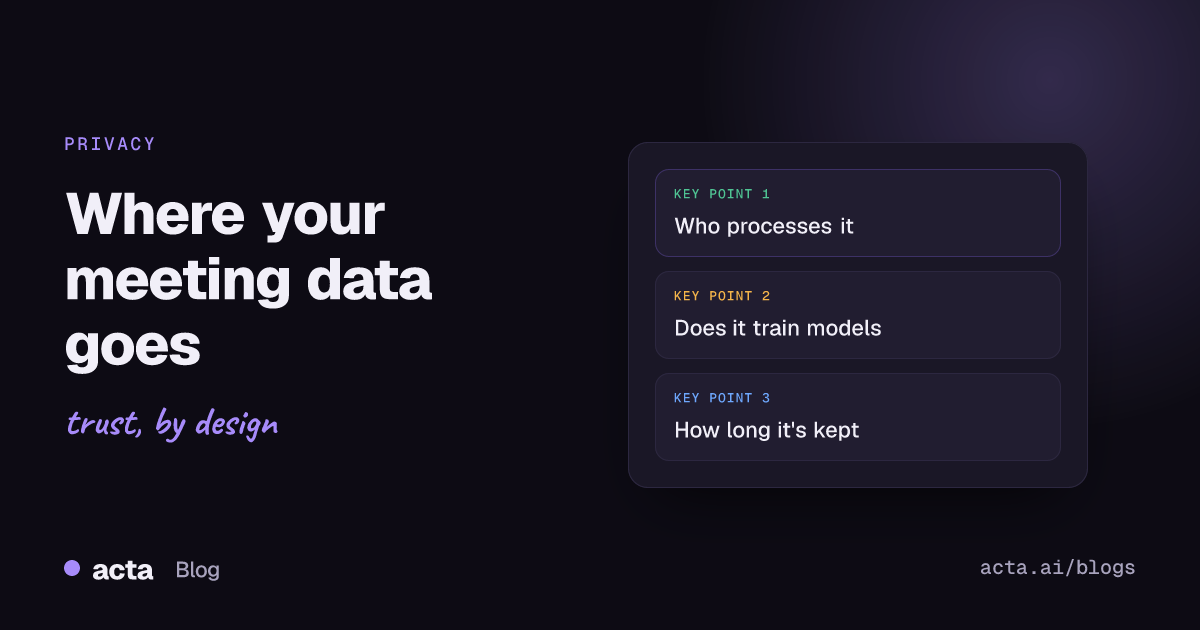
Quick answer: When an AI tool records a meeting, the audio is uploaded, turned into a transcript, sent to a language model for the summary, then stored with the notes until someone deletes it. Meeting data privacy comes down to five questions: who processes it, whether it trains models, how long it's kept, who inside your company can read it, and how deletion works.
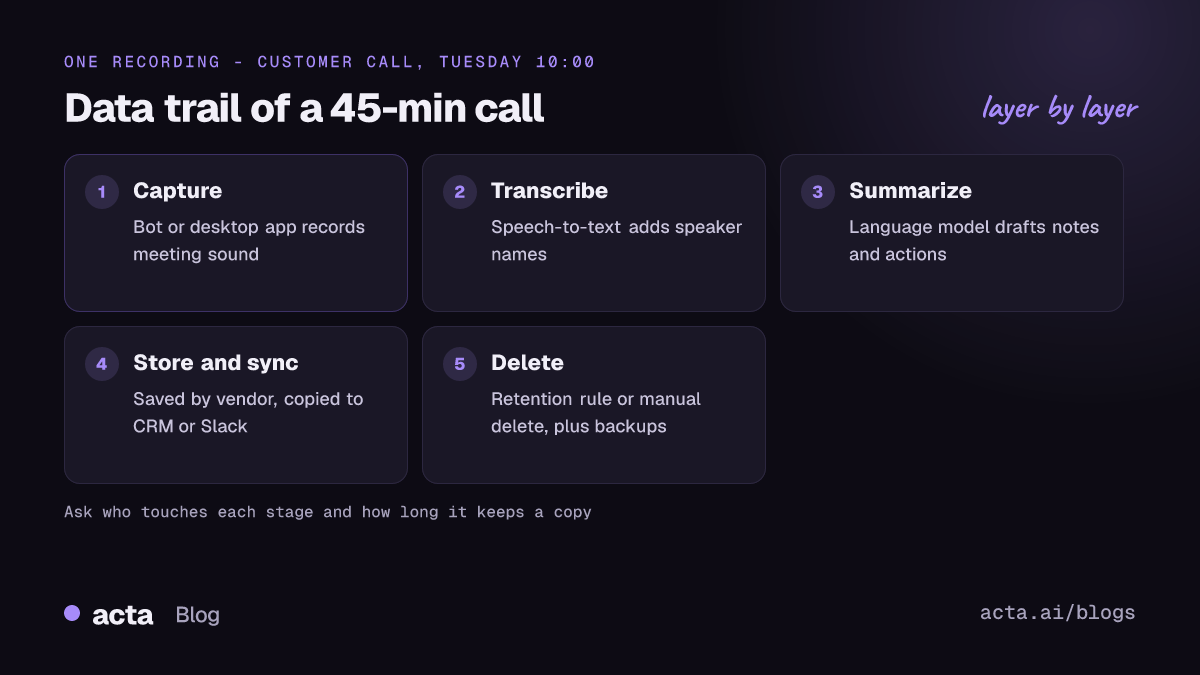
Most people press record without thinking about any of this, and I don't blame them. The notes show up, they're useful, and the data trail behind them is invisible. But a single 45-minute customer call can produce an audio file, a full transcript with names attached, a summary, a list of action items and a follow-up email draft. Each of those is a copy, and each copy lives somewhere. This post follows one recording from start to finish and shows where your choices actually matter.
What counts as meeting data?
People tend to think of "the recording" as one thing. It isn't. A typical AI notetaker creates or touches several kinds of data for every call:
- Audio (and sometimes video) of everyone who spoke.
- Meeting transcripts, usually with speaker names, so every sentence is tied to a person.
- Derived outputs: summaries, decisions, action items, draft emails, CRM notes.
- Metadata: the meeting title, the attendee list, email addresses from the calendar invite, the time and length of the call.
- Things you add later, like comments, edits or questions you ask an assistant about past meetings.
The derived outputs are the part people forget. You might delete the audio after a week and feel tidy, while the summary that says "Dana mentioned she's going on medical leave in March" sits in a shared folder for three years. A privacy review that only looks at recordings misses most of the risk.
Where does a recording go after you press record?
The details differ between tools, but the path is roughly the same everywhere:
- Capture. A bot joins the call, or an app on your own computer records the meeting's sound and your microphone.
- Upload. The audio goes to the vendor's servers. Some tools upload during the call, others after.
- Transcription. A speech-to-text model turns audio into text and works out who said what.
- Summarization. The transcript, or chunks of it, goes to a large language model. This may be the vendor's own model or a third-party API.
- Storage. Audio, transcript and notes are saved to the vendor's database and cloud storage.
- Sharing and sync. Notes get emailed, posted to Slack, pushed to a CRM or a wiki. Every integration makes another copy you now have to think about.
- Deletion. Someone deletes the meeting, or a retention rule does it, or nothing happens and it stays forever.
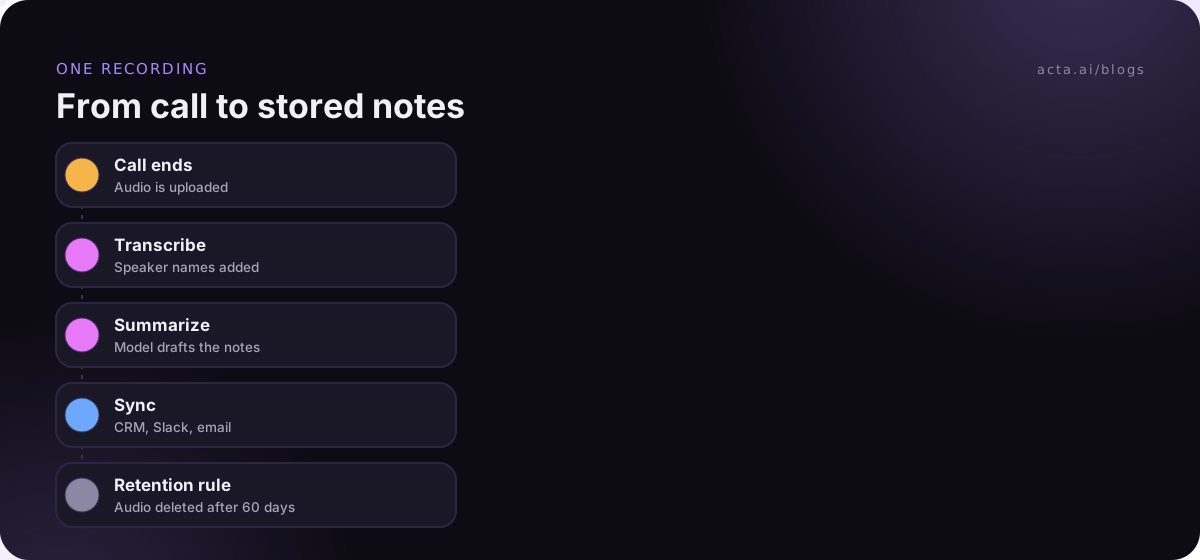
Step 6 is where data spreads fastest, and it's the step most privacy reviews skip. If your notes auto-post to a channel with 200 people, the vendor's security matters a lot less than your Slack settings.
Is your meeting data used to train AI models?
This is usually the first question, and it's a fair one. It depends on the vendor and sometimes on the plan you're on. Free consumer tools and business plans often have different terms. Read the actual terms of service and the data processing agreement, not the marketing page.
The bigger platforms now spell this out. Google's Generative AI in Google Workspace Privacy Hub says Workspace content isn't used for generative AI model training outside your domain without permission (as of November 2026). Smaller notetaker vendors vary more. Some say "we don't train on your data" but keep the right to use "de-identified" or "aggregated" data to improve the product. That's a meaningful difference, so ask exactly what's covered.
Three questions get you a clear answer:
- Is customer content (audio, transcripts, notes) ever used to train AI models, ours or anyone else's?
- Does that apply to every plan, including free and trial accounts?
- If you call a third-party model API, does their contract forbid training on what you send?
We wrote up our own position in why we don't use customer data to train our AI models, if you want an example of what a clear answer looks like.
Which third parties see your meeting transcripts?
Almost no notetaker does everything in-house. A typical setup has a cloud host, a speech-to-text provider, one or two model providers, an email service and an analytics tool. These are the vendor's subprocessors, and under GDPR-style contracts they're supposed to be listed and you're supposed to be told when the list changes.
Ask for the subprocessor list and look for two things. First, which of them actually receive meeting content, as opposed to billing data. Second, where they're located, because that affects international transfer rules if you're in the EU or UK. Our GDPR checklist for AI note takers goes into the contract side in more detail.
A small tip: if a vendor can't tell you which model provider processes your transcripts, treat that as an answer in itself.
How long do AI tools keep meeting recordings?
Often, until someone changes a setting. In plenty of tools the default is to keep everything, which is handy when you're searching an old call and bad for data retention discipline. Leaving those defaults alone is one of the classic AI notetaker mistakes when adopting a tool. Check what yours does before you assume.
Under UK GDPR, the storage limitation principle says personal data shouldn't be kept longer than you need it for the purpose you collected it for. The ICO's guidance on storage limitation is clear that the law doesn't set fixed periods; you decide them, write them down and be able to justify them. A recording of a weekly standup and a recording of a customer complaint call probably deserve different answers.
Your meeting platform may already have rules of its own. Microsoft Teams, for example, lets admins set an expiration policy for meeting recordings, and a Purview retention policy can take precedence over it. If you also use a separate notetaker, its copies don't follow those rules. You end up with a recording that Teams deleted after 60 days and a transcript in another tool that never expires.
A sensible starting point that I've seen work:
- Delete raw audio after 30 to 90 days for routine internal meetings. You rarely go back to it once the notes are checked.
- Keep summaries, decisions and action items longer, since that's where the value is.
- Set a separate, shorter rule for anything involving health, HR or legal topics. Clinicians face the strictest version of this; see AI notetakers in healthcare.
- Check that deletion actually reaches backups and synced copies, or at least know how long backups linger.
Who inside your company can read the transcript?
External breaches get the headlines, but most real exposure is internal. A sales manager reads a transcript of an HR call because the folder was shared with "everyone in the workspace". Someone forwards a summary link and the link works for anyone. An AI assistant that answers questions across all meetings happily quotes a board discussion to an intern because nobody set permissions.
Check these defaults before you roll a tool out:
- Who sees a meeting by default: only the person who recorded it, all attendees, or the whole workspace?
- Do share links require sign-in?
- Does cross-meeting search respect the same permissions as individual meetings?
- Can admins see everything, and is that logged?
If you're building search over transcripts yourself, the same problem shows up in a different form; our piece on permission-aware RAG for sensitive meetings covers how to keep retrieval from leaking across teams.
What meeting data privacy questions should you ask a vendor?
Here's the short list I'd send before signing anything. It fits in one email, and the quality of the replies tells you a lot.
- What exactly do you store per meeting: audio, video, transcript, summaries, metadata?
- Is any customer content used to train AI models? On which plans?
- Which subprocessors receive meeting content, and where are they?
- What are the default retention periods, and can we change them per workspace or per meeting type?
- When we delete a meeting, what's deleted, from where, and how long until backups are cleared?
- Who at your company can access our content, and under what conditions?
- What are the default sharing settings for new meetings?
- How do participants find out they're being recorded?
Question 8 matters more than it looks. The other people on the call have a stake in meeting data privacy too, and they didn't pick the tool. Our guide on whether it's legal to record meetings with AI covers consent and what to tell participants. For a broader buying checklist, see the meeting notes software buyer's checklist.
What can you control on your side?
You can't audit a vendor's servers, but you can make choices that shrink the problem.
Record less. Not every call needs an AI notetaker. Skip it for one-to-ones about personal matters, legal advice and anything you'd be uncomfortable seeing quoted back.
Pick the capture method on purpose. A meeting bot shows up in the participant list, which is transparent but sometimes blocked. A bot-free recorder runs from your own machine; a desktop recorder like Acta's captures only the meeting's sound and your microphone, never your screen, so there's less to store in the first place. The tradeoffs are laid out in meeting bot vs desktop app vs Chrome extension.
Turn off integrations you don't use. Every sync is a copy you'll need to delete later.
Keep sensitive content off the record. If someone starts reading out a password or a patient's details, pause the recording. Our post on AI data leakage has more on keeping secrets and personal details out of AI systems.
How Acta handles this
Acta records Zoom, Google Meet and Microsoft Teams with a meeting bot, a bot-free desktop app or a Chrome extension, and turns the call into a transcript with speaker names, a summary and action items. Acta does not use customer data to train AI models. Our security and privacy page covers how stored data is handled.
Frequently asked questions
Do AI notetakers store the audio or just the transcript?
Most store both by default, plus summaries and metadata. Some let you delete audio separately and keep the notes. Check the settings and the vendor's documentation, since "we only keep transcripts" is rarer than people assume.
Is meeting data used to train AI models?
Sometimes. Many business tools say no, but terms can differ between free and paid plans, and some vendors reserve the right to use de-identified data. Ask in writing and check the data processing agreement.
How long should we keep meeting recordings?
As long as you need them for a stated purpose and no longer. For routine internal calls, many teams keep raw audio for 30 to 90 days and keep the notes longer. Write the rule down so you can explain it if asked.
Can I ask a vendor to delete everything?
You should be able to delete meetings yourself, and a data processing agreement normally covers deletion when the contract ends. Ask how long backup copies remain after deletion.
Is a bot-free recorder more private than a meeting bot?
Not automatically. The data still ends up with the vendor for transcription. What changes is how the recording is captured and who sees a bot join. You still need to tell people they're being recorded.
If you'd like to test these questions against a real tool, Acta's 15-day free trial lets you record, check the settings and delete meetings yourself.