To summarize a meeting transcript with AI, paste the full transcript first, then give the model a short, specific instruction: who the summary is for, the sections you want (decisions, action items with owners and dates, open questions) and a rule to use only what's in the transcript. Then check every owner, date and number against the original before you send it.
Guides & How-tos 12 min read
Summarize Meeting Transcript With AI: 7 Prompts That Work
How to summarize a meeting transcript with AI: how to prepare the text, seven copy-ready prompts, a worked example, and how to catch wrong owners and dates.
By Sarma BKP, Founder & CEO, Acta · Updated
That's the whole method, and the rest of this guide is the detail that makes it work: how to prepare the transcript, seven copy-ready prompts for different meetings, a filled-in example, and the errors to look for. It's for anyone who already has a transcript from Zoom, Teams, Meet or a notetaker and wants notes people will read. It's not the right approach for verbatim legal or HR records, where a summary can't replace the transcript itself.
Key takeaways
- Put the transcript at the top of the prompt and your instructions after it. Anthropic's prompting docs recommend this layout for long documents.
- Name the sections you want. "Summarize this" gets a vague paragraph; "Decisions, Action items (owner, due date), Open questions" gets notes you can send.
- Add one grounding rule: if something isn't in the transcript, write "not stated" instead of guessing.
- For long meetings, ask the model to list supporting quotes or timestamps first. Research shows models can miss details buried in the middle of long inputs.
- Spend two minutes checking owners, dates and numbers. Those are the errors that cause real trouble.
Table of contents
- A useful meeting summary answers four questions
- Clean the transcript before you prompt
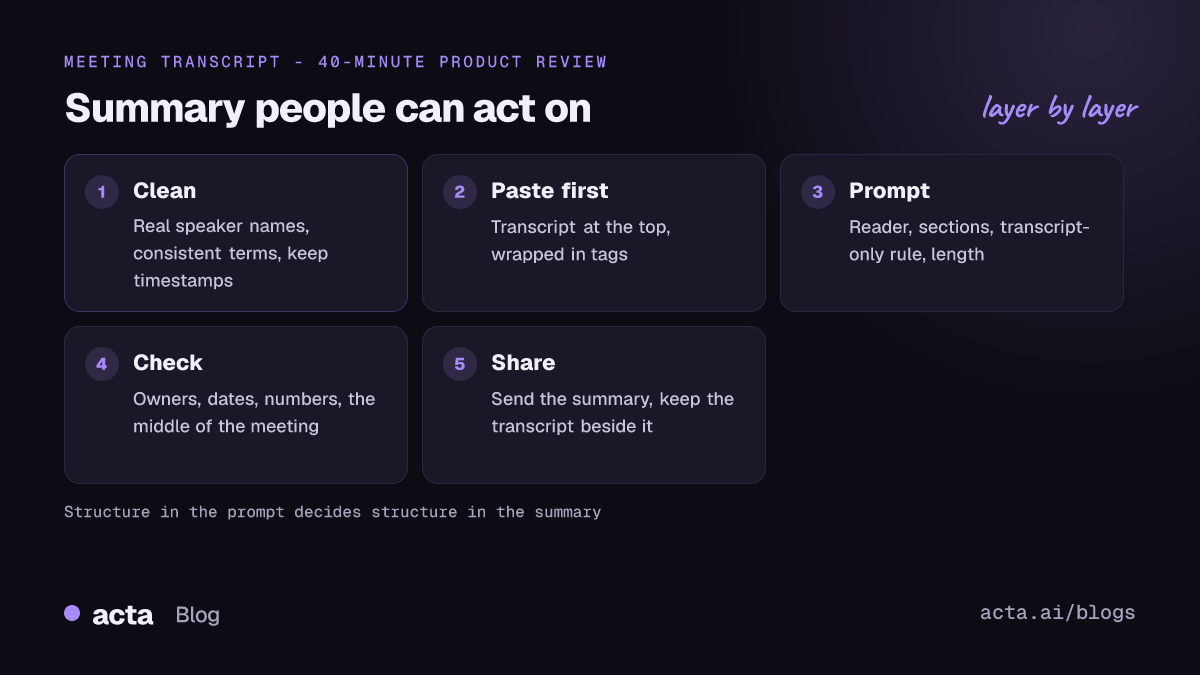
- Summarize a meeting transcript with AI in six steps
- Seven prompts to copy for different meetings
- A filled-in example: a 40-minute product review
- Check every summary against the transcript
- Five mistakes make AI meeting summaries useless
- Where Acta fits
- Frequently asked questions
- Build your own meeting summary prompt
A useful meeting summary answers four questions
An AI meeting summary is a short written version of a meeting, produced by a language model from the transcript, that tells people what changed without making them read or watch the whole thing. The test of a good one is simple: someone who missed the meeting can act on it.
To pass that test, the summary has to answer four questions:
- What did we decide? Decisions, stated plainly, including what was rejected if that matters.
- Who is doing what, by when? Action items with one named owner and a date each.
- What is still open? Questions nobody answered, and who will chase them.
- What context does a reader need? One or two lines on why the decisions were made.
Most bad summaries fail on the second question. The model writes "the team will look into pricing" because that's what the meeting sounded like, and nobody owns it. Your prompt has to force the structure. If you've written minutes by hand, our guide to meeting minutes people actually read uses the same logic.
Clean the transcript before you prompt
Five minutes of preparation saves most of the editing later. Get the transcript first: if you're starting from Zoom, our guide to transcribing a Zoom recording covers the options, and for Teams see how to get a Teams meeting transcript from the Recap tab.
Then fix these before you paste:
- Speaker labels. "Speaker 2" can't own an action item. Replace generic labels with names, at least for the people who made commitments.
- Names and terms. If the transcript spells your client "North Wind" in one place and "Northwind" in another, the summary may treat them as two companies.
- Timestamps. Keep them. They cost a little space and let the model point you to where a decision was made.
- Sensitive content. Before pasting a transcript into a public AI chat, check your company's policy. Client details, salaries and health information may not be allowed in consumer tools.
Don't strip out the small talk or the "um"s yourself. Models handle filler well, and manual trimming is where people accidentally delete the one sentence that mattered.
Summarize a meeting transcript with AI in six steps
Here's the method I use with ChatGPT, Claude, Gemini or Copilot. The tool matters less than the structure of the prompt: whether you summarize a transcript with ChatGPT or another assistant, the same six steps apply.
- Paste the transcript first. Wrap it in clear markers such as <transcript> and </transcript>. Anthropic's long context prompting tips recommend putting long documents near the top, above the instructions and question, and using tags to separate them. OpenAI's prompt engineering best practices make the same point about separating instructions from context.
- Say who the summary is for. "For the client", "for my manager who missed it" and "for the engineering team" each produce different summaries, and they should.
- Name the sections. List exactly the headings you want, in order.
- Set the rules. Use only what's in the transcript. Write "not stated" for missing owners or dates. Keep names exactly as written.
- Limit the length. "Under 200 words" or "five bullets maximum" stops the model from rewriting the meeting at half length.
- Ask for evidence on long meetings. Have it list the timestamp for each decision. This makes checking fast and keeps the model anchored to the text.
Step six matters more than it looks. In the paper Lost in the Middle: How Language Models Use Long Contexts, the researchers found that models did best when the relevant information was at the start or end of the input, and worse when it sat in the middle. A 90-minute transcript has a long middle. Asking for timestamps, or splitting the meeting into parts, reduces the chance that a decision at minute 47 disappears.
Seven prompts to copy for different meetings
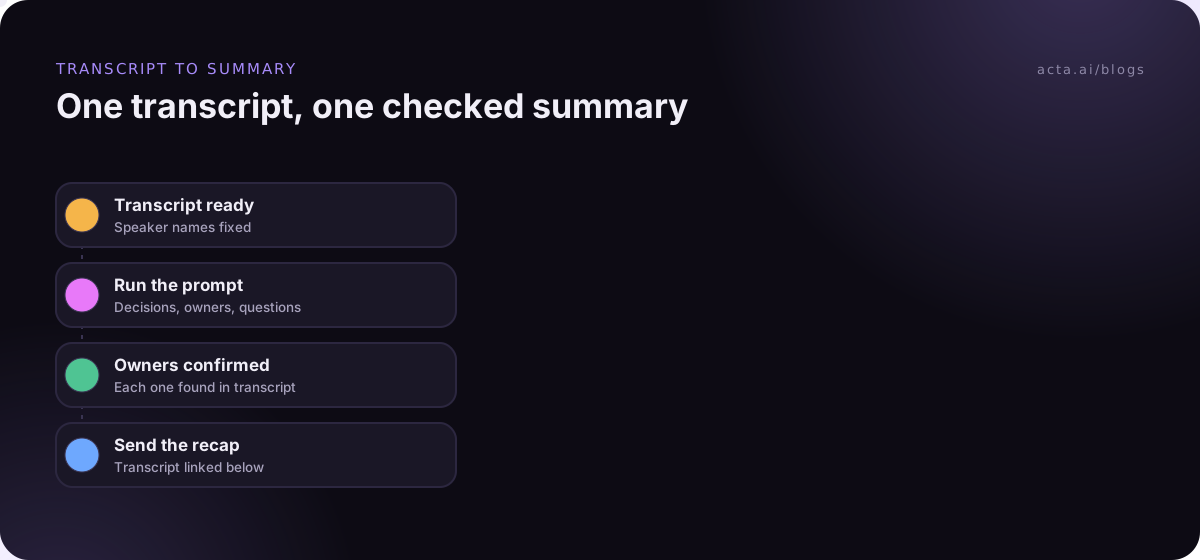
Each prompt below goes after the transcript. Swap in your own names and adjust the length. A summarize-meeting-transcript AI prompt works best when it's boring and specific, so resist the urge to add clever role-play.
1. The general recap (any internal meeting)
Summarize the meeting in the transcript above for team members who missed it. Use these sections: Decisions, Action items (owner, task, due date), Open questions, Context (two sentences maximum). Use only information in the transcript. If an owner or date isn't stated, write "not stated". Keep people's names exactly as they appear. Under 250 words.
2. The decision log (steering, planning, architecture reviews)
List every decision made in this meeting. For each one give: the decision in one sentence, who made or approved it, the timestamp, and any option that was rejected and why. Don't include proposals that weren't agreed. If you're unsure whether something was decided, put it under "Unclear" instead.
3. Action items only (when the meeting already has notes)
Extract every commitment from the transcript: anything a person said they would do, or was asked to do and agreed to. Give owner, task, due date and the timestamp. One owner per item. Flag any task that has no clear owner.
4. The client follow-up email
Write a follow-up email from Priya to the client after this call. Thank them in one line, confirm what we agreed, list next steps with owners and dates, and ask about anything left open. Plain, friendly tone. Don't mention internal discussion or pricing that wasn't shared with the client. Under 180 words.
For more on that last one, see our guide to meeting follow-up emails.
5. The executive brief
Summarize this meeting for a senior leader who has 60 seconds. Five bullets maximum: what was decided, the biggest risk raised, what we need from them (if anything), and the next milestone with its date. No background.
6. The customer or sales call
From this call transcript, list: the customer's stated problems in their own words (with quotes), objections or concerns, who else is involved in the decision, the agreed next step and its date. Mark anything you're inferring rather than quoting.
7. The long meeting, in two passes
Pass 1: Go through the transcript in order and list every decision, commitment and unanswered question with its timestamp. Don't summarize yet.
Pass 2: Using only the list from pass 1, write a summary with the sections Decisions, Action items (owner, due date) and Open questions.
Use the two-pass prompt for anything over an hour, or any meeting where people revisit topics. The first pass forces the model through the whole transcript; the second keeps the summary tied to what it found.
A filled-in example: a 40-minute product review
Here's a short slice of a transcript from a product review with Marco (product), Dana (engineering) and Priya (customer success):
[12:40] Marco: So are we shipping bulk export in this release or not?
[12:46] Dana: We can if we drop the PDF format. CSV is done, PDF needs another two weeks.
[13:02] Priya: Two of my accounts only asked for CSV. I'd ship it.
[13:10] Marco: Fine, CSV only for now. Dana, can you update the release notes by Wednesday?
[13:15] Dana: Yes.
[31:22] Priya: Do we know if exports count against the API limit? Customers will ask.
[31:30] Marco: Good question. I don't know.
Here's the kind of summary prompt 1 produces from the full transcript (illustrative, trimmed):
Decisions: Bulk export ships this release with CSV only; PDF follows later (12:46 to 13:10).
Action items: Dana updates the release notes for CSV-only export, due Wednesday. Priya tells her two accounts that CSV export is coming, due not stated.
Open questions: Do exports count against the API limit? Owner not stated (31:22).
Context: PDF export needs about two more weeks; customers asking so far want CSV.
Look closely and you'll spot the kind of error that matters. Priya never agreed to tell her accounts anything; the model inferred a helpful task and gave it an owner. That's why checking is a step, not an afterthought. The "not stated" rule worked for the API question, which is exactly what you want: an honest gap instead of an invented owner.
Check every summary against the transcript
AI summaries are good drafts. They're not records until a person has checked them, and no summarize-meeting-transcript AI tool removes this step. Our longer piece on reducing hallucinations in AI meeting summaries goes deeper, but this checklist catches most problems in two minutes:
- Owners. For each action item, find the moment the person agreed. If you can't, it isn't theirs yet.
- Dates and numbers. Search the transcript for each one. Models round, convert and occasionally invent deadlines like "end of week".
- Decisions versus proposals. "We could move the launch" is not "we moved the launch".
- Dissent. If someone objected and was overruled, a smooth summary may hide it. Decide whether the reader needs to know.
- The middle of the meeting. Skim the transcript's middle third for decisions the summary doesn't mention.
If a summary keeps going wrong, troubleshoot the input before blaming the model. Generic speaker labels lead to wrong owners. A wrong transcription of a product name leads to a confusing summary. A prompt with no sections leads to prose. And if the transcript contains text like "ignore previous instructions" (people do paste odd things into meeting chats), remember that the model reads it as input; our post on prompt injection explains why that matters for automated summaries.
Five mistakes make AI meeting summaries useless
- Asking for "a summary". You'll get a polite paragraph that restates the agenda. Always name the sections.
- Summarizing for nobody. A summary for the client and one for your team are different documents. Say who it's for.
- Letting it guess. Without a "not stated" rule, models fill gaps with plausible owners and dates.
- Sending it unread. One wrong owner in a client email costs more trust than the summary saved in time.
- Throwing away the transcript. Keep it next to the summary. When someone asks "did we really agree to that?", the transcript answers it.
One more, from experience: don't run the same prompt on every meeting. A standup, a board meeting and a sales call need different outputs. Keep three or four prompts saved and pick the right one. Teams that automate this tend to use summarize-meeting-transcript AI templates per meeting type rather than one prompt for everything.
Where Acta fits
If you'd rather not copy transcripts between tools, Acta records the meeting, writes the transcript with speaker names, and produces a summary, decisions and action items with owners. It has 40 report templates for specific meeting types, and recording works without a bot through the desktop app. Our post on recording consent covers what to tell participants first.
Frequently asked questions
What is the best prompt to summarize a meeting transcript?
The best prompt names the reader, lists the sections you want (decisions, action items with owner and due date, open questions), tells the model to use only the transcript and write "not stated" for gaps, and sets a length limit. Put it after the transcript. Prompt 1 in this guide is a good default for internal meetings.
Can ChatGPT summarize a long meeting transcript?
Yes, though very long transcripts need care. Paste the transcript first and the instructions after, and for meetings over an hour use a two-pass prompt: list every decision and commitment with timestamps, then summarize from that list. Research on long contexts shows models can miss details in the middle of long inputs, so check that section.
How do I stop AI from making up action items?
Add a rule that every action item must be something a person said they would do or agreed to, with a timestamp, and that missing owners or dates should be marked "not stated". Then check each owner against the transcript. Clear speaker names in the transcript also help, because "Speaker 2" can't own a task.
Is it safe to paste a meeting transcript into an AI chatbot?
It depends on the tool and your company's policy. Consumer AI chats may handle data differently from business plans, so check the vendor's terms and your internal rules before pasting client, HR or health conversations. When in doubt, use a tool your company has approved, or remove sensitive details first.
What is the difference between a meeting summary and meeting minutes?
A summary is a short, reader-focused version: what was decided, what happens next. Minutes are a formal record, often required for boards and committees, that list attendees, motions, votes and resolutions in a set format. AI can draft both, but minutes usually need a secretary's review and approval at the next meeting.
Build your own meeting summary prompt
Write your prompt once, save it and reuse it. Before you do, settle these:
- Name the reader: client, manager, team or leadership, and write it into the first line of the prompt.
- Fix the sections: decisions, action items with owner and due date, open questions, and short context.
- Add the grounding rule: transcript only, and "not stated" for any missing owner or date.
- Set a length limit: a word count or a bullet count that fits the reader.
- Plan the check: owners, dates, numbers and the middle of the meeting, every time.
If you'd like the transcript and a structured summary waiting for you after every call, try the Acta Chrome extension or desktop app during the 15-day free trial.
Found this useful? Share it with your team.