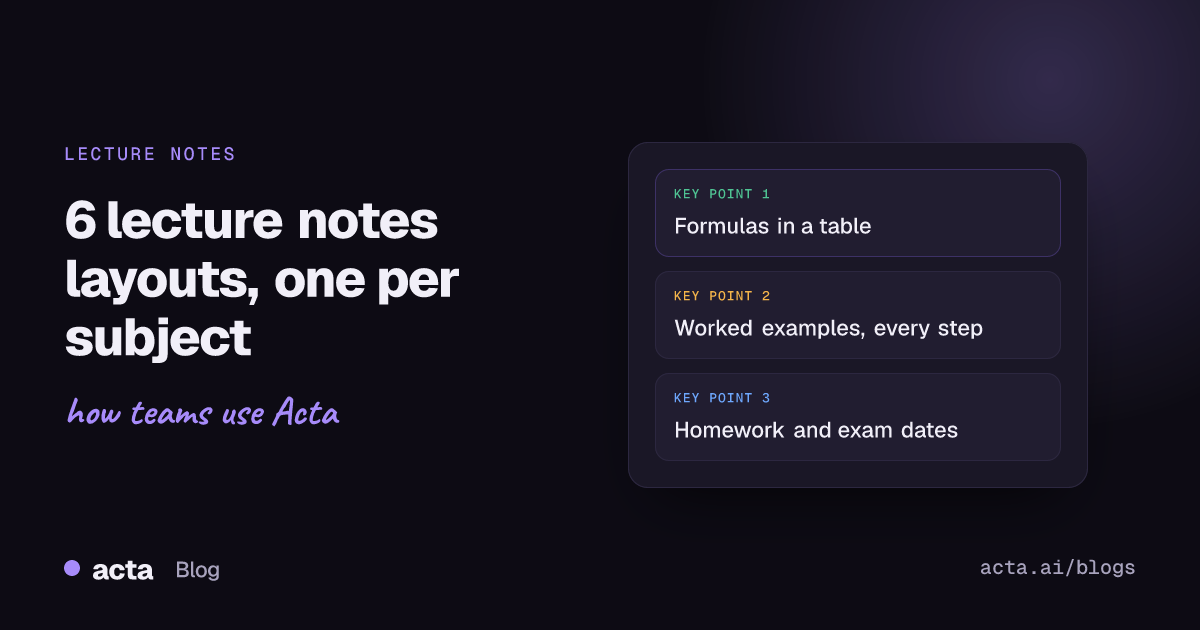
A good lecture notes template captures what you'll need at revision time: the topics covered, key definitions and formulas, worked examples step by step, mistakes the lecturer warned about, questions students asked with the answers, and homework or exam dates. Below are six copy-ready layouts for maths, science, language, humanities, revision sessions and teachers' own class records, each built as a custom template.
Use Cases 10 min read
Lecture Notes Template: 6 Layouts for Maths, Science and Languages
Six copy-ready lecture notes layouts by subject, with formulas and vocabulary tables, step-by-step worked examples, student Q&A and homework checklists.
By Sarma BKP, Founder & CEO, Acta · Updated
This is for students who record lectures (with permission) and for teachers and tutors who want a record of each class. The templates assume you have a recording or transcript. If your lecturer posts full slides and notes already, you may only need the Q&A and homework sections, and that's a perfectly good template too.
Key takeaways
- Put definitions and formulas in a table (Term | Definition or formula | When it's used). It's the section you'll reread most before an exam.
- Ask for worked examples step by step, with each step on its own line. A summary of an example is useless; the steps are the point.
- Capture "common mistakes the teacher pointed out" as its own section. Lecturers often say exactly what loses marks, once.
- Change the middle sections by subject: formulas for maths, vocabulary for languages, arguments for humanities.
- Turn the notes into questions afterwards. Testing yourself on the material beats rereading it.
Table of contents
- A lecture notes template should capture what you'll need at revision time
- Seven sections cover most lectures and classes
- Each subject needs a different middle section
- Revision sessions and teachers need their own versions
- Notes work better when you turn them into questions
- Build this as a custom template in Acta
- Four mistakes that make lecture notes hard to revise from
- Frequently asked questions
- Set up your lecture notes template before term gets busy
A lecture notes template should capture what you'll need at revision time
Most students take notes for the lecture they're in. The better question is what you'll want from these notes six weeks later, the night before an exam. The answer is rarely "a summary of what the lecturer said". It's the exact definition, the formula with its conditions, the example worked through line by line, and the throwaway remark that "this always comes up".
A study notes summary written by an AI without structure tends to keep the overview and drop those details. A template does the opposite: you decide in advance that formulas, worked examples and exam hints each get their own section, and the AI fills them from the lecture recording. If a section wasn't covered that day, it says "Not discussed" instead of inventing something plausible, which matters more in a lecture than almost anywhere else.
Our older post on lecture notes and review questions from class recordings covers the overall workflow. This one is about the template: the sections, the formats, and how they change by subject.
Seven sections cover most lectures and classes
Start from these and remove what your subject doesn't need.
- Topics and concepts (Bullets): what was taught, in the order it was taught.
- Definitions and formulas (Table: Term | Definition or formula | When it's used). Formulas written out exactly as given.
- Worked examples (Paragraph or Bullets): each example step by step, one step per line, with the reasoning the lecturer gave.
- Common mistakes (Bullets): errors or misconceptions the lecturer pointed out.
- Student questions (Table: Question | Asked by | Answer given). Other people's questions are often your questions.
- Homework, readings and dates (Checklist: task, owner, due date). Exam dates, deadlines, readings.
- Exam hints (Bullets): anything the lecturer said about exams, marks or "you need to know this".
Seven is my upper limit for a class notes template. Lectures are long, and a 12-section report from a 50-minute class is more than anyone rereads.
| Layout | Swap in | Drop |
|---|---|---|
| 1. Maths | Formulas table, worked examples | Readings |
| 2. Science | Equations and units, experiments and demos | None |
| 3. Language class | Vocabulary table, grammar points, pronunciation | Formulas, worked examples |
| 4. Humanities seminar | Arguments and positions, texts referenced | Formulas |
| 5. Revision session | Exam scope, topic checklist | Student questions (optional) |
| 6. Teacher's class record | Where students struggled, follow-up for next lesson | Exam hints |
Each subject needs a different middle section
1. Maths lecture template
This description comes from a template we tested on real maths lectures:
What should this report do? For maths lectures and classes: list the topics and concepts taught, the key definitions and formulas, worked examples step by step, common mistakes the teacher pointed out, questions students asked with the answers, and any homework or exam dates mentioned.
Sections: Topics and concepts (Bullets), Definitions and formulas (Table: Term | Formula | Conditions), Worked examples (Bullets, one step per line), Common mistakes (Bullets), Student questions (Table), Homework and dates (Checklist).
Add an extra instruction: "Write formulas in plain text exactly as the lecturer stated them." In our test, formulas came out like tan θ = sin θ / cos θ, which is readable and searchable.
2. Science lecture template
Sections: Topics and concepts (Bullets), Equations and units (Table: Quantity | Equation | Units | Conditions), Experiments and demonstrations (Bullets: what was done, what was observed, what it shows), Misconceptions addressed (Bullets), Student questions (Table), Homework and lab dates (Checklist).
The units column earns its place. Lecturers state units out loud far more often than they write them on slides.
3. Language class template
Sections: New vocabulary (Table: Word or phrase | Meaning | Example sentence used in class), Grammar points (Bullets: rule, example, exceptions mentioned), Pronunciation notes (Bullets), Corrections the teacher made (Bullets), Homework (Checklist).
This layout works best when the teacher explains in the class’s main language and introduces new words in the target language. Check the output on one class before relying on it.
4. Humanities seminar template
Sections: Questions discussed (Bullets), Arguments and positions (Table: Position | Who argued it | Evidence or text cited), Texts and sources referenced (Bullets), Lecturer's framing (Paragraph), Essay or reading tasks (Checklist).
Seminars wander. The "Arguments and positions" table pins down who said what, which helps when you cite a point in an essay.
Revision sessions and teachers need their own versions
5. Revision session template
When to use: exam review classes, Q&A sessions before tests.
Sections: Exam scope (Bullets: what's in and what's out, as stated), Topics to review (Checklist: each topic, with any date given), Exam format and rules (Bullets), Example exam questions discussed (Bullets, step by step), Dates (Bullets).
6. Teacher's class record template
When to use: teachers and tutors keeping a record of each lesson.
Sections: What was covered (Bullets), Where students struggled (Bullets, with the question or mistake), Questions asked (Table: Question | Answer given), Homework set (Checklist), Follow-up for next lesson (Bullets).
Teachers I've worked with use the "Where students struggled" section to plan the next lesson's warm-up. For one-to-one sessions with students outside class, see our student advising session notes.
Notes work better when you turn them into questions
Good notes are only half of it. The Cornell system, developed by education professor Walter Pauk and explained on Cornell's Learning Strategies Center page, splits the page into a notes column, a narrow cue column for questions and keywords, and a summary at the bottom. The cue column is the bit most people skip, and it's the bit that matters: you cover the notes and answer the cues from memory.
That lines up with the research on retrieval practice. Roediger and Karpicke's 2006 study, Test-Enhanced Learning, found that being tested on material helped long-term retention more than restudying it, even though restudying looked better on an immediate test. Vanderbilt's Center for Teaching has a practical guide to using retrieval practice to help students learn.
So add one more section if you have room: Review questions (Bullets: five questions a student should be able to answer after this lecture, based only on what was taught). Then use them as your Cornell cues. Our comparison of Cornell, outline and AI note-taking goes into how the methods combine.
Build this as a custom template in Acta
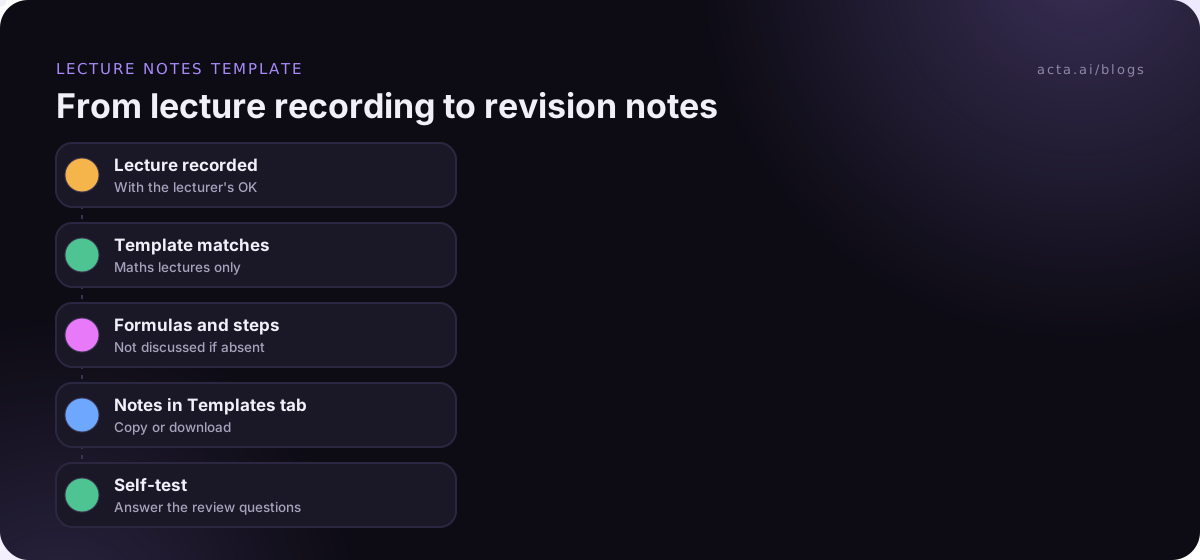
Acta already has a built-in Lecture notes template in its Education group (see the templates page), which is a good start. Custom templates, where you set your own sections, are available on paid plans, not in the 15-day free trial. The custom templates help article covers every option.
- Open Templates in the sidebar, choose My templates, and click + Create template.
- Name it by subject: "Lecture - Math".
- Under Start from, pick Built-in and copy Lecture notes, or pick Describe it, paste the maths description above, and click Draft sections.
- Edit the sections: set Definitions and formulas to Table with three columns, Student questions to Table, and Homework and dates to Checklist.
- Extra instructions: "Write formulas in plain text exactly as stated. Number the steps in worked examples."
- Under When should Acta use it?, choose Only matching meetings so your maths template doesn't run on chemistry.
- Preview with Test on a past meeting and Run on this meeting on a lecture you've already recorded. Then Save.
Acta allows up to 10 custom templates per person, enough for one per subject plus a revision template. You can also use Run another template on an older lecture to rebuild its notes in the new format.
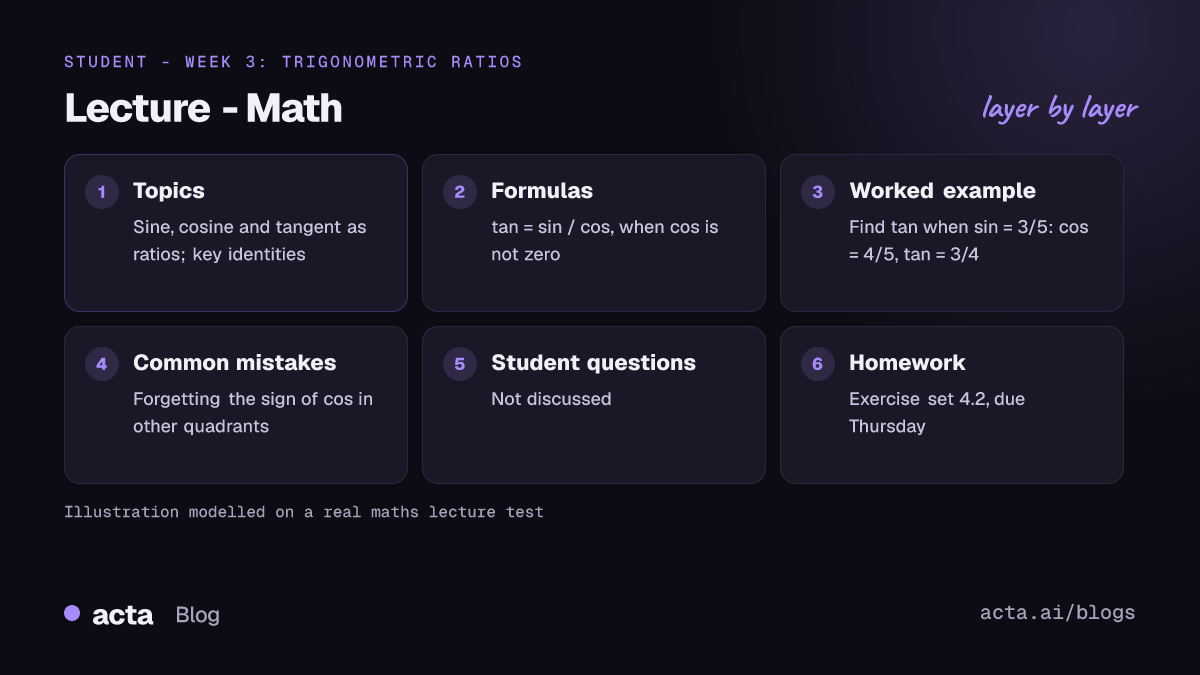
Example output (illustration, modelled on our testing)
In short: Introduction to trigonometric ratios and identities; two worked examples; homework set for Thursday.
Topics and concepts: Sine, cosine and tangent as ratios in a right triangle. The identity linking tan to sin and cos.
Definitions and formulas: Tangent | tan θ = sin θ / cos θ | When cos θ is not zero. Pythagorean identity | sin²θ + cos²θ = 1 | Any angle.
Worked examples: Find tan θ when sin θ = 3/5 in the first quadrant. Step 1: cos θ = 4/5 using the identity. Step 2: tan θ = (3/5) / (4/5) = 3/4.
Common mistakes: Forgetting the sign of cos θ in other quadrants.
Student questions: Not discussed.
Homework and dates: Exercise set 4.2, due Thursday (Unassigned).
Every report also includes key quotes and a confidence rating, and appears in the Templates tab labelled "Your template", with Copy and Download.
Four mistakes that make lecture notes hard to revise from
- One template for every subject. A formulas table on a history seminar comes back empty and makes the useful sections harder to find.
- Summarising worked examples. "The lecturer solved a quadratic" helps nobody. Ask for every step.
- Skipping the questions. Student Q&A is where confusions get cleared up. Keep it.
- Never testing yourself. Rereading feels productive. Answering review questions from memory is what sticks.
Where Acta fits
Acta records online classes on Zoom, Google Meet and Teams, in-person lectures through the mobile app, and uploaded recordings, then runs the template that matches. For online classes you attend from a laptop, the Chrome extension records from your browser without adding anyone to the call. Always check your institution's rules and ask the lecturer before recording; our guide on recording consent and what to tell people covers the basics. The education page shows more.
Frequently asked questions
What should a lecture notes template include?
Topics in the order taught, definitions and formulas in a table, worked examples step by step, common mistakes the lecturer pointed out, student questions with answers, and homework or exam dates. Add a few review questions at the end so you can test yourself. Change the middle sections to suit the subject.
Can I record a lecture to make notes?
Often, but it depends on your institution's policy and the lecturer's permission, and policies vary a lot between institutions. Ask first, and keep recordings for your own study. This is general information, not legal advice.
How do I use Cornell notes with AI lecture notes?
Use the AI template for the notes column: topics, formulas, examples. Use its review questions as your cue column. After the lecture, cover the notes and answer the cues from memory, then write a short summary in your own words at the bottom. The summary is where you find what you didn't understand.
Is a class notes template different for teachers and students?
Yes. Students want material to revise: formulas, examples, exam hints. Teachers want a record of the lesson: what was covered, where students struggled, homework set, and what to follow up next time. Use separate templates rather than one that tries to do both.
What makes good revision notes from a lecture recording?
Exact formulas and definitions, examples with every step, and the lecturer's exam hints, all in the same place for every lecture. Consistent sections let you revise a whole module by reading one section across all lectures, such as every "Common mistakes" list before the exam.
Set up your lecture notes template before term gets busy
Build the template in week one, test it on the first lecture, and fix it before you've got ten lectures of notes in the wrong shape.
- Start with your hardest subject: the one where you most often miss steps or formulas.
- Copy a layout above: keep the formulas or vocabulary table and the worked examples section.
- Add review questions: five per lecture, used as Cornell cues.
- Test on one recorded class: check formulas and steps against your own notes.
- Add one template per subject: for the general method, see how to build a custom meeting notes template.
Add the Acta Chrome extension before your next online class and see how your lecture notes template fills in.
Found this useful? Share it with your team.