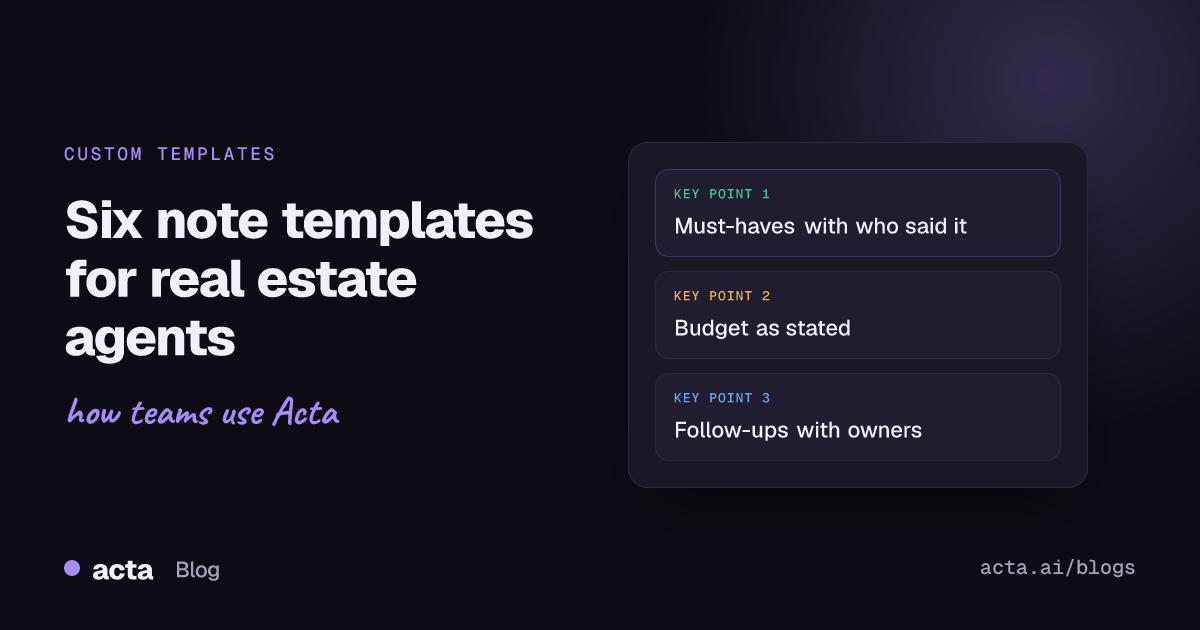
Real estate client meeting notes work best when each meeting type has its own template: a buyer consultation records must-haves, budget, financing status and timeline; a listing appointment records the seller's price expectations, condition issues and deadlines; a showing debrief records what the buyer liked, what ruled a home out and the next step. Below are six copy-ready templates, plus how to run them automatically on recorded meetings.
Use Cases 11 min read
Real Estate Client Meeting Notes: 6 Templates for Buyers and Sellers
Six copy-ready note templates for agents, from buyer consultation to closing check-in, with must-haves tables, budget, timeline and follow-ups, plus how to run them automatically.
By Sarma BKP, Founder & CEO, Acta · Updated
This is for agents and small teams who meet clients on calls, in kitchens and on doorsteps, and who keep losing the detail that matters three weeks later ("she said no stairs, didn't she?"). If you only need a general overview of what to write down, the older guide on meeting notes for real estate agents covers that. This one is about building reusable templates, one per meeting type.
Key takeaways
- Use a separate template for each meeting type. A buyer consultation and a listing appointment share almost no sections.
- Put must-haves and deal-breakers in a table with a "who said it" column; couples rarely want the same things.
- Record budget and financing exactly as the client said them, and mark anything unconfirmed as unconfirmed.
- End every template with a follow-ups checklist that has an owner and due date for each item.
- Keep each template to 5-7 sections. Agents read these on a phone between appointments.
Table of contents
- Good real estate client meeting notes separate facts from feelings
- Template 1: buyer consultation
- Template 2: listing appointment
- Template 3: showing debrief
- Templates 4-6: offer call, seller update and closing check-in
- Build this as a custom template in Acta
- Four mistakes cost agents the detail that matters
- Frequently asked questions
- Pick the templates your business needs first
Good real estate client meeting notes separate facts from feelings
Clients say two kinds of things in a meeting. There are facts: a pre-approval amount, a lease ending in March, a roof replaced in 2019. And there are feelings: "I'd love a garden", "I can't face another commute like this one", "we're not desperate to sell". Both matter, but they belong in different places. Facts go in tables and fields you can check later. Feelings go in quotes, because the client's exact words are what you'll use when you pitch a property or explain a price reduction.
The other split is between people. Two buyers on one call often disagree, and they don't always notice. One wants a short commute, the other wants space. If your notes say "client wants three bedrooms", you've lost the fact that only one of them said it. That's why every template below puts a "who said it" column on the preferences table.
Finally, keep promises visible. An agent's day is mostly small commitments: send comps, check the HOA rules, ask the listing agent about the boiler. Real estate client notes without a follow-ups section turn into a pile of "I'll get back to you" that nobody tracks.
Template 1: buyer consultation
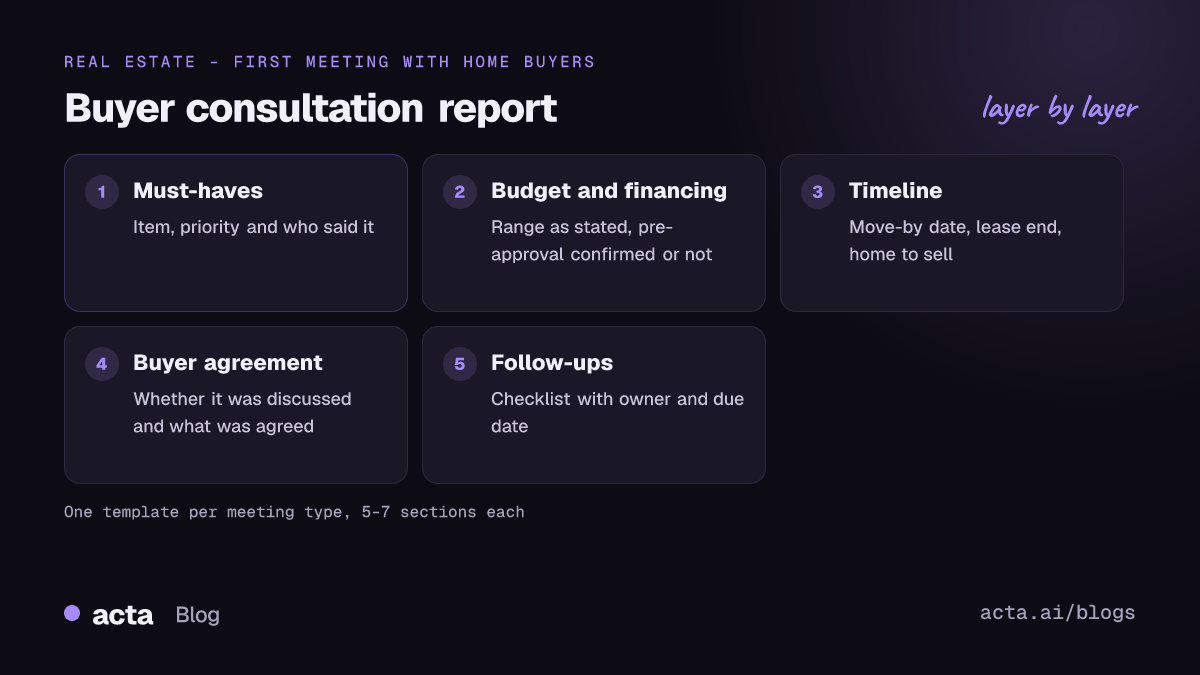
Use this for the first proper meeting with a buyer, in person or on a video call. It doubles as a buyer needs analysis, and it's where you'll usually cover the written buyer agreement. As of November 2026, NAR's rules say an MLS participant working with a buyer must have a written agreement in place before touring a home, including live virtual tours, and the agreement must clearly state the compensation or how it's determined; NAR's consumer guide to written buyer agreements explains it, and Written Buyer Agreements 101 covers the agent side. State law and your MLS may add more, so check both. Your notes should record that the agreement was discussed and what was agreed, not reproduce its terms from memory.
Buyer consultation
1. Buyers and decision-makers - Table: Name | Role (buyer, co-buyer, adviser) | Contact preference
2. Must-haves and deal-breakers - Table: Item | Must-have, nice-to-have or deal-breaker | Who said it
3. Budget and financing - Bullets: price range said, down payment mentioned, lender, pre-approval status (confirmed or not)
4. Timeline and constraints - Bullets: move-by date, lease end, sale of current home, school dates
5. Areas and commute - Bullets: neighbourhoods named, places they need to reach
6. Buyer agreement discussed - Paragraph: whether it was covered and what was agreed
7. Follow-ups - Checklist (task, owner, due date)
The budget section deserves care. Write what the client said, not what you think they can afford, and note whether a lender has actually reviewed their documents. If down payment comes up and the buyer seems unsure what it means, the CFPB's plain-English explainer on down payments is a good link to send afterwards.
Template 2: listing appointment
A listing appointment is half sales pitch and half fact-finding, and the fact-finding is what most agents under-record. This works as a listing appointment checklist you can run on the recording afterwards.
Listing appointment
1. Sellers and decision-makers - Table: Name | Role | On the title? (as stated)
2. Reason for selling and timing - Paragraph, in the seller's own words
3. Price expectations - Bullets: price the seller mentioned, comps discussed, the agent's suggested range
4. Property condition and known issues - Table: Item | What the seller said | Needs follow-up?
5. Updates and improvements - Table: Work done | Year (as stated) | Permits mentioned
6. Marketing and access - Bullets: photo date, showing restrictions, pets, occupied or vacant
7. Follow-ups - Checklist (task, owner, due date)
The condition table is the one that protects you later. When a seller says "the basement flooded once, years ago", that sentence needs to land somewhere you can find it before disclosures are drafted. Keep the seller's wording and leave interpretation to the paperwork.
Template 3: showing debrief
Run this on the conversation right after a viewing, or on a quick call that evening. Good showing feedback is specific: "the kitchen is too dark" is useful, "not for us" isn't. If you visit homes in person a lot, the separate guide to property walkthrough notes covers the room-by-room side.
Showing debrief
1. Properties seen - Table: Address | Reaction (one line) | Still in play?
2. What they liked - Bullets with quotes
3. What ruled a home out - Bullets with quotes
4. Changes to must-haves - Table: Item | Change | Who said it
5. Next step - Checklist (task, owner, due date)
Section 4 is the one people skip. Buyers' priorities move after seeing real homes; the client who insisted on four bedrooms often decides a big third bedroom is fine. If you don't write the change down, your next shortlist is built on last month's brief.
Templates 4-6: offer call, seller update and closing check-in
These three are shorter. Use them once a deal is moving.
Template 4: offer strategy call
1. Property and asking price - Bullets
2. Offer terms discussed - Table: Term | Buyer's position | Notes (price, deposit, contingencies, closing date as discussed)
3. Walk-away points - Bullets with quotes
4. Decisions made - Bullets
5. Follow-ups - Checklist (task, owner, due date)
Template 5: seller progress update
1. Activity reported - Bullets: showings, feedback themes, offers
2. Seller's reaction and concerns - Paragraph with quotes
3. Price or strategy changes agreed - Bullets
4. Follow-ups - Checklist (task, owner, due date)
Template 6: closing check-in
1. Open items - Table: Item | Waiting on | Date mentioned
2. Issues raised - Bullets
3. Dates confirmed on the call - Bullets
4. Follow-ups - Checklist (task, owner, due date)
Here's how the six compare:
| Template | When to run it | Key section | Sections |
|---|---|---|---|
| Buyer consultation | First real buyer meeting | Must-haves table with who said it | 7 |
| Listing appointment | Seller pitch and walk-through | Condition and known issues | 7 |
| Showing debrief | After viewings | Changes to must-haves | 5 |
| Offer strategy call | Before writing an offer | Walk-away points | 5 |
| Seller progress update | Weekly or fortnightly | Strategy changes agreed | 4 |
| Closing check-in | Under contract | Open items and who they wait on | 4 |
Build this as a custom template in Acta
If you record client meetings, you can set each of these up as a custom template so the notes come out in your format. Custom templates are on Acta's paid plans, not the 15-day free trial. The custom templates help article has the full reference; here's the buyer consultation as an example.
- Open Templates in the Acta dashboard sidebar, pick My templates and click + Create template.
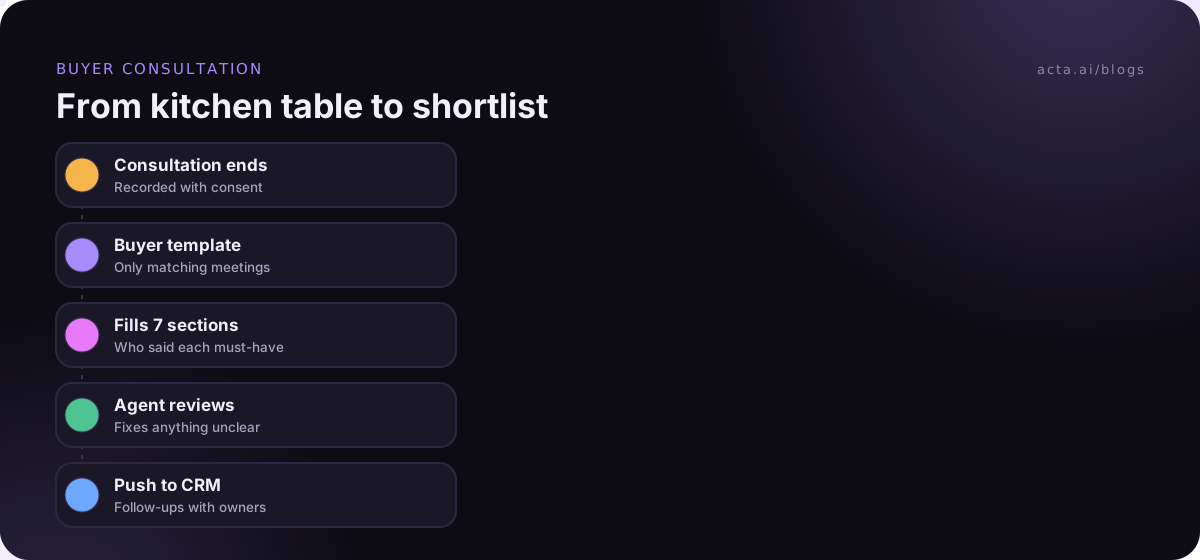
- Name it "Buyer consultation". Under Start from, choose Blank if you're copying the sections above, or Describe it if you want Acta to draft 3-7 sections from your description.
- Fill in What should this report do? with: "For first meetings with home buyers: record who is buying, their must-haves and deal-breakers and who said each, budget and financing as stated, timeline, areas, whether the buyer agreement was discussed, and follow-ups."
- Add the seven sections with the formats listed in Template 1. For the must-haves table, name the columns Item, Priority and Who said it.
- Add extra instructions: "Use the client's own words for preferences. Mark financing as unconfirmed unless they said a lender has reviewed it."
- Under When should Acta use it?, choose Only matching meetings, so it runs on buyer meetings and not your listing appointments.
- Click Test on a past meeting, pick a recorded consultation and Run on this meeting. Nothing is saved or sent. Adjust, then Save.
Repeat for each template you need; you can keep up to 10 custom templates, each with up to 12 sections. A team lead can turn on Share with my team so every agent gets the same format, while only the owner can edit it. Acta also has built-in report templates you can copy with Customize.
Here's an illustration of a buyer consultation report. The names are invented.
In short: Priya and Tom Marsh want a three-bedroom house in Elm Park or Westgate before their lease ends in late March. Priya's priority is the commute; Tom's is outdoor space. Confidence: high.
Must-haves and deal-breakers: Three bedrooms | Must-have | Both. Garden | Must-have | Tom. Under 40 minutes to the hospital | Must-have | Priya. Busy main road | Deal-breaker | Priya. Garage | Nice-to-have | Tom.
Budget and financing: Range said: up to 520k. Lender: Not discussed. Pre-approval: unconfirmed ("we've spoken to the bank").
Timeline: Lease ends late March. No home to sell.
Buyer agreement discussed: Yes; agreement sent for review before the first tour.
Follow-ups: Send the signed agreement | Priya | Thursday. Shortlist five homes in Elm Park | Agent | Monday. Confirm pre-approval with lender | Tom | Not discussed.
Key quote: "I'll take a smaller kitchen if it means I'm not on the ring road every morning."
Four mistakes cost agents the detail that matters
- One template for every meeting. A generic summary of a listing appointment will skip the condition issues because it doesn't know they matter.
- Merging two buyers into one. Without "who said it", you can't tell whose priority you're serving when they disagree on a property.
- Writing your estimate as their budget. If the client said "around 500", don't write "500-550". Unconfirmed is a useful word.
- No owner on follow-ups. "Check HOA rules" with no name means nobody checks.
Recording client meetings needs consent. Tell clients you're recording and check your state's rules; the guide on whether it's legal to record meetings with AI covers the basics. For video calls, the Acta Chrome extension records Google Meet, Teams in the browser and the Zoom web client without a bot joining. For kitchen-table consultations and viewings, the Acta mobile app records in person.
Where Acta fits: it records the meeting, runs the right template if the meeting matches its description, and puts the report in the meeting's Templates tab with Copy, Download and Push to CRM. That's handy if your real estate CRM notes field is where your team actually looks. It writes "Not discussed" for anything that didn't come up rather than filling gaps.
Frequently asked questions
What should real estate client meeting notes include?
Include who the clients are and who decides, their must-haves and deal-breakers with who said each, budget and financing as stated, timeline and constraints, areas of interest, and a follow-ups checklist with owners and dates. For sellers, add reason for selling, price expectations, condition issues and access details. Use a different template for each meeting type.
What questions go on a buyer consultation checklist?
Ask who is buying and who else influences the decision, what they must have and what rules a home out, their price range and whether a lender has reviewed their finances, when they need to move and why, which areas and commutes matter, and how they want to hear from you. Cover the written buyer agreement before any tour.
What should a listing appointment checklist cover?
Cover why the seller is moving and when, the price they have in mind and the comparables you discussed, known condition issues in their own words, updates and improvements with dates, showing restrictions and occupancy, and the next steps for photos, paperwork and pricing. Keep condition notes verbatim; they help when disclosures are prepared.
How do I record showing feedback from buyers?
Debrief right after the viewing, while reactions are fresh. Note each property with a one-line reaction and whether it's still in play, what they liked and what ruled it out in their words, and any change to their must-haves. A short call that evening works if the debrief can't happen on the doorstep.
Can I use these templates without recording meetings?
Yes. Copy the sections into a note on your phone or into your CRM and fill them in by hand. Recording and a custom template just save the typing and catch the asides you'd miss while driving between showings. The structure is what makes the notes useful either way.
Pick the templates your business needs first
You don't need all six on day one. Start with the meeting you have most often and the one where missed detail costs you most.
- Start with buyers or sellers: buyer agents begin with the consultation and showing debrief; listing agents begin with the listing appointment and seller update.
- Add who said it: put that column on every preferences table, even for single buyers whose partner joins later.
- Keep budget honest: record stated figures and mark financing unconfirmed until a lender has reviewed it.
- Make follow-ups a checklist: owner and due date on every item, ready to paste into your CRM.
- Share once it works: test on past meetings, then share the template so the whole team writes the same notes.
The Acta real estate page shows how agents use it, and the sibling guide on client intake meeting notes covers first calls in other professions. To record your next consultation without a bot, start with the Acta desktop app for Zoom and Teams calls.
Found this useful? Share it with your team.