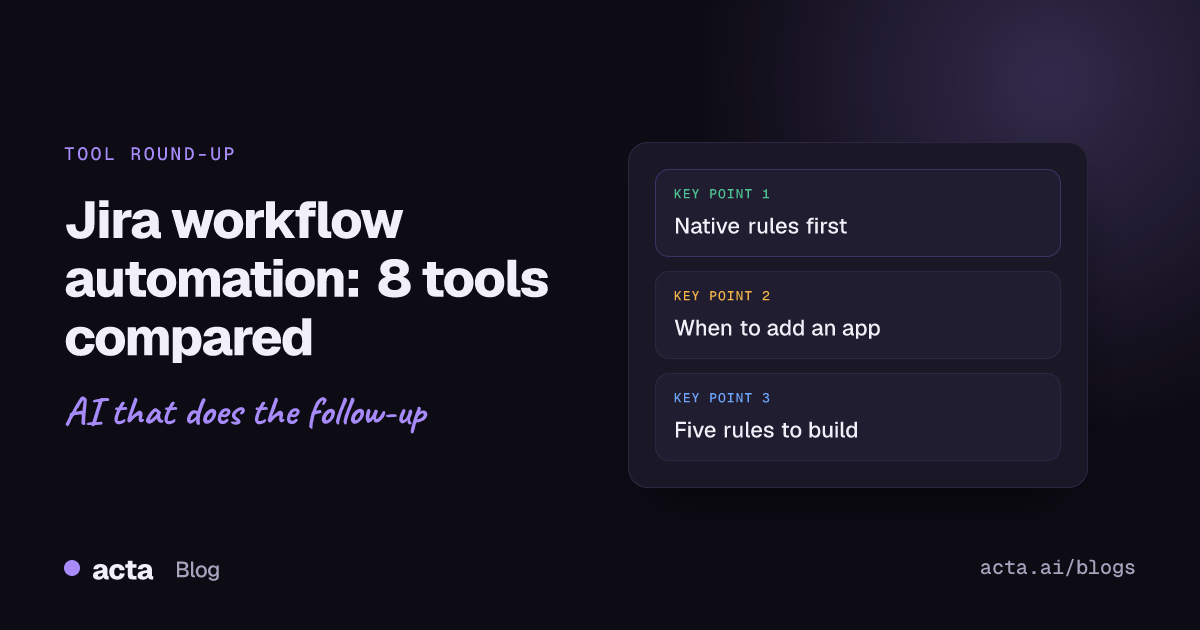
For most teams, Jira workflow automation starts and often ends with Jira's own Automation: trigger, condition, action, no code, and it's included in every plan up to a monthly limit on rule runs. Add ScriptRunner or JMWE when you need scripted logic or validators inside transitions, and Zapier, Make, n8n or Power Automate when Jira has to talk to other apps. Meeting-driven work, like tickets agreed on a call, needs a meeting tool on top.
This guide compares eight options and says when each one earns its place. It's written for Jira admins, team leads and ops people who already know what a transition is. If you're on Jira Data Center with years of custom scripts, the cloud-focused advice here only partly applies.
Key takeaways
- Build in native Jira Automation first. Atlassian's plan guide lists 100 rule runs a month on Free, 1,700 on Standard and 1,000 per user (pooled) on Premium.
- Use ScriptRunner or JMWE for logic inside the workflow itself: validators, conditions and post functions that a rule can't enforce.
- Use Zapier, Make, n8n or Power Automate when the trigger or the action lives outside Jira. Power Automate's Jira connector is Premium.
- Every rule needs an owner, a test project and a loop check before it goes live.
- Decisions made in meetings are the input most Jira automations never see; capture them with a meeting tool and keep a human approval step.
Table of contents
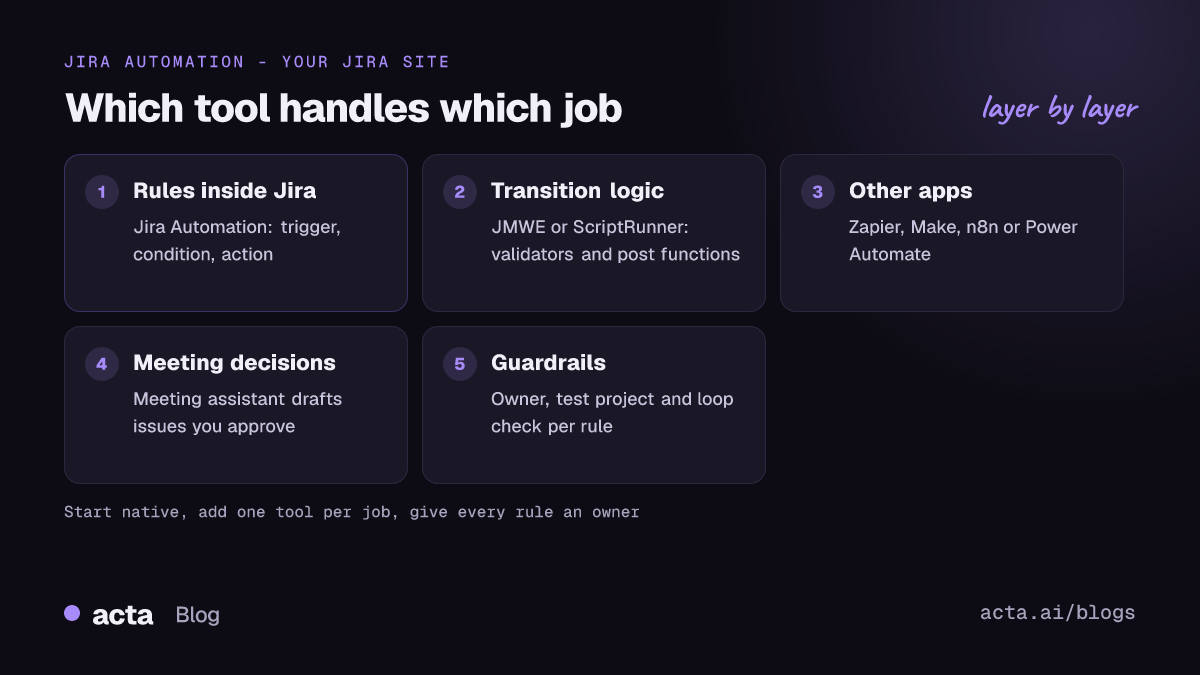
- Jira workflow automation covers three different jobs
- Native automation handles most jobs; add tools for the rest
- Eight Jira workflow automation tools, reviewed
- Five rules are worth building first
- Rule limits decide when you outgrow native automation
- Most broken automations fail for the same reasons
- Meeting decisions need their own route into Jira
- Frequently asked questions
- Choose your Jira automation stack
Jira workflow automation covers three different jobs
People use "Jira automation" for three separate things, and mixing them up is how teams end up paying for an app they didn't need.
- Rules inside Jira. When a work item changes, do something: assign it, comment, transition the parent, notify a channel. Native Jira Automation was built for this.
- Logic inside transitions. Block "Done" unless a field is filled, copy values on transition, require a comment when rejecting. That's workflow conditions, validators and post functions, where Marketplace apps like JMWE and ScriptRunner go further than Jira alone.
- Connections to other apps. A form submission creates an issue, a closed issue updates a CRM record, a JQL result lands in a spreadsheet. That's integration work for Zapier, Make, n8n or Power Automate, which our cloud-based workflow automation tools comparison covers side by side.
Write down which of the three you actually need before reading pricing pages. In my experience about half of "we need a tool for this" requests are a native rule nobody has built yet.
Native automation handles most jobs; add tools for the rest
Here's the short comparison. Prices are starting points as published by each vendor and change often.
| Tool | Best for | Free option | Paid from |
|---|---|---|---|
| Jira Automation | Rules inside Jira | Yes, 100 runs/month | Included in Jira plans |
| ScriptRunner | Scripted rules and listeners | Small teams, per sample pricing | Per user, Marketplace |
| JMWE | Validators, conditions, post functions | Trial | Per user, Marketplace |
| Zapier | Quick links to other SaaS apps | Yes, 100 tasks/month | $19.99/month |
| Make | Visual multi-step scenarios | Yes, 1,000 credits/month | About $9-12/month |
| n8n | Self-hosted, developer-friendly flows | Community edition | Paid cloud plans |
| Power Automate | Microsoft 365 shops | No (Jira is Premium) | $15/user/month |
| Acta | Jira issues from meeting decisions | 15-day trial | $6/seat/month annual |
Checked on 12 November 2026; confirm on each vendor's pricing page.
Eight Jira workflow automation tools, reviewed
This isn't a ranking. Most teams end up with native automation plus one of the others.
1. Jira Automation (built in)
Best for: almost every team, for rules that start and end in Jira. Pros: no code; Atlassian's docs describe triggers, conditions and actions plus smart values like {{issue}} for dynamic text. Cons: monthly rule-run limits, and advanced steps such as branching with conditions, "delay until" and loops are on Premium and Enterprise. Price: included; Atlassian's pricing page lists Standard at $8.48 and Premium at $15.56 per user per month, with a free plan for up to 10 users (as of November 2026).
2. ScriptRunner for Jira
Best for: admins who can write Groovy and need listeners, scripted fields or bulk jobs. Pros: handles logic native rules can't, and Adaptavist publishes a guide comparing it with native automation. Cons: scripts need an owner who can maintain them; a departed admin leaves a black box. Price: per user via the Atlassian Marketplace; Adaptavist's sample pricing shows the per-user rate falling as teams grow, with small teams of 10 free (as of November 2026).
3. JMWE (Jira Misc Workflow Extensions)
Best for: teams that want stricter workflows without writing code. Pros: Appfire lists more than 40 post functions, conditions and validators, such as a Comment Required validator. Cons: Appfire's docs say team-managed projects in Jira Cloud can't use JMWE conditions, validators and post functions in workflows. Price: per user on the Atlassian Marketplace (as of November 2026).
4. Zapier
Best for: quick links between Jira and SaaS tools a non-admin can set up. Pros: Jira Cloud triggers such as new or updated issues and JQL matches, with create, update and find actions. Cons: the free plan allows only two-step Zaps and checks some triggers every 15 minutes. Price: free with 100 tasks a month; Professional from $19.99 a month (as of November 2026).
5. Make
Best for: visual, branching scenarios with several apps. Pros: routers and filters on every plan, including free. Cons: the free plan allows two active scenarios and a 15-minute minimum interval; credit-based billing takes some getting used to. Price: free with 1,000 credits a month; Core is listed at roughly $9 to $12 a month depending on billing (as of November 2026).
6. n8n
Best for: technical teams that want to self-host and keep data in-house. Pros: the Jira Software node covers issue, attachment and comment operations, and the Community edition is free to self-host for internal use. Cons: you run the server, the updates and the backups. Price: Community edition free; n8n Cloud and licensed features are paid (as of November 2026).
7. Microsoft Power Automate
Best for: companies already living in Microsoft 365 and Teams. Pros: the Power Automate Jira connector has triggers for new issues, JQL results and closed issues, plus actions like create, edit and transition. Cons: it's a Premium connector, and Microsoft's Q&A notes the create-issue action struggles with required user-type fields such as Reporter. Price: Power Automate Premium is listed at $15 per user per month, paid yearly (as of November 2026).
8. Acta
Best for: turning decisions from planning calls, customer calls and reviews into Jira issues. Pros: reads the meeting, drafts issues with owners and sends them to Jira after you approve. Cons: it's an AI meeting assistant, not a workflow engine; it won't enforce validators or transition rules. Price: Pro is $8 per seat per month, or $72 a year billed annually, after a 15-day free trial (as of November 2026).
Five rules are worth building first
If you're starting from zero, build these Jira automation rules natively before buying anything. Each one is a trigger, a condition and an action.
- Close the parent when all subtasks are done. Trigger: work item transitioned to Done. Condition: it's a subtask and all siblings are Done. Action: transition the parent.
- Auto-assign by component. Trigger: work item created. Condition: component is "Billing". Action: assign to the billing lead.
- Nudge stale items. Scheduled trigger with JQL for items "In Progress" with no update in 10 days. Action: comment mentioning the assignee.
- Move to "In Review" when a pull request opens. Trigger: pull request created (needs a connected repository). Action: transition the work item.
- Flag missing estimates before sprint start. Trigger: sprint started. Condition: story points empty. Action: post a list to the team channel.
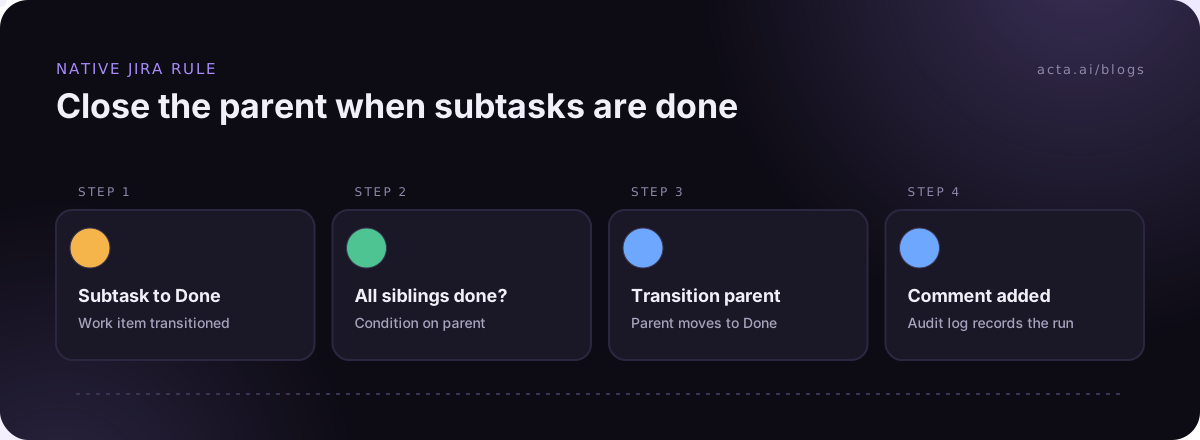
Test every rule in a sandbox project first and use the audit log. Rule five, for example, will happily ping 40 items on day one if your backlog has never been estimated.
Rule limits decide when you outgrow native automation
Native automation counts rule runs. According to Atlassian's guide to Jira plans, Free gets 100 a month across the site, Standard 1,700, and Premium 1,000 per paid user pooled across the team. Atlassian's support articles say runs where the conditions don't pass and no action is performed don't count.
Watch the usage tab for the first month. A busy "work item updated" trigger on a large project can eat a Standard allowance in days. Narrow triggers with conditions early, prefer scheduled rules with JQL over per-update rules for reporting, and move cross-app syncing to Zapier, Make or n8n so it doesn't use Jira runs at all.
Outgrowing the limit doesn't automatically mean buying ScriptRunner. Often the cheaper fix is tidying three or four noisy rules.
Most broken automations fail for the same reasons
The same handful of mistakes cause most Jira workflow automation trouble:
- Loops. Rule A updates a field, which triggers rule B, which updates the field again. Leave "allow rule trigger" off unless you mean it.
- Wrong actor. Rules run as an automation user who may lack permission in some projects, so actions fail quietly.
- Duplicates. Integration tools that create issues without checking for an existing key fill the backlog with copies.
- No owner. Nobody remembers why a rule exists, so nobody dares delete it.
- Too many notifications. Every rule that emails people trains them to ignore Jira mail.
Our post on why automations break goes through these with fixes, and Zapier vs Make vs n8n helps if you're choosing an integration tool.
Meeting decisions need their own route into Jira
Every tool above waits for something to happen in an app. A lot of real work starts in a sprint review or customer call: "Marco will fix the export bug before Friday." No trigger fires for that. Someone has to remember and type it.
That's where Acta fits. It records the meeting with a bot, its Windows and Mac app or the Chrome extension, pulls out decisions and action items with owners, and its Agent Builder can draft Jira issues you approve before they're created. It doesn't replace any of the workflow tools above, and if your Jira work never starts in meetings you don't need it. If the planning call is on Zoom or Teams and you'd rather not add a bot, the desktop app records it from your own computer; tell participants first, and see what to tell them about recording.

For examples, see how teams create Jira tickets from customer calls and the setup notes in the Jira integration guide.
Frequently asked questions
Is Jira automation free?
Native Jira Automation is included in every Jira Cloud plan, including Free, but each plan has a monthly limit on rule runs. Atlassian lists 100 runs a month on Free and 1,700 on Standard, while Premium gets 1,000 per paid user pooled across the site. Runs where conditions fail and nothing happens don't count.
What is the difference between Jira automation and workflow post functions?
Post functions, conditions and validators are part of a workflow transition: they run or block when someone moves an issue. Automation rules sit outside the workflow and react to events like creation, updates or schedules. Use validators to enforce rules people can't skip, and automation for follow-up actions that can happen afterwards.
Should I use ScriptRunner or native Jira automation?
Start with native automation. Move to ScriptRunner when you need logic that rules can't express, such as complex calculations, script listeners or custom REST calls, and when someone on the team can write and maintain Groovy. Scripts without an owner become a risk quickly.
Can Zapier or Make replace Jira Automation?
Not for rules inside Jira. They're slower to react, cost tasks or credits per step, and can't enforce workflow logic. They're the right choice when the trigger or action lives in another app, such as a form, CRM or spreadsheet, so use them alongside native rules rather than instead of them.
How do I create Jira issues from meetings automatically?
Use a meeting assistant that pulls action items with owners from the transcript and connects to Jira, then keep an approval step so nothing lands in the backlog unchecked. Set clear rules for which items become issues, such as only those with an owner and a deadline, to avoid filling Jira with noise.
Choose your Jira automation stack
Run through this list before you install anything new.
- Name the job: rule inside Jira, logic inside a transition, or a link to another app.
- Try native first: build the rule in Jira Automation and check the usage tab after a month.
- Add one tool, not three: pick a single integration platform the team can support.
- Assign owners: every rule and script gets a named person and a one-line purpose.
- Cover meetings: decide how decisions from calls reach Jira, with a person approving each issue.
If decisions from your calls keep getting lost before they reach Jira, record the next planning meeting with the Acta desktop app and try it during the 15-day free trial on the pricing page.