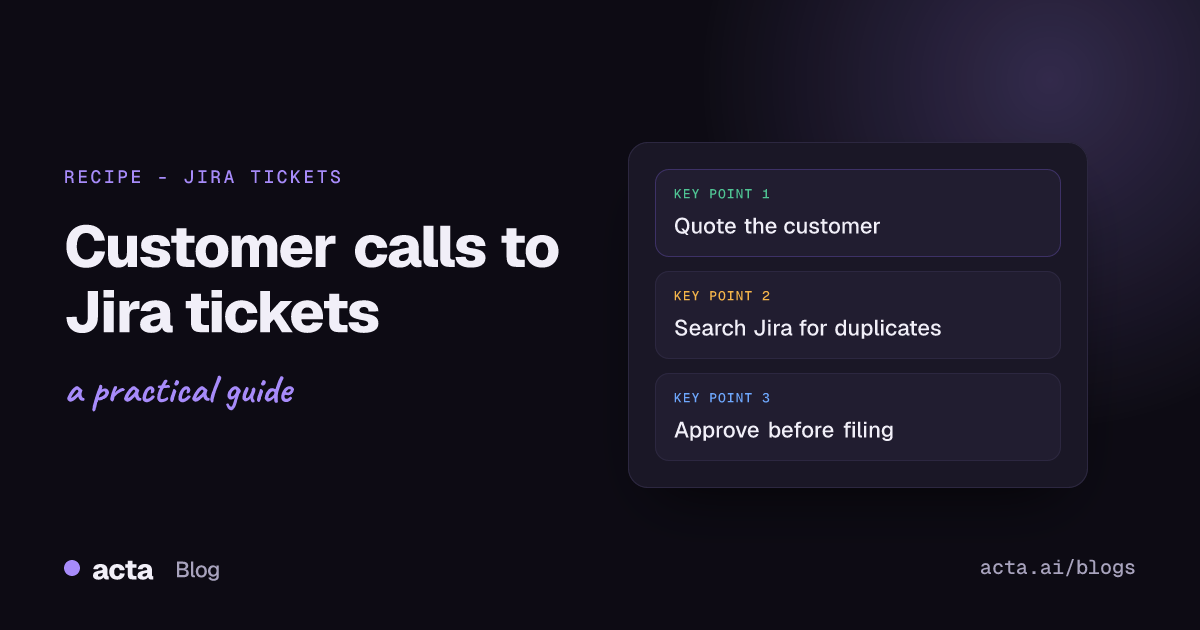
Quick answer: To create Jira tickets from customer calls, have Acta pull every bug and feature request out of the call, loop over them, sort bugs from feature asks, and create a Jira issue for each with the customer's exact words quoted in the description. Put an approval step before anything is created, and check Jira for duplicates first so you don't file the same bug five times.
Customers tell you about bugs on calls all the time. "Oh, and the export sometimes cuts off the last row." Your CSM writes it on a sticky note, means to file it, and then it's three weeks later and the customer mentions it again, a bit less politely.
This guide is for support, success and product people who want those mentions to land in Jira without anyone retyping them. I'll cover the Acta Agent Builder recipe, the simpler template option, and how to stop the automation from flooding your backlog.
Why do bug reports from customer calls get lost?
A few reasons, and none of them are about effort:
- The bug comes up in passing, in the middle of a renewal or onboarding call. Nobody's in "file a ticket" mode.
- The person who heard it isn't the person who files tickets. The CSM tells the PM in Slack, the PM means to file it, and so on.
- When it does get filed, the detail's gone. "Export broken, big customer" with no steps, no browser, no quote.
The fix is to file from the call itself, while the customer's exact words are still attached. That's what this recipe does.
How do you create Jira tickets from customer calls automatically?
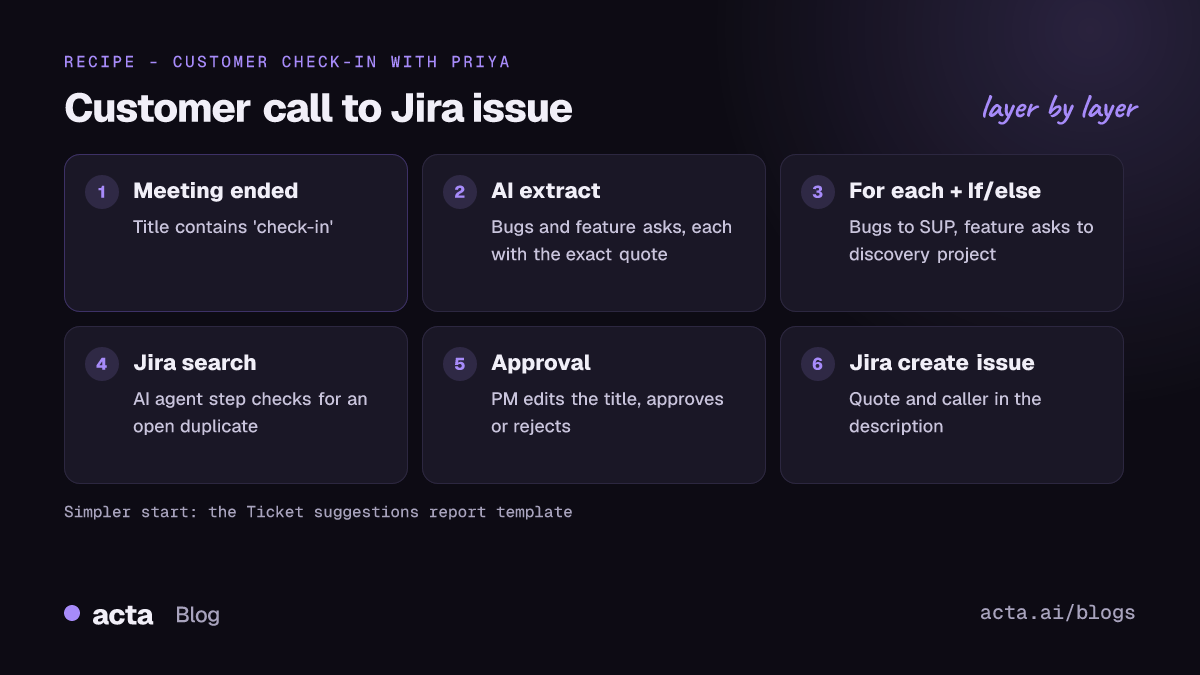
Here's the full recipe in Acta Agent Builder, which is new. An agent is one trigger and a set of steps:
- Trigger: Meeting ended. It fires when the summary is ready. Add a "title contains" filter so it only runs on customer calls, for example "check-in" or "support".
- AI step: extract. Ask it to list every bug and feature request mentioned, each with a one-line title, who raised it, and the exact quote from the transcript.
- For each. Loop over the list (up to 100 items, which is far more than any call needs).
- If/else: is it a bug? Bugs go one way, feature asks another. You might send bugs to your support project and feature requests to a product discovery project.
- Human approval. The run pauses in the Approvals inbox. Someone reads the ticket, edits it, approves or rejects.
- Jira: create issue. Title, description with the quote, the right project.
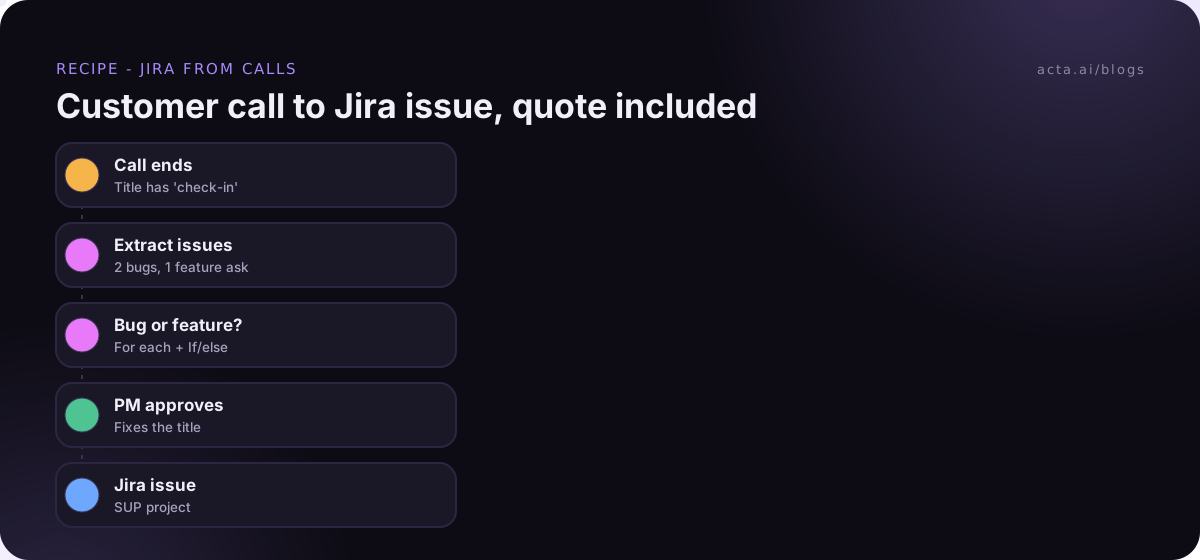
You can build this by dragging steps in, or by describing it in plain words and letting the AI draft the agent. It'll give you a list of things still to fill in (which Jira project, which issue type). Then run "Check setup", which flags missing settings and app connections, and test it.
The extraction prompt
The AI step does most of the work, so the prompt matters. Here's what I'd start with:
List every bug or feature request the customer mentioned. For each one, return: type (bug or feature), a short title under 10 words, who raised it, and the exact sentence from the transcript. Only include things the customer described as a problem or asked for. Ignore things our team said we'd look into unless the customer raised them first. If there are none, return an empty list.
That last line is important. Without it, the AI will sometimes find something to return on a call where nothing was reported, and you'll get a ticket called "General feedback on dashboard".
Why quote the transcript in the description?
Because an engineer reading "Export cuts off last row" will ask three questions. The quote answers half of them:
"When I export the March report to CSV, the last row is always missing. It's the totals row, so finance notices every time." (Priya, customer check-in, 9 Nov)
Now they know the file type, the report, and why it matters. It also stops the classic support-to-engineering game of telephone, where the ticket slowly drifts from what the customer actually said.
How do you avoid duplicate Jira tickets?
This is the part that makes or breaks the automation. If five customers mention the same export bug in a week, you want one ticket with five mentions, not five tickets.
Atlassian's advice for people filing bugs by hand is to search existing work items first (their guide to creating a work item in Jira Cloud walks through the create flow). Your agent should do the same.
The way I'd set it up: swap the plain AI step for an AI agent step. It picks its own tools, and Jira search is one of them. Tell it to search Jira for open issues that look like the same problem before deciding whether this is new. Text it reads from tools is treated as data, not instructions, which keeps an odd ticket title from steering it.

Then branch with If/else:
- No match: go to approval, then create the issue.
- Match found: don't create anything. Post a Slack message to #support-bugs with the existing key and the new quote, so whoever owns the ticket can add it.
Acta's Jira action creates issues; it doesn't comment on existing ones. The Slack message is the honest workaround, and in practice a human adding "another customer hit this" to the ticket is worth doing anyway.
Do you need an approval step before creating Jira issues?
I'd say yes, at least at first. Things that go wrong without one:
- A customer's "it'd be nice if..." becomes a P2 bug.
- Something your own engineer said gets filed as a customer request.
- The ticket lands in the wrong project because the If/else rule was too loose.
The approval step lets the PM or support lead fix the title, change the wording, or reject it. If nobody answers before it expires (24 hours by default, up to 7 days), nothing is created. If your team leans towards filing too much, that's a nice default.
One more practical thing. If your Jira project has required fields beyond title and description, automated creation can fail. Atlassian has a help page on why issues can't be created because of required fields. Run a test before you turn the agent on so you find this out on a test, not on a live call.
Is there a simpler way than building an agent?
Yes. Acta has a Ticket suggestions report template. After a meeting, it suggests tickets from what was discussed, and Acta's Jira integration lets you create them. No trigger, no loop, no prompt to write. Our post on Jira ticket suggestions from engineering meetings shows what that looks like.
When I'd pick which:
- Ticket suggestions if a human is going to look at each meeting's output anyway, or you're just getting started.
- Agent Builder if you want bugs and feature asks routed to different projects, duplicate checks, or a Slack ping when something's filed.
If what you're after is turning the action items from a call into Jira tasks (rather than customer bugs), that's a slightly different job. See how to sync meeting action items to Jira, HubSpot and Salesforce.
How do you turn customer feedback into Jira tickets without flooding the backlog?
A few habits that keep the backlog useful:
- Separate projects for bugs and feature requests. Feature asks from customers are input, not commitments. Keep them out of the sprint board.
- Use a label for the source. Put "from-customer-call" in the description or title prefix so you can filter later. (Ask your Jira admin what fits your setup.)
- Don't run it on every meeting. Internal standups will produce tickets too, and you probably already file those another way. Use the title filter.
- Review weekly. Someone on the product side should look at feature requests from customer calls once a week. That's where the value is: seeing that four customers asked for the same thing.
For feature requests in particular, I'd also look at OneChat. You can ask it "which customers asked about CSV exports this quarter?" and get answers with sources from every call, which is often more useful than a pile of tickets.
What does a week of this look like?
An example, to make it concrete. Say your CS team has eleven customer calls this week.
- Monday, Priya mentions the CSV export bug on her check-in. No match in Jira, so it goes to approval. Your PM, Dana, tightens the title and approves it by 4:15. SUP-418 is filed with Priya's quote.
- Wednesday, Marco's customer hits the same bug. The agent finds SUP-418 and posts the key to #support-bugs instead of filing a new one.
- Thursday, two customers ask for SSO on the reporting page. Both go to the discovery project as feature requests.
- The other eight calls produce nothing, and nothing gets filed. That's the point.
Nobody typed a ticket, and the backlog grew by three items, not fifteen. That's what it should feel like when you create Jira tickets from customer calls properly: boring, and slightly too quiet.
What do you need before you start?
The calls have to be recorded. Acta can join Zoom, Google Meet and Microsoft Teams calls with a bot from your calendar, or record without a bot using the desktop app or the Chrome extension. Recording customers needs their consent where the law requires it, so tell them at the start of the call. Our guide on whether it's legal to record meetings with AI covers what to say.
After that you need Jira connected, the projects you want to file into, and ideally a Slack channel for the "already filed" messages. For support-specific setups, the Acta page for customer success and support teams covers the rest, and the ready-made Acta agents are a good starting point if you'd rather not build from scratch.
Frequently asked questions
Can Acta create Jira issues from a customer call?
Yes. In Agent Builder, the Jira step creates an issue. You can also use the Ticket suggestions template with Acta's Jira integration.
Can it pull feature requests from customer calls too?
Yes. The AI step extracts both, and an If/else step sends bugs and feature requests to different places.
Will it file the same bug twice?
It can, unless you check first. Use an AI agent step with Jira search to look for an existing issue before creating a new one.
Can it add a comment to an existing Jira issue?
No, the Jira action creates issues. For duplicates, post the existing key to Slack so someone can add the new mention by hand.
Does it work with Linear or GitHub instead of Jira?
Not as a built-in action, but the MCP tool step can call any MCP server, including Linear and GitHub.
Try the recipe on your next customer call with a free 15-day Acta trial.