Studio meetings decide more than the drawings do
A residential project runs on a handful of recurring meetings: the briefing meeting where the client describes how they live, the concept presentation with mood boards, one or more material selection meetings (often at a showroom), site visits during execution, the weekly studio work-in-progress meeting, contractor coordination with the carpenter, electrician and civil team, and finally the snag walk and handover. Of these, the selection meetings and site visits carry the most expensive words, because that is where a client says "the sage one" while pointing at a sample board.
Drawings and the BOQ capture the plan, rarely the conversation that changed it. A client who switches a finish on a site visit has made a real decision, but the only record may be a voice note the site supervisor never forwarded. Studios that follow a staged process like the RIBA Plan of Work 2020 expect detail to firm up stage by stage, and its Spatial Coordination stage exists to test the design before detailed work begins. Client choices, though, keep moving after the stage you thought had fixed them.
Without a record, procurement orders from the last document they saw, the designer who was there goes on leave, and a disputed order becomes your memory against the client's. Good interior design project management is mostly about closing those gaps.
One tile decision cost a studio three weeks
Here is an illustrative case. Ochre & Oak Interiors is a 14-person studio in Kochi with nine live homes. Meera Pillai is the principal, Fatima Khan and Arjun Menon are project designers, Joseph runs site supervision and Nikhil handles procurement. One of the nine is a four-bedroom villa for Anita and Rohan Thomas, with a kitchen handover promised for 30 April.
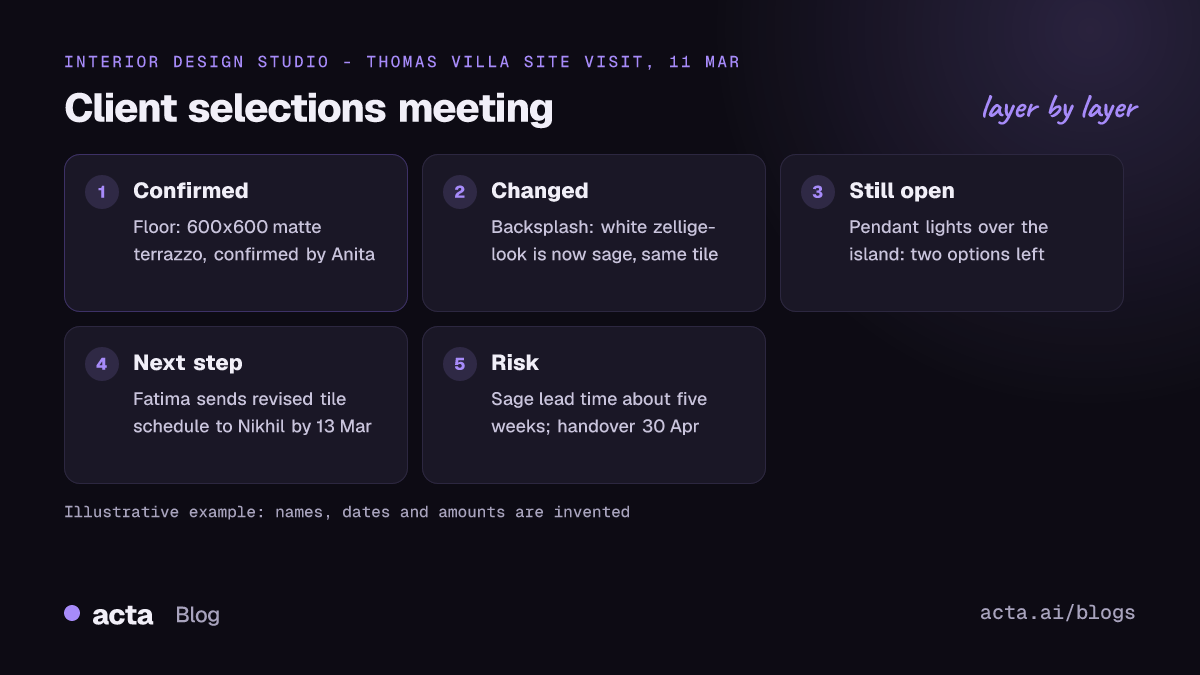
On 4 March, at a material selection meeting in the studio, Anita looked at three backsplash options: a 600x600 matte terrazzo, a grey glazed porcelain and a 100x100 zellige-look tile in white. She said, "White zellige for the backsplash, terrazzo on the floor." Fatima updated the selections sheet. A week later, on 11 March, the family walked the site with Joseph and Fatima. Standing in the stripped kitchen, Anita said, "In this light the white looks cold. Let's go sage, same tile, not white." Rohan agreed. Fatima said she would revise the tile schedule. She then spent two days on another client's emergency and the sheet stayed as it was.
On 18 March Nikhil raised a purchase order from the sheet: 42 boxes of white zellige. They arrived on 2 April. Anita saw them on site and was upset, with reason. The supplier took the boxes back with a restocking charge of Rs 18,500, the sage tile had a five-week lead time, and the kitchen handover slipped by three weeks. The decision lived in a conversation; the sheet lived somewhere else.
What was missing was not a better spreadsheet. It was a record of the 11 March conversation that Nikhil could check himself, plus a nudge that the revised schedule was still not done.
Generic minutes fail studios because they summarise. "Client reviewed kitchen finishes and preferred a warmer tone" is a fair summary and useless for ordering. Treat your notes as a client selections log first and a summary second. For each meeting, the notes should answer: what was confirmed, what was changed (from what, to what), what is still open, and who does what next.
In Acta, you can start with built-in report templates. The Property walkthrough template (General group) fits site visits and snag walks, Project status fits the weekly studio meeting, and Vendor review fits a quarterly sit-down with a tile or hardware supplier. For the selection meeting itself, write a custom template. Custom templates are on paid plans, up to 10 per person and 12 sections each, and you build them under Templates with + Create template (the custom templates guide walks through the builder). Here is one a studio could copy:
Template name: Client selections meeting
What should this report do? For interior design meetings where a client chooses or changes materials, finishes, fixtures or furniture: list every confirmed selection, every change with what it replaced, and the open choices.
1. Confirmed selections (Table: Room | Item | Product and finish | Supplier or code | Confirmed by)
2. Changed since last meeting (Table: Item | Was | Now | Reason given)
3. Still undecided (Bullets)
4. Budget and lead-time remarks (Paragraph)
5. Next steps (Checklist: task, owner, due date)
Extra instructions: Use the client's own words for colours and finishes. Write "Not discussed" rather than guessing.
When should Acta use it? Only matching meetings. Share with my team: on.
Run it with Test on a past meeting before you switch it on. On the 11 March site visit, the "Changed since last meeting" table would have shown one row: Kitchen backsplash | White zellige-look 100x100 | Sage, same tile | "In this light the white looks cold". That row is the whole story. Keep paper site visit notes for measurements; let the recording carry what people said. The other half of the job is the cross-meeting view each designer gets in My meetings, under Outcomes.
Action items: the revised schedule that never went out
Under Outcomes > Action items, Fatima sees her open items with the tiles Open, Overdue, Due this week and Done, grouped by Meeting or by Person. The 11 March site visit would have produced this row:
Send revised tile schedule (backsplash: sage zellige-look) to Nikhil for PO · Owner: Fatima Khan · Thomas villa site visit, 11 Mar · Overdue 2 days
If Fatima turns on Auto follow-up for meetings she owns, Acta emails each owner their own open items every weekday until they are done. One email on 13 March would have done more than any process document.
Decision log: the "was / now" record
Fatima's Decision log (Outcomes > Decision log) merges repeats of the same decision across meetings and keeps a history. The backsplash would read:
Kitchen backsplash: zellige-look 100x100 in sage · Status: Changed · Was: "White zellige for the backsplash" · changed 11 Mar · Decided by: Anita Thomas · Owner: Fatima Khan · Discussed in 2 meetings · Actions: 0 of 1 done
The Changed or reversed tile on that screen is the one to check before any order goes out. Remember the log is per person: it is built from the meetings Fatima recorded or that were shared with her in the workspace, so Nikhil has his own log, not a copy of hers. If you want a printable decision log template, Export CSV gives you the columns Decision, Status, Topic, Decided by, Owner and more.
Risk Registry: lead times and handover dates
The Risk Registry tab collects risks people mention in meetings. On 11 March Joseph had said, almost in passing, that coloured zellige "usually takes a month or more". Acta would have kept a row like this in Meera's registry, since she has the studio's client meetings shared with her:
Risk: Sage tile lead time may push kitchen handover past 30 Apr · Mitigation: Suggested, confirm stock before PO · Owner: Nikhil · Date: 20 Mar · Impact: Medium · Status: Open
OneChat answers the "which one did they pick?" question
The feature that would have saved Ochre & Oak the most is the simplest: asking. OneChat answers questions across all the meetings you can see, plus files and links you add, and every answer shows where it was found. Nikhil, before raising the PO on 18 March, could have typed:
Question: What backsplash tile did the Thomas family last confirm for the kitchen, and when?
Answer: Sage, in the same 100x100 zellige-look tile. On 4 March Anita Thomas chose white ("White zellige for the backsplash"), but on the 11 March site visit she changed it: "Let's go sage, same tile, not white." Rohan agreed. Fatima said she would revise the tile schedule.
Found in: Thomas villa site visit, 11 Mar (00:23:41); Thomas selections meeting, 4 Mar (00:41:10)
Clicking a source opens the meeting at that moment, so Nikhil hears Anita say it. A written summary invites "that's not what I meant"; the client's own voice does not. One rule makes this work for procurement: Nikhil can only ask about meetings he can see. Each person's meetings are private by default, so Fatima shares each client meeting with the workspace using the share icon and Everyone in the studio's workspace. The OneChat help guide covers scope: you can ask across all meetings, pick some, or add files and links such as the supplier's catalogue page.
Other weekly questions: "List every change the Thomas family made since the concept presentation, with dates" and "Which open choices are blocking procurement across all nine homes?"
For a single meeting, Ask Acta on the meeting's page does the same job. Our post on asking questions across every meeting you've had covers the general idea.
A Friday agent sends each client their confirmed selections
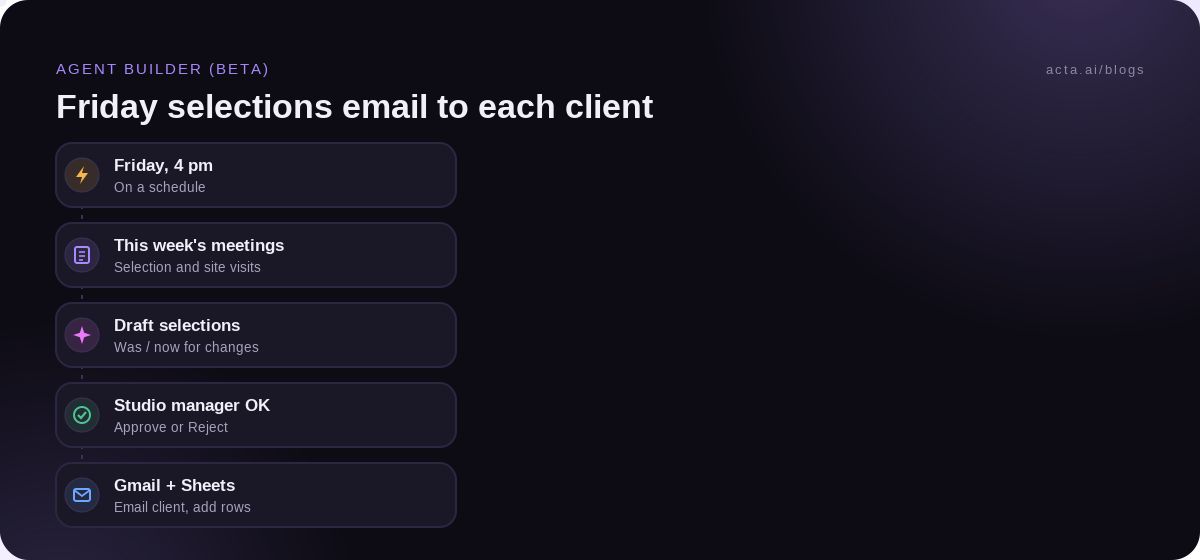
Studios that never have a tile dispute tend to do one boring thing: they send the client a written list of what was agreed, and ask them to reply if anything is wrong. Agent Builder (beta) can draft that list every Friday so your designers only review and approve. Here is a recipe a studio manager could set up in an afternoon:
- Start: choose "On a schedule", Fridays at 4 pm.
- Acta data step: fetch this week's meetings whose title contains "selection" or "site visit".
- For each home that had a meeting, run an AI step with the instruction: "List the selections confirmed or changed this week, with was/now for changes, in plain sentences a homeowner understands. Use the client's words for colours."
- Human approval: the agent's owner (the studio manager) gets an Approve or Reject request in the Approvals tab, and by email if you tick "Also email me Approve and Reject buttons". Nothing goes out without approval; if nobody answers within 24 hours, nothing is sent.
- Gmail: send the approved summary to the client, signed by the project designer, ending with "Reply to this email if anything here is not what you meant."
- Google Sheets: add a row per change to the studio's selections schedule, so procurement works from the same list.
Use Test and Run test first: in a test nothing is sent, emails are only shown, so you can read three Fridays' worth of drafts before you Turn on. The approvals guide explains who receives the request. Agents act as you, so connect the studio's shared Gmail, and keep the approval step even when you trust the drafts.
A two-week rollout works for studios of 10 to 60
Decide first who records what. The project designer records client meetings and site visits; site visits are in person, so the Acta mobile app on the designer's phone is the practical option. The studio manager records the weekly work-in-progress meeting. Procurement records supplier calls. If clients join by Zoom or Teams from their office, the Acta desktop app records the call from the designer's laptop without a bot joining. Tell clients at the first meeting that you record selection meetings and why; our guide on recording meetings with AI and what to tell participants covers consent, and this is general information, not legal advice.
Then set up the workspace. The owner invites the team from Settings > Workspace ("Invite people"); roles are Owner, Admin and Member, and each person's meetings stay private until they share them (the team setup guide has the steps). Agree one rule: every client meeting gets shared with the workspace on the same day.
- Days 1 to 3: pick two live homes and one designer each. Turn on Property walkthrough and Project status. Record every client touchpoint.
- Days 4 to 7: build the Client selections meeting template, test it on two past meetings, fix the sections, share it with the team.
- Week 2, Monday: procurement starts asking OneChat before every PO on those two homes. Keep a note of each answer that differed from the sheet.
- Week 2, Wednesday: designers turn on Auto follow-up for their own meetings, "Due or overdue" items, weekdays.
- Week 2, Friday: review with the principal. If OneChat caught even one mismatch, extend to all homes and build the Friday agent.
Mistakes to avoid: a phone in a pocket next to a tile cutter (put it on the counter); vague meeting names, which break the agent's title filter (use "Thomas villa: site visit"); and treating the Decision log as a shared studio register when it is per person. For a different take on getting meetings to end with clear owners, see how to end a meeting with owners and deadlines. The same setup also gives you plain meeting minutes for small business needs, such as the monthly partners' meeting.
Acta records client meetings, site visits and studio reviews, then writes notes, decisions and action items you can search across with OneChat. Outcomes, the Risk Registry and OneChat are included in the 15-day trial and in Pro. The Acta page for interior design studios shows the setup in one place.
Frequently asked questions
What should interior design client meeting notes include?
For each room discussed: the confirmed selections with product, finish, size and supplier code; any change, written as what it was and what it is now, with the date and reason; choices still open; budget or lead-time remarks; and next steps with an owner and due date. Name who confirmed each choice, because couples and families often disagree in the room.
Should a studio record client meetings at all?
Many studios record selection meetings and site visits because clients change their minds in conversation, not in email. Tell the client at the start and explain it protects both sides when an order is questioned. Rules on consent vary by country and state, so check what applies to you. Skip recording when a client is clearly uncomfortable and take written notes instead.
Can our procurement person see what a designer's client said?
Yes, if the designer shares the meeting with the workspace. Meetings are private by default; once shared with everyone in the workspace, teammates can open the meeting and ask OneChat about it. The Decision log and Action items view stay per person, built from the meetings each person recorded or that were shared with them.
How is a client selections log different from a BOQ?
A BOQ lists quantities and rates for what will be built. A client selections log records what the client chose and when, including changes, in their words. The BOQ should follow the selections log. When they disagree, the selections log, backed by the meeting recording, tells you which version the client actually approved.
Choose how your studio will record selections
You do not need a new process, only a dependable way to keep what clients say next to what you order. Before your next selection meeting, settle these:
- Pick the meetings: selection meetings and site visits first, the weekly studio meeting second.
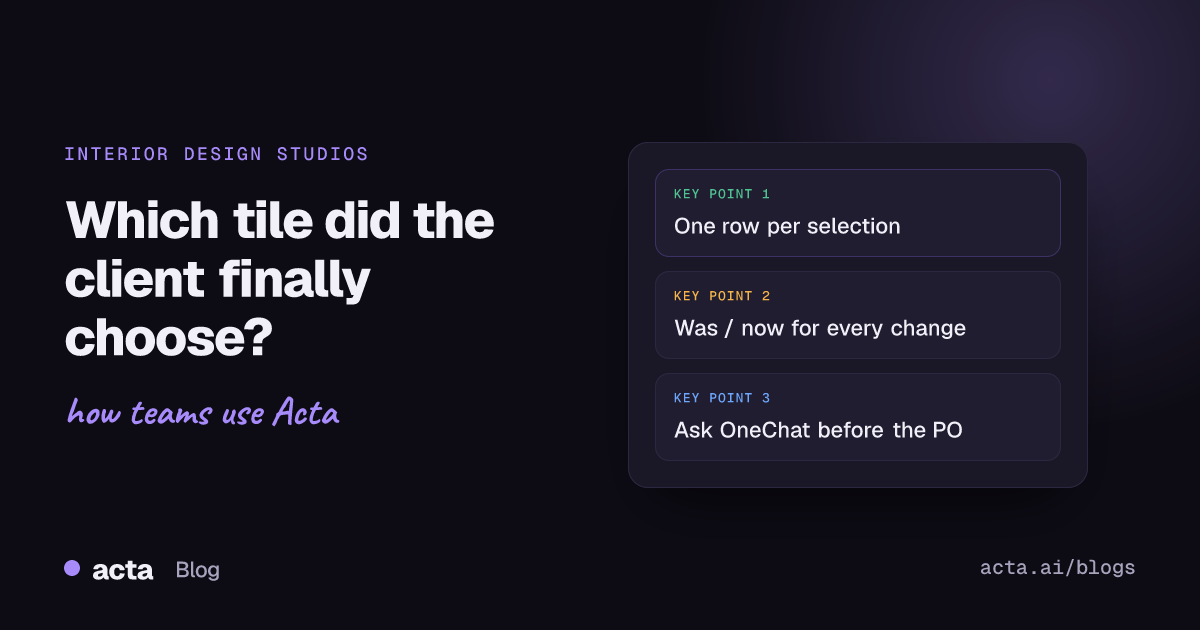
- Fix the format: one row per selection, with a was/now line for every change.
- Share by default: every client meeting goes to the workspace the same day.
- Ask before ordering: procurement checks OneChat and the cited moment before each PO.
- Confirm in writing: a Friday email to each client with what they confirmed, approved by a person.
Record your next client meeting with the Acta Chrome extension or the desktop app, and try it across a couple of homes on the 15-day free trial.