French meeting transcription matters well beyond France
When people think of meetings in French, they picture Paris. The reality is much wider. The Observatoire de la langue française, part of the Organisation internationale de la Francophonie, tracks French speakers across five continents on its page on who speaks French in the world. A good share of the business meetings that matter to an international team happen in that language.
A few patterns come up again and again. A Bengaluru IT services firm runs a weekly status call with a client in Montreal, and the client's product owner is much more precise in French. A UK retailer's sourcing team talks to a mill near Lyon. A Dubai logistics company holds a monthly review with its Casablanca agent. A Swiss subsidiary's board meets in French and reports to a parent in Germany. In each case, one side thinks in French and the other side needs a record it can read.
Notes typed during the meeting rarely capture this well. The person typing is often the one whose French is weakest, which means the nuance ("on peut envisager" is not "we agree") disappears first. Recording and transcribing the meeting in French keeps the original wording, and English notes give the rest of the company something to work from.
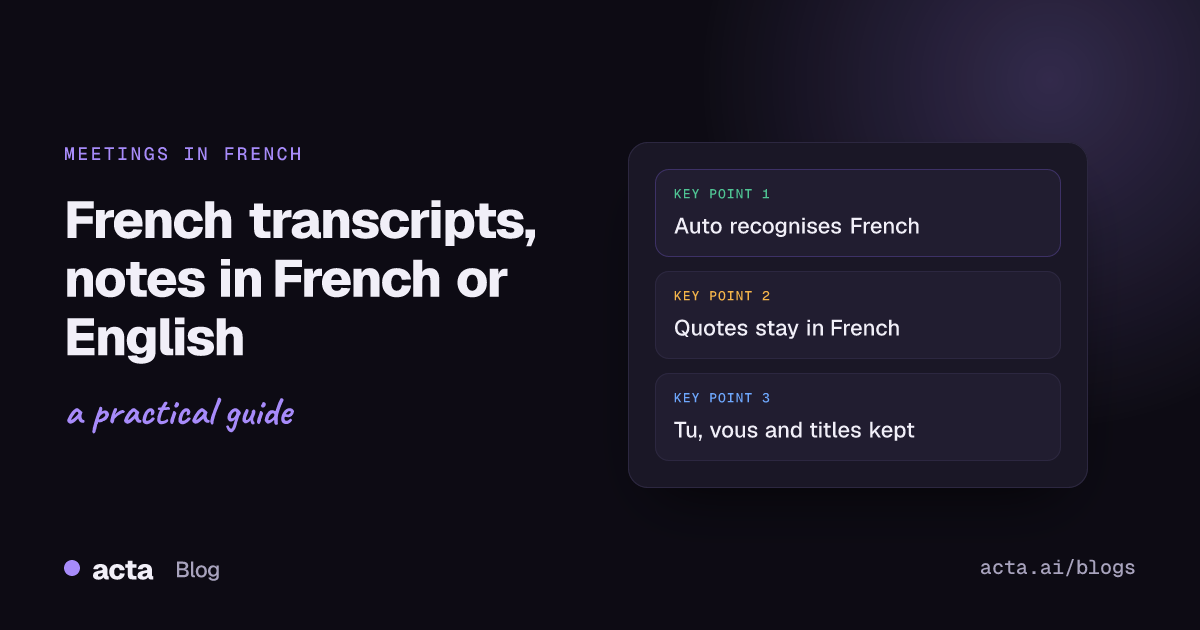
Auto recognises French, but English is the default
Acta transcribes 15 languages. Five are recognised automatically when you choose Auto: English, Hindi, French, Spanish and German. Ten more, including Arabic, Japanese, Italian, Portuguese and Dutch, are beta languages you choose by name. French is in the first group, so it doesn't carry a beta label.
The catch is the default. A new account is set to English, not Auto. If you record a French meeting on the English setting, the result won't be a French transcript. So the only decision is which of two settings to use:
- Auto if you move between English and French meetings during the week. Acta works out which of the five auto languages each meeting is in.
- French if almost all your meetings are in French, for example a manager at a subsidiary in Lille or Geneva. Picking it directly removes any guesswork.
Auto picks one language per meeting. It doesn't follow a meeting from French into English and back. If you hold a lot of meetings that genuinely run half and half, read the section on fixes below and consider splitting them. The general guide to transcribing meetings in other languages covers mixed calls in more depth.
Set up French meeting transcription in five steps
The setting belongs to the account of whoever records the meeting. If a colleague in Paris records the call, their setting is the one that counts.
- Open the Acta dashboard and go to Settings, then Meetings.
- Find the Language card, just below "Add Acta Notetaker to my meeting invites".
- Under Language spoken in meetings, choose Auto or French.
- Under Language for my notes, choose Same as the meeting for French notes or English for English notes.
- Record the next meeting, then check the language chip next to the tabs on the meeting page. The "Change language" link beside it goes straight back to the card.
The change applies to new meetings. A French meeting already processed on the English setting stays as it was, so set this up before the call. The meeting-notes email also shows the language, with a short tip linking to the setting, which helps catch mistakes in the first week. The meeting languages help article has screenshots.
Recording works the same way for every method. The Acta meeting bot joins Zoom, Google Meet and Teams from your calendar. If the other side doesn't want a bot in the call, the Chrome extension records Google Meet, Microsoft Teams in the browser and the Zoom web client from your own browser, and the desktop app handles the Zoom and Teams desktop apps and other calling apps. The mobile apps cover a meeting across a table in Lyon or Brussels.
The transcript stays French and the notes are your choice
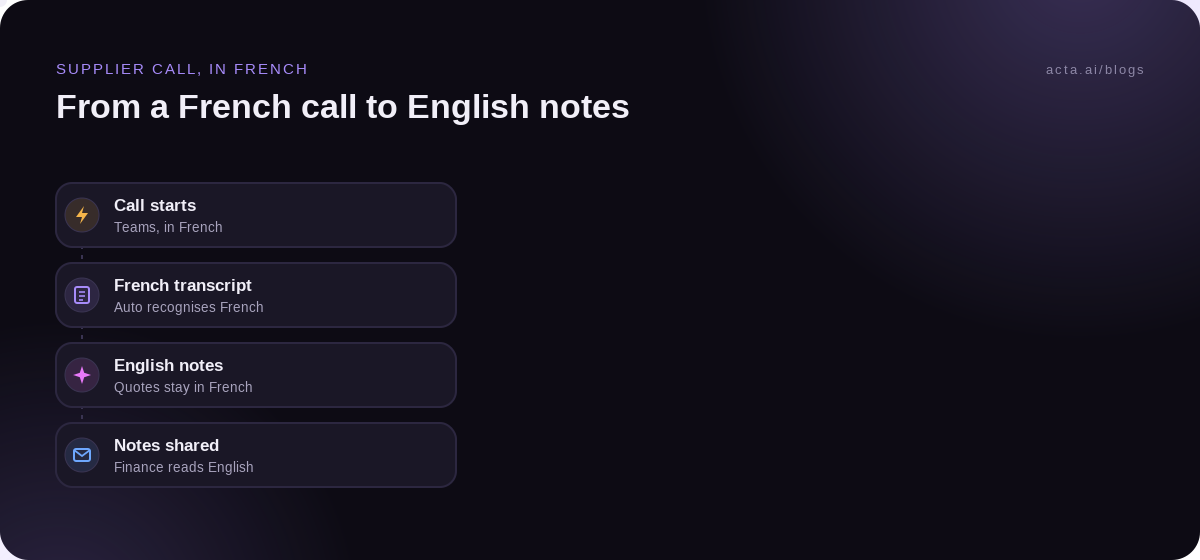
With French selected, the transcript comes back in French, with the accents (é, è, ç, à) and the punctuation conventions as transcribed. What follows the notes language is everything Acta writes: the summary, decisions, action items, report templates, custom templates and the follow-up email draft. Set notes to French and all of those come in French. Set them to English and they come in English, while quotes stay in French.
Two things don't change with the language. Report section headings, such as "In short" and "Key quotes", stay in English, and so do the Acta dashboard and menus. So French notes look like this, with English headings over French text:
In short: Le fournisseur confirme un délai de six semaines.
Gloss: The supplier confirms a six-week lead time.
Action items: Claire envoie le devis révisé d'ici vendredi.
Gloss: Claire sends the revised quote by Friday.
Which should you choose? French notes suit a francophone team reading its own meetings, and a follow-up email that goes back to the French side. English notes suit anything that travels: a CRM, a head-office report, a colleague in Chennai who doesn't read French. There's no third option; Acta writes notes in the meeting's language or in English, not in a different language. Questions work in either language too: Ask Acta and OneChat answer in the language you ask in, so you can ask in English about a French meeting.
Accents and Franglais need a read, not another setting
There's one French setting. A product manager in Montreal, a buyer in Brussels, an engineer in Lausanne and a distributor in Abidjan all go through it. What changes the result is mostly the recording: a headset in a quiet room beats a laptop microphone in an open-plan office, whatever the accent. The guide on accents, noise and crosstalk has practical fixes.
Some regional features are worth a glance when you read the transcript:
- Numbers in Belgium and Switzerland. Speakers there often say septante (70) and nonante (90), and in parts of Switzerland huitante (80). Numbers are kept as said, so check any figure that matters against the audio or the quote.
- Quebec vocabulary. Words like courriel (email) or magasiner (to shop) are ordinary French in Montreal. They'll appear as said.
- Decimal commas and currencies. "4,80 € le mètre" and "1 250 francs" keep the amount as spoken. Don't let an English reader mistake a decimal comma for a thousands separator.
Franglais is the other everyday feature. Business French is full of English: "on a un call à 15 h", "c'est la deadline", "on fait un point sur le reporting". Acta keeps product names and technical terms as said, so a SaaS product name or "API" comes through as spoken. For other English words dropped into French sentences, read the transcript once in the first week and see how they came out. If a meeting is mostly English with some French, it's an English meeting; set it that way.
Tu, vous and titles are kept as said
French carries information in the form of address. A supplier who says "vous" to the buyer and "tu" to his own colleague is telling you about the relationships in the room. A lawyer addressed as Maître, a doctor as Docteur, a board chair as Monsieur le Président: the titles say who holds authority. The transcript keeps all of this exactly as spoken, and quotes in the notes do too.
English notes are where it thins out. English has one "you", so "pouvez-vous nous envoyer le devis ?" and "tu peux m'envoyer le devis ?" both become "send the quote" in an action item. Most of the time that's fine. When tone matters, for example in a negotiation or a sensitive HR conversation, read the French quote, not just the English summary. Names are kept as said, so "Mme Lefèvre" stays Mme Lefèvre, accents included.
Worked example: a Lyon supplier and a Manchester buyer
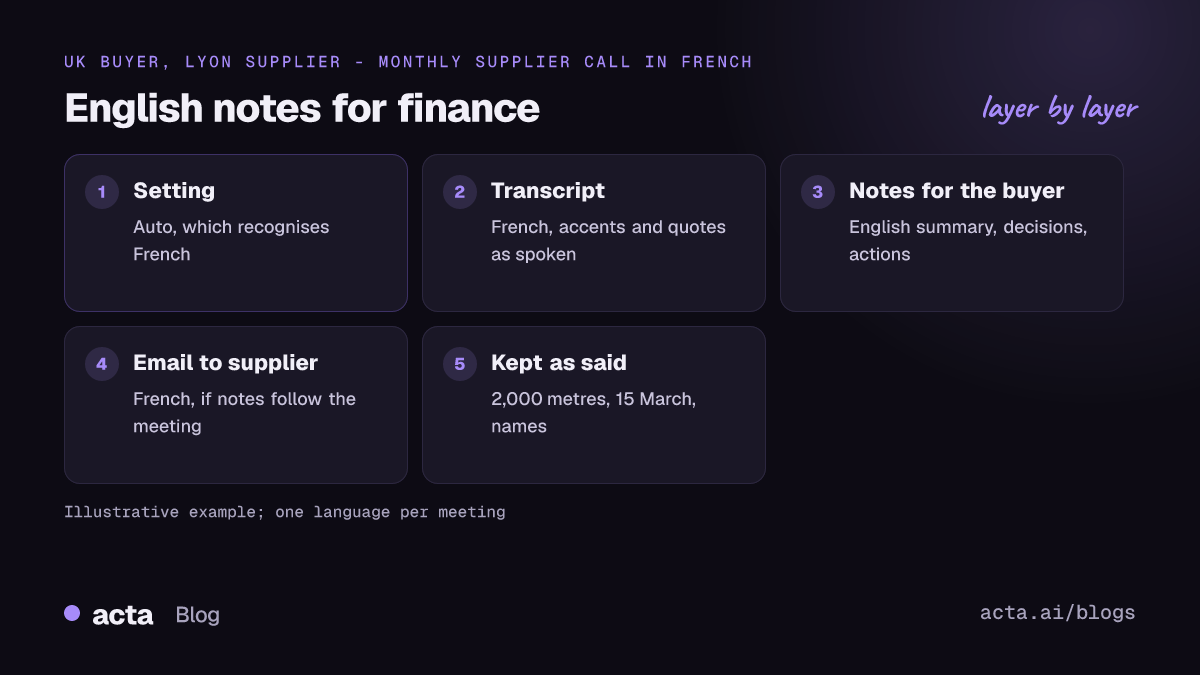
Here's an illustrative case. A workwear brand in Manchester sources technical fabric from a mill near Lyon. The brand's sourcing manager, Priya, worked in France for years and runs the monthly supplier call in French on Teams. The mill's sales director, Julien, and its planner, Claire, join from Villeurbanne. The brand's finance director, Tom, doesn't speak French but has to sign off prices.
Before the call, Priya switches her Acta account to Auto, sets notes to English for Tom, and sends a short invite note. This is the template she uses, in both languages:
Objet / Subject: Point mensuel fournisseur / Monthly supplier review
Ordre du jour / Agenda: délais, prix, commande de mars / lead times, prices, March order
Cette réunion sera enregistrée pour la prise de notes.
This meeting will be recorded for note-taking. Reply if you'd prefer it isn't.
During the call, the conversation runs entirely in French. Two lines from the transcript:
On valide la commande de 2 000 mètres pour le 15 mars.
Gloss: We confirm the order of 2,000 metres for 15 March.
Pouvez-vous nous envoyer le devis d'ici vendredi ?
Gloss: Could you send us the quote by Friday?
Afterwards, Tom gets English notes along these lines:
In short: Order of 2,000 metres confirmed for 15 March. Price per metre to be confirmed in a revised quote.
Decisions: March order confirmed. Lead time stays at six weeks.
Action items: Claire sends the revised quote by Friday. Priya confirms the colour references with the design team.
Key quotes: "On valide la commande de 2 000 mètres pour le 15 mars."
Priya forwards the English notes to Tom and the follow-up email draft goes to Julien. If she wants the email in French, she can set notes to Same as the meeting for that supplier's calls, since the follow-up email draft follows the notes language. Notice what stays put: the quantity, the date, the names and the quote in French. Tom can check the agreement without asking anyone to translate it.
Fix the common problems in this order
When a French meeting comes back wrong, the cause is usually one of a handful of things. Work through them in order:
- The account was still on English. Check the language chip on the meeting page. If it says English, change the setting for future meetings; past meetings keep the language they were processed in.
- The wrong person recorded. The recorder's setting counts. If a colleague on the English setting recorded the call, their account needs Auto or French.
- The meeting was really in two languages. One meeting, one language. If the first half was French with the supplier and the second English with your own team, set the main language, or record the two parts separately next time.
- The audio was poor. A speakerphone in a meeting room in Brussels with six people around it will lose detail. Ask remote participants to use headsets and speak one at a time.
- Speaker names are missing. If speaker labels aren't available, the transcript still comes back in French, just without names. Add the attendees to the notes by hand.
A few habits help from the start: say the meeting language and the purpose of the recording at the top of the call, ask people to state figures clearly, and read the decisions and numbers before the notes leave your inbox. For telling participants about recording, especially across borders, read is it legal to record meetings with AI. Teams in France, Belgium and the rest of the EU should also look at the GDPR checklist for AI note takers.
Where Acta fits for French meetings
Acta transcribes French meetings recorded with the meeting bot, the Chrome extension, the desktop app, the mobile apps or an uploaded file, and writes notes in French or English. French is one of the five languages Auto recognises, so there's no beta caveat, but a quick read of numbers and names before sharing is still good practice. Acta does not use customer data to train AI models.
Frequently asked questions
Can AI transcribe meetings in French?
Yes. Acta transcribes French meetings and is one of several tools that do. Set "Language spoken in meetings" to Auto, which recognises French, English, Hindi, Spanish and German, or choose French directly. The transcript comes back in French, and the summary, decisions and action items come in French or English, depending on your notes setting.
How do I get English notes from a French meeting?
In Settings, Meetings, Language, keep the spoken language on Auto or French and set "Language for my notes" to English. The transcript stays in French, while the summary, decisions, action items, templates and follow-up email draft come in English. Quotes stay in French, and names, amounts and dates are kept as said.
Does it handle Quebec, Belgian or Swiss French?
They all use the same French setting. Regional vocabulary and numbers such as septante and nonante are kept as said, so check important figures against the audio. Audio quality affects the result more than accent does: headsets, a quiet room and one speaker at a time give the cleanest French transcript.
What happens with Franglais in a French meeting?
A French meeting with English words in it is still a French meeting, so set it to Auto or French. Product names and technical terms are kept as said. For everyday English words such as "deadline" or "call", read the first few transcripts to see how they appear. A meeting that is mostly English should be set to English.
Can I get notes in a language other than French or English?
No. Acta writes notes either in the language of the meeting or in English. For a French meeting, that means French notes or English notes. It doesn't translate notes into a third language such as Spanish or Arabic. The dashboard, menus and report section headings stay in English whichever you choose.
Run your first French meeting with notes
Pick one recurring French meeting, ideally one where someone outside the call needs the outcome, and set it up properly before the next session.
- Check the recorder: the person who records needs Auto or French on their account.
- Choose the notes language: French for the francophone team, English for anyone outside it.
- Send the notice: one line in the invite, in French and English, saying the meeting will be recorded.
- Improve the audio: headsets for remote speakers, one person at a time, figures said clearly.
- Read before sharing: numbers, names and decisions against the French quotes.
To try it on your next French call, add the Chrome extension for meetings in the browser and start the 15-day free trial from the pricing page.