Guides & How-tos 10 min read
How to Evaluate and Ship LLMs Safely With Lighteval and Safetensors
A practical guide to Lighteval backends, tasks and custom evals, why safetensors replaces pickle, converting checkpoints, and releasing a model with a model card.
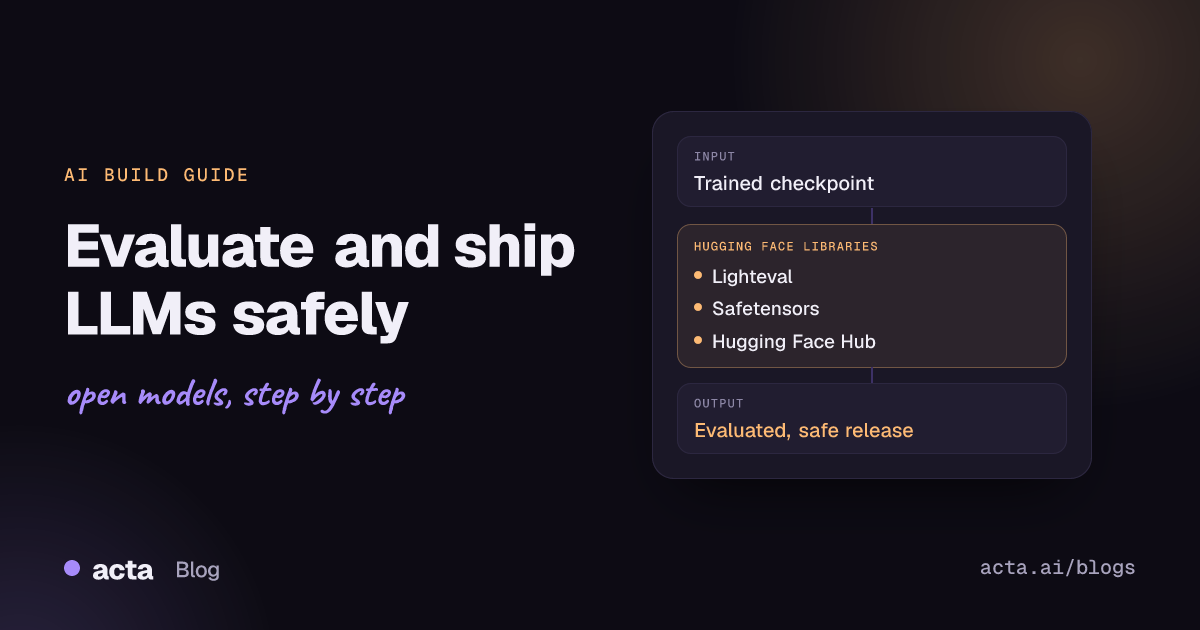
Quick answer: To evaluate and release an open LLM, run Lighteval against your checkpoint on standard benchmarks plus a custom task built from your own data, using the transformers (Accelerate), vLLM or endpoint backend. Then save the weights as safetensors instead of pickle, write a model card with the scores, and upload the folder to the Hugging Face Hub.
The last mile of a training project is where shortcuts tend to cause problems. A fine-tuned checkpoint that looked good on a few hand-picked prompts can regress on reasoning, and a .bin file shared with a partner can execute code when someone loads it. This guide covers the two Hugging Face libraries that deal with that last mile: Lighteval for measuring the model and Safetensors for storing and distributing its weights. It ends with publishing to the Hub with a model card.
It is the fourth guide in our Training and Optimization series. If you still need a checkpoint, start with fine-tuning an LLM on one GPU with PEFT and bitsandbytes or post-training with TRL and OpenEnv.
What problem do Lighteval and Safetensors solve?
Evaluation. After SFT, DPO or GRPO you need numbers that are comparable across checkpoints and with the base model. Writing your own harness means re-implementing prompt formats, few-shot sampling, answer extraction and metrics for every benchmark, and small differences in any of those change the score. Lighteval packages a large catalogue of tasks and metrics behind one CLI and Python API, and it runs the same task definitions on several inference backends, which keeps scores from different setups far more comparable.
Distribution. PyTorch's classic checkpoint format is a pickle. The PyTorch team itself warns that pickle "is inherently unsafe" because it can import and execute arbitrary functions during load (PyTorch announcement on the weights_only default). Safetensors stores only a JSON header and raw tensor bytes, so loading a file does not run code. It also supports lazy loading of individual tensors and memory mapping, which makes loading faster.
How do they work?
Lighteval: tasks, metrics and backends
A Lighteval task is a dataset on the Hub plus a prompt function that turns each row into a document (query, choices, gold answer), a few-shot setting and one or more metrics. Metrics apply a function per sample (for example exact match) and then aggregate over the corpus (for example the mean). In the CLI, tasks are written as task|few_shot, e.g. gsm8k|5, and separated by commas.
The same tasks run on different backends, chosen by the subcommand: lighteval accelerate (transformers on CPU or GPUs), lighteval vllm, lighteval sglang, lighteval nanotron, lighteval endpoint (Inference Endpoints, a local TGI server, LiteLLM or Inference Providers) and lighteval custom. The README marks lighteval eval, which uses inspect-ai as the backend, as the preferred entry point, though the inspect-ai page notes that not every task has been converted yet (Lighteval on GitHub). The latest release on the releases page at the time of writing is v0.13.0, which reorganised tasks into one file per task definition and removed the old suite prefix from task names. If you find older blog posts using leaderboard|truthfulqa:mc|0|0, that syntax is out of date.
Safetensors: a header and a byte buffer
A .safetensors file starts with an 8-byte header length, then a JSON header that maps each tensor name to dtype, shape and byte offsets, then the raw data. The README lists the design choices: no code execution on load, a header capped at 100MB, non-overlapping tensor ranges so loading cannot exceed the file size in memory, zero-copy reads on CPU when the file is cached, and lazy loading so each GPU can read only its slice (Safetensors on GitHub). A 2023 external audit by Trail of Bits, commissioned with EleutherAI and Stability AI, found no critical flaw allowing arbitrary code execution (Hugging Face blog on the audit). In April 2026 Hugging Face contributed Safetensors to the PyTorch Foundation; the format, APIs and Hub integration are unchanged (Phoronix report), and the repository now lives under the safetensors GitHub organisation.
When should you use them, and when not?
- Use Lighteval to compare checkpoints from the same training run, to check a fine-tune against its base model on general benchmarks (to catch regressions), and to run a private task built from your own labelled data.
- Use Safetensors for every weight file you share or download, including LoRA adapters and merged models. Recent transformers versions already write
model.safetensorsfromsave_pretrained: safe serialization became the default for PyTorch models in transformers PR #27064. - Do not rely on public benchmarks alone for a product decision. They measure general ability; your users' prompts, formats and failure cases need a custom task or human review.
- Safetensors does not cover optimizer state or arbitrary Python objects. Training-resume checkpoints that pickle the optimizer and scheduler should stay internal and only be loaded from trusted sources.
Step by step: evaluate, convert and publish
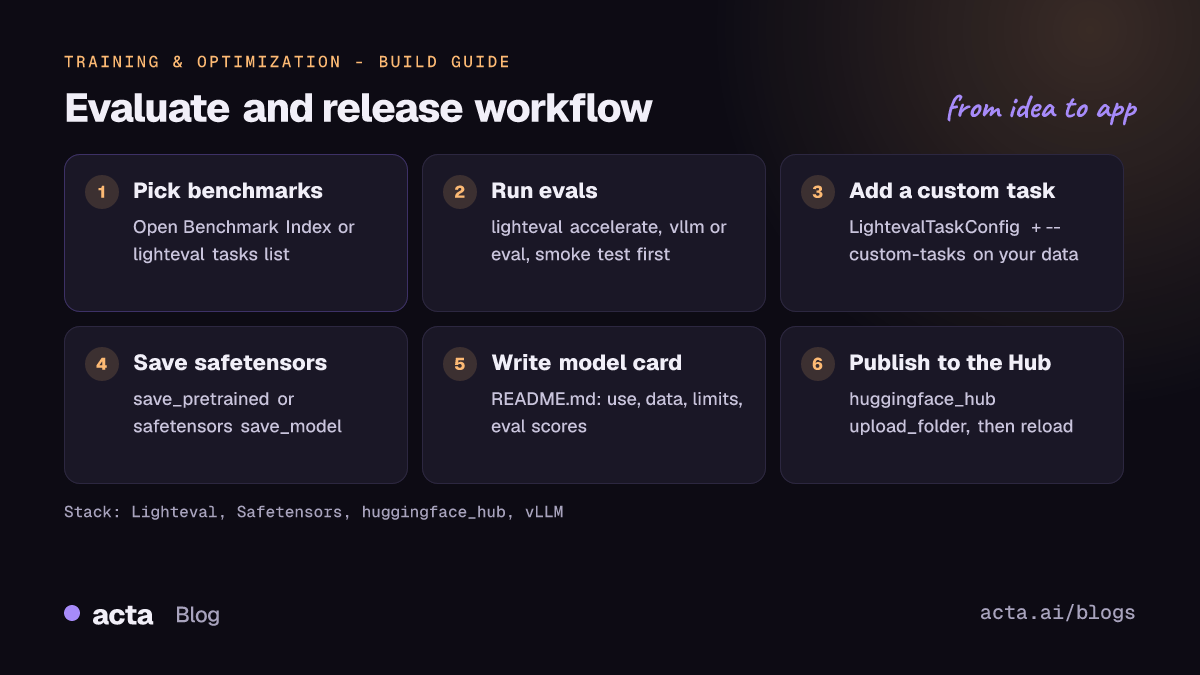
- Pick benchmarks. Search the Open Benchmark Index Space or run
lighteval tasks list, and choose tasks that match your use case (math, instruction following, knowledge, multilingual). - Run a smoke test. Use
--max-samples(CLI) ormax_samples(Python) on a few examples to check prompts and answer parsing before paying for a full run. - Evaluate the base model and your checkpoint with the same tasks, few-shot settings and backend, and keep the per-sample details.
- Add a custom task from your own held-out data with
LightevalTaskConfig, following Adding a Custom Task. - Save the weights as safetensors and convert any old pickle checkpoints.
- Write the model card with intended use, training data, limitations and the eval scores, then upload the folder to the Hub.
The commands below follow the Lighteval Quick Tour, the "Using VLLM as Backend" page and the custom-task page for v0.13.0. The model is HuggingFaceTB/SmolLM2-1.7B ; replace it with your own repo ID.
pip install lighteval

# Accelerate backend (Quick Tour): two tasks, save per-sample details
lighteval accelerate \
     "model_name=HuggingFaceTB/SmolLM2-1.7B" \
     "truthfulqa:mc|0,gsm8k|3" \
     --output-dir ./evals --save-details

# vLLM backend (Using VLLM as Backend page)
lighteval vllm \
    "model_name=HuggingFaceTB/SmolLM2-1.7B" \
    "gsm8k|5"

# Your own task file (Adding a Custom Task page)
lighteval accelerate \
    "model_name=HuggingFaceTB/SmolLM2-1.7B" \
    "myothertask|3" \
    --custom-tasks community_tasks/my_custom_task.py
To evaluate a model already loaded in memory, for example right after training, the README shows the Python API. This snippet is copied from the README with only the model ID changed. Remove max_samples=2 for a full run.
from transformers import AutoModelForCausalLM

from lighteval.logging.evaluation_tracker import EvaluationTracker
from lighteval.models.transformers.transformers_model import TransformersModel, TransformersModelConfig
from lighteval.pipeline import ParallelismManager, Pipeline, PipelineParameters

MODEL_NAME = "HuggingFaceTB/SmolLM2-1.7B"
BENCHMARKS = "gsm8k"

evaluation_tracker = EvaluationTracker(output_dir="./results")
pipeline_params = PipelineParameters(launcher_type=ParallelismManager.NONE, max_samples=2)

model = AutoModelForCausalLM.from_pretrained(MODEL_NAME, device_map="auto")
config = TransformersModelConfig(model_name=MODEL_NAME, batch_size=1)
model = TransformersModel.from_model(model, config)

pipeline = Pipeline(
    model=model,
    pipeline_parameters=pipeline_params,
    evaluation_tracker=evaluation_tracker,
    tasks=BENCHMARKS,
)

results = pipeline.evaluate()
pipeline.show_results()
results = pipeline.get_results()
For shipping, the next snippet uses save_model and load_model from the Safetensors "Torch shared tensors" page, safe_open from the docs index, and upload_folder from the huggingface_hub README. If your model is a transformers model, model.save_pretrained("release") produces the same kind of file.
from safetensors import safe_open
from safetensors.torch import load_model, save_model
from huggingface_hub import upload_folder

# model: your trained torch.nn.Module
# save_model handles shared tensors (e.g. tied embeddings and lm_head)
save_model(model, "release/model.safetensors")
load_model(model, "release/model.safetensors")  # round-trip check

# Inspect tensor names without loading the whole file
with safe_open("release/model.safetensors", framework="pt", device="cpu") as f:
    print(list(f.keys())[:5])

# release/ also holds README.md (the model card) and config files
upload_folder(
    folder_path="release",
    repo_id="your-org/your-model",
    repo_type="model",
)
For checkpoints that are already on the Hub as pytorch_model.bin, the Convert weights guide recommends the Convert Space, which converts the weights and opens a pull request with the .safetensors files. The Space runs convert.py, which you can also run locally. It unpickles the source file, so run it only on weights you trust or in an isolated machine.
Hardware and cost considerations
- Backend choice drives cost.
accelerateruns anywhere transformers runs, including CPU, and is fine for small models and log-likelihood tasks.vllmis faster for generative tasks and supportstensor_parallel_sizefor models that do not fit on one GPU anddata_parallel_sizefor models that do. vLLM reservesgpu_memory_utilizationof the GPU (default 0.9); lower it andmax_model_lengthif you hit out-of-memory errors. - Endpoints move cost off your hardware.
lighteval evalwithhf-inference-providers/...orlighteval endpointbills by the provider's pricing instead of GPU time. Use--max-sampleswhile iterating. - Loading time. The Safetensors README reports that BLOOM loading on 8 GPUs went from 10 minutes with regular PyTorch weights to 45 seconds. The docs' speed page measured GPT-2 loading 76.6x faster on CPU and 2.1x faster on a Tesla T4 GPU than
torch.load; those ratios are specific to that model and hardware, so measure your own. - Kernels. If inference speed matters after release, the Hugging Face Kernels library loads optimized compute kernels from the Hub with
get_kernel, pinned to a version or revision. It is separate from evaluation and optional. For broader hardware choices, see scaling with Accelerate, Optimum, TPUs and Trainium.
How do you evaluate the result?
Read results as deltas, not absolutes. A useful report has three columns: base model, your checkpoint, and the change. Look for gains on the tasks you trained for and no large drops on general tasks such as knowledge or math, which would point to forgetting. Lighteval writes aggregate scores to {output_dir}/results/{model_name}/results_{timestamp}.json and, with --save-details, per-sample Parquet files you can load with the datasets library to read actual model outputs. Reading 20 to 50 failed samples often shows a formatting or answer-extraction problem rather than a real capability gap.
For sampled generation, run more than one pass: lighteval eval supports --epochs with a reducer such as pass_at_4. To share results, the CLI can push them to a Hub dataset with --push-to-hub --results-org (private by default), or log them to Weights and Biases or Trackio. For public comparisons, the Hugging Face Leaderboards docs explain how community leaderboards on Spaces work. Finally, put the numbers, task names, few-shot settings and Lighteval version in the model card so others can reproduce them.
Pitfalls and tips
- Chat templates and reasoning tokens. Instruct and reasoning models need the right prompt format. For models that print thinking traces, use
--remove-reasoning-tagsso the trace is not scored as the answer. - Same settings or no comparison. Few-shot count, backend, dtype and generation parameters all move scores. Pin them in a YAML model config or your run script.
- Contamination. If public benchmark data leaked into your training set, scores will be inflated. Keep your custom eval split out of training.
- Pickle in the wild. Since PyTorch 2.6,
torch.loaddefaults toweights_only=True. Do not switch it back toFalsefor files from unknown sources. The Hub scans pickles and shows their imports (Hub pickle scanning docs), but scanners have been bypassed before, so prefer safetensors files. - Shared tensors. Plain
save_file(model.state_dict())can fail on tied weights; usesave_model/load_modelorsave_pretrained. Note thatsave_modeldrops duplicate keys, so a rawload_state_dictmay report missing tensors. - Licences. Your release inherits the base model's licence and the dataset terms. State both in the model card.
- Upload hygiene. Use upload_folder with a folder that contains only release files, and check that no
.bin, tokens or private data slip in.
Where to get help
- Lighteval GitHub issues for bugs, missing tasks and backend problems; the repo also accepts community tasks.
- Safetensors GitHub Discussions (General and Q&A) for format and API questions.
- The Hugging Face forum Models category for questions about evaluating or releasing a specific model.
- The Safetensors Torch API reference and the Lighteval documentation for exact signatures.
For building an application on top of the released model, see how to build a text generation app with open LLMs.
Frequently asked questions
Which Lighteval command should I start with?
For a model on your own GPU, lighteval accelerate is the simplest and runs on CPU too. Switch to lighteval vllm for long generative benchmarks. The README prefers lighteval eval (inspect-ai), which also covers vLLM, SGLang and Inference Providers, but not every task supports it yet.
Is a safetensors file guaranteed to be safe?
Loading it does not execute code, and the format was audited. It can still contain a model that behaves badly, so evaluate it. Any code that ships with a repo (for example custom modelling files with remote code) is a separate risk.
How do I convert an old .bin checkpoint?
Load it in a trusted environment and save it again with save_pretrained or save_model, or use the Convert Space for Hub repos. Then reload the new file and compare outputs.
Can I evaluate a private model?
Yes. Log in with hf auth login so your Hub token is available when the model is downloaded from a private repo, or pass a model already loaded in memory through the Python API.
Found this useful? Share it with your team.