Guides & How-tos 8 min read
How to Build a Text Generation App With Open LLMs (2026 Guide)
How to build chat, writing and agent apps on open LLMs: which models to pick in 2026, working Transformers, vLLM and llama.cpp examples, and how to evaluate the results.
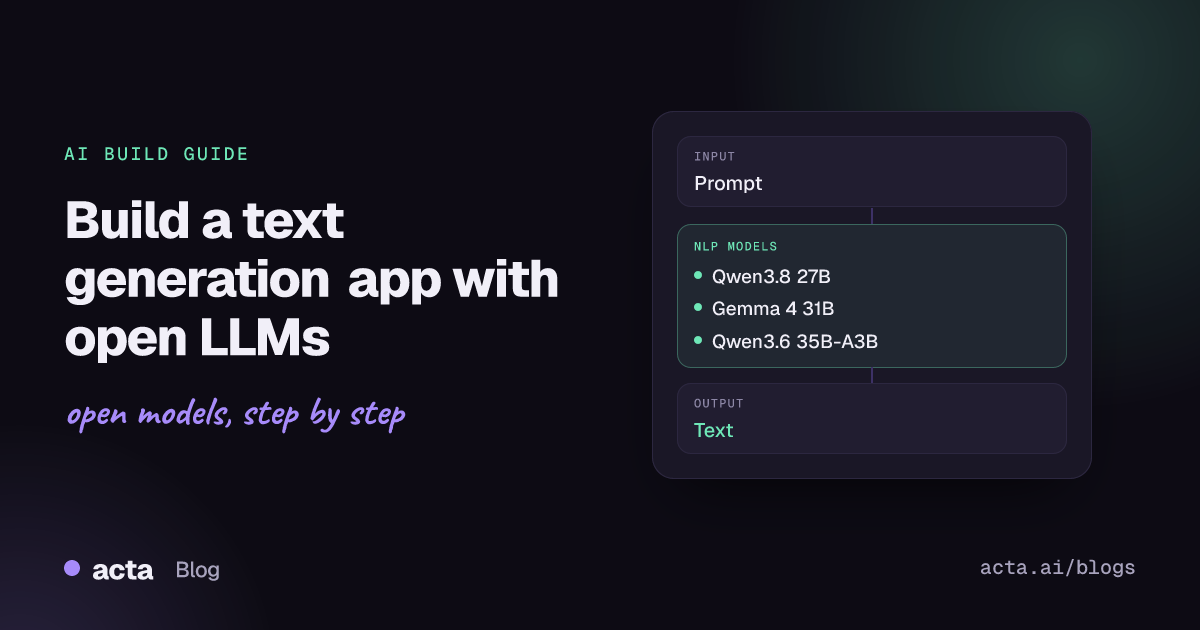
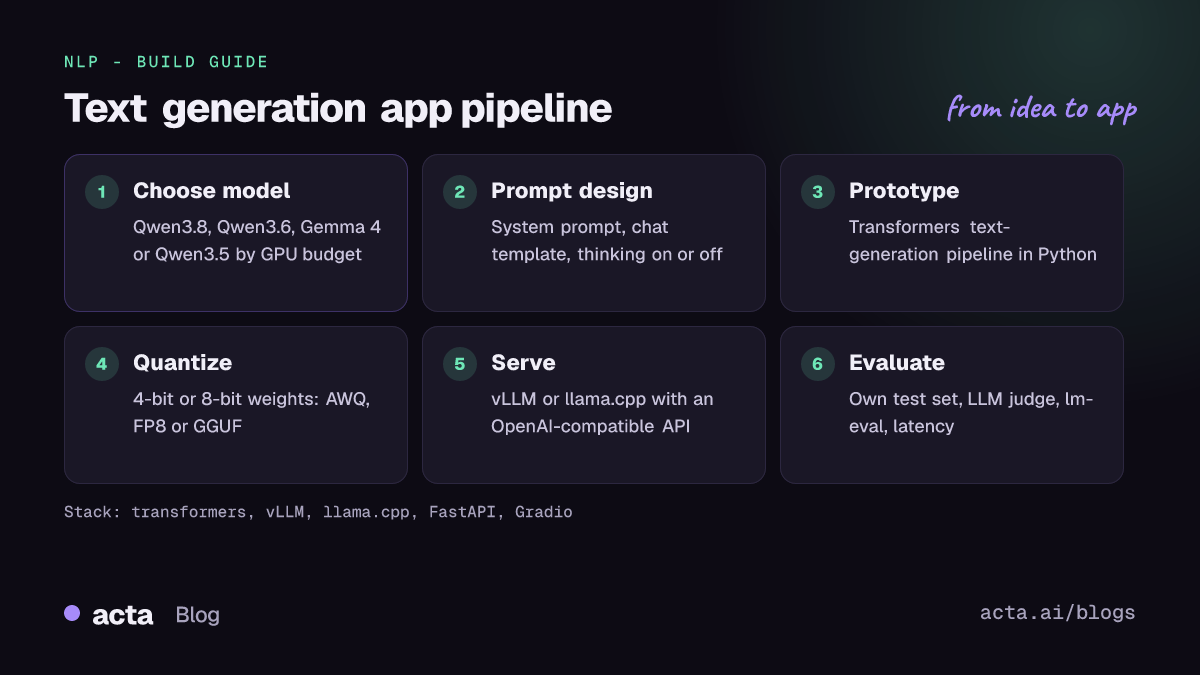
Quick answer: Text generation means a language model continues or answers a prompt. To build an app today, pick an instruction-tuned open LLM such as Qwen3.8, Qwen3.6, Gemma 4 or Qwen3.5, prototype with the Transformers text-generation pipeline, then serve it with vLLM on GPUs or llama.cpp on CPUs and laptops behind an OpenAI-compatible API.
Text generation sits under almost every AI product: chat assistants, writing tools, coding helpers, agents that call tools, and pipelines that draft emails, reports or support replies. With open-weight models you can run all of this on your own hardware, keep data private and control cost per token.
This guide walks through how these models work, which ones to choose in 2026, a working build in Python, deployment options, evaluation and common traps.
What is text generation?
The input is a prompt (or a list of chat messages with system, user and assistant roles) and the output is new text. Modern models are decoder-only transformers that predict one token at a time, each new token conditioned on everything before it. Sampling settings such as temperature and top-p control how predictable the output is. The Hugging Face text generation task page collects example models, datasets and metrics for the task.
There are two kinds of checkpoints. Base models are trained to continue raw text. Instruct (chat) models are further trained to follow instructions and expect a chat template, which the tokenizer applies for you. For applications you almost always want the instruct version. Many 2026 models are also hybrid reasoners: they can emit a thinking trace before the answer, and you can switch this off for fast replies.
The Transformers library exposes all of this through the text-generation pipeline, which now also covers jobs that used to have their own pipelines: in v5, summarization and translation point users to text generation with a chat model.
What can you build with it?
- Chat assistants: internal help desks or customer-facing assistants grounded in your docs through retrieval (RAG).
- Writing tools: drafting emails, product descriptions, release notes or job posts in a house style.
- Agents: models that call tools and APIs (search, databases, ticketing) to complete multi-step tasks; recent Qwen and Gemma models ship with function-calling support.
- Structured extraction: turning free text into JSON fields for a CRM or database.
- Coding helpers: code completion, review comments and test generation inside your own network.
- Document workflows: summaries, minutes, reports and translations produced from long inputs.
Which models should you use?
Choose on three axes: quality you need, hardware you have, and licence terms. Mixture-of-experts (MoE) models activate only part of their weights per token, so they generate faster than a dense model with the same file size.
- Qwen3.8-27B: the newest dense Qwen model in this list, with a 262,144-token native context (extensible to 1M), a vision encoder and a multi-token prediction head. Reported under Apache 2.0 in its repo metadata.
- Qwen3.6-35B-A3B: MoE with 35B total and about 3B active parameters, a 262,144-token context and strong agentic coding focus. Apache 2.0. A good default when speed per GPU matters.
- Gemma 4 31B-it: Google's dense 31B model with a 256K context, image input and optional thinking modes. Apache 2.0.
- Gemma 4 26B-A4B-it: the MoE Gemma 4 model with about 4B active parameters, a cheaper way to serve Gemma-class quality. Apache 2.0.
- Qwen3.5-9B: a 9B model with a 262K native context that fits a single consumer GPU; part of the Qwen3.5 collection that runs from 0.8B up to 397B-A17B. Apache 2.0 licence file in the repo.
- Gemma 4 E4B-it: about 4.5B effective parameters, 128K context, text, image and audio input, aimed at laptops and phones. Apache 2.0.
- Mistral Small 3.2 24B Instruct: an update of Mistral Small 3.1 with better instruction following and function calling; Mistral recommends vLLM for serving.
- gpt-oss-20b: MoE with 21B total and 3.6B active parameters, adjustable reasoning effort, and weights that fit in about 16GB of memory. Apache 2.0.
Older but widely deployed options include Qwen3-8B (Apache 2.0) and Llama 3.1 8B Instruct, which uses Meta's own community licence rather than an OSI licence. To compare models, watch the LMArena leaderboard changelog for new open entries (Gemma 4 31B and 26B-A4B were added to the Text Arena) and read the benchmark tables on each model card.
How do you build it, step by step?
- Define the job. Write 20 to 50 real example prompts with the answers you would accept. This becomes your first test set.
- Pick two or three candidate models that fit your hardware: for example a 4B to 9B model for one GPU, and a MoE model for a server.
- Prototype in Python with the Transformers pipeline, using chat messages and a clear system prompt.
- Add context and tools: retrieval for grounding, JSON output or function calling where the app needs structure.
- Quantize and serve the chosen model with vLLM or llama.cpp behind an OpenAI-compatible endpoint.
- Evaluate and monitor: score answers on your test set, track latency and cost, and re-run when you change models or prompts.
Prototype first. This snippet follows the chat example in the Transformers documentation; the /no_think tag comes from the Qwen3 README and asks the model to skip its reasoning trace:
# Follows the TextGenerationPipeline example in the Transformers docs
# ("Chat basics"); /no_think is the Qwen3 switch for a direct answer.
from transformers import pipeline

pipe = pipeline(task="text-generation", model="Qwen/Qwen3-8B",
                dtype="auto", device_map="auto")

chat = [
    {"role": "system", "content": "You write short, accurate product copy."},
    {"role": "user", "content": "Write a 3-sentence description of a "
                                "waterproof hiking backpack. /no_think"},
]
response = pipe(chat, max_new_tokens=300)
print(response[0]["generated_text"][-1]["content"])

# Continue the conversation with the full history
chat = response[0]["generated_text"]
chat.append({"role": "user", "content": "Now make it 2 sentences. /no_think"})
response = pipe(chat, max_new_tokens=200)
print(response[0]["generated_text"][-1]["content"])
For production on GPUs, run a vLLM server and call its OpenAI-compatible route from any language. The serve command is copied from the Qwen3.8 README; reduce --max-model-len and the tensor-parallel size for smaller machines:
# Server command from the Qwen3.8 README (4 GPUs, 256K context):
# vllm serve Qwen/Qwen3.8-27B --port 8000 --tensor-parallel-size 4 \
#   --max-model-len 262144 --reasoning-parser qwen3 \
#   --enable-auto-tool-choice --tool-call-parser qwen3_coder
import requests

resp = requests.post("http://localhost:8000/v1/chat/completions", json={
    "model": "Qwen/Qwen3.8-27B",
    "messages": [
        {"role": "system", "content": "Answer in plain English."},
        {"role": "user", "content": "Draft a polite reply declining a meeting."},
    ],
    "max_tokens": 400,
    "temperature": 0.7,
})
print(resp.json()["choices"][0]["message"]["content"])
On a laptop or CPU server, use a GGUF build such as Qwen3-8B-GGUF with llama.cpp. The same client code works, pointed at port 8080:
# llama.cpp on a laptop or CPU box. Flags follow the Qwen3 README;
# -hf downloads the GGUF from the Hub (quant after the colon).
llama-server -hf Qwen/Qwen3-8B-GGUF:Q8_0 --jinja -c 40960 --port 8080

# Recent llama.cpp installs also ship the unified CLI from its README:
llama serve -hf Qwen/Qwen3-8B-GGUF:Q8_0
How do you serve and deploy it?
vLLM (GitHub) is the standard for GPU serving: PagedAttention memory management, continuous batching, an OpenAI-compatible server and support for GPTQ, AWQ, FP8, NVFP4 and GGUF weights. SGLang is a common alternative.
llama.cpp (GitHub) runs quantized GGUF models on CPUs, Apple Silicon and consumer GPUs, downloads them from the Hub with -hf, and starts an OpenAI-compatible server with a built-in web UI.
Transformers serve is fine for quick tests and moderate load. Note that Hugging Face's Text Generation Inference is now in maintenance mode and its repository was archived in March 2026; its notice points new projects to vLLM, SGLang, llama.cpp or MLX.
Quantization: 4-bit weights cut memory by roughly four times compared with 16-bit, at some quality cost. Google publishes quantization-aware (QAT) Gemma 4 checkpoints, and community threads such as this Qwen3.8-27B quantization comparison compare GGUF builds. Google also publishes small "assistant" checkpoints for Gemma 4 that act as drafters for speculative decoding; the Gemma 4 launch post gives an overview of the family.
Front end and hosting: put a FastAPI service in front of the model server for auth, rate limits and logging, and stream tokens to the browser. For demos, a Gradio app on Hugging Face Spaces is the fastest path; Inference Endpoints host the same models on managed GPUs.
How do you evaluate it?
- Task test set: your own prompts with reference answers or rubrics. This is the evaluation that predicts user satisfaction.
- LLM-as-judge: a strong model scores outputs against a rubric (correctness, tone, format). Spot-check its grades by hand.
- Standard benchmarks: the LM Evaluation Harness runs 60+ academic benchmarks with Transformers or vLLM backends, for example
lm_eval --model hf --model_args pretrained=Qwen/Qwen3-8B --tasks hellaswag. - Human preference: LMArena collects blind pairwise votes across many models and publishes Elo-style rankings.
- Faithfulness: for grounded tasks, the Vectara hallucination leaderboard shows how often models add unsupported content.
- Serving metrics: time to first token, tokens per second per user, cost per 1,000 requests and error rate.
Pitfalls and tips
- Wrong chat template: sending raw strings to an instruct model, or using the wrong template, causes rambling output. Let the tokenizer or server apply the template (llama.cpp needs
--jinjafor some models). - Thinking tokens: hybrid reasoners can spend hundreds of tokens thinking. Turn thinking off for simple tasks and strip think blocks before showing text to users.
- Context length vs memory: a 256K context window needs a large KV cache. Set
--max-model-lento what you actually use. - Hallucination: ground answers with retrieval, ask for citations, and say "I don't know" is allowed in the system prompt.
- Licences: Apache 2.0 models are the simplest for commercial use; custom licences (such as Llama's) add conditions. Read the licence file in each repo.
- Prompt injection and privacy: treat retrieved text and tool outputs as untrusted, and keep personal data on infrastructure you control.
Where can you get help?
- Model discussion tabs on the Hub, such as the Qwen3.8-27B discussions, where users share quantization and speed results.
- GitHub issues and discussions for SmolLM, vLLM, llama.cpp and the Qwen repositories.
- The Hugging Face forum's Transformers category for pipeline and generation questions.
- LMArena and the model cards' benchmark tables for choosing between releases.
Frequently asked questions
What is the best open LLM for text generation in 2026?
There is no single winner. Qwen3.6-35B-A3B and Gemma 4 26B-A4B are strong, fast MoE defaults for a server; Qwen3.8-27B and Gemma 4 31B-it trade speed for quality; Qwen3.5-9B and Gemma 4 E4B-it fit a single consumer GPU or laptop.
Can I run an LLM without a GPU?
Yes. llama.cpp runs 4-bit GGUF builds of small and mid-size models on CPUs and Apple Silicon. Expect lower tokens per second than on a GPU, and prefer MoE or sub-10B models.
Should I use vLLM or llama.cpp?
Use vLLM for multi-user GPU serving where throughput matters. Use llama.cpp for laptops, CPUs, edge devices and single-user tools. Both expose OpenAI-compatible APIs, so you can switch without changing client code.
Do I need to fine-tune?
Usually not at first. Good prompts, a system message and retrieval cover most apps. Fine-tune (often with LoRA) when you need a fixed format, a niche domain or a smaller model to match a larger one.
For related builds, see our guides to summarization with open models and semantic search with embeddings, or read From Prompt Engineering to AI Systems Engineering.