Use Cases 6 min read
SOAP Note Drafts From Patient Visits, Ready for Clinician Review
Acta drafts a SOAP note from each recorded patient visit, with subjective, objective, assessment and plan taken only from the conversation, for you to check.
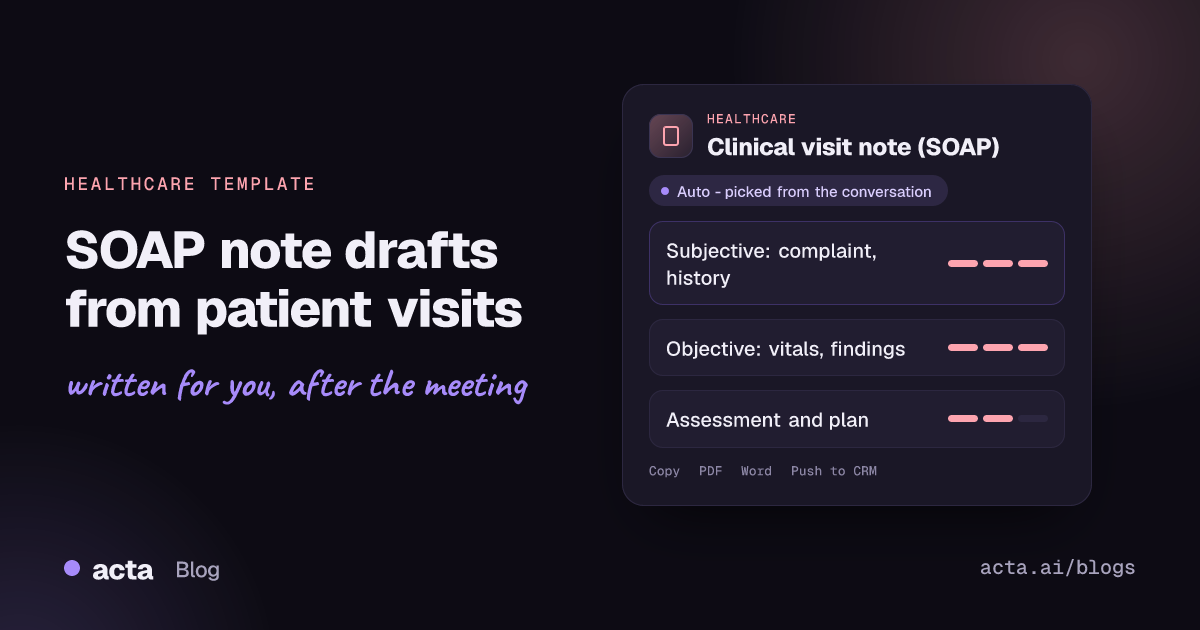
Quick answer: A SOAP note draft is a clinical visit note organised into Subjective, Objective, Assessment and Plan, written from the recorded conversation. Acta drafts it after the visit using only what was said: the patient's complaint and history, vitals and findings stated aloud, and the clinician's own assessment and plan. A clinician must check the draft before it is used.
Documentation is the part of a visit that follows clinicians home. A fifteen-minute consultation can leave five or ten minutes of note-writing, and by the end of a clinic the details of the third patient's history have blurred into the seventh.
Notes written late tend to be shorter and more generic than the conversation that produced them. The patient's own description of their symptoms, the specific concern they raised and the follow-up interval you agreed are exactly the details that drop out. The SOAP note template is meant to give you a structured first draft so your time goes into checking and signing, not reconstructing.
What is a SOAP note?
SOAP is the most widely used structure for clinical progress notes. The format was proposed by Dr Lawrence Weed as part of the problem-oriented medical record, and the StatPearls chapter on SOAP notes on NCBI Bookshelf explains how its four headings work as both a checklist and a cognitive aid for clinical reasoning:
- Subjective: what the patient reports, including the chief complaint, history of the presenting complaint, relevant past history and their concerns, ideally in their own words.
- Objective: what is observed or measured, such as vital signs, examination findings and test results.
- Assessment: the clinician's interpretation of the subjective and objective information.
- Plan: what happens next, including investigations, treatment, patient education, referrals and follow-up.
Physicians, nurse practitioners, physiotherapists, psychologists, dietitians and many other clinicians use the format, because it keeps notes consistent and easy for colleagues to scan.
What does Acta's SOAP note draft include?
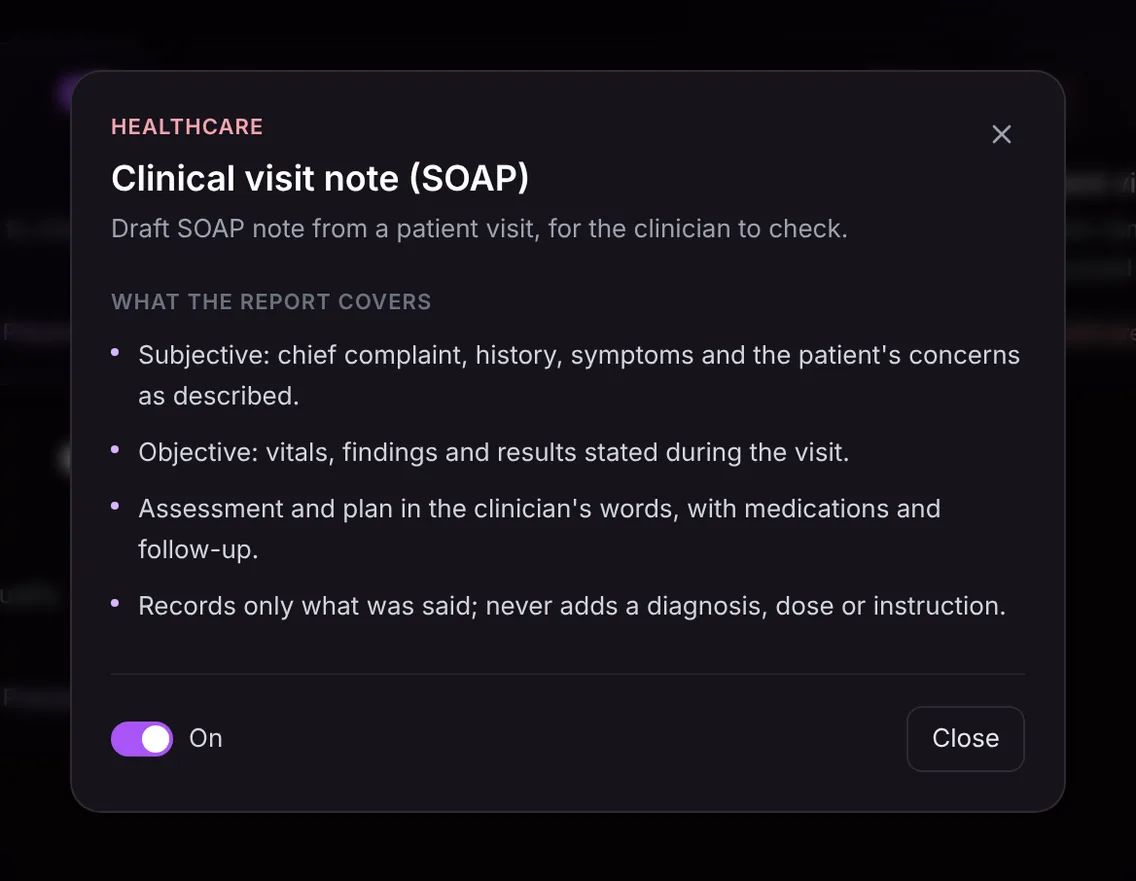
Acta's Clinical visit note (SOAP) template follows the four headings and adds one firm rule:
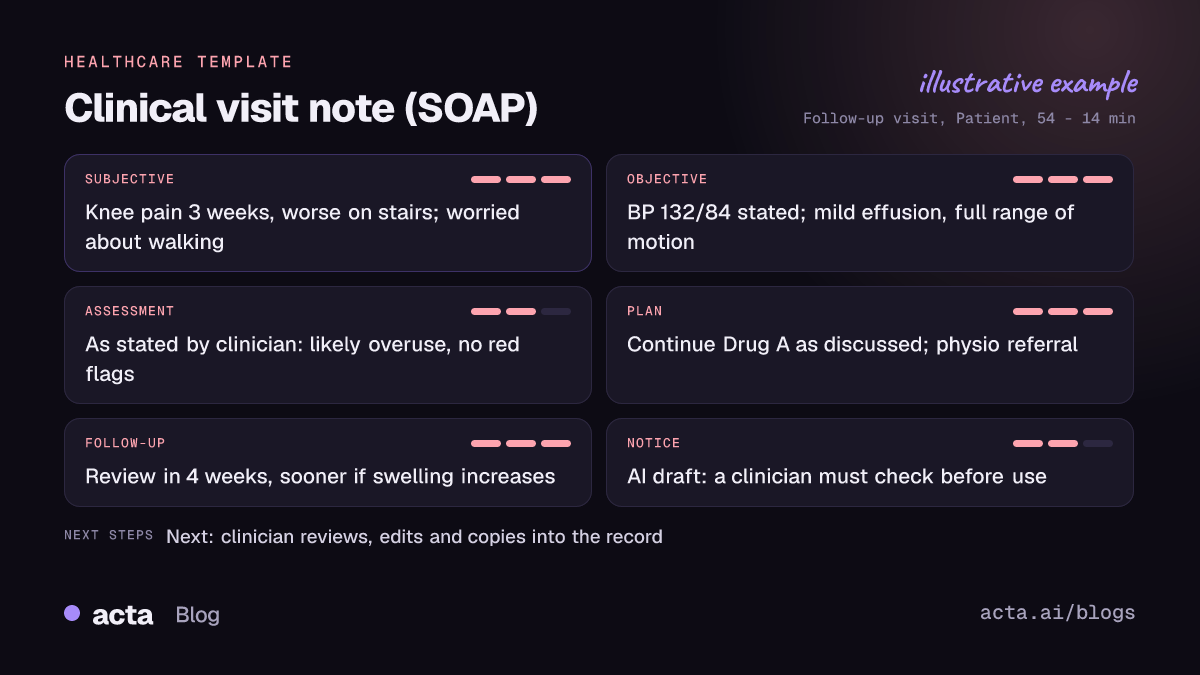
- Subjective. The chief complaint, history, symptoms and the patient's concerns as they described them, for example "left knee pain for three weeks, worse on stairs, worried it will stop her walking the dog".
- Objective. Vitals, examination findings and results that were stated during the visit. If you say "BP 132 over 84, mild effusion, no joint line tenderness", that is what appears.
- Assessment and plan. Your assessment and plan in your words, including any medications and follow-up that you discussed with the patient.
- Only what was said. The template records the conversation. It never adds a diagnosis, a dose or an instruction that was not spoken, and if something was not mentioned the section stays thin rather than being filled with plausible text.
Every SOAP draft carries the same notice: it is a draft written by AI from the conversation, and a clinician must check it before it is used in care or shared with the patient.
Here is the template in Acta's Templates page, with the preview of what the report covers:
And an illustrative example of a finished report:
Who is it for, and why does it help?
The template is built for clinicians who document individual encounters: GPs and primary care physicians, specialists in outpatient clinics, physiotherapists, counsellors and allied health professionals, whether the visit is face to face or by video.
- A busy outpatient clinic. You record each consultation and review a set of drafts between patients or at the end of the session, editing rather than writing from scratch.
- Telehealth follow-ups. For a video review on Zoom, Google Meet or Microsoft Teams, the draft is ready in the meeting's Templates tab when the call ends.
- Therapy and rehabilitation sessions. Progress against goals, the patient's own report of pain or function and the exercises you agreed are captured in a consistent structure.
- Longer, complex histories. When a patient gives a detailed account, the Subjective section keeps their description instead of a compressed summary.
The benefit is not just time. A draft built from the actual conversation keeps the patient's voice in the record and makes it less likely that a concern they raised is lost.
How does Acta pick the SOAP note template automatically?
Acta reads each recorded conversation and picks a template that fits, even if you have not turned it on. For SOAP notes, the signals are a clinician and a patient discussing symptoms and their history, vitals or examination findings being stated, and an assessment and plan being explained, for example tests to order, a medication change and a review date.
A report chosen this way is labelled "Auto", and Acta explains its reasoning, such as that the conversation covered the patient's symptoms, examination findings and a follow-up plan. If it is the note you want every time, "Turn on for future meetings" keeps the template on with one click.
The relevance check matters here. If the template is on and you record an internal planning meeting, a rota discussion or a teaching session, Acta does not invent a clinical note. The template is listed under "Not relevant" with the reason.

How do you use the SOAP note template?
- Record the visit. For in-person consultations, use the Acta mobile app or the bot-free desktop app; for video visits, Acta can join Zoom, Google Meet or Microsoft Teams, or you can upload a recording. Tell the patient you are recording and follow your organisation's consent policy. Our guide to recording consent and what to tell participants covers the basics.
- Turn on the template. Open the Templates page, preview Clinical visit note (SOAP) in the Healthcare group and switch it on, or let Acta pick it.
- Open the visit's Templates tab. The draft sits beside the summary and transcript, so you can check any line against what was actually said.
- Review, edit and copy. Correct and complete the draft, then copy it into your clinical record, or download it as PDF, Word or Markdown.

The review step is not optional. You are signing the note, so check every finding, the assessment and the plan before it goes anywhere near the record or the patient.
Tips for better SOAP drafts
- Say findings out loud. Reading vitals and key examination findings aloud ("temperature 37.2, chest clear") puts them in the Objective section.
- Summarise your plan to the patient. A short recap at the end ("so, bloods today, review in two weeks") is good practice and gives the Plan section its content.
- Name medications clearly. The draft only contains medication details you actually stated.
Other healthcare templates cover different conversations: care team huddle notes for multidisciplinary discussions and a plain-language patient visit summary for the patient's own copy. More on how clinicians use Acta is on the Acta for healthcare page and in our short answer on AI SOAP notes from consultations.
Frequently asked questions
Can I use the SOAP draft without checking it?
No. It is a draft written by AI from the conversation, and a clinician must check it before it is used in care or shared with the patient.
Will Acta suggest a diagnosis or a dose?
No. The template records only what was said in the visit and never adds a diagnosis, dose or instruction.
Does it work for video consultations?
Yes. Acta records Zoom, Google Meet and Microsoft Teams calls, and the draft appears in the meeting's Templates tab afterwards.
What if I record a meeting that is not a patient visit?
The template checks relevance first and lists itself as "Not relevant" with a reason, rather than producing a forced note.
Want your next clinic's notes drafted before you finish your coffee? Start a free 15-day trial of Acta.


