Choosing an AI agents platform is easier once you know which layer you're shopping for: a low-code builder for business teams, a developer SDK for engineers, or a protocol that connects agents to your tools. The eleven resources below are the ones I'd hand a team before any vendor demo, grouped by that question, with one line on why each is worth your time.
This list is for ops leads, IT owners and engineering managers who've been asked to "pick an agent platform" and want to understand the options before comparing prices. It isn't a price comparison. If you already know the category and want vendors side by side, our roundups of AI agents for business and no-code AI agent builders do that.
Key takeaways
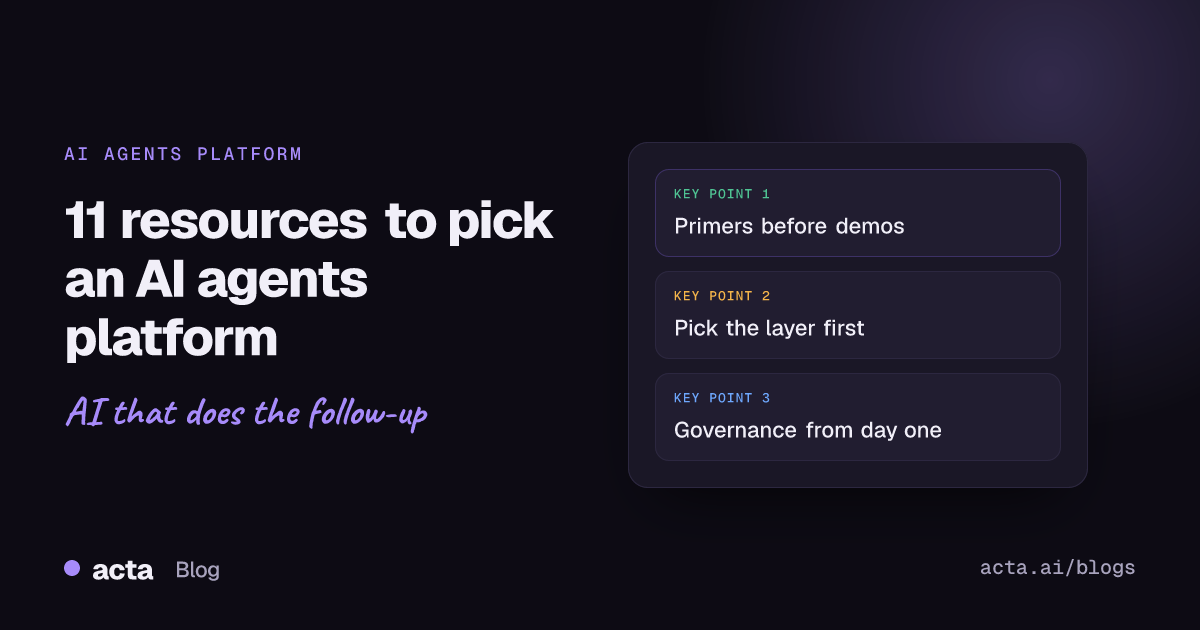
- Read one primer before any demo. Anthropic's "Building effective agents" changes how you'll judge pitches.
- Decide the layer first: low-code platform, developer SDK or protocol. Most bad choices compare tools from different layers.
- Check MCP support on any platform you shortlist; it decides how much custom integration work you'll own.
- Use NIST's Generative AI Profile as the checklist for your governance questions, not a vendor's own security page.
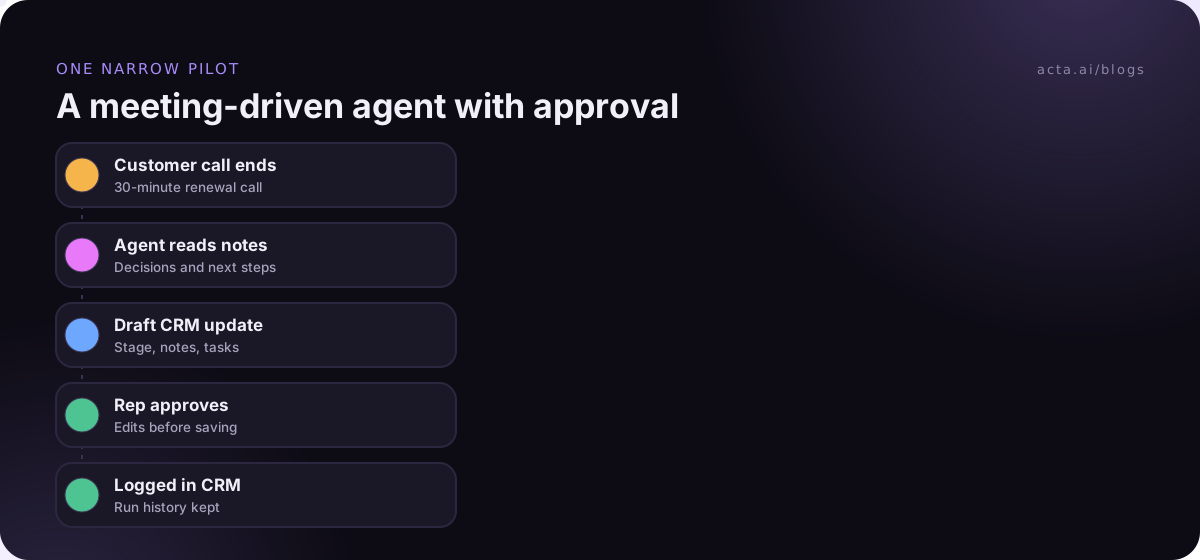
- Pilot one narrow workflow for two to four weeks, with a human approval step, before you commit to a platform.
Table of contents
- An AI agents platform covers one of three layers
- Two primers explain agents without the hype
- Low-code platforms suit teams without developers
- Developer SDKs trade upkeep for control
- Protocols decide how agents reach your tools
- Governance resources keep agents in bounds
- Score every platform on the same six questions
- Frequently asked questions
- Choose your AI agents platform
An AI agents platform covers one of three layers
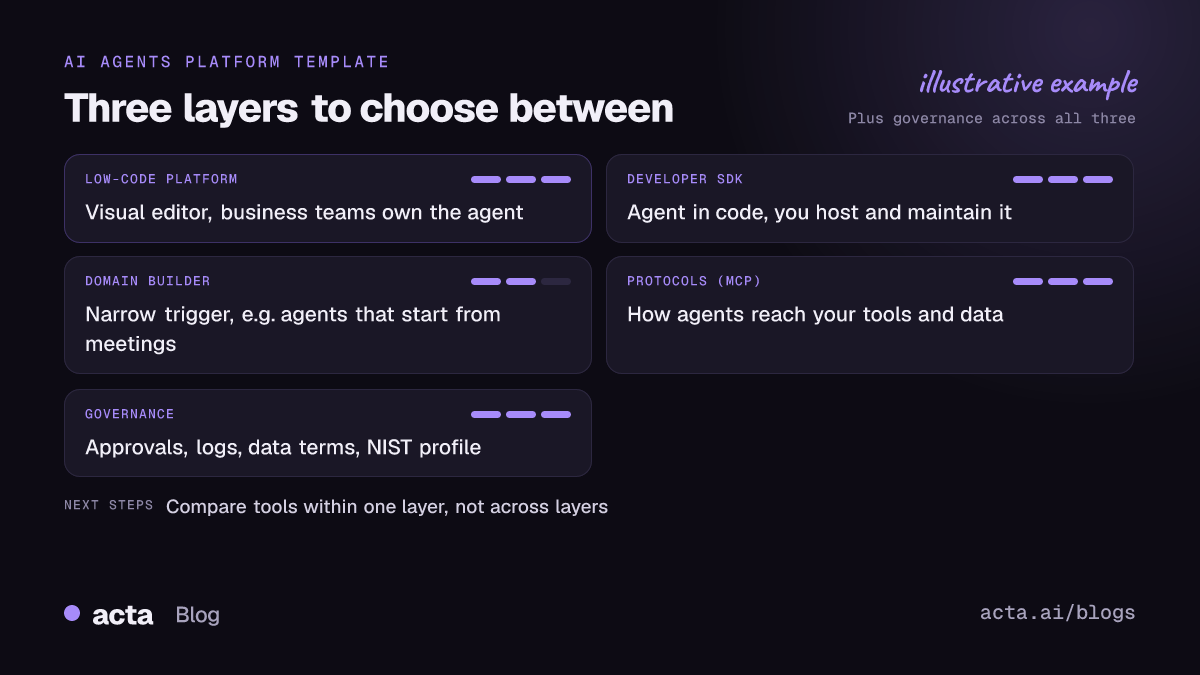
"Agent platform" gets used for very different products. A sales team buying a tool to update the CRM after calls and an engineering team building a support agent in Python are both "choosing an agent platform", but they shouldn't read the same docs.
Sort what you're evaluating into one of three layers:
- Low-code platforms. You configure agents in a visual editor. Business teams can own them. You accept the platform's limits.
- Developer SDKs and frameworks. Engineers write the agent in code and run it themselves. Full control, full responsibility.
- Protocols. Standards for how an agent talks to tools and data. You don't buy these; you check whether your platform supports them.
Governance sits across all three. The resources below follow that order.
Two primers explain agents without the hype
Read these first. They'll make every vendor demo shorter, because you'll know which questions to ask.
- Anthropic, "Building effective agents". The clearest split I know between workflows (LLMs and tools following predefined code paths) and agents (the model directs its own process). Its advice to start simple and add complexity only when it pays off is the right default for any first project.
- Our plain explainer, what an AI agent is for business teams. Useful for the non-technical people in the room. Pair it with AI agent vs chatbot vs Zapier automation if someone asks why you can't just add another Zap.
Low-code platforms suit teams without developers
If the people who'll maintain the agent aren't engineers, start here. Expect to trade flexibility for speed.
- Microsoft Copilot Studio overview. Microsoft Learn describes it as a graphical, low-code tool for building agents and agent flows, with deployment to channels such as Microsoft Teams and the web. Read it if you're a Microsoft 365 shop; licensing and billing details change, so check the current licensing page before you budget.
- Automation tools that added agents. Zapier, Make and n8n started as workflow tools and now offer AI steps. Our comparisons of n8n and Acta Agent Builder for meeting workflows and its siblings show where a general automation tool fits and where it gets awkward.
- Domain builders. Some platforms focus on one source of work. Acta's Agent Builder, for example, is built for automations that start from meetings, such as drafting a CRM update after a sales call. A narrow builder is often easier to trust than a general one, if your use case fits it.
Developer SDKs trade upkeep for control
If you have engineers and the agent is part of your product, an SDK is usually the better AI agents platform. You'll own hosting, monitoring and upgrades.
- OpenAI Agents SDK docs. The guide starts with a quickstart that defines one agent and runs it, and it explains the difference between the SDK (runs in your application) and OpenAI's managed options. Good first read even if you end up elsewhere, because the concepts carry over.
- Google Agent Development Kit (ADK) docs. An open-source, code-first framework for building, evaluating and deploying agents. It's described as model-agnostic but optimized for Gemini, so look closely if you're already on Google Cloud.
Before you pick an SDK, write down who will be on call when the agent does something odd at 2 a.m. If the answer is "nobody", go back to the low-code layer.
Protocols decide how agents reach your tools
An agent is only as useful as the systems it can read from and write to. Protocols decide how much glue code you'll write.
- Model Context Protocol docs. MCP is an open standard for connecting AI applications to tools and data. The architecture page explains hosts, clients and servers in a few minutes. Ask every vendor on your shortlist whether they support MCP, and in which direction.
- Our post on AI agents and MCP security. The practical risks once a chatbot can take actions, and the permissions to set before you connect anything that writes data.
Governance resources keep agents in bounds
This is the section people skip, and the one that decides whether the pilot survives its first security review.
- NIST AI 600-1, the Generative AI Profile. A voluntary companion to the NIST AI Risk Management Framework, published in July 2024. It lists risks specific to generative AI and suggested actions under Govern, Map, Measure and Manage. Use it to build your questions; it's general information, not a compliance certificate for any tool.
- Our guide to the risks of AI agents at work. The everyday failure modes (wrong recipient, confident errors, silent drift) and how approval steps catch them. Read it with how to pick your first AI agent use case.
Score every platform on the same six questions
Once you've read the resources, put each shortlisted AI agents platform through the same questions. Write answers in one shared doc so you're comparing like with like.
- Who builds and maintains it? Name the person. If they aren't technical, rule out SDKs.
- Where does the work start? Email, tickets, meetings, forms. Some platforms are strong on one trigger and weak on others.
- What can it write to? List the systems. Check native connectors and MCP support.
- Where does a human approve? Anything sent to a customer or written to a CRM should pause for review at first.
- What data does the vendor keep, and is it used for training? Get it in writing from the vendor's own terms.
- How do you see what it did? Logs, run history, the ability to replay a run. No logs, no production.
If meetings are where the work starts, settle consent before you connect anything: tell people the call is being recorded and why. Our guide to recording meetings with AI and getting consent covers what to say. For calls where a bot isn't welcome, a desktop app can capture the conversation from your own computer instead.
Where Acta fits
Acta isn't a general agent platform. It's an AI meeting assistant whose Agent Builder runs automations that start from meetings, such as follow-up drafts, CRM notes in Salesforce, HubSpot or Zoho, or Jira tickets, with an approval step before anything goes out. If your agents need to start from email or support tickets, one of the platforms above is the better fit.
Frequently asked questions
What is an AI agents platform?
It's software for building, running and monitoring AI agents: programs that use a language model to decide steps and call tools toward a goal. Some are low-code editors for business teams, some are code frameworks for developers, and some are narrower builders tied to one source of work, such as meetings or support tickets.
Do I need a developer to use an AI agents platform?
Not for low-code platforms, where you configure triggers, instructions and connected apps in an editor. You'll want a developer, or at least IT, for SDKs, custom connectors and anything touching sensitive systems. Even with low-code, ask IT to review permissions and data access before the agent writes to shared systems.
What is the difference between an agent SDK and an agent platform?
An SDK is a code library: you write the agent and host it yourself, so you control everything and maintain everything. A platform hosts agents for you and gives you an editor, connectors and run history. Many teams prototype on a platform and move a few high-volume agents to an SDK later.
Why does MCP support matter when choosing a platform?
MCP is a shared standard for connecting AI applications to tools and data. If a platform supports it, you can often connect existing MCP servers instead of building one-off integrations. It also helps if you change platforms later. Check both directions: can the platform use MCP servers, and can other assistants reach it?
How long should an AI agent pilot run?
Two to four weeks on one narrow workflow is a reasonable start. Keep a human approval step the whole time and track how often drafts need edits. If edits don't fall over the pilot, the instructions or the use case need work. Don't add a second workflow until the first is boring.
Choose your AI agents platform
Work through these five points with the people who'll own the agent, before any contract.
- Read the primers: Anthropic's guide and one plain explainer, so everyone shares the same vocabulary.
- Pick the layer: low-code platform, developer SDK, or a domain builder for one source of work.
- Check the connections: native connectors and MCP support for every system the agent must touch.
- Set the guardrails: approval before external sends, logs you can read, and data terms in writing.
- Run one pilot: one workflow, two to four weeks, with a named owner and an edit-rate check.
If your first agent starts from meetings, try it on calls captured with the Acta desktop app and start with the 15-day free trial.