Use Cases 6 min read
Product Demo Review: What Your Demo Calls Reveal, Written Up for You
What did the buyer really think of your demo? Acta's product demo review captures delivery, feature feedback, security questions and adoption signals from the recording.
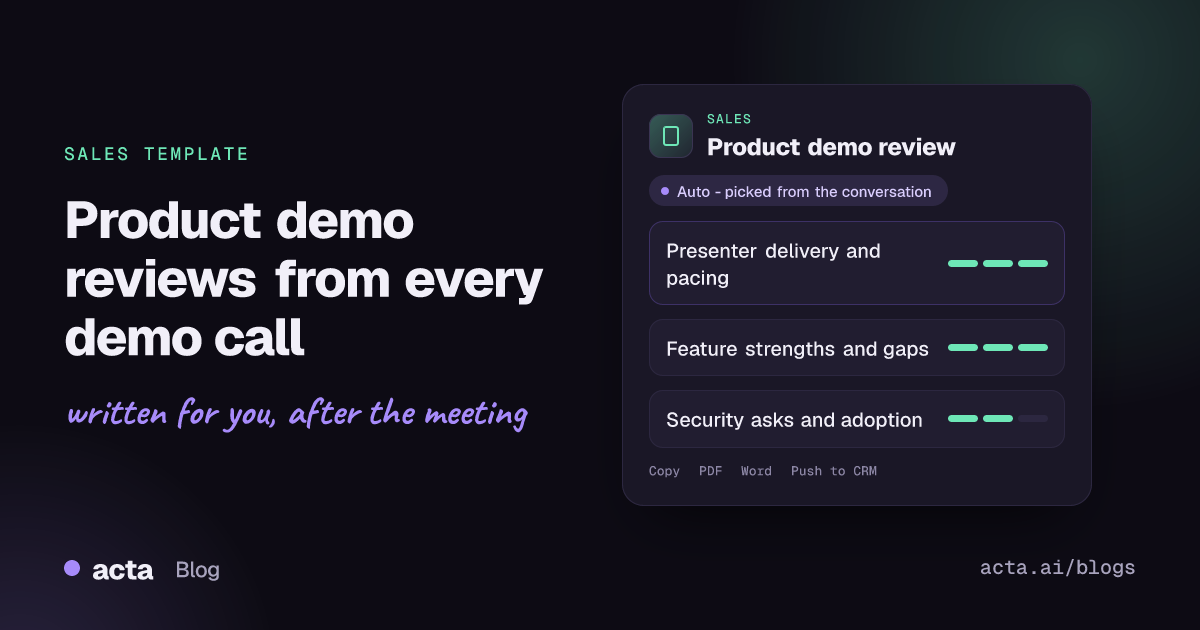
Quick answer: A product demo review is a structured debrief of a sales demo: how clearly the presenter explained and paced it, what the audience said about performance, usability and features, which security questions came up, and how likely the buyer is to adopt. Acta writes it from the recording of the demo call, so the account executive and sales engineer get the debrief without having to write it.
The demo is often the most expensive meeting in a sales cycle. A sales engineer prepares an environment, the account executive coordinates five or six people on the buyer side, and for 45 minutes the product is under a spotlight. Then the call ends and the only record is a CRM line that says "demo went well".
That one line hides almost everything that matters: the question the IT lead asked twice, the feature the operations manager lit up about, the moment someone mentioned the tool they use today. A proper demo debrief usually gets skipped because the next call starts in five minutes. Acta's Product demo review template writes that debrief for you.
What is a product demo review?
A product demo review is a short written assessment of one demo call. It looks at two things at once: how the seller ran the demo, and how the buyer received the product. Good sales teams treat it like a game film. Managers use it to coach presenters, and account teams use it to plan the next step with the buyer.
The buyer side matters more than many teams admit. Gartner describes B2B purchases as a set of six buying jobs, from problem identification to validation and consensus creation, which buyers loop through rather than follow in order. A demo touches several of those jobs at once: buyers explore the solution, check it against requirements and start validating it with colleagues. Gartner's research also finds that buyers lean on sellers for contextual questions such as whether a product fits their company, and that is exactly the conversation a demo creates. A review captures what those questions were while they are still fresh.
What does Acta's Product demo review include?
The report follows the order a sales leader would want to read it in:
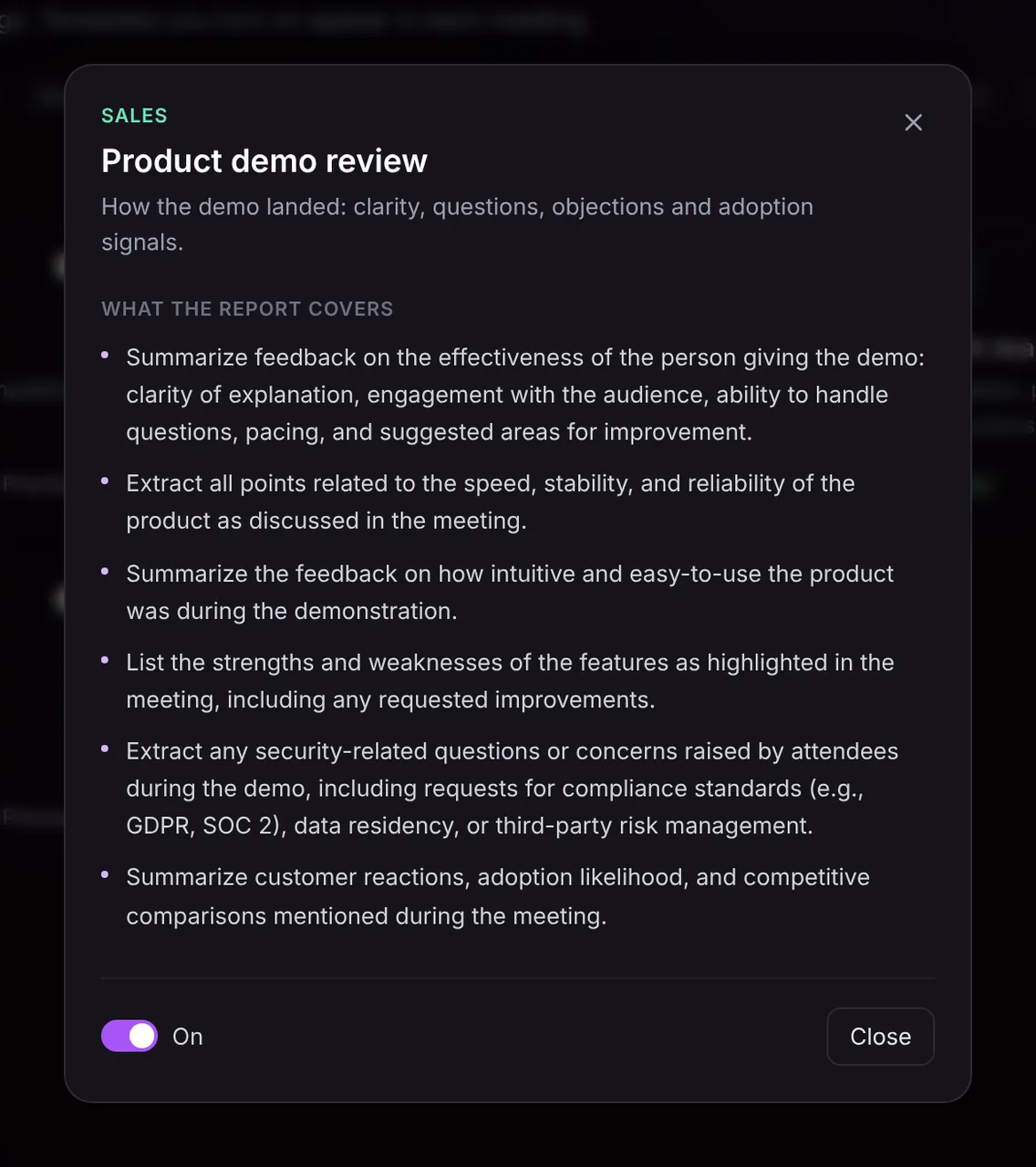
- Presenter effectiveness. Feedback on the person running the demo: how clearly they explained things, how they engaged the room, how they handled questions, their pacing, and where they could improve.
- Performance and reliability. Every point raised about speed, stability and reliability, whether it came from a slow screen during the call or a buyer asking how the product behaves at scale.
- Usability. What attendees said about how intuitive and easy to use the product looked.
- Feature strengths and weaknesses. Which features landed, which fell flat, and any improvements the buyer asked for.
- Security and compliance questions. Questions or concerns about compliance standards, data residency or third-party risk management, so the right documents go out before procurement asks.
- Customer reaction and adoption. How the audience reacted overall, how likely they seem to adopt, and any comparisons with competitors or the tool they use today.
Here is the template in Acta's Templates page, with the preview of what the report covers:
And an illustrative example of a finished report:
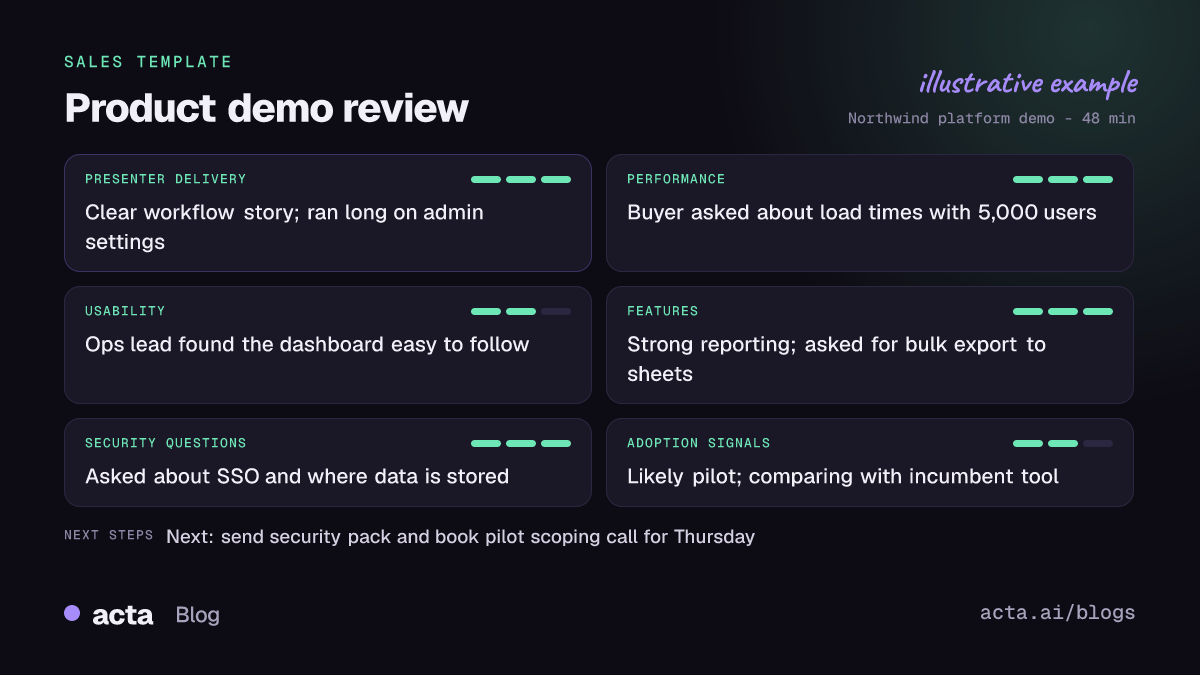
Like Acta's other sales reports, the demo review can open with an "In short" summary and carry a confidence level that says what was missing from the call, plus key quotes with the speaker named. Everything in it comes from what was said in the meeting, nothing more.
Who is the demo review for?
It is built for anyone who runs or depends on demos:
- Account executives who want a clean record of objections and buying signals before they write the follow-up email.
- Sales engineers who need the technical and security questions in one list, rather than reconstructing them from memory a week later.
- Sales managers who coach on delivery. Reading presenter feedback across a rep's last five demos shows patterns, such as always running long on configuration screens.
- Product managers who want unfiltered feature feedback from real buyers instead of a summary passed along three times.
A few situations where it earns its place: a deal stalls and you need to know what the buyer actually reacted to; a security review appears late and you want to see whether it was flagged on the demo; or a new hire is ramping and you want them to read how the strongest presenter handles tough questions. If the demo is followed by qualification work, the report sits well next to a MEDDPICC deal report or a BANT qualification summary from the discovery call.
How does Acta pick this template automatically?
You do not have to remember to switch the template on. After each meeting, Acta reads the conversation and picks a fitting template even if you have not turned it on. For the demo review, the signals are the shape of a demo: one side walking through the product, the other side asking how features work, raising performance or usability questions, asking about security and compliance, and comparing the product with what they use today.
When Acta picks it this way, the report is labelled "Auto" and Acta says why, for example that the call was a product walkthrough with feature questions and a security discussion. One click on "Turn on for future meetings" keeps it on.
It also works the other way. If you have turned the template on, it first checks whether the meeting really was a demo. An internal pipeline review or a renewal negotiation will not get a forced demo review; the template is listed under "Not relevant" with the reason.

How do you use the Product demo review in Acta?
- Record the demo. Acta records Zoom, Google Meet and Microsoft Teams calls through a meeting bot, or without one using the bot-free desktop app, the Chrome extension or the mobile apps. You can also upload a recording.
- Turn the template on, or let Acta pick it. Open Templates, find Product demo review in the Sales group, preview what it covers and toggle it on.
- Open the meeting's Templates tab. The review appears next to the summary and transcript, along with action items with owners and due dates.
- Share it. Copy it, download it as PDF, Word or Markdown, or use Push to CRM to add it as a note on the contact in Salesforce, HubSpot or Zoho (paid plan, with the CRM connected).

Tips for a more complete demo review
- Ask for reactions out loud. "How does that compare with how you do it today?" gives the report a competitive comparison it can quote.
- Invite the security question. Asking "Is there anything your security team will want to see?" surfaces requirements early.
- Close with a stated next step. If the next step is said in the meeting, it appears in the report.
To compare what buyers said across many demos, ask a question across all your meetings with OneChat, which answers with sources. See how sales teams use Acta for the rest of the cycle, or read about the SPICED deal report for discovery calls.
Frequently asked questions
What should a product demo review include?
It should cover how the presenter ran the demo, what the buyer said about performance, usability and features, any security or compliance questions, and how likely the buyer is to move forward. Acta's template covers all of these in that order.
Can Acta score a demo it was not told to review?
Yes. If the conversation looks like a demo, Acta picks the template automatically, labels the report "Auto" and explains why it chose it.
Does the report add information that was not said in the call?
No. The report only contains what was said in the meeting. If nobody discussed security, that section says so rather than guessing.
Can I put the demo review in my CRM?
Yes. On a paid plan with Salesforce, HubSpot or Zoho connected, Push to CRM adds the report as a note on the customer's contact.
Run your next demo with Acta recording and read the review before you write the follow-up: start a free 15-day trial.


